Battery Security Cams: Expert’s Top Picks for Home Protection
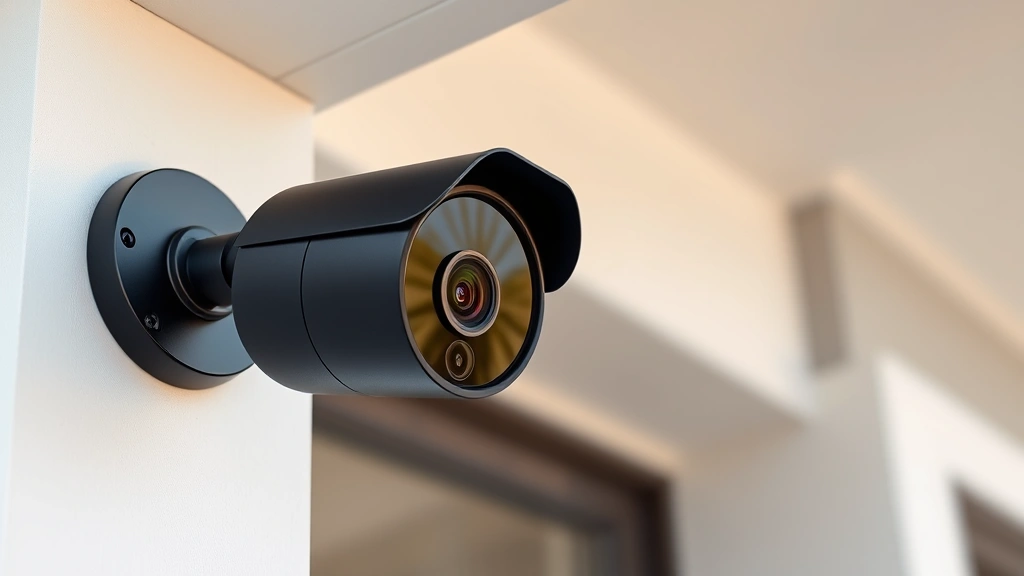
Battery-powered security cameras have revolutionized how homeowners protect their properties without the complexity of wired installations. These wireless devices offer flexibility, ease of deployment, and reliable monitoring capabilities that traditional systems struggle to match. Whether you’re securing a rental property, monitoring remote locations, or simply avoiding electrical work, battery-operated cameras provide an accessible entry point into modern home security.
The cybersecurity landscape for IoT devices like security cameras has become increasingly sophisticated, with threats ranging from unauthorized access to data interception. Selecting the right battery-powered camera means considering not only video quality and battery life but also encryption standards, firmware update practices, and manufacturer security protocols. This comprehensive guide examines the top battery-powered security cameras on the market while emphasizing the critical security features that protect your privacy and data.

Why Battery Power Matters for Security Cameras
Battery-powered security cameras eliminate installation barriers that prevent many homeowners from implementing comprehensive surveillance systems. Without requiring electrical outlets or complex wiring through walls and ceilings, these devices can be positioned precisely where threats are most likely to occur. This flexibility extends to temporary installations, rental properties, and areas where permanent modifications aren’t permitted.
The convenience factor shouldn’t overshadow the security implications of wireless devices. Battery-powered cameras connect to your home network via Wi-Fi, creating potential entry points for cyber threats if not properly secured. Understanding the relationship between convenience and security helps you make informed decisions about placement, network configuration, and device management. Check out our ScreenVibeDaily Blog for additional smart home technology insights that complement your security strategy.
Modern battery cameras incorporate advanced motion detection, night vision, and two-way audio capabilities that rival their wired counterparts. The trade-off involves managing battery replacements and ensuring consistent power levels for uninterrupted monitoring. Premium models now feature solar charging options, extending operational periods indefinitely while reducing maintenance burdens.
Essential Security Features to Look For
When evaluating battery-powered security cameras, encryption represents your first line of defense against unauthorized access. Look for cameras supporting AES-256 encryption for video streams and WPA3 Wi-Fi security protocols. These standards prevent attackers from intercepting footage or gaining access to your camera feeds, protecting both your visual data and your network infrastructure.
Firmware update capabilities determine long-term security viability. Manufacturers must regularly patch vulnerabilities discovered in camera software and associated cloud platforms. Select cameras from companies demonstrating consistent security update practices, ideally with automatic update mechanisms that don’t require manual intervention. According to CISA (Cybersecurity and Infrastructure Security Agency), outdated IoT devices represent significant security risks in residential networks.
Two-factor authentication (2FA) protects your camera accounts from credential compromise. Even if attackers obtain your password, 2FA prevents unauthorized access to your surveillance system. This feature proves essential for cameras accessible remotely through mobile applications or web interfaces. Additionally, look for cameras offering local storage options, reducing reliance on cloud servers and maintaining footage privacy within your home network.
Privacy considerations extend beyond encryption to physical design elements. Some cameras feature mechanical shutters that physically block the lens when not in use, providing tangible privacy assurance beyond software controls. Review manufacturer privacy policies to understand data retention practices, third-party sharing restrictions, and your rights regarding stored footage.
Top Battery-Powered Camera Models
Wyze Cam v3 offers exceptional value with 1080p resolution, night vision, and two-way audio at an accessible price point. The camera supports local recording to microSD cards and connects via 2.4GHz Wi-Fi. Its open API enables integration with smart home ecosystems, though users should configure strong passwords and enable 2FA immediately upon setup. The battery version provides moderate runtime, making it suitable for areas with consistent usage patterns.
The Reolink Argus 3 Pro delivers superior battery performance with dual-band Wi-Fi connectivity and 2K resolution. Its starlight night vision captures clear footage in low-light conditions, and the built-in spotlight deters potential intruders. Reolink emphasizes local storage with optional cloud backup, allowing you to maintain complete footage control. The camera’s robust encryption and regular firmware updates align with security best practices recommended by NIST (National Institute of Standards and Technology).
Arlo Pro 4 represents the premium segment with 2K resolution, advanced AI detection, and extended battery life. The system integrates seamlessly with Apple HomeKit, providing encrypted end-to-end communication for iOS users. Arlo’s subscription service offers cloud storage with flexible retention options, though local storage capabilities remain limited. The camera’s sophisticated motion detection reduces false alerts, improving battery efficiency through intelligent recording triggers.
For budget-conscious users, the Wyze Cam v3 with battery module provides reliable performance without premium pricing. While battery endurance requires more frequent replacements than higher-end models, the camera’s compact design and weatherproof rating make it suitable for diverse mounting locations. The community-driven support ecosystem provides valuable troubleshooting resources and configuration guidance.
The Eufy eufyCam 2C Pro emphasizes privacy with local storage and optional cloud backup, never requiring mandatory cloud connectivity. Its 2K resolution and advanced motion detection deliver detailed surveillance footage. The camera’s battery performance exceeds competitors in its price range, and Eufy’s commitment to local processing means your footage remains on your device unless explicitly uploaded to cloud services.
Installation and Network Security Best Practices
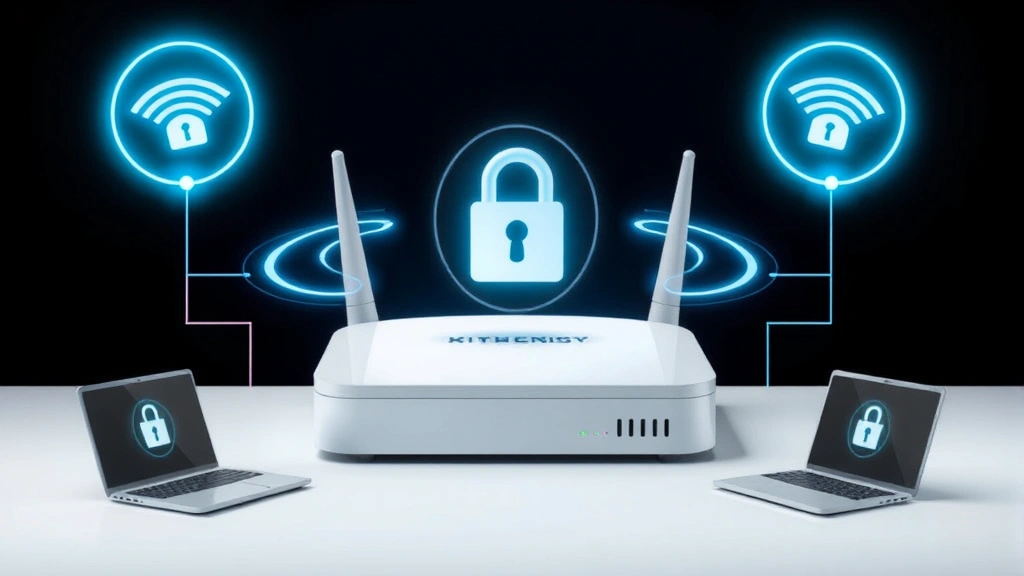
Proper installation extends beyond physical placement to encompass comprehensive network security protocols. Begin by creating a dedicated Wi-Fi network specifically for security devices, separate from computers and personal devices. This network segmentation limits potential damage if a camera becomes compromised, preventing attackers from accessing sensitive files on your primary devices.
Configure your router to isolate IoT devices through guest network functionality or VLAN (Virtual Local Area Network) settings. This architectural approach ensures that even if an attacker compromises your battery-powered camera, they cannot easily pivot to other network resources. Update your router’s firmware regularly and change default admin credentials immediately upon setup.
During initial setup, create unique, complex passwords for each camera account rather than reusing credentials across devices. Enable two-factor authentication wherever available, preferably using authenticator apps rather than SMS-based verification. Test remote access functionality to confirm proper operation, then disable remote access features you don’t actively use, reducing potential attack surfaces.
Position cameras to avoid capturing sensitive information from neighbors’ properties or public spaces where privacy expectations exist. This legal and ethical consideration protects you from liability while demonstrating responsible security practices. Consider sight lines carefully, ensuring cameras monitor entry points, driveways, and perimeter areas without creating privacy concerns.
Battery Life and Maintenance Considerations
Battery performance varies significantly based on camera model, environmental conditions, and usage patterns. Cameras recording continuously drain batteries faster than models using motion-triggered recording. Modern battery cameras typically provide 3-6 months of operation on standard batteries, though premium models with larger capacity batteries extend this to 12 months or beyond.
Environmental factors substantially impact battery longevity. Cold temperatures reduce chemical reaction rates in batteries, decreasing available capacity. Cameras exposed to winter conditions may experience 20-30% battery life reduction compared to moderate temperature environments. Position cameras in sheltered locations when possible, using weatherproof housing to protect both the camera and batteries from extreme conditions.
Solar panel charging options provide indefinite operational periods without manual battery replacement. These supplemental charging systems prove particularly valuable for cameras in sunny locations with consistent daylight exposure. While solar panels increase initial investment, they eliminate recurring battery replacement costs and ensure uninterrupted monitoring during extended periods away from home.
Establish a battery replacement schedule aligned with your camera’s expected runtime. Set calendar reminders approximately one month before anticipated battery depletion, allowing time to procure replacement batteries. Use high-quality alkaline or rechargeable batteries from reputable manufacturers, as counterfeit batteries create safety hazards and unpredictable performance issues.
Comparing Cloud Storage and Local Recording Options
Cloud storage services offer convenience and accessibility, enabling footage review from anywhere with internet connectivity. However, cloud-based systems introduce privacy considerations and ongoing subscription costs. Evaluate cloud storage providers’ security certifications, data encryption practices, and data residency policies. Ensure your selected camera system complies with relevant privacy regulations in your jurisdiction.
Local storage using microSD cards or connected network-attached storage (NAS) devices maintains complete footage control within your home environment. This approach eliminates recurring subscription fees and reduces exposure to cloud service vulnerabilities. However, local storage requires manual management and backup procedures to prevent data loss from device failure or theft.
Hybrid approaches combining local and cloud storage offer optimal security and accessibility. Record continuously to local storage for complete coverage, while uploading important clips or motion-triggered events to cloud services for backup and remote review. This strategy provides redundancy, ensuring footage survives local storage device failure while maintaining privacy for routine monitoring data.
Consider your internet connection reliability when selecting storage options. Unreliable broadband connections may struggle with continuous cloud uploads, potentially missing critical footage during connectivity disruptions. Local storage proves more resilient in these scenarios, though cloud backup of important incidents provides valuable redundancy.
Review Electronic Frontier Foundation (EFF) resources on home security privacy for comprehensive guidance on storage decision-making. Their research highlights security implications of different storage architectures and provides recommendations aligned with privacy-conscious practices.
Advanced Features and Smart Home Integration
Modern battery-powered cameras increasingly incorporate artificial intelligence for sophisticated threat detection. Rather than triggering on any motion, AI-enabled cameras distinguish between humans, vehicles, and animals, reducing false alerts that drain batteries unnecessarily. This intelligent filtering extends battery life while improving alert relevance and actionability.
Smart home integration enables automated responses to detected threats. Cameras can trigger lights, sound alarms, or send notifications to other smart home devices when motion is detected. Integration with platforms like Apple HomeKit, Google Home, or Amazon Alexa provides voice control and automated routines. However, ensure integration maintains security boundaries, preventing compromised cameras from controlling critical home systems.
Person detection and facial recognition capabilities continue advancing, offering enhanced security insights. Some cameras identify recurring visitors and familiar faces, distinguishing between known individuals and potential threats. Privacy considerations become paramount with these advanced features, as biometric data collection raises additional regulatory and ethical concerns.
Package detection represents a practical feature gaining prominence among battery-powered cameras. These systems recognize when deliveries arrive, alerting homeowners to retrieve packages promptly and reducing theft risk. This specialized detection improves battery efficiency by ignoring irrelevant motion while prioritizing security-relevant events.
Troubleshooting Common Battery Camera Issues
Connection instability represents the most common issue with battery-powered cameras. If your camera frequently disconnects from Wi-Fi, verify your router’s Wi-Fi signal strength at the camera location. Consider repositioning your router, adding Wi-Fi extenders, or upgrading to dual-band routers supporting both 2.4GHz and 5GHz bands. Some cameras perform better on specific frequency bands, so test both options during troubleshooting.
Video quality degradation often correlates with poor network connectivity. Cameras automatically reduce resolution and frame rate when bandwidth is limited, maintaining recording capability at the expense of image clarity. Improving network performance through router optimization or adding dedicated Wi-Fi hardware resolves these issues while improving overall system reliability.
Battery drain faster than expected typically indicates excessive motion detection triggers or continuous recording modes. Review camera settings to ensure motion detection sensitivity is appropriately calibrated for your environment. Disable continuous recording if not essential, relying instead on motion-triggered events to preserve battery capacity.
Firmware update failures can leave cameras in vulnerable states if not properly resolved. Always ensure stable power and network connectivity before initiating firmware updates. If an update fails, attempt the process again using a wired connection if your camera model supports it, or contact manufacturer support for recovery procedures.
FAQ
How long do batteries typically last in security cameras?
Battery longevity depends on camera model, recording frequency, and environmental conditions. Most battery-powered cameras operate 3-6 months on standard batteries, while premium models with larger capacity batteries extend to 12 months. Motion-triggered recording dramatically extends battery life compared to continuous recording modes. Environmental factors, particularly cold temperatures, significantly reduce battery performance, potentially decreasing runtime by 20-30% in winter conditions.
Are battery-powered security cameras secure against hacking?
Security depends on proper configuration and manufacturer practices. Select cameras supporting AES-256 encryption, WPA3 Wi-Fi protocols, and regular firmware updates. Enable two-factor authentication, use unique strong passwords, and isolate cameras on dedicated networks. While no device is absolutely secure, following these practices substantially reduces hacking risk. Review Dark Reading’s threat intelligence reports for current vulnerability information affecting specific camera models.
Can battery cameras work without Wi-Fi?
Most modern battery cameras require Wi-Fi for remote viewing and cloud uploads. However, some models support local storage to microSD cards without internet connectivity, enabling local recording and playback. This approach sacrifices remote access convenience but provides offline recording capability for areas with unreliable broadband. Verify your specific camera model’s capabilities before purchasing if offline operation is essential.
What’s the difference between battery and wired security cameras?
Battery cameras offer installation flexibility and portability without electrical work, while wired cameras provide continuous operation without battery replacement. Wired systems typically deliver more reliable connectivity and consistent performance. Battery cameras suit temporary installations, rental properties, and locations where permanent wiring isn’t feasible. Consider your long-term security needs when choosing between these architectures.
How do I protect my battery camera from theft?
Select cameras with tamper detection features that alert you when devices are removed or disabled. Mount cameras in elevated positions, out of easy reach, and use security brackets designed to resist theft. Consider cameras with built-in storage, so footage remains accessible even if the device is stolen. Register your camera with the manufacturer for theft reporting and recovery assistance.
Do battery cameras work in cold weather?
Battery performance degrades significantly in cold temperatures due to reduced chemical reaction rates. Most cameras function in freezing conditions but with substantially reduced battery life. Insulating battery compartments or using heated enclosures improves performance in winter environments. Solar charging panels prove particularly valuable in cold climates, providing consistent supplemental power throughout winter months.
What resolution should I choose for battery cameras?
1080p resolution suffices for most residential applications, providing clear identification details while minimizing file sizes and network bandwidth requirements. 2K resolution offers improved detail capture for identifying faces and license plates at distance, though it increases storage and network demands. Select resolution based on your surveillance priorities and available network capacity rather than defaulting to maximum specifications.


