
Best Security Camera Without Subscription: Expert’s Top No-Sub Picks
Security cameras have become essential for protecting homes and businesses, but subscription fees can quickly drain your budget. Many users face the frustration of paying monthly or annual fees just to access basic features like cloud storage, motion alerts, and remote viewing. The good news? Numerous high-quality security cameras operate without mandatory subscriptions, offering robust local storage and advanced features at a one-time cost. This guide explores the best subscription-free security cameras that deliver professional-grade protection without recurring expenses.
When evaluating security cameras, consider several critical factors: local storage capabilities, video resolution, night vision quality, motion detection accuracy, and ease of installation. Subscription-free models typically rely on local NVR/DVR systems or microSD card storage rather than cloud-based infrastructure. This approach provides better privacy control, faster access to footage, and eliminates dependency on internet bandwidth for basic operations. Whether you’re protecting a residential property or commercial space, understanding these options helps you make an informed investment.
Why Choose Subscription-Free Security Cameras
Subscription-free security cameras represent a paradigm shift in home and business protection. Traditional surveillance systems often lock essential features behind monthly paywalls, forcing users to spend $10-50 monthly just for basic functionality. Over five years, a single camera subscription can cost $600-3,000—money that could purchase multiple high-quality cameras instead.
The financial advantage extends beyond immediate costs. Subscription models create vendor lock-in, where users cannot easily switch providers without losing footage history and custom settings. Subscription-free systems grant complete ownership and control over your surveillance infrastructure. You decide how long to retain footage, which features to enable, and when to upgrade equipment. This autonomy proves invaluable for privacy-conscious users and organizations handling sensitive information.
Another critical benefit involves cybersecurity and data protection. Cloud-based surveillance systems require transmitting video footage to external servers, creating potential vulnerability points for data breaches. According to CISA (Cybersecurity and Infrastructure Security Agency), residential IoT devices remain frequent targets for cybercriminals seeking unauthorized access. Local storage eliminates this risk entirely, keeping sensitive footage within your physical control. No third-party servers means no cloud account breaches affecting your surveillance data.
Reliability also favors subscription-free models. Internet outages don’t disable local recording capabilities—your system continues capturing footage regardless of connectivity status. Users can review recorded events immediately without waiting for cloud uploads. This proves essential during security incidents when rapid access to footage matters most.
Top No-Subscription Security Camera Models
Hikvision DS-2CD2143G2-I represents an excellent entry point for budget-conscious buyers. This 4MP turret camera delivers exceptional value with built-in microSD card support up to 128GB, providing weeks of continuous recording. The 2.8mm lens offers 110-degree field of view, capturing detailed footage of typical residential areas. Night vision extends 30 meters using infrared LEDs, ensuring 24/7 monitoring capability. Setup requires minimal technical knowledge—simply connect to your local network and configure through the intuitive web interface.
Uniview IPC322SR-VPZ13 caters to users prioritizing zoom capability and pan-tilt functionality. This 2MP motorized camera features 3x optical zoom and 355-degree pan coverage, ideal for monitoring large areas with a single unit. The motorized lens automatically focuses on detected motion, reducing false alerts from environmental changes. MicroSD card recording capability ensures independent operation without cloud dependency. Its compact design suits both indoor and outdoor installations.
Dahua IPC-HDBW2433E-Z delivers 4MP resolution with motorized varifocal lens technology. Users can remotely adjust zoom and focus without physical camera access, enabling flexible field-of-view optimization. The camera supports H.265 video compression, reducing storage requirements by 50% compared to standard H.264 encoding. This efficiency means fewer storage upgrades and extended retention periods on existing hardware.
For budget-conscious installations, Reolink RLC-810A offers impressive specifications at accessible price points. This 4MP PoE camera eliminates separate power cables by drawing electricity through ethernet connections, simplifying installation. The 2560×1920 resolution captures license plates and facial details from considerable distances. Built-in motion detection with customizable zones reduces false alerts from passing vehicles or swaying vegetation.
Axis M3004-V represents the premium segment for organizations demanding military-grade reliability. This compact fixed dome camera integrates seamlessly into professional environments. The 1/3-inch progressive scan sensor delivers exceptional low-light performance without excessive noise. Axis’s ARTPEC image processing chipset provides superior video quality compared to generic competitors. While higher-priced, the durability and longevity justify investment for critical surveillance applications.
For outdoor residential use, Amcrest UltraHD 4K combines affordability with impressive specifications. The camera supports simultaneous 4K recording and 1080p streaming, balancing storage efficiency with viewing flexibility. Dual-band Wi-Fi connectivity ensures robust signal strength even in challenging environments. The weatherproof design handles extreme temperatures, humidity, and precipitation typical of outdoor installations.
Local Storage vs. Cloud Solutions
Understanding storage architecture fundamentally shapes your security camera decision. Local storage systems store footage on physical devices within your premises—NVRs (Network Video Recorders), DVRs (Digital Video Recorders), or microSD cards. Cloud storage uploads video to remote servers operated by third parties. Each approach offers distinct advantages and limitations.
Local storage excels in privacy and security. Your footage never leaves your property, eliminating exposure to cloud breaches affecting millions of users. You maintain complete encryption keys without relying on third-party security practices. Organizations handling sensitive information—medical facilities, legal offices, financial institutions—must prioritize local storage for regulatory compliance. HIPAA, GDPR, and industry-specific regulations often prohibit sensitive footage storage on uncontrolled external servers.
MicroSD card storage represents the simplest local solution, supporting up to 512GB capacity on modern cameras. A 128GB card records approximately 7-14 days of continuous 4K footage depending on compression settings. This duration suits residential applications where weekly footage review suffices. However, card storage requires manual retrieval and management, limiting scalability for multi-camera installations.
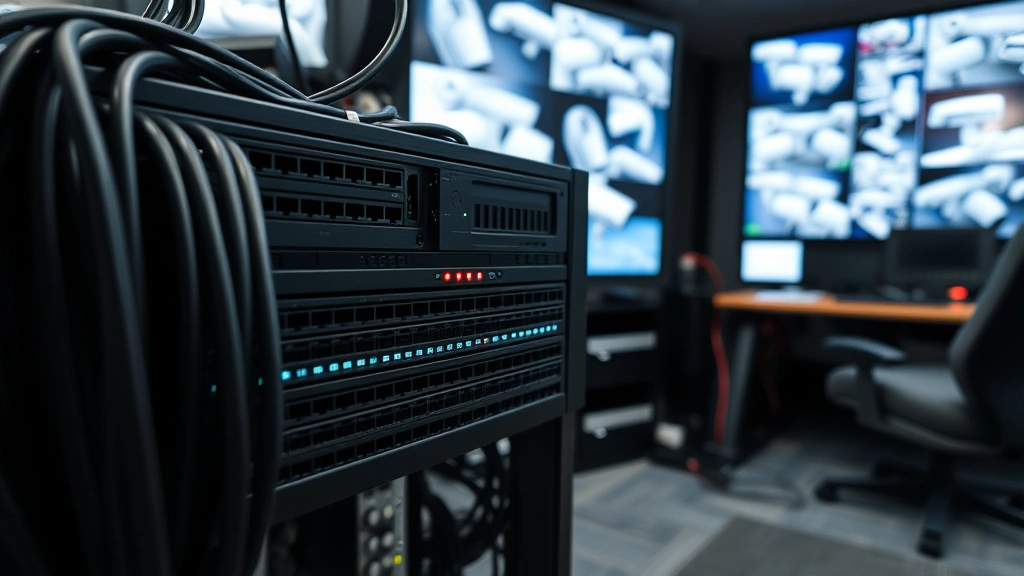
NVR systems provide enterprise-grade local storage for serious surveillance requirements. A 4-channel NVR with 2TB hard drive retains 30-60 days of 4MP footage from four cameras simultaneously. Users access recordings through local network interfaces or remote desktop connections without uploading footage externally. Hard drive costs remain minimal—a 4TB surveillance-class drive costs $80-120 and stores months of footage from multiple cameras.
Cloud storage offers convenience and accessibility. Access footage from anywhere globally using smartphone apps, requiring only internet connectivity. Automatic backup prevents data loss from hardware failures or physical theft. However, cloud services introduce recurring costs, bandwidth consumption, and potential privacy concerns. According to NIST cybersecurity guidelines, cloud storage requires rigorous vendor evaluation and data protection agreements.
Hybrid approaches combine local and cloud storage for optimal flexibility. Record continuously to local NVR for immediate access and extended retention, while uploading motion-triggered clips to cloud storage for remote notifications. This strategy balances privacy, accessibility, and cost-effectiveness.
Installation and Setup Considerations
Successful camera deployment requires thoughtful planning and proper execution. Begin by identifying critical monitoring areas—entry points, valuable asset locations, and high-traffic zones. Map camera positions ensuring adequate lighting, minimal glare, and unobstructed views. Avoid pointing cameras directly at windows or bright outdoor areas, which causes backlight compensation artifacts degrading image quality.
PoE (Power over Ethernet) cameras simplify installation by eliminating separate power cables. A single CAT6 ethernet cable delivers both network connectivity and power, reducing clutter and installation complexity. PoE switches cost $100-300 for 4-8 ports, providing central power management and network consolidation. This architecture proves superior to Wi-Fi cameras for permanent installations where reliability matters.
Network configuration impacts system performance significantly. Dedicate a separate VLAN (Virtual Local Area Network) for surveillance cameras, isolating video traffic from general computing networks. This prevents bandwidth competition and reduces security risks if a camera becomes compromised. Configure cameras with static IP addresses rather than DHCP, ensuring consistent accessibility without IP address changes.
Proper cabling installation prevents future problems. Use outdoor-rated CAT6A cables for exterior runs, protecting against moisture, temperature extremes, and UV degradation. Avoid running cables near high-voltage power lines, which introduce electromagnetic interference degrading signal quality. Install conduit protecting cables from physical damage and rodent intrusion.
Storage capacity planning requires understanding your retention requirements. Calculate daily footage volume by multiplying camera resolution, frame rate, and compression efficiency. A 4MP camera recording at 30fps generates approximately 500GB-1TB monthly depending on compression. Determine required retention period—30, 60, or 90 days—and purchase NVR storage accordingly. Oversizing storage capacity provides buffer for unexpected requirements.
Network bandwidth deserves careful attention. Four 4MP cameras streaming at 30fps consume 8-12 Mbps bandwidth. Verify your internet connection supports simultaneous remote access without degrading local network performance. Implement QoS (Quality of Service) rules prioritizing surveillance traffic during peak usage periods.
Advanced Features Without Extra Fees
Modern subscription-free cameras incorporate sophisticated features previously reserved for premium cloud services. These capabilities enhance security effectiveness while maintaining cost control through one-time purchases.
Intelligent motion detection uses advanced algorithms distinguishing genuine threats from environmental changes. Rather than triggering on every shadow and weather variation, smart detection recognizes human and vehicle shapes, reducing false alerts by 80-90%. This proves invaluable for outdoor cameras where wind-blown vegetation traditionally caused constant notifications.
Two-way audio enables real-time communication with visitors, delivery personnel, or intruders. Built-in microphones and speakers allow you to greet guests, provide instructions, or issue warnings without opening your door. This feature proves particularly valuable for residential security, enabling interaction with unknown visitors safely.
Thermal imaging detects heat signatures rather than visible light, operating effectively in complete darkness and through smoke. Thermal cameras excel at detecting intrusion attempts along perimeters or identifying fires before visible flames emerge. While more expensive than standard models, thermal cameras eliminate night vision limitations and environmental lighting dependencies.
Edge computing processes video locally on the camera rather than requiring external servers. Cameras analyze footage for specific events—person detection, vehicle recognition, loitering detection—and trigger alerts only for relevant incidents. This reduces false notifications and bandwidth consumption while improving response times.
License plate recognition automatically captures and logs vehicle registration numbers, enabling rapid identification of unauthorized vehicles. This feature assists law enforcement investigations and provides valuable evidence for security incidents. Recognition accuracy improves with higher resolution cameras and optimal lighting conditions.
Heat mapping and occupancy analysis provide insights into movement patterns and area usage. Security personnel identify high-traffic zones, bottlenecks, and unusual behavior patterns. Retailers use heat mapping to optimize store layouts and identify customer engagement areas.
For comprehensive monitoring, explore resources and guides covering surveillance best practices. Additionally, understanding detailed evaluation techniques helps assess camera quality and specifications objectively.
FAQ
Do subscription-free security cameras require internet connection?
Local recording continues without internet connectivity. Cameras record to microSD cards or NVR storage regardless of network status. However, remote viewing and mobile notifications require active internet connection. Many users prioritize local reliability over constant remote access.
How long does microSD card footage retention last?
A 128GB microSD card stores approximately 7-14 days of continuous 4MP footage depending on frame rate and compression. 256GB cards extend retention to 2-3 weeks. For longer retention, NVR systems with multiple terabytes of storage provide 60-90 days of multi-camera footage.
Can I upgrade from subscription to subscription-free cameras?
Yes. Existing subscription-based camera systems can be replaced with subscription-free alternatives. Migration involves installing new cameras, configuring local storage, and transferring monitoring responsibilities. Most modern subscription-free cameras integrate seamlessly with existing network infrastructure.
What’s the best resolution for security cameras?
4MP (2560×1920) represents the optimal balance for most residential and small commercial applications. This resolution captures facial details and license plates from practical distances while maintaining manageable storage requirements. 2K (1080p) suffices for simple monitoring, while 8MP+ targets specialized applications requiring extreme detail.
How do I protect subscription-free cameras from hacking?
Change default credentials immediately after installation. Use strong, unique passwords with mixed character types. Keep firmware updated regularly—manufacturers release security patches addressing discovered vulnerabilities. Isolate cameras on dedicated VLANs preventing lateral network movement. Disable unnecessary features like UPnP and remote access if not required. Regular security audits using threat intelligence tools identify exposed devices requiring configuration adjustments.
Are PoE cameras better than Wi-Fi cameras?
PoE cameras offer superior reliability, faster data transmission, and simpler installation for permanent deployments. Wi-Fi cameras provide flexibility for temporary installations and locations without ethernet access. PoE suits professional installations while Wi-Fi serves temporary or mobile applications.
What storage capacity do I need for multiple cameras?
Calculate requirements using: (Camera Resolution × Frame Rate × Compression Factor × Recording Hours × Number of Cameras × Retention Days) ÷ Storage Efficiency. For example, four 4MP cameras recording 24/7 for 30 days typically require 4-8TB NVR storage. Oversizing by 50% accommodates unexpected requirements and storage degradation over time.
Can subscription-free cameras integrate with smart home systems?
Many modern cameras support ONVIF standards enabling integration with various smart home platforms. Integration capabilities vary by manufacturer—some cameras work with Home Assistant, others integrate with proprietary systems. Verify compatibility before purchase if smart home integration matters for your installation.


