
Top Outdoor Cameras: No Subscription Needed
Security doesn’t have to drain your wallet with recurring subscription fees. Modern outdoor security cameras have evolved dramatically, offering robust features, high-definition recording, and intelligent motion detection without mandatory monthly charges. Whether you’re protecting your home, monitoring your property perimeter, or keeping watch over vulnerable entry points, subscription-free cameras deliver genuine peace of mind without the financial burden of ongoing service costs.
The shift toward subscription-free security solutions reflects growing consumer demand for affordable, transparent pricing models. Unlike traditional systems that lock you into expensive monitoring contracts, today’s best outdoor security cameras without subscription provide local storage options, cloud backup alternatives, and powerful AI-driven features that rival premium subscription-based competitors. This comprehensive guide explores the top performers in the subscription-free category, helping you make an informed decision about your home security investment.
Why Choose Subscription-Free Outdoor Cameras
Subscription-free outdoor security cameras represent a fundamental shift in how homeowners approach property protection. Traditional security systems often require monthly monitoring fees ranging from $25 to $50, accumulating to $300-$600 annually per camera. Over a five-year period, these costs can exceed thousands of dollars, making budget-conscious consumers seek alternatives that don’t compromise on essential security features.
The primary advantage of subscription-free cameras is transparent, predictable pricing. You purchase the hardware once and enjoy indefinite access to core functionality. Many modern cameras include generous local storage through microSD cards, network-attached storage (NAS) systems, or direct hard drive integration. This approach eliminates dependency on cloud providers and reduces vulnerability to service interruptions or unexpected price increases.
Beyond cost savings, subscription-free cameras offer enhanced privacy control. Your video footage remains under your direct supervision rather than stored on third-party servers. This matters significantly when protecting sensitive areas like your home’s exterior, driveway, or backyard. You decide what data leaves your network and maintain complete authority over access permissions and storage duration.
Additionally, subscription-free systems provide independence from corporate service changes. Companies frequently discontinue products, alter feature sets, or sunset older models. Without subscription dependencies, you’re not forced to upgrade or lose access to functionality you already own. This stability proves invaluable for long-term security planning and property protection strategies.
Key Features to Evaluate
Selecting the best outdoor security cameras without subscription requires understanding essential features that directly impact performance and usability. Video resolution stands as the foundation—4K resolution (3840×2160 pixels) provides superior detail compared to 1080p, enabling clear identification of faces, license plates, and other critical details. However, 2K (2560×1440) offers an excellent balance between image quality and storage efficiency.
Night vision capability determines your camera’s effectiveness during darkness. Infrared (IR) LED technology projects invisible light to illuminate scenes without visible glow, while color night vision uses ambient light and advanced sensors to capture colored footage even in low-light conditions. Evaluate your property’s existing lighting when choosing between these options—well-lit areas may benefit from color night vision, while darker zones require superior IR capabilities.
Motion detection and object recognition represent critical intelligence features. Modern cameras employ AI-powered detection that distinguishes between people, vehicles, and animals, reducing false alerts triggered by leaves, shadows, or passing traffic. Advanced models recognize specific individuals through facial recognition and alert you when unfamiliar persons approach your property.
Field of view (FOV) affects coverage area. Standard cameras offer 90-110 degrees, while wide-angle lenses provide 120-150 degrees. Panoramic or fisheye models exceed 180 degrees but may introduce distortion. Consider your property layout and monitoring priorities when selecting FOV—wider angles cover more area but sacrifice detail at distance.
Weather resistance ratings indicate durability in harsh conditions. Look for cameras rated IP65 or higher, ensuring protection against dust, rain, and temperature extremes. Many outdoor cameras operate across -20°F to 140°F ranges, though specific models may have different tolerances. Verify compatibility with your climate zone before purchase.
Audio capabilities enhance security awareness. Two-way audio enables real-time communication with visitors or potential threats, while one-way audio provides ambient sound recording. Some cameras include sophisticated noise cancellation that filters wind and background sounds while preserving important audio events.
Top Outdoor Camera Models
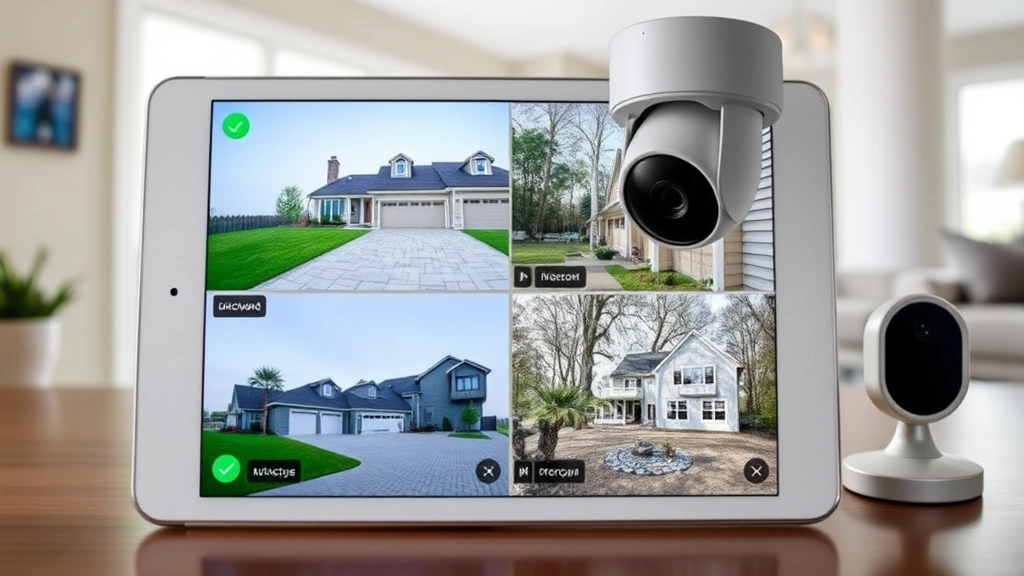
Several outstanding outdoor security cameras without subscription have earned recognition for reliability, feature richness, and genuine performance. The Hikvision DS-2CD2443G2-I delivers 4K resolution with advanced compression technology, reducing storage requirements while maintaining exceptional image quality. Its turret design provides 360-degree coverage capability, and built-in analytics detect loitering, intrusion, and line-crossing events without external subscriptions.
The Uniview IPC322SR-DVS28 offers competitive 2K resolution with superior low-light performance through advanced sensor technology. Its compact form factor suits discreet installations, while local storage via microSD card (up to 256GB) provides weeks of continuous recording. This model excels in residential applications where aesthetic integration matters.
For budget-conscious buyers, the Reolink RLC-810A provides excellent 4K performance with intelligent person/vehicle detection at an accessible price point. The camera supports local NAS storage, enables dual-stream recording, and includes spotlight functionality for enhanced nighttime visibility. Its durable aluminum housing withstands harsh weather while maintaining thermal efficiency.
Amcrest UltraHD series cameras balance affordability with robust features. These models support microSD storage up to 256GB, include motion-triggered recording to optimize space utilization, and feature adjustable IR sensitivity. Their compact design suits various mounting scenarios without requiring professional installation.
Premium options like the Axis Communications M5014-V target serious security deployments requiring exceptional image quality and advanced analytics. These professional-grade cameras incorporate edge-based AI processing, meaning intelligent detection happens directly on the device rather than requiring cloud services. This architecture ensures privacy while delivering sophisticated threat recognition.
The Dahua IPC-HFW2433S-SAL combines affordability with impressive specifications. Its 4MP resolution, 120dB wide dynamic range (WDR), and starlight imaging enable clear footage across challenging lighting conditions. Support for local storage and open-standard protocols prevents vendor lock-in while maintaining compatibility with various monitoring solutions.
Storage Solutions Without Subscriptions
Effective storage strategies separate reliable subscription-free systems from frustrating security gaps. MicroSD cards represent the simplest local storage option, with modern cards supporting up to 1TB capacity. However, continuous recording depletes storage relatively quickly—a 4K camera recording 24/7 fills a 256GB card in approximately 10-14 days. Strategic motion-triggered recording or scheduled recording windows extend storage duration significantly.
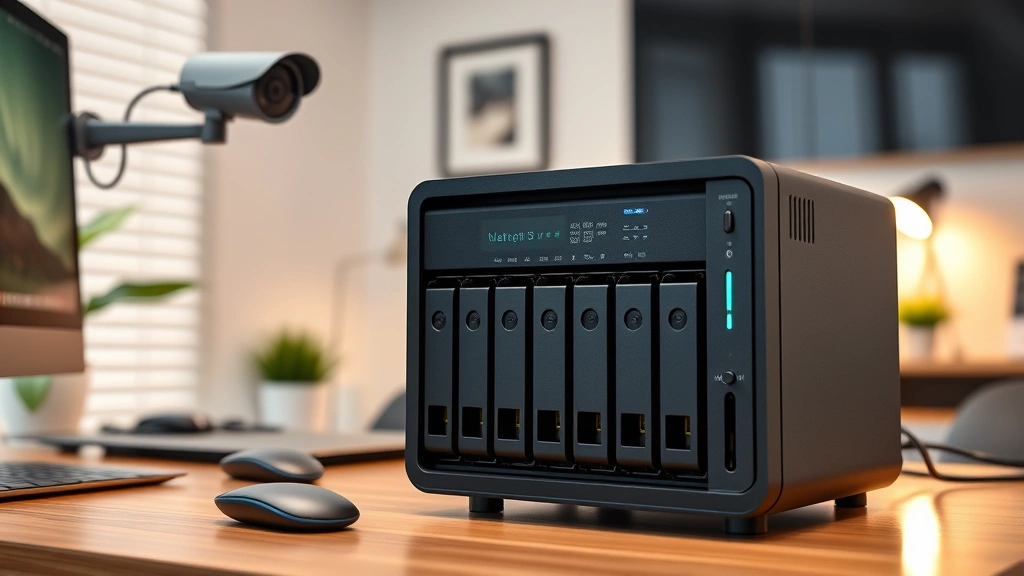
Network-attached storage (NAS) devices provide superior capacity and redundancy for serious deployments. RAID configurations protect against single drive failure, while models supporting 4-8 hard drives offer terabytes of capacity. Quality NAS systems like Synology or QNAP devices include sophisticated video management software, enabling search, playback, and analysis across multiple cameras simultaneously. These systems often cost $300-$800 initially but eliminate ongoing subscription expenses while providing professional-grade capabilities.
Direct attached storage through USB drives or external hard drives offers middle-ground solutions. Some cameras support USB connections for direct recording, though this approach typically limits capacity and introduces reliability concerns with portable drives. USB storage works adequately for secondary cameras or supplementary recording but shouldn’t serve as primary storage for critical monitoring areas.
Hybrid approaches combine local storage with strategic cloud backup. Many subscription-free cameras support free cloud tiers offering limited daily clips or snapshot storage. These services provide redundancy—if local storage fails or footage becomes corrupted, critical events may still exist in cloud backups. However, ensure cloud backup remains truly optional and doesn’t require paid subscriptions for functionality.
When evaluating storage strategies, calculate your actual retention requirements. Security professionals recommend 30-90 days of continuous footage for residential properties, balancing storage costs against investigation needs. Motion-triggered recording typically reduces storage demands by 70-80%, making this feature invaluable for bandwidth-conscious deployments.
Installation and Setup Considerations
Professional installation isn’t necessary for most subscription-free outdoor cameras, though proper placement dramatically impacts effectiveness. Camera positioning should prioritize vulnerable entry points—front doors, garage areas, side gates, and windows represent primary targets for criminal activity. Mount cameras 8-10 feet high to capture facial details while remaining out of reach.
Weatherproof cable management prevents water intrusion and electrical hazards. Use UV-resistant conduit for exposed wiring, ensure proper drainage around mounting points, and seal all connections with weatherproof silicone. For wireless cameras, verify network signal strength at installation locations—weak Wi-Fi signals cause dropouts, lag, and unreliable alerts.
Power considerations significantly affect deployment options. Wired cameras require electrical infrastructure but guarantee reliable power for 24/7 operation. Battery-powered models offer flexibility but demand periodic charging or solar panel supplementation. Calculate battery life based on your usage patterns—continuous streaming exhausts batteries within hours, while motion-triggered recording extends autonomy to months.
Network integration requires secure configuration. Use strong, unique passwords combining uppercase, lowercase, numbers, and symbols. Enable two-factor authentication where available, change default credentials immediately, and isolate camera networks from primary computing systems when possible. This segregation prevents compromised cameras from exposing personal computers or sensitive devices.
Firmware updates remain essential even without subscriptions. Manufacturers release security patches addressing discovered vulnerabilities. Enable automatic updates when available, or establish regular manual update schedules. Outdated firmware exposes your system to known exploits that attackers actively target.
Security and Privacy Protection
Subscription-free cameras require vigilant security practices to prevent unauthorized access and data compromise. Implement network segmentation by placing cameras on separate Wi-Fi networks from computers, phones, and IoT devices. This architectural approach contains potential breaches—if someone compromises a camera, they gain access to video systems without reaching personal devices.
Regular password rotation protects against credential stuffing attacks. Even secure passwords may appear in data breaches from unrelated services. Changing camera credentials quarterly reduces the window where compromised credentials remain useful. Use password managers to maintain unique, complex credentials without manual memorization burden.
Disable unnecessary features that expand attack surfaces. If your camera includes cloud connectivity, local access suffices for most homeowners—disable cloud features entirely. Similarly, disable microphone access if audio recording isn’t essential, and restrict API access to authorized applications only. Each disabled feature represents a potential vulnerability eliminated.
Monitor your camera’s network behavior for suspicious activity. Unusual bandwidth consumption, unexpected outbound connections, or performance degradation may indicate compromise. Quality routers provide traffic monitoring—review logs periodically for anomalies. If concerning patterns emerge, isolate the camera, perform a factory reset, and reconfigure from scratch.
Privacy considerations extend beyond technical security. Ensure camera placement respects neighbor privacy—pointing cameras directly into adjacent properties or capturing public sidewalks excessively may violate local laws. Position cameras to monitor your property while minimizing incidental capture of others’ private spaces. This legal compliance protects you from disputes and potential liability.
Transparency about surveillance builds community trust. If your camera captures common areas or neighboring properties, inform affected parties about monitoring. This courtesy prevents misunderstandings and demonstrates responsible security practices. Many jurisdictions require disclosure of surveillance in certain contexts—verify local regulations before installation.
FAQ
Do subscription-free cameras compromise on features compared to premium services?
Modern subscription-free cameras deliver sophisticated features rivaling premium alternatives. The distinction increasingly relates to professional monitoring services—whether trained operators respond to alerts and contact authorities. For self-monitored systems, feature differences are minimal. Video quality, AI detection, and storage capabilities match or exceed subscription-based competitors. You sacrifice convenience of professional response but retain complete control and privacy.
How long does local storage actually last?
Storage duration depends on resolution, compression, recording schedule, and card capacity. A 256GB microSD card typically stores 10-14 days of continuous 4K recording, 20-30 days of 2K recording, or 60-120 days of motion-triggered recording. NAS systems with multiple terabyte drives extend retention to 6-12 months. Calculate your specific needs based on resolution and recording patterns—many users find 30-60 days adequate for most security scenarios.
Can I access footage remotely without cloud subscriptions?
Yes, through VPN (Virtual Private Network) connections or local network access. Configure your camera and NAS with VPN capability, enabling secure remote viewing from smartphones or computers without exposing devices to internet-facing access. This approach requires technical configuration but provides privacy-respecting remote access. Some cameras include proprietary apps supporting direct remote access through manufacturer infrastructure—verify these services remain free and don’t transition to subscription models.
What about integration with home automation systems?
Many subscription-free cameras support open standards like ONVIF (Open Network Video Interface Forum) and RTSP (Real Time Streaming Protocol), enabling integration with various home automation platforms. Home Assistant, OpenHAB, and similar open-source systems recognize ONVIF cameras without requiring proprietary software. However, verify compatibility before purchase—some manufacturers restrict integration to proprietary ecosystems. Open-standard compliance ensures long-term flexibility and independence from manufacturer decisions.
Are subscription-free cameras vulnerable to hacking?
Any connected device carries some security risk, but subscription-free cameras aren’t inherently more vulnerable than subscription-based alternatives. Risk depends on manufacturer security practices, firmware update frequency, and your configuration choices. Prioritize cameras from established manufacturers with proven security track records and regular updates. CISA (Cybersecurity and Infrastructure Security Agency) provides vulnerability databases—research specific models before purchase. Implement strong passwords, network segmentation, and regular firmware updates to minimize risk substantially.
Can I use these cameras for business or commercial properties?
Many subscription-free cameras serve commercial applications effectively, though requirements differ from residential systems. NIST cybersecurity guidelines recommend professional-grade equipment for critical business applications. For small businesses, retail spaces, or offices, quality subscription-free cameras provide adequate protection. However, larger deployments or facilities handling sensitive operations may benefit from professional systems with technical support, warranty coverage, and integration services. Evaluate your specific business needs and compliance requirements before selecting consumer-grade equipment.
What happens if the manufacturer discontinues the camera model?
Discontinued models continue functioning indefinitely—they don’t suddenly stop working. However, manufacturer support ends, meaning no firmware updates, security patches, or technical assistance. This represents a genuine concern for long-term security. Prioritize cameras from established manufacturers with extensive product lines and proven longevity. Research manufacturer track records—companies that actively support older models provide better long-term value. After discontinuation, consider whether your security needs justify upgrading to newer models with current security patches.


