Best Non-Subscription Security Cameras: Expert Recommendations for Home Protection
Security cameras have become essential components of modern home protection systems, yet many consumers face a frustrating reality: subscription-based models that drain budgets year after year. If you’re searching for best non-subscription security cameras, you’re not alone in wanting upfront affordability without recurring monthly fees. The good news is that numerous high-quality options exist that provide robust surveillance capabilities through local storage, cloud-free alternatives, and one-time purchases.
The shift away from subscription models represents a significant change in how homeowners approach security. Rather than paying $10-30 monthly per camera, non-subscription systems offer perpetual access to your footage without worrying about service cancellations or price increases. These cameras prioritize data privacy, local control, and long-term cost savings while maintaining the security features you need to protect your property effectively.
Understanding the landscape of non-subscription security cameras requires examining various storage solutions, connectivity options, and feature sets. Whether you’re protecting a single entry point or monitoring your entire property, this comprehensive guide explores the best options available today, helping you make an informed decision that aligns with your security needs and budget constraints.
Understanding Non-Subscription Security Cameras
Non-subscription security cameras represent a fundamental departure from the cloud-dependent model that dominated the surveillance market for years. These systems operate through various mechanisms that eliminate recurring subscription costs while maintaining full functionality. Understanding how these cameras work helps you evaluate whether they suit your specific security requirements.
The primary distinction between subscription and non-subscription cameras lies in how footage is stored and accessed. Traditional subscription models rely on cloud servers maintained by the camera manufacturer, requiring monthly payments for storage access. Non-subscription alternatives employ local storage methods, peer-to-peer technology, or hybrid approaches that keep your data under your control. This fundamental difference impacts not only your wallet but also your privacy and security posture.
When evaluating non-subscription options, consider factors like local network storage, microSD card capacity, NVR (Network Video Recorder) systems, and whether the camera manufacturer offers free cloud access with limited storage. Many modern non-subscription cameras provide 24/7 recording capabilities without any ongoing fees, making them ideal for homeowners prioritizing long-term cost efficiency and data sovereignty.
Local Storage Solutions and Their Advantages
Local storage represents the cornerstone of non-subscription security camera systems. By storing footage directly on your property using microSD cards, external hard drives, or dedicated NVR systems, you maintain complete control over your surveillance data. This approach eliminates dependency on manufacturer servers and ensures your footage remains accessible even if internet connectivity fails.
MicroSD card storage offers the most accessible local solution for individual cameras. Most modern non-subscription cameras support cards ranging from 32GB to 256GB, enabling weeks or months of continuous recording depending on video quality settings. The advantage of microSD storage includes portability, ease of replacement, and no recurring costs. However, storage capacity limitations mean you’ll need to balance recording quality with retention duration.
For more comprehensive surveillance, NVR and DVR systems provide superior storage capacity and management. These dedicated devices connect multiple cameras and store footage on internal hard drives, typically offering 1TB to 16TB capacity. NVR systems excel at managing multiple camera feeds simultaneously, providing better search functionality, and maintaining longer retention periods. Unlike subscription models, you own the hardware and storage indefinitely, with only minimal electricity costs ongoing.
External hard drives connected via USB represent another viable local storage option. Many non-subscription cameras support direct connection to external storage devices, allowing you to archive weeks or months of footage without additional equipment purchases. This flexibility makes external drives particularly valuable for users who need extended retention without installing complex systems.
Top-Rated Non-Subscription Camera Systems
The market offers several exceptional non-subscription cameras that deliver professional-grade features without recurring fees. These options range from budget-friendly to premium systems, each offering distinct advantages for different security scenarios.
Reolink cameras consistently rank among the best non-subscription options available. Their lineup includes wireless, wired, and hybrid models featuring 4K resolution, night vision, and local storage via microSD cards or NVR systems. Reolink’s commitment to privacy means footage never leaves your property unless you explicitly enable cloud backup. The company provides free mobile apps and web access to your cameras indefinitely, with no subscription requirements for basic functionality.
Wyze cameras have gained significant popularity as budget-friendly non-subscription alternatives. While Wyze offers optional cloud storage subscriptions, their cameras function perfectly with local microSD card storage. The Wyze Cam v3 and Wyze Cam Pan provide 1080p resolution, night vision, and person detection without subscription fees. Their affordable price point makes them ideal for homeowners building multi-camera systems on limited budgets.
Eufy security cameras emphasize local processing and storage, with many models featuring on-device AI for person detection and alerts. Eufy cameras store footage locally via microSD cards or their HomeBase hub, which uses encrypted local storage. The company’s privacy-first approach ensures your footage never reaches their servers unless you choose cloud backup, and they offer free cloud storage limits for all users.
For users prioritizing professional-grade features, Ubiquiti UniFi Protect systems offer enterprise-level surveillance with local storage. These cameras integrate with a local Dream Machine or Cloud Key, storing all footage on your property. The system provides 4K recording, advanced analytics, and unlimited local storage without any monthly fees. While the initial investment exceeds consumer-grade options, the long-term value and professional capabilities justify the cost for serious security requirements.
Hikvision and Dahua cameras, historically known for professional installations, now offer consumer-friendly non-subscription models. These systems provide robust features, excellent build quality, and local storage options. However, ensure you purchase versions designed for residential use and verify that no mandatory cloud connectivity is required for basic operation.

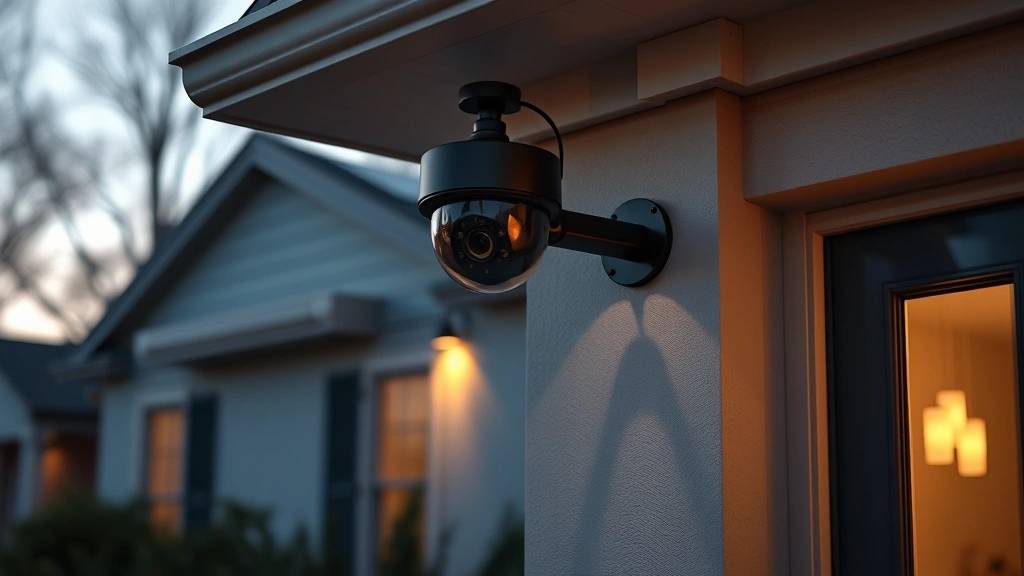
” alt=”Professional security camera mounted on residential building exterior, displaying wide-angle lens and weatherproof design without visible branding or text elements”>
Installation and Setup Considerations
Successful non-subscription camera installation requires careful planning regarding placement, power supply, and network connectivity. Unlike subscription-based systems that often include professional installation, non-subscription cameras typically demand more user involvement during setup.
Wired vs. wireless installation represents your first decision. Wired cameras require running ethernet cables and power lines to each unit, demanding more initial effort but providing reliable connectivity and constant power. Wireless models offer easier installation with placement flexibility but depend on stable WiFi signals and regular battery charging. Many users prefer hybrid approaches, installing wired cameras at fixed points and using wireless options for flexible monitoring.
Network setup significantly impacts your non-subscription experience. Cameras connected to your local network enable viewing through your smartphone or web browser without relying on cloud servers. Ensure your router supports the bandwidth requirements of multiple simultaneous camera streams, particularly if recording at 4K resolution. Consider implementing a separate network for security cameras to isolate surveillance traffic from your primary devices.
Power supply planning is critical for reliable operation. Wired PoE (Power over Ethernet) cameras receive power through the same ethernet cable providing connectivity, simplifying installation. Battery-powered wireless cameras require regular charging or frequent battery replacement. Solar-powered options exist but depend on consistent sunlight and may not suit all geographic locations. When planning your system, evaluate which power solution best fits your property layout and maintenance preferences.
Privacy and Data Security Features
Non-subscription cameras inherently offer superior privacy protections compared to cloud-dependent systems. Since footage remains on your property, you control exactly what data exists and who can access it. However, understanding specific security features helps you maximize privacy protection.
End-to-end encryption should be standard for any camera offering optional cloud backup. This encryption ensures that even if data transmits through manufacturer servers, only you and authorized users can decrypt the footage. Verify that your chosen camera implements robust encryption standards aligned with NIST cybersecurity guidelines.
Local network storage eliminates the primary privacy concern associated with surveillance systems: data stored on manufacturer servers. By keeping footage on your property, you prevent unauthorized access to your surveillance history. This approach also protects against scenario where a camera manufacturer experiences a data breach or changes their privacy policies.
Look for cameras implementing two-factor authentication for remote access. This security feature prevents unauthorized users from viewing your footage even if they obtain your login credentials. Additionally, ensure your chosen system allows you to disable remote access entirely if you only need local viewing capabilities.
The Cybersecurity and Infrastructure Security Agency (CISA) emphasizes the importance of device security in protecting home networks. Non-subscription cameras reduce attack surface by limiting external connectivity requirements, but you should still maintain updated firmware and strong passwords for any remote access features.
Comparing Storage Methods
Different storage solutions offer distinct advantages and limitations. Understanding these differences helps you select the approach best matching your retention needs and technical comfort level.
MicroSD card storage provides simplicity and low cost. A 128GB microSD card typically costs $15-30 and stores approximately 7-14 days of continuous 1080p recording depending on compression settings. Advantages include ease of replacement and no additional equipment requirements. Disadvantages include limited capacity, potential card degradation over time, and the inconvenience of physically accessing the camera to retrieve footage.
NVR systems offer superior storage capacity and management. A 4-camera NVR system with 2TB storage costs $200-400 and provides 30-60 days of continuous recording. NVR advantages include centralized management, advanced search capabilities, remote backup options, and ability to support numerous cameras simultaneously. The trade-off involves higher initial investment and slightly more complex setup.
External hard drive storage provides middle-ground flexibility. A 4TB external drive costs $60-100 and offers 60-120 days of 1080p recording. This solution works well for users wanting expandable storage without dedicated NVR systems. Disadvantages include manual management and the requirement for continuous USB connection to your camera or hub.
Hybrid cloud approaches combine local storage with optional cloud backup. Many non-subscription cameras support this model, storing footage locally by default while allowing you to upload selected clips to cloud storage. This approach maximizes privacy while providing backup protection against hardware failure or theft.
When selecting storage, consider your retention requirements. Security professionals generally recommend maintaining at least 30 days of footage for incident investigation. If you experience frequent false alarms or need extended historical reference, plan for 60-90 days of storage capacity.

” alt=”Network video recorder device with multiple camera connections and hard drive storage, displaying professional installation in residential security setup”>
Budget-Friendly Recommendations
Building an effective non-subscription security system doesn’t require substantial investment. Strategic choices can deliver comprehensive protection while minimizing costs.
For minimal budget requirements ($150-300 total), consider a single Wyze Cam v3 with a 128GB microSD card. This combination provides 1080p recording, night vision, and person detection without any recurring fees. The setup takes minutes and requires only WiFi connectivity. This option suits apartment dwellers or those monitoring a single critical area like a front door.
For moderate investment ($400-800), combine multiple Wyze or Eufy cameras with a small NVR system. This approach enables 2-4 camera surveillance with 30+ days of storage. The system offers better management than individual microSD card solutions and provides centralized footage access through a web interface.
For comprehensive protection ($800-1500), invest in a Reolink or Ubiquiti system with 4-8 cameras and adequate NVR storage. These systems provide professional features, excellent video quality, and reliable performance. While the initial investment exceeds budget options, the long-term value exceeds subscription-based systems within 2-3 years.
When budgeting, remember that non-subscription cameras eliminate monthly fees entirely. A system costing $500 initially but saving $20 monthly in subscriptions pays for itself in 25 months. Over a 5-year period, you’ll save $1,200+ compared to subscription-based alternatives while maintaining superior privacy and control.
Check the CISA guidance on security camera selection for government-backed recommendations on evaluating surveillance systems for your property.
FAQ
Do non-subscription cameras require internet connectivity?
Most non-subscription cameras function on local networks without internet access. You can view footage through your smartphone or computer when connected to the same WiFi network. Some cameras offer optional remote access through secure connections, but this feature isn’t required for basic operation. This design actually enhances security by reducing dependency on external servers.
How long do microSD cards last in security cameras?
Quality microSD cards typically last 3-5 years in continuous recording applications. However, constant write cycles degrade cards faster than typical use. Many users replace cards annually as preventive maintenance. Purchasing industrial-grade microSD cards designed for surveillance extends lifespan and improves reliability compared to standard consumer cards.
Can I access non-subscription camera footage remotely?
Yes, most non-subscription cameras support remote access through secure applications or web interfaces. The difference from subscription models is that you maintain data sovereignty. Your footage remains encrypted and stored locally, with remote access functioning through your camera’s application rather than manufacturer cloud servers. This approach provides convenience without sacrificing privacy.
What’s the difference between NVR and DVR systems?
NVR (Network Video Recorder) systems work with IP cameras connected through ethernet, offering higher resolution and advanced features. DVR (Digital Video Recorder) systems use coaxial cables and analog cameras, providing lower resolution but greater compatibility with older equipment. For new installations, NVR systems are superior, offering better image quality and modern functionality. Visit our ScreenVibe Daily Blog for more technology comparisons.
Are non-subscription cameras less reliable than subscription models?
Non-subscription cameras are equally reliable as subscription models. Reliability depends on manufacturer quality, not subscription status. In fact, non-subscription systems may be more reliable since they don’t depend on cloud server availability. If the manufacturer’s servers experience outages, subscription-based systems lose remote access, while non-subscription cameras continue functioning normally.
How do I choose between wireless and wired non-subscription cameras?
Wireless cameras offer easier installation and placement flexibility but depend on WiFi reliability and require battery management. Wired cameras provide consistent power and connectivity but demand more installation effort. Most users find hybrid approaches optimal, using wired cameras for permanent monitoring points and wireless cameras for flexible coverage. Evaluate your property layout, power availability, and WiFi signal strength when deciding.
What happens if my camera manufacturer goes out of business?
This scenario emphasizes a key advantage of non-subscription systems. Since your footage stores locally on your property, you retain access indefinitely regardless of manufacturer status. You’ll lose access to cloud features and future app updates, but your surveillance capability continues. With subscription models, you might lose all cloud-stored footage if the manufacturer ceases operations, making non-subscription systems inherently more resilient.
Can non-subscription cameras integrate with smart home systems?
Many non-subscription cameras support integration with popular smart home platforms through local network protocols. Reolink, Eufy, and Wyze cameras work with HomeKit, Google Home, and Alexa ecosystems. However, integration capabilities vary, so verify compatibility with your existing smart home setup before purchasing. Local integrations work without internet dependency, though some features may require cloud connectivity.