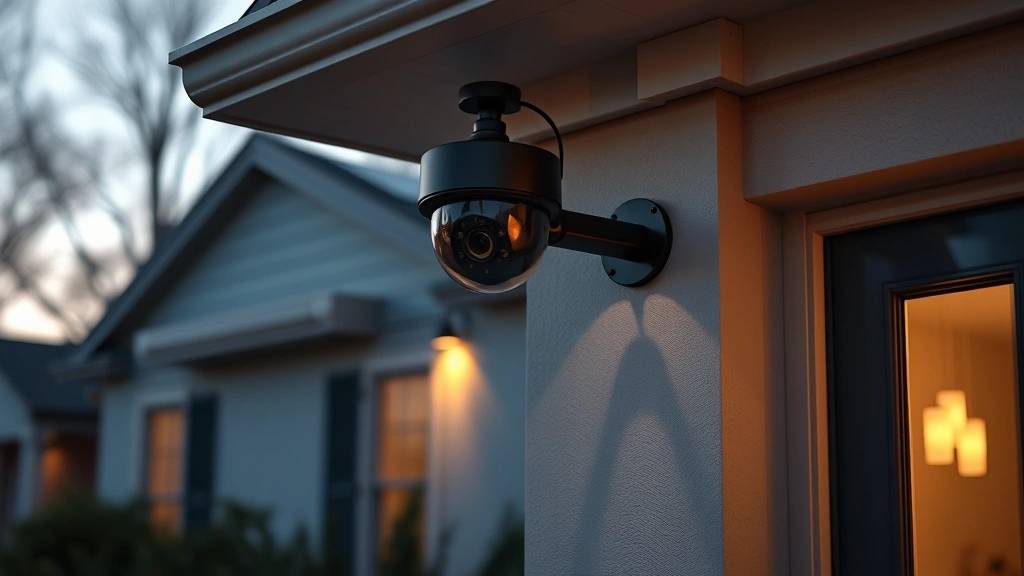
Best No Subscription Security Cameras: Expert Recommendations for 2025
Security cameras have become essential for modern home and business protection, but subscription fees can quickly drain your budget. Many homeowners and business operators are increasingly frustrated with recurring monthly charges for cloud storage, advanced features, and monitoring services. The good news? There are excellent no-subscription security camera options available that provide robust local storage, real-time alerts, and comprehensive security without ongoing fees.
Understanding your security needs is the first step toward selecting the right camera system. Whether you’re protecting a small apartment, a sprawling suburban home, or a commercial property, subscription-free cameras offer flexibility, privacy, and cost-effectiveness that traditional cloud-dependent systems simply cannot match. This guide explores the best no-subscription security cameras available today, examining their features, performance, and real-world applications.
The shift toward subscription-free security represents a fundamental change in how we think about home and business protection. By leveraging local storage solutions, artificial intelligence processing, and peer-to-peer technology, modern no-subscription cameras deliver enterprise-grade security without the corporate overhead.

Why Choose No-Subscription Security Cameras?
The primary advantage of no-subscription cameras lies in long-term cost savings. Traditional security systems charge between $10 and $50 monthly per camera for cloud storage and monitoring features. Over five years, a single camera could cost $600 to $3,000 in subscription fees alone. No-subscription models eliminate this recurring expense entirely, making them economically superior for budget-conscious consumers.
Beyond financial considerations, subscription-free cameras offer superior privacy protection. When your footage remains stored locally on a network-attached storage (NAS) device or dedicated hard drive, your data never leaves your premises. This eliminates concerns about third-party data breaches, unauthorized access to your surveillance footage, or companies selling your viewing habits to advertisers.
Key advantages include:
- Zero recurring fees – Pay once, use forever with no monthly charges
- Complete data ownership – Your footage belongs entirely to you
- Enhanced privacy – No cloud storage means no third-party access
- Offline functionality – Cameras operate independently of internet connectivity
- Faster response times – Local processing eliminates cloud latency
- Unlimited storage potential – Scale storage capacity based on your needs
Many users also appreciate the independence that comes with local storage systems. You’re not beholden to a company’s cloud infrastructure, pricing changes, or service discontinuation. If a manufacturer goes out of business or discontinues support, your cameras continue functioning normally.

Top No-Subscription Camera Models
Wyze Cam v3 represents an excellent entry-level option for budget-conscious buyers. This compact camera offers 1080p resolution, infrared night vision, and local recording capabilities through microSD cards or RTSP streaming to a personal NAS. The Wyze ecosystem supports optional cloud features, but local-only operation is entirely possible. Color night vision provides superior low-light footage compared to traditional infrared alternatives.
Reolink RLC-810A stands out as a professional-grade option designed specifically for subscription-free operation. This 4K turret camera features 256GB of onboard storage, supports up to 512GB microSD expansion, and includes advanced motion detection with person and vehicle recognition. The camera operates independently without requiring any cloud services, making it ideal for comprehensive home security setup.
Hikvision DS-2CD2143G2-I delivers professional surveillance capabilities in a compact turret design. Supporting 4MP resolution, this camera includes advanced video compression, multi-stream functionality, and local storage options. Hikvision’s firmware supports ONVIF standards, ensuring compatibility with various third-party recording systems and NAS devices.
Uniview IPC322SR-DVS28 offers exceptional value for small to medium business deployments. This 2MP fixed dome camera includes built-in microSD card slot, supports up to 128GB expansion, and operates reliably in diverse environmental conditions. The ONVIF-compatible design ensures seamless integration with existing security infrastructure.
When evaluating these models, consider your specific requirements regarding resolution, field of view, night vision capabilities, and environmental resistance. Higher resolution cameras like 4K models provide better detail for identification purposes but require more storage capacity. Conversely, 1080p cameras offer sufficient clarity for most residential applications while consuming significantly less storage.
Local Storage Solutions Explained
Local storage represents the backbone of any subscription-free camera system. Unlike cloud storage, which transmits footage to remote servers, local storage keeps all video data within your home or office network. Understanding available storage options helps you select the most appropriate solution for your security needs.
MicroSD Cards offer the simplest local storage solution. Most modern security cameras include a microSD slot supporting cards up to 512GB. These cards provide plug-and-play functionality without additional configuration. However, continuous recording will eventually fill the card, causing older footage to overwrite automatically. For short-term recording and backup purposes, microSD cards work excellently.
Network-Attached Storage (NAS) devices provide superior scalability and reliability for comprehensive surveillance systems. A NAS functions as a centralized storage hub connecting to your home network, allowing multiple cameras to record simultaneously. Professional NAS manufacturers like Synology and QNAP offer camera-specific models with integrated recording software. A 4-bay NAS with 8TB drives provides approximately 30 days of continuous 4K recording from multiple cameras.
Direct-attached storage involves connecting external hard drives or SSDs directly to a camera’s USB port. This approach works for individual cameras but lacks the robustness of NAS solutions for multi-camera deployments. External drives are vulnerable to accidental disconnection and may not provide reliable power management for continuous operation.
Storage calculation requires understanding your camera’s bitrate, resolution, and desired retention period. A 4K camera at 25fps typically generates 15-20 Mbps of data. Recording 24/7 for 30 days requires approximately 4.86 TB of storage capacity. Using this calculation, you can determine appropriate storage size for your specific situation.
Installation and Setup Considerations
Proper installation significantly impacts camera performance, image quality, and long-term reliability. Understanding installation best practices ensures your no-subscription system operates optimally throughout its lifespan.
Camera placement should prioritize coverage of entry points, valuable assets, and high-traffic areas. Mount cameras at appropriate heights—typically 8-10 feet for optimal face recognition—and angle them to minimize backlighting and glare. Consider weather protection by installing cameras under eaves or within protective housings in harsh climates.
Network connectivity requires robust Wi-Fi or Ethernet connections. Ethernet connections provide superior reliability and bandwidth for high-resolution continuous recording. If Wi-Fi is necessary, position cameras within strong signal range and consider dedicated 5GHz networks to minimize interference from household devices.
Power management involves selecting appropriate power delivery methods. PoE (Power over Ethernet) cameras simplify installation by combining power and data through a single Ethernet cable. For Wi-Fi cameras, ensure reliable power supply with weatherproof outlets and consider backup battery systems for critical locations.
Proper cable management prevents tripping hazards and protects cables from environmental damage. Use conduit protection for outdoor runs and secure cables with appropriate fasteners. Plan cable routes before installation to minimize visibility and vulnerability.
Testing camera functionality before finalizing installation prevents costly mistakes. Verify focus, exposure, night vision performance, and audio quality under actual operating conditions. Adjust camera angles and settings based on real-world testing rather than assumptions.
Privacy and Data Security
Local storage systems inherently provide superior privacy compared to cloud-dependent alternatives. However, implementing additional security measures protects your surveillance infrastructure from unauthorized access and ensures compliance with applicable regulations.
Network security begins with strong authentication. Use complex passwords for all cameras and NAS devices, implement two-factor authentication where available, and disable default credentials immediately. CISA cybersecurity guidelines recommend changing default credentials as the first step in securing any networked device.
Encryption protects data in transit and at rest. Enable HTTPS/TLS for web interfaces, use encrypted connections for remote access, and consider encrypting stored video files on your NAS. This prevents unauthorized viewing of sensitive footage even if someone gains physical access to your storage devices.
Access control restricts footage viewing to authorized users. Create separate user accounts with appropriate permission levels, disable unnecessary services and ports, and regularly audit access logs. Implementing network segmentation isolates your cameras and storage devices from general household or office traffic.
Firmware updates address security vulnerabilities and improve functionality. Regularly check manufacturer websites for security patches and update all devices promptly. Subscribe to security advisories from camera manufacturers to receive notifications about critical vulnerabilities affecting your equipment.
Data retention policies should define how long footage is retained and when it’s automatically deleted. Balancing storage capacity with privacy considerations helps prevent excessive data accumulation while maintaining adequate historical records for investigation purposes.
Comparison with Cloud-Based Alternatives
Understanding the differences between subscription-free and cloud-based systems helps inform your decision-making process. Each approach offers distinct advantages and disadvantages depending on your specific requirements.
Cloud-based systems provide convenience through automatic backup, remote access from anywhere, and integration with mobile applications. However, they require ongoing subscription payments, introduce privacy concerns, and depend on reliable internet connectivity. Service interruptions, bandwidth limitations, and potential data breaches represent significant risks.
No-subscription systems eliminate recurring costs, provide complete privacy, and offer independence from external service providers. The tradeoff involves greater personal responsibility for maintenance, updates, and system management. Remote access requires additional configuration, and backup procedures must be manually implemented.
For users prioritizing cost-effectiveness and privacy, no-subscription systems deliver superior long-term value. For those seeking convenience and minimal technical involvement, cloud-based alternatives may be more appropriate despite ongoing expenses. NIST cybersecurity frameworks recommend evaluating security systems based on your specific threat model and risk tolerance rather than adopting one-size-fits-all solutions.
Hybrid approaches combining local storage with optional cloud backup offer balanced solutions. This strategy maintains primary footage locally while creating redundant copies in the cloud for disaster recovery scenarios. Many modern cameras support this flexible architecture, allowing you to customize your security approach.
Integration capabilities differ significantly between systems. No-subscription cameras with ONVIF compliance integrate seamlessly with third-party software and hardware. Cloud-dependent systems often use proprietary ecosystems, limiting compatibility with non-manufacturer devices.
FAQ
Can I access no-subscription cameras remotely?
Yes, most no-subscription cameras support remote access through various methods. RTSP streaming allows viewing through compatible applications, and some cameras include proprietary mobile apps with local network access. Setting up secure remote access requires VPN configuration or port forwarding with appropriate security measures. This differs from cloud systems which provide automatic remote access but introduce privacy considerations.
How much storage do I need for continuous recording?
Storage requirements depend on camera resolution, frame rate, and bitrate. A 1080p camera typically requires 1-2 TB per camera monthly, while 4K cameras require 4-8 TB monthly. Using compression technology like H.265 can reduce requirements by 40-50%. Calculate your specific needs using manufacturer specifications and your desired retention period.
What happens if my internet connection fails?
No-subscription cameras with local storage continue recording regardless of internet connectivity. This represents a significant advantage over cloud-dependent systems. Cameras store footage locally until you restore the connection, then synchronize with your NAS or backup systems. This resilience makes local storage superior for critical security applications.
Are no-subscription cameras compatible with existing security systems?
ONVIF-compliant cameras integrate with most professional security systems and NAS recording software. However, compatibility varies by manufacturer and system. Verify ONVIF support before purchasing if you plan integrating with existing infrastructure. Proprietary systems may have limited third-party compatibility.
How do no-subscription cameras compare to professional surveillance systems?
Modern consumer-grade no-subscription cameras rival professional systems in functionality while offering superior cost efficiency. Professional systems provide dedicated support, advanced analytics, and enterprise-grade reliability. For most residential and small business applications, quality no-subscription cameras deliver adequate performance without professional system expenses.
What security measures protect my local storage?
Implement strong passwords, enable encryption, use network segmentation, restrict access to authorized users, and regularly update firmware. Physical security of your NAS or storage devices is equally important. Consider redundant storage for critical footage and implement automated backups to prevent data loss from hardware failures.