Top Cybersecurity Tools for Home Networks: Essential Protection in 2025
Your home network is the digital gateway to your most sensitive information—financial accounts, personal documents, family photos, and connected devices that control everything from your smart thermostat to your security cameras. Yet most homeowners treat their network security as an afterthought, relying solely on the basic router that came with their internet service. This approach leaves you vulnerable to data breaches, ransomware attacks, and unauthorized access that can compromise your entire digital life.
The good news is that implementing robust cybersecurity tools for your home network doesn’t require advanced technical expertise or a substantial budget. By deploying the right combination of firewalls, VPNs, password managers, and monitoring solutions, you can create multiple layers of defense that protect against the vast majority of common threats. This comprehensive guide walks you through the essential cybersecurity tools every homeowner should consider, from network-level protections to device-specific security software that keeps your family safe online.
Understanding Home Network Security Fundamentals
Before selecting specific cybersecurity tools, it’s important to understand the architecture of your home network and the various attack vectors that threaten it. Your home network typically consists of your internet service provider’s connection, your wireless router, and multiple connected devices including computers, smartphones, tablets, smart home devices, and streaming platforms. Each of these components represents a potential entry point for attackers.
According to the Cybersecurity and Infrastructure Security Agency (CISA), home networks face increasingly sophisticated threats including credential theft, malware distribution, ransomware attacks, and unauthorized device access. The average home user has between 10-15 connected devices, yet most people only secure their primary computer and phone, leaving numerous unprotected entry points.
The foundation of home network security rests on several key principles: network segmentation (separating devices by security level), defense in depth (multiple overlapping security layers), regular updates and patch management, strong authentication mechanisms, and continuous monitoring. When you combine these principles with appropriate tools and technologies, you create an environment where attackers face significantly higher barriers to entry.
Your first step should be securing your wireless router itself. Change the default administrator password immediately, enable WPA3 encryption (or WPA2 if WPA3 isn’t available), disable WPS (Wi-Fi Protected Setup), and enable your router’s built-in firewall. These basic steps eliminate the most common vectors for unauthorized network access. From there, you can layer additional protection using the specialized tools discussed throughout this guide.

Essential Firewall Solutions
A firewall acts as the primary gatekeeper for your network, monitoring incoming and outgoing traffic and blocking potentially dangerous connections. While your router includes a basic firewall, advanced firewall solutions provide granular control over network traffic and can detect sophisticated attack patterns that basic firewalls miss.
Hardware Firewalls sit between your internet connection and your home network, protecting all connected devices simultaneously. Solutions like Firewalla, Ubiquiti Dream Machine, and Protectli devices offer enterprise-grade protection in a home-friendly package. These systems can block malicious domains, filter encrypted traffic, and provide real-time threat intelligence without requiring individual installation on each device.
Software Firewalls run directly on individual computers and provide additional protection by monitoring application-level network activity. Windows Defender Firewall and third-party options like ZoneAlarm offer detailed logging and customizable rules that let you control exactly which applications can access your network.
When selecting firewall protection, consider solutions that integrate threat intelligence feeds from NIST cybersecurity guidelines and automatically block known malicious IP addresses and domains. Many advanced firewalls also offer intrusion detection and prevention capabilities that identify attack signatures in real-time.
VPN Technology for Home Networks
A Virtual Private Network (VPN) creates an encrypted tunnel for your internet traffic, preventing your internet service provider, network administrators, and potential attackers from viewing your browsing activity, location, or data transmissions. This becomes particularly important when connecting to public Wi-Fi networks or when you want to protect your privacy from your ISP.
Client VPN Solutions like ExpressVPN, NordVPN, and ProtonVPN encrypt traffic from individual devices. These services are excellent for protecting laptops and smartphones when you’re away from home, but they only protect the specific device where you install them.
Home VPN Servers allow you to create your own encrypted connection back to your home network from anywhere in the world. Solutions like WireGuard and OpenVPN, when properly configured on your home network, provide secure remote access without relying on third-party VPN providers. This approach is particularly useful for securely accessing your home security cameras, file storage, or other services when traveling.
For comprehensive home network protection, consider implementing both approaches: a client VPN for personal device privacy, and a home VPN server for remote access to your network infrastructure. Many advanced home firewalls include built-in VPN server capabilities that make this setup straightforward.
Password Management Systems
Weak passwords represent one of the most exploitable vulnerabilities in any security setup. Password managers like Bitwarden, 1Password, and Dashlane solve this problem by generating and storing complex, unique passwords for every online account. This ensures that if one service is compromised, attackers cannot use the same password to access your other accounts.
Key features to look for in password managers include:
- End-to-end encryption ensuring only you can access your password vault
- Zero-knowledge architecture where the provider cannot access your passwords even if compelled
- Multi-device synchronization allowing access across computers, phones, and tablets
- Emergency access features allowing trusted contacts to retrieve passwords if you become incapacitated
- Password strength analysis identifying weak or reused passwords in your existing accounts
- Secure password sharing for family members or household IT administrators
Implementing a password manager is one of the highest-impact security improvements you can make, as it directly addresses the credential theft attacks that compromise millions of accounts annually. Pair this with two-factor authentication (2FA) on critical accounts like email, banking, and social media for dramatically enhanced account security.
Antivirus and Malware Protection
Despite the evolution of cybersecurity threats, antivirus and anti-malware software remains essential for protecting against the millions of malicious files distributed daily through email, malicious websites, and infected downloads. Modern antivirus solutions use behavioral analysis, machine learning, and heuristic detection to catch threats that signature-based detection alone would miss.
Comprehensive antivirus solutions for home networks include:
- Windows Defender—Built into Windows 10 and 11, providing solid baseline protection without performance impact
- Bitdefender Total Security—Enterprise-grade protection with minimal system resource consumption
- Kaspersky Internet Security—Advanced threat detection with real-time protection and vulnerability scanning
- Norton 360—Comprehensive suite including VPN, password manager, and dark web monitoring
- Malwarebytes—Specialized malware detection that complements traditional antivirus software
For maximum protection, use a primary antivirus solution (Windows Defender is adequate for most users) combined with supplemental malware scanning tools. Schedule regular full system scans weekly or monthly, and ensure real-time protection is always enabled. Many antivirus solutions now include ransomware-specific protection that monitors for suspicious file encryption activities and can automatically isolate threats.
Network Monitoring and Threat Detection
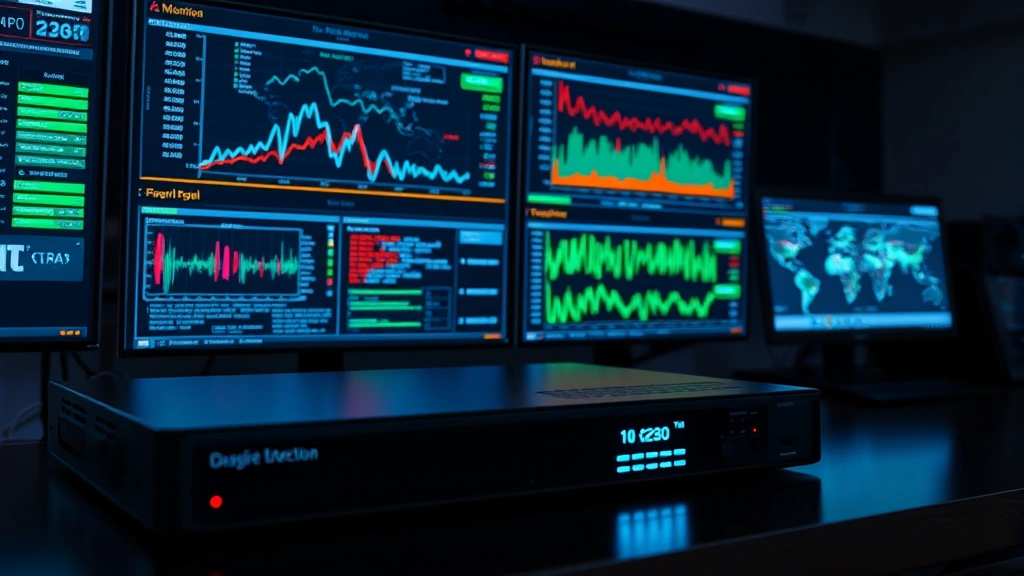
Continuous monitoring of your network traffic helps identify compromised devices, data exfiltration attempts, and unauthorized access in real-time. Network monitoring tools provide visibility into what’s happening on your network and alert you to suspicious activity before significant damage occurs.
Network monitoring solutions include:
- Zeek—Open-source network analysis framework providing detailed traffic analysis
- Suricata—High-performance intrusion detection system with real-time threat identification
- Pi-hole—DNS-level monitoring and blocking that protects all network devices simultaneously
- Wireshark—Packet analysis tool for deep investigation of network traffic patterns
Many home firewalls now include integrated network monitoring that tracks bandwidth usage, identifies suspicious connections, and alerts you to potential threats. This visibility helps you understand what devices are connecting to your network and what data they’re transmitting.
DNS Security and Content Filtering
Domain Name System (DNS) security prevents your devices from connecting to malicious websites, phishing pages, and command-and-control servers used by attackers. DNS-level protection works across all devices on your network without requiring individual software installation.
DNS security solutions include:
- Cloudflare for Families—Free DNS service blocking malware and adult content at the DNS level
- Quad9—Privacy-focused DNS provider blocking known malicious domains
- NextDNS—Customizable DNS filtering with detailed analytics and parental controls
- OpenDNS—Enterprise-grade DNS security with threat intelligence integration
Implementing DNS-level protection is one of the simplest yet most effective security measures available. You simply change your router’s DNS settings to point to a security-focused DNS provider, and all network traffic is automatically filtered. This approach catches malware before it can reach your devices and provides protection even for devices you cannot install security software on.
DNS security also plays a critical role in protecting against ransomware attacks, as many ransomware families communicate with command-and-control servers through DNS queries. By blocking these communications, you prevent the ransomware from receiving activation commands.
Device-Specific Security Tools
Beyond network-level protection, individual devices require their own security tools. Different device types—Windows PCs, Macs, iPhones, Android phones, and smart home devices—face different threat landscapes and require tailored protection strategies.
Windows PC Security should include Windows Defender Firewall, Windows Defender Antivirus, regular Windows Update installation, and supplemental tools like Malwarebytes for additional malware detection. Enable Windows Defender Exploit Guard to protect against zero-day vulnerabilities, and use BitLocker encryption to protect sensitive data on your hard drive.
Mac Security benefits from XProtect (Apple’s built-in antivirus), regular macOS updates, and supplemental security tools like ClamXav for additional scanning. Enable FileVault encryption, use strong passwords, and keep third-party applications updated.
Mobile Device Security on both iOS and Android should include biometric authentication (fingerprint or face recognition), device encryption enabled by default, regular OS updates, and careful app installation practices. Consider mobile device management (MDM) solutions like Apple Business Manager or Google Workspace for enhanced control over device security policies.
Smart Home Device Security requires special attention, as many IoT devices have minimal built-in security. Change default passwords immediately, disable unnecessary features and remote access, keep firmware updated, and consider placing smart home devices on a separate network segment away from computers and phones containing sensitive information.
When selecting device-specific security tools, prioritize solutions from the AV-TEST Institute, which independently evaluates antivirus and anti-malware products for effectiveness and performance impact. This ensures you’re choosing tools that actually detect threats rather than providing false security.
Creating a comprehensive home network security posture requires implementing multiple layers of protection across your network infrastructure and individual devices. Start with network-level protections like firewalls and DNS security that protect all devices simultaneously, then add device-specific tools that provide additional defense. Regularly review and update your security tools, stay informed about emerging threats, and maintain good security practices like strong passwords and cautious web browsing.
Frequently Asked Questions
What’s the most important cybersecurity tool for a home network?
A properly configured router firewall combined with DNS security provides the broadest protection across all devices. These network-level tools catch threats before they reach individual devices and require no per-device installation or management.
Do I need both a firewall and antivirus software?
Yes. Firewalls prevent unauthorized network access and block connections to malicious servers, while antivirus software detects and removes malware that successfully reaches your device. These tools address different threat vectors and work together for comprehensive protection.
Is a VPN necessary for home network security?
A VPN is essential when connecting to public Wi-Fi networks, but less critical when using your home network. However, a home VPN server enables secure remote access to your network resources, and client VPNs provide privacy from your internet service provider.
How often should I update my security tools?
Enable automatic updates for all security software and ensure your router firmware updates automatically. Manual checks should occur monthly for any tools that don’t support automatic updates. Operating system updates should install immediately upon availability.
Can I use free security tools effectively?
Yes. Free tools like Windows Defender, Pi-hole, Cloudflare for Families, and open-source firewalls provide legitimate security benefits. Many free options rival paid alternatives in effectiveness, though paid solutions often include additional features and support.
What should I do if I suspect my network has been compromised?
Immediately change all passwords from a clean device, enable two-factor authentication on critical accounts, run full antivirus scans on all devices, review network access logs for unauthorized connections, and consider resetting your router to factory defaults and reconfiguring it from scratch.