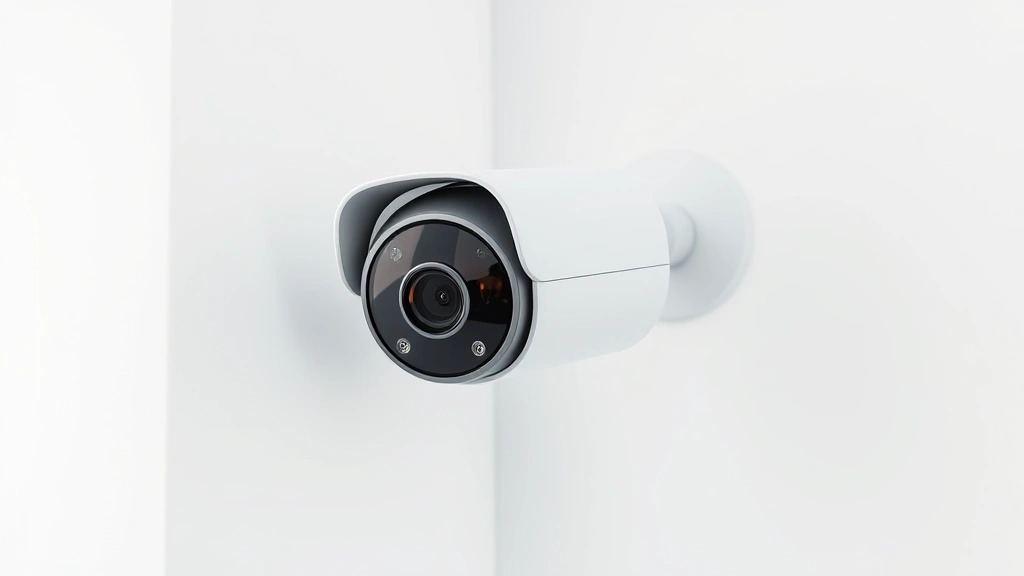
Best Budget Security Cameras: Expert Picks 2023
Home security doesn’t require breaking the bank. With advancements in surveillance technology, affordable security cameras now deliver professional-grade monitoring capabilities without the premium price tag. Whether you’re protecting a small apartment, monitoring a retail storefront, or securing a residential property, budget-friendly security cameras offer reliable video surveillance, motion detection, and remote access features that rival expensive alternatives.
The cybersecurity landscape for connected devices has evolved significantly. Modern budget security cameras integrate encryption protocols, secure cloud storage options, and two-factor authentication to protect your video feeds from unauthorized access. Understanding which models combine affordability with robust security features is essential for making an informed purchase decision. This comprehensive guide examines the top budget security cameras available in 2023, analyzing their performance, security infrastructure, and value proposition.

Top Budget Security Cameras Compared
The best budget security cameras in 2023 represent a significant value shift in the surveillance market. Entry-level models now feature 1080p to 2K resolution, intelligent motion detection, and mobile app integration—capabilities previously reserved for premium systems. Leading budget options include cameras priced between $30 and $150, offering substantial feature sets for residential and small commercial applications.
Wyze Cam v3 stands out as an exceptional budget choice, delivering 1080p full-color night vision, person detection, and encrypted local storage at under $40. The camera supports both cloud and local recording through microSD cards, giving users flexibility in data management. Its compact design fits seamlessly into various environments, from living rooms to entryways.
Reolink RLC-410 offers 4MP resolution with comprehensive surveillance capabilities in the sub-$100 range. This PoE (Power over Ethernet) camera requires professional installation but eliminates recurring cloud subscription fees. The infrared night vision extends to 98 feet, making it suitable for perimeter monitoring. Reolink’s ONVIF compatibility ensures integration with third-party security systems.
Eufy Security eufyCam 2 provides wireless convenience with two-week battery life, 2K resolution, and HomeKit Secure Video support for Apple users. At approximately $100 for a single camera, it represents excellent value for those seeking wire-free installation without compromising video quality or security encryption standards.
TP-Link Tapo C100 delivers fundamental surveillance features at the lowest price point, around $25. Despite its minimal cost, it includes 1080p resolution, night vision, motion alerts, and cloud backup options. This camera suits budget-conscious consumers prioritizing basic monitoring over advanced analytics features.

Security Features That Matter
When evaluating budget security cameras, prioritizing security features proves as important as assessing video quality. Many affordable models now incorporate encryption protocols that protect video streams from interception. CISA (Cybersecurity and Infrastructure Security Agency) recommends verifying that connected surveillance devices support TLS 1.2 encryption minimum and receive regular firmware updates.
Two-factor authentication represents a critical security layer for protecting camera access and preventing unauthorized viewing of your surveillance footage. Budget cameras from reputable manufacturers increasingly implement this feature, ensuring that even if login credentials are compromised, attackers cannot access your video feed without a secondary verification method.
Local storage capabilities distinguish truly secure budget cameras from those relying exclusively on cloud infrastructure. Models supporting microSD card recording or NAS (Network Attached Storage) integration allow you to maintain video archives without depending on third-party servers. This approach reduces vulnerability to cloud platform breaches and provides complete control over your surveillance data.
Firmware update mechanisms warrant careful examination. Select cameras from manufacturers demonstrating consistent security patch deployment schedules. Regular updates address discovered vulnerabilities, prevent exploitation of known weaknesses, and maintain compatibility with evolving security standards. Review the manufacturer’s update history before purchasing budget models.
Privacy settings and data handling transparency distinguish security-conscious manufacturers from those with questionable data practices. Examine privacy policies to understand what metadata is collected, how long it’s retained, and whether it’s shared with third parties. Budget cameras from established brands typically provide more transparent privacy frameworks than unknown manufacturers.
Installation and Setup Considerations
Budget security cameras fall into two primary installation categories: wireless and wired. Wireless models offer simplicity and flexibility, requiring only WiFi connectivity and power sources. Wired systems demand electrical infrastructure but provide more reliable connections and consistent power delivery.
For apartment dwellers and renters, wireless cameras prove ideal since they avoid permanent installation requirements. Models like Wyze Cam and Eufy Security function effectively with standard WiFi networks, though separation from routers should remain under 100 feet for optimal signal strength. These cameras typically weigh under one pound, mounting easily on shelves, walls, or furniture.
Homeowners considering permanent installations benefit from wired PoE cameras, which consolidate power and data transmission through single cables. This approach reduces visible wiring, eliminates battery concerns, and supports higher-resolution sensors. PoE systems require professional setup or technical expertise, though many manufacturers provide detailed installation guides.
Network configuration presents another setup consideration. Budget cameras should connect to dedicated 2.4GHz WiFi networks rather than congested 5GHz bands, ensuring reliable connectivity. Implementing strong WiFi passwords and enabling WPA3 encryption (if supported by your router) protects your camera network from unauthorized access.
Power requirements vary significantly among budget models. Battery-powered cameras offer maximum flexibility but require regular charging—typically every two to four weeks depending on usage. Plug-in models provide constant power but require accessible electrical outlets near installation points. Solar panel options exist for some budget cameras, reducing charging frequency to minimal levels.
Cloud Storage vs Local Recording
Budget security cameras present distinct advantages and drawbacks regarding video storage methodology. Cloud-based recording services offer convenience and accessibility but introduce recurring subscription costs and privacy considerations. Local recording through microSD cards or network storage eliminates subscriptions but requires manual management and backup procedures.
Cloud Storage Benefits: Automatic video backup ensures footage survives physical camera damage or theft. Remote access from any location enables monitoring while traveling. Advanced analytics like person detection, vehicle recognition, and package detection typically operate through cloud processing. Manufacturers frequently update cloud-based features without requiring hardware changes.
Cloud Storage Drawbacks: Monthly or annual subscription fees accumulate—typically $3-15 monthly per camera for premium cloud plans. Footage retention periods vary, with budget plans offering 7-30 days of stored video. Internet outages prevent video upload, potentially creating gaps in surveillance records. NIST cybersecurity guidelines recommend evaluating cloud provider security certifications and data encryption standards before committing to services.
Local Storage Benefits: Eliminates recurring subscription costs after initial purchase. Provides complete data ownership and control. Supports indefinite video retention on large-capacity microSD cards or network storage devices. Functions during internet outages, continuing to record footage locally. Enhances privacy by keeping video data entirely within your premises.
Local Storage Drawbacks: Requires manual backup procedures to prevent data loss from hardware failures. Limited storage capacity on microSD cards (typically 64-256GB, supporting 7-30 days of continuous recording). Necessitates technical knowledge for NAS setup and management. Restricts access to footage stored locally—remote viewing becomes impossible without network connectivity.
Optimal budget camera setups often combine both approaches: utilizing local microSD recording for primary footage retention while enabling selective cloud backup for important events. This hybrid methodology balances cost, security, and accessibility.
Night Vision and Video Quality
Video resolution and night vision capabilities directly impact surveillance effectiveness. Budget cameras in 2023 span from 720p to 2K resolution, with most offering 1080p as the standard. Resolution determines clarity when identifying faces, license plates, and other details—critical factors for security investigations.
1080p resolution (1920×1080 pixels) represents the practical minimum for recognizing individuals and reading text at typical surveillance distances. Budget cameras offering 1080p deliver acceptable clarity for most residential applications, though larger areas benefit from 2K or 4MP cameras for superior detail capture.
Night vision technology divides into two categories: infrared (IR) and full-color night vision. Traditional infrared cameras emit invisible light beams, illuminating scenes while remaining covert. However, IR produces monochrome footage lacking color information valuable for identification. Full-color night vision uses advanced sensors and supplemental LED lighting to capture colors in low-light conditions, providing superior investigative value.
Wyze Cam v3’s full-color night vision represents a significant advancement at budget price points. The camera maintains color reproduction down to 0.01 lux illumination, capturing details invisible to traditional IR cameras. This capability proves invaluable for identifying clothing colors, vehicle details, and environmental context during nighttime incidents.
Infrared night vision range varies among budget models, typically extending 30-98 feet depending on LED power and lens quality. Verify night vision specifications match your surveillance area dimensions. Cameras intended for porch monitoring need less range than those monitoring driveways or perimeter areas.
Smart Integration Capabilities
Modern budget security cameras increasingly integrate with smart home ecosystems, enabling automation and voice control. Compatibility with popular platforms enhances functionality and simplifies management across multiple devices.
Amazon Alexa integration represents the most common compatibility option, with most budget cameras supporting voice commands for live view activation and recording status checks. Wyze cameras, Reolink models, and Eufy devices all support Alexa voice integration, allowing commands like “Alexa, show me the front door camera.”
Apple HomeKit Secure Video provides enhanced privacy for iOS users. Cameras supporting HomeKit encrypt all video streams and process person detection, vehicle recognition, and animal detection on-device rather than sending footage to Apple servers. Eufy Security cameras offer HomeKit Secure Video support, appealing to Apple ecosystem users.
Google Home integration enables voice control and automation through Google Assistant. Budget cameras compatible with Google Home include TP-Link Tapo models and select Wyze cameras, providing seamless integration for Android-centric households.
IFTTT (If This Then That) support unlocks advanced automation possibilities. Triggering smart lights when motion is detected, sending notifications to multiple devices, or logging events to cloud services becomes possible through IFTTT integration. Budget cameras supporting IFTTT offer automation capabilities rivaling expensive professional systems.
Local control capabilities prove essential for reliability and privacy. Budget cameras supporting local control via your home network continue functioning during internet outages and avoid cloud-dependent feature limitations. Verify that your chosen camera supports local control through manufacturer apps or standard protocols like ONVIF.
Outdoor Durability Standards
Outdoor security cameras face environmental challenges requiring robust construction and weather resistance. Budget models suitable for exterior installation must meet IP rating standards indicating protection against dust and water intrusion.
IP ratings utilize two digits: the first indicates dust protection (0-6, with 6 being complete dust protection), the second indicates water resistance (0-9, with 8 supporting submersion and 9 supporting high-pressure water jets). For outdoor budget cameras, minimum IP65 rating ensures protection against dust and water spray, suitable for most weather conditions.
Reolink RLC-410 achieves IP66 rating, supporting heavy rain and snow exposure. Its metal housing and sealed connectors withstand temperature extremes from -22°F to 122°F, making it suitable for harsh climates. This durability justifies its slightly higher cost compared to purely indoor budget options.
Wyze Cam v3 offers IP65 protection despite its affordable price, enabling outdoor mounting under eaves or covered areas. However, it lacks the extreme temperature tolerance of professional-grade outdoor cameras, limiting functionality in regions experiencing temperature extremes.
Weatherproof cable management becomes critical for outdoor installations. Budget camera systems should employ UV-resistant cables, sealed connection points, and proper drainage considerations. Moisture intrusion represents the primary failure mode for outdoor surveillance systems, so meticulous installation prevents premature equipment degradation.
Mounting hardware quality impacts long-term outdoor reliability. Heavy-duty brackets with stainless steel fasteners resist corrosion better than standard hardware. Budget camera packages sometimes include plastic mounts; upgrading to metal alternatives extends outdoor lifespan significantly.
Regular maintenance extends outdoor camera longevity. Quarterly inspections should verify cable integrity, check for moisture accumulation in housings, and confirm lens cleanliness. Protective coatings and silicone conformal coatings provide additional weather protection for vulnerable components.
FAQ
What’s the most affordable security camera with reliable security features?
TP-Link Tapo C100 offers exceptional value at approximately $25, including 1080p resolution, night vision, motion detection, and cloud backup. Despite its minimal cost, it implements standard encryption and two-factor authentication. For slightly higher budgets, Wyze Cam v3 ($40) adds full-color night vision and local microSD recording, enhancing both security and functionality.
Can budget security cameras work without internet connectivity?
Yes, budget cameras with local storage continue recording to microSD cards during internet outages. However, remote access and cloud features become unavailable without connectivity. Wired PoE systems like Reolink RLC-410 function independently of WiFi when connected to local recording devices, though mobile app access requires internet restoration.
Are budget security cameras vulnerable to hacking?
Budget cameras from established manufacturers implement encryption and authentication standards comparable to expensive models. Vulnerability depends more on user configuration than camera cost. Weak passwords, outdated firmware, and disabled two-factor authentication create security risks regardless of price. CISA infrastructure security recommendations emphasize proper configuration over hardware investment.
Which budget camera offers the best night vision?
Wyze Cam v3’s full-color night vision outperforms traditional infrared options found in most budget cameras. Its ability to capture colors in near-darkness provides superior investigative value. For pure infrared night vision range, Reolink RLC-410 extends to 98 feet, suitable for large perimeter monitoring.
Do budget security cameras require subscription fees?
Budget cameras supporting local microSD recording function without subscriptions. Cloud storage plans add $3-15 monthly per camera, though most manufacturers offer free limited cloud tiers (typically 7-30 days retention). Evaluate your storage needs before committing to subscription services.
What’s the difference between wireless and wired budget cameras?
Wireless cameras offer installation flexibility and work with standard WiFi networks, ideal for renters. Wired PoE cameras require electrical infrastructure but provide more reliable connections and eliminate battery concerns. Wired systems suit permanent installations in owned properties, while wireless models work better for temporary setups.
Can budget security cameras integrate with smart home systems?
Most budget cameras support Amazon Alexa, Google Home, or Apple HomeKit integration, enabling voice control and automation. Verify compatibility before purchasing. Check manufacturer specifications to confirm your preferred platform receives support.
How long do budget security camera batteries last?
Battery-powered budget cameras typically support 2-4 weeks of operation between charges, depending on motion frequency and night vision usage. Higher motion areas require more frequent charging. Solar panel accessories extend battery life to months or indefinitely, though they increase total system cost.
What video resolution should I choose for budget cameras?
1080p represents the practical minimum for identifying individuals and reading details. 2K or 4MP cameras provide superior clarity for larger surveillance areas or situations requiring facial recognition. Budget constraints may necessitate 1080p for multiple cameras, though single-camera installations benefit from higher resolution investment.
Are budget outdoor security cameras truly weatherproof?
Budget cameras with IP65+ ratings withstand typical weather conditions. However, extreme temperatures, heavy snow loads, or salt spray (coastal areas) may exceed durability limits. Reolink RLC-410 offers superior weather tolerance compared to indoor-focused models. Proper installation with protective housing and regular maintenance extends outdoor lifespan significantly.


