
Secure Your Battery Security Camera: Expert Guide to Protection and Best Practices
Battery-powered security cameras have revolutionized home and business surveillance, offering flexibility and ease of installation without complex wiring. However, this convenience comes with significant cybersecurity responsibilities. As these devices connect to your network and store footage in the cloud, they become potential entry points for cybercriminals seeking unauthorized access to your private spaces and personal data. Understanding how to properly secure your battery security camera is essential in today’s threat landscape.
The proliferation of IoT devices has created new vulnerabilities that attackers actively exploit. Battery security cameras are increasingly targeted because they often sit at the intersection of weak default configurations, outdated firmware, and user complacency. A compromised camera doesn’t just expose your video feed—it can serve as a gateway to your entire home network, allowing hackers to access computers, phones, and sensitive files. This comprehensive guide walks you through every critical step needed to fortify your battery security camera against modern cyber threats.
Understanding Battery Security Camera Vulnerabilities
Battery-powered security cameras face unique security challenges compared to wired alternatives. The primary vulnerability stems from manufacturers prioritizing ease of use over robust security implementations. Many devices ship with default credentials that remain unchanged across thousands of units, creating a massive attack surface. Cybercriminals use automated scanning tools to identify cameras with unchanged default passwords, then gain immediate access to live feeds and recorded footage.
The second critical vulnerability involves outdated or missing encryption protocols. Many budget and mid-range battery cameras transmit data using weak or no encryption, meaning anyone on your network—or intercepting your traffic—can view your surveillance feed in real-time. This is particularly dangerous when cameras connect through public WiFi networks or unsecured routers.
Firmware vulnerabilities represent another significant threat vector. Manufacturers often release security patches sporadically, and many users never update their devices. Known exploits for popular battery camera models circulate in hacker forums and dark web marketplaces. Without timely updates, your device remains exposed to attacks that security researchers have already documented and patched.
Physical security also matters with battery cameras. The battery itself can be a vulnerability if stored improperly or if the device is accessible to unauthorized individuals who might extract stored credentials or access physical ports used for configuration. Understanding these foundational vulnerabilities helps you appreciate why each security measure matters.
Essential Initial Setup and Configuration
The moment you unbox your battery security camera, security begins. Never connect it to your network with default settings. Start by reviewing the manufacturer’s documentation and identifying all default credentials—typically printed on the device or in the manual. Before any network connection, change the default admin password to something exceptionally strong: minimum 16 characters combining uppercase, lowercase, numbers, and special characters.
During initial setup, you’ll be prompted to create an account with the manufacturer’s cloud service. Use a unique password for this account that differs from every other password you use. Consider using a dedicated email address for camera accounts rather than your primary email, reducing the risk if that account is compromised. Enable two-factor authentication on the manufacturer’s account if available—this prevents attackers from accessing your camera even if they obtain your password.
When configuring network settings, assign your camera a static IP address within your home network rather than allowing DHCP dynamic assignment. This makes network monitoring easier and prevents unexpected connectivity issues. Document this IP address securely. Disable any unnecessary features like UPnP (Universal Plug and Play), which can automatically forward ports and expose your camera to the internet without your explicit knowledge.
Most battery cameras offer local and cloud recording options. Enable local recording to a microSD card as your primary storage method, with cloud backup as secondary. This ensures you maintain footage access even if cloud services experience outages or if your account becomes compromised. Check that the microSD card supports encryption and that your camera encrypts stored footage.
Network Security Fundamentals
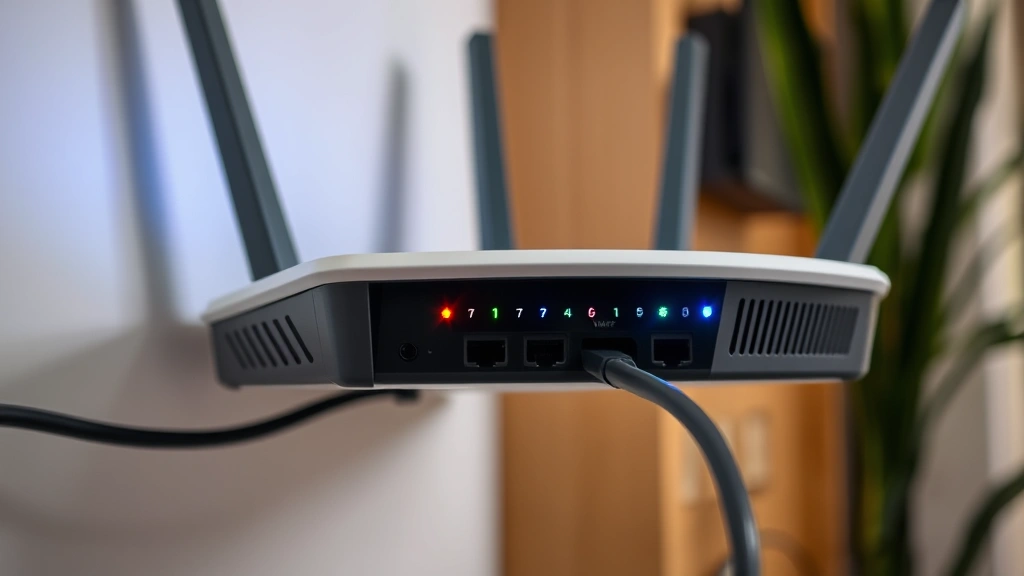
Your battery security camera is only as secure as the network it connects to. Begin by securing your WiFi network with WPA3 encryption if your router supports it; otherwise, use WPA2 with AES encryption—never use WEP or open networks. Create a strong WiFi password separate from your camera’s admin password. This prevents someone who cracks your WiFi password from immediately accessing your camera’s configuration.
Consider implementing network segmentation by creating a separate guest network or IoT network specifically for your security cameras and other smart devices. This network isolation prevents a compromised camera from accessing computers, phones, and sensitive data on your main network. Most modern routers allow you to restrict inter-network communication, further limiting lateral movement if a device is breached.
Disable WPS (WiFi Protected Setup) on your router, as it allows simplified pairing but introduces security weaknesses. Hide your SSID broadcast if you prefer added obscurity, though this provides minimal actual security. More importantly, disable remote management features on your router that would allow access from the internet. Your battery camera should communicate outbound to cloud services, but nothing should be able to communicate inward to your camera from the public internet.
Monitor your router’s connected devices list regularly. Unfamiliar devices suggest unauthorized access or a compromised device on your network. Most routers allow you to view historical connection logs. Check these periodically for unusual patterns. If you’re technically inclined, consider deploying a home network monitoring tool like Wireshark to analyze traffic patterns and identify anomalies.
Authentication and Access Control
Strong authentication is your first line of defense against unauthorized access. Beyond the initial password change, implement multi-factor authentication everywhere the manufacturer offers it. This typically involves receiving a code via email or SMS when logging into the camera system. Yes, SMS-based authentication has weaknesses, but it’s substantially better than password-only access.
Carefully consider who has access to your camera system. If you share access with family members or employees, give each person a unique account rather than sharing credentials. This creates accountability and allows you to revoke access individually if someone leaves your household or employment. Review access permissions regularly—remove accounts for people who no longer need access.
Some advanced battery cameras support biometric authentication or hardware security keys. If your device offers these options, implement them. Hardware security keys provide the strongest authentication available and make unauthorized access nearly impossible even if an attacker obtains your password.
Set up role-based access if your camera system supports it. For example, babysitters might have view-only access to specific cameras during specific hours, while you maintain full administrative control. This principle of least privilege ensures that compromised secondary accounts don’t grant attackers complete system control.
Firmware Updates and Patch Management
Firmware represents the camera’s operating system and contains critical security patches. Manufacturers release updates to fix known vulnerabilities, yet many users never install them. Create a monthly reminder to check for firmware updates. Visit your camera manufacturer’s website directly rather than relying on in-app notifications, which might be compromised.
Before updating, backup your current settings and any local footage. Most cameras allow exporting configuration profiles, which you should save to your computer. This allows quick restoration if an update causes unexpected issues. Update during a time when you don’t need camera functionality, as the process typically requires a restart.
Enable automatic firmware updates if your camera supports this feature. While automatic updates introduce minor risks (rare cases of problematic patches), the security benefits far outweigh the risks. Staying current with patches is exponentially more important than the small chance of a flawed update.
Follow security researchers and the Cybersecurity and Infrastructure Security Agency (CISA) for vulnerability announcements affecting your specific camera model. CISA maintains a database of known vulnerabilities and affected devices. Subscribe to your manufacturer’s security mailing list if available. Some brands like Wyze and Ring maintain active security blogs detailing vulnerabilities and fixes.
Cloud Storage and Data Protection
Most battery cameras upload footage to cloud servers for remote access and backup. This convenience introduces data privacy concerns. Review your manufacturer’s privacy policy in detail—understand exactly what data is collected, how long it’s retained, and who can access it. Some manufacturers retain footage longer than necessary or share anonymized data with third parties.
Encrypt your cloud storage if the manufacturer offers client-side encryption, where encryption happens on your camera before upload. This ensures that even if cloud servers are breached, attackers cannot view your footage without your encryption key. Be aware that client-side encryption may disable some cloud features like intelligent search or AI-powered event detection.
Regularly review cloud storage settings and delete old footage you no longer need. Most manufacturers offer tiered storage plans—free storage for 7-30 days, with paid plans for extended retention. Assess how long you actually need footage retention and avoid paying for unnecessary storage. Delete footage containing sensitive information before it reaches cloud servers.
If your camera supports it, disable cloud storage entirely and rely solely on local microSD card storage. This provides maximum privacy by keeping all footage under your physical control. The tradeoff is that you lose remote access and cloud redundancy, so implement strong local backup procedures.

Ongoing Monitoring and Maintenance
Security is not a one-time setup but an ongoing practice. Create a security maintenance schedule: monthly password reviews, quarterly access permission audits, and biannual security setting reviews. Document these activities in a simple spreadsheet to track completion.
Monitor your camera’s activity logs for suspicious behavior. Most cameras record login attempts, configuration changes, and unusual access patterns. Review logs monthly for entries you don’t recognize. Multiple failed login attempts suggest someone is attempting to guess your password. Immediate password changes and security review are warranted.
Battery health directly impacts security. Weak batteries can cause unexpected shutdowns, potentially corrupting stored footage and creating security gaps in your surveillance coverage. Replace batteries according to manufacturer recommendations, typically annually for most battery security cameras. Some models support solar charging panels, which eliminate battery replacement concerns while maintaining always-on surveillance.
Test your camera’s functionality monthly to ensure it’s functioning properly. A non-functional camera provides false security. Verify that motion detection works, that recordings are being saved, and that you can access footage remotely. Document any issues and contact manufacturer support promptly if problems arise.
Stay informed about emerging threats affecting battery security cameras. Follow cybersecurity publications like Dark Reading and subscribe to threat intelligence feeds. Organizations like NIST publish guidelines for IoT device security that apply directly to battery cameras.
Consider your camera’s lifespan. Manufacturers typically support devices for 3-5 years before ending security updates. Plan camera replacements accordingly rather than running unsupported devices. An older camera without security updates poses greater risk than older devices with continued manufacturer support.
If you sell or dispose of your battery camera, perform a complete factory reset to erase all stored credentials, footage, and configuration data. Simply removing the microSD card is insufficient—factory reset ensures no one can extract data from the device afterward. Document the reset process and keep proof of proper disposal.
FAQ
Can someone hack my battery security camera?
Yes, if improperly secured. Hackers exploit weak default passwords, unpatched firmware, and unsecured networks. Proper configuration and maintenance make hacking significantly more difficult and unlikely, but perfect security doesn’t exist. Assume attackers will attempt to access your camera and implement layered defenses.
Should I cover my camera when not in use?
Physical covers provide peace of mind but don’t prevent cyber attacks. They prevent someone with network access from viewing your feed, but don’t stop attackers from accessing your system remotely. Focus on strong cyber security practices rather than relying solely on physical covers.
Is cloud storage safe for camera footage?
Cloud storage safety depends on the manufacturer’s security practices. Reputable manufacturers use encryption and security best practices. However, no system is perfectly secure. If storing sensitive footage, implement client-side encryption or use local-only storage. Review the manufacturer’s privacy policy carefully.
How often should I change my camera password?
Change your password immediately if you suspect compromise. Otherwise, change it every 6-12 months as a precaution. Change it whenever someone with access leaves your household or if you notice suspicious activity in your access logs.
What should I do if my camera is hacked?
First, disconnect it from power and network immediately. Factory reset the device completely. Change all related account passwords from a different device. Review your router logs for suspicious activity. Consider whether other devices were compromised. Contact the manufacturer’s security team to report the incident.
Are battery cameras less secure than wired cameras?
Not inherently. Security depends on configuration and maintenance, not power source. However, battery cameras often target budget-conscious consumers, and manufacturers sometimes prioritize affordability over security features. Wired cameras may offer more robust security options, but properly configured battery cameras can be equally secure.


