
Charge Safely: Best Practices for Sony Cyber-shot Battery Charger
Photography enthusiasts and professionals who rely on Sony Cyber-shot cameras understand the critical importance of reliable battery management. Your camera’s battery charger is far more than a simple accessory—it’s a critical component that directly impacts your device’s longevity, safety, and performance. Whether you’re capturing cinematic moments for video projects or shooting high-quality stills, understanding proper charging practices protects both your investment and your creative workflow.
The intersection of device security and hardware maintenance often gets overlooked in photography circles, yet it deserves serious attention. Counterfeit chargers, improper charging habits, and environmental factors can compromise battery health, introduce security vulnerabilities, and even pose physical safety risks. This comprehensive guide explores everything you need to know about safely charging your Sony Cyber-shot camera, from selecting authentic equipment to implementing best practices that extend battery lifespan and protect your device from potential harm.
In our increasingly connected world, even seemingly isolated devices like camera batteries can become vectors for security concerns. Understanding these risks and implementing proper charging protocols ensures your photographic equipment remains both functional and secure.
Understanding Sony Cyber-shot Battery Systems
Sony Cyber-shot cameras utilize various battery types depending on the model generation and intended use case. The most common battery types include the NP-BN, NP-BD, NP-FD, NP-FG, NP-FH, NP-FJ, NP-FV, and NP-FW series lithium-ion batteries. Each model requires specific charging specifications and voltage parameters that must be matched precisely for safe operation. Understanding your specific battery model is the foundational step in implementing proper charging protocols.
Lithium-ion technology, which powers modern Cyber-shot batteries, offers superior energy density and minimal memory effect compared to older battery chemistries. However, this advanced technology requires careful handling. These batteries contain sensitive internal circuitry that manages charging current, temperature monitoring, and voltage regulation. When you use an unauthenticated charger, you’re essentially bypassing these safety mechanisms, potentially compromising the battery’s internal management systems.
Sony designs its official battery chargers with multiple safety features including thermal protection, overcharge prevention, and intelligent charge termination. The charging circuit continuously monitors battery temperature, voltage, and charge status. If parameters deviate from safe operating ranges, the charger automatically halts the charging process. Third-party chargers frequently lack these sophisticated monitoring systems, making them substantially more dangerous.
Identifying Authentic Battery Chargers
Counterfeit battery chargers represent one of the most prevalent threats in the photography equipment market. Distinguishing genuine Sony Cyber-shot chargers from counterfeit products requires careful attention to multiple verification points. Authentic Sony chargers display specific characteristics that counterfeiters struggle to replicate accurately.
Packaging and Labeling Verification: Genuine Sony chargers come in professional packaging with clear branding, accurate specifications, and proper warranty information. Examine the packaging carefully for spelling errors, inconsistent fonts, or blurry printing—common indicators of counterfeit products. The model number should match exactly with your camera’s requirements. Authentic packages include detailed specifications printed on the back, including input voltage, output voltage, charging time, and safety certifications.
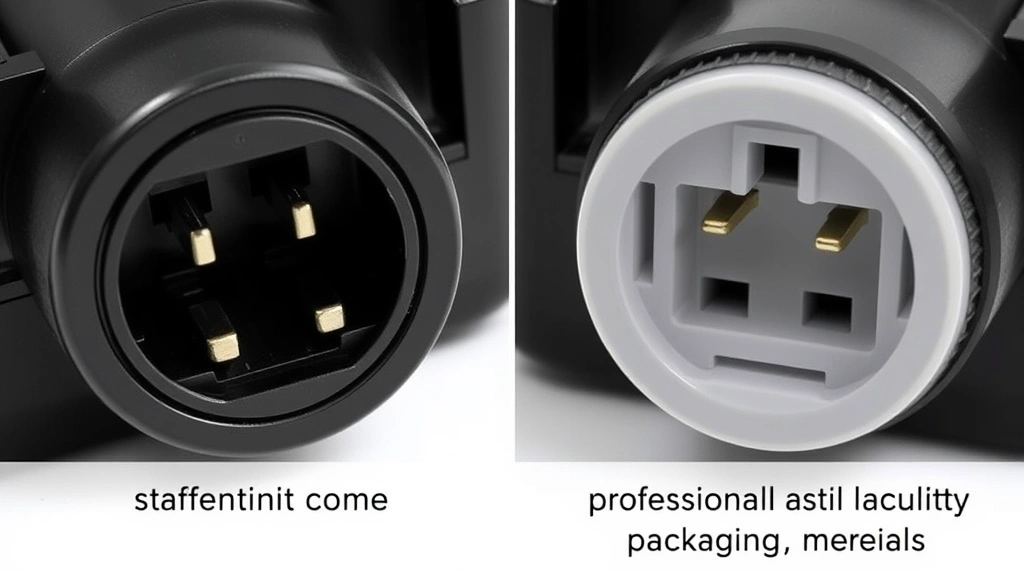
Physical Build Quality: Original Sony chargers demonstrate superior construction quality. The plastic casing should feel solid and uniform in color without warping or rough edges. Connector pins should be precisely machined, not cast with visible imperfections. The power cord should feature proper shielding and professional connectors. Counterfeit chargers often exhibit loose components, misaligned charging contacts, or poorly molded plastic that feels cheap and fragile.
Serial Numbers and Authentication: Every authentic Sony charger includes a unique serial number that can be verified through Sony’s official support channels. Visit Sony’s website and use their product verification tool to confirm authenticity. The serial number should be clearly printed on the device and packaging, matching across both locations. Counterfeit products often display serial numbers that don’t follow Sony’s numbering conventions.
Certification Markings: Legitimate Sony chargers display FCC, CE, RoHS, and other regulatory compliance certifications. These markings should be clearly printed and match Sony’s official documentation. Research the specific certifications required for your region and verify that the charger displays them prominently. Counterfeit products frequently display fake certification marks or omit them entirely.
Purchase Source Verification: Buy chargers exclusively from authorized Sony retailers, official Sony stores, or reputable electronics vendors with strong authentication policies. Avoid marketplace sellers with limited seller history, suspiciously low prices, or poor reviews mentioning charging issues. Authorized retailers implement verification processes and maintain accountability for product authenticity.
Security Risks Associated with Counterfeit Chargers
The security implications of using counterfeit battery chargers extend far beyond simple equipment damage. These devices introduce multiple layers of risk that photography professionals and enthusiasts must understand thoroughly.
Electrical Safety Hazards: Counterfeit chargers frequently lack proper electrical insulation, grounding, and surge protection mechanisms. Substandard internal components can generate excessive heat during charging, creating fire risks. Poor quality wiring and connectors may cause electrical arcing, potentially resulting in electrical shocks or device damage. According to CISA (Cybersecurity and Infrastructure Security Agency), compromised electronic equipment poses significant safety risks when proper safety standards aren’t maintained during manufacturing.
Battery Damage and Degradation: Counterfeit chargers typically employ aggressive charging algorithms that don’t properly monitor battery temperature or charge progression. This causes accelerated battery degradation, reduced lifespan, and potential battery failure during critical photography sessions. Over-charging can cause lithium-ion batteries to develop internal damage that manifests as reduced capacity, excessive heat generation, or sudden power loss.
Data Security Concerns: While camera batteries themselves don’t store data, compromised charging systems can introduce physical damage to the device’s charging port and internal electronics. This damage may create vulnerabilities in your camera’s hardware that could potentially be exploited if the device is subsequently connected to compromised networks or computers. Protecting your device’s physical integrity is part of comprehensive cybersecurity practice.
Supply Chain Vulnerabilities: Counterfeit products indicate compromised supply chains. Equipment sourced through unauthorized channels may have been stored improperly, exposed to extreme temperatures, or handled by individuals without proper training. These environmental exposures compromise battery chemistry and charger component reliability, even before you use the device.
Malicious Component Insertion: In extreme cases, counterfeit manufacturing facilities have been documented inserting malicious components into electronic devices. While camera battery chargers represent lower-value targets than smartphones or computers, the principle remains concerning. Using only verified authentic products eliminates this risk entirely.
Security researchers at NIST (National Institute of Standards and Technology) emphasize that hardware security begins with supply chain integrity. Purchasing from authorized sources ensures proper handling and verification throughout the distribution process.
Optimal Charging Practices
Implementing proper charging protocols significantly extends battery lifespan and maintains optimal camera performance. These practices represent best practices developed through extensive manufacturer testing and user experience.
Temperature Management: Charge your Sony Cyber-shot battery in moderate temperature environments, ideally between 50-86°F (10-30°C). Avoid charging in direct sunlight, near heat sources, or in cold environments. Cold temperatures temporarily reduce battery capacity, while excessive heat damages internal chemistry. If your battery has been exposed to temperature extremes, allow it to acclimate to room temperature before charging. Never charge a battery that feels hot to the touch—allow it to cool completely first.
Charging Duration: Use only the Sony charger designed for your specific battery model. Different batteries require different charging times—typically ranging from 1 to 4 hours depending on the model. Consult your camera’s manual for precise charging duration. Avoid leaving batteries charging overnight or for extended periods after charging completes. Remove the battery from the charger promptly once fully charged to prevent overcharging stress.
Frequency and Depth of Discharge: Modern lithium-ion batteries perform optimally when partially discharged and recharged regularly. Avoid completely depleting your battery before recharging. If you won’t use your camera for extended periods, store batteries with approximately 50% charge. Store batteries separately from the camera in a cool, dry location. Never store fully depleted batteries, as they may enter a deep discharge state that prevents recharging.
Charging Port Maintenance: Keep your camera’s charging port clean and dry. Inspect the connector pins regularly for corrosion, debris, or damage. Use a dry, lint-free cloth to gently clean the charging contacts on both the battery and charger. Never use liquids or harsh chemicals on electrical contacts. Ensure the charging cable isn’t kinked, twisted, or subjected to excessive stress that could damage internal wiring.
Multiple Battery Management: If you use multiple batteries, rotate them regularly to ensure even wear. Label batteries with purchase dates so you can track aging. Retire batteries that consistently fail to hold full charge or require unusually long charging times. Maintain detailed records of battery performance to identify degradation patterns early.
Environmental Considerations
Your charging environment directly impacts battery health and charger safety. Creating optimal conditions protects both your equipment and ensures reliable performance during critical photography sessions.
Humidity Control: Charge batteries in dry environments with humidity levels below 80%. Excessive moisture can cause corrosion on charging contacts and internal circuitry. If you photograph in humid environments (coastal areas, tropical climates, or near water), allow equipment to acclimate to dry conditions before charging. Use silica gel packets in storage areas to maintain proper humidity levels.
Ventilation Requirements: Ensure adequate air circulation around your charger during operation. Blocked ventilation can cause dangerous heat buildup. Never cover the charger with fabric, place it in enclosed spaces, or stack other objects on top of it. Position the charger at least 6 inches away from walls and other equipment. Proper ventilation allows internal heat dissipation mechanisms to function effectively.
Power Supply Quality: Use stable, grounded electrical outlets. Avoid charging in areas with unreliable power supplies, frequent outages, or voltage fluctuations. Consider using a surge protector to shield your charger from electrical surges and power spikes. If your location experiences frequent electrical instability, invest in an uninterruptible power supply (UPS) to provide stable power during charging.
Storage Conditions: When not in use, store your charger in a cool, dry location away from direct sunlight. Extreme temperatures degrade internal components. Keep the charger in its original packaging or a protective case to prevent physical damage. Store separately from batteries and camera equipment to prevent accidental damage or contamination.
Troubleshooting Common Charging Issues
Even with proper practices, charging issues occasionally arise. Understanding common problems and solutions helps you address them quickly and safely.
Battery Not Charging: First, verify you’re using the correct charger for your battery model. Check that the charging contacts on both battery and charger are clean and free of corrosion. Try cleaning contacts gently with a dry cloth. If the problem persists, test with a different battery to determine if the issue is battery-specific or charger-related. If another battery charges normally, your original battery may need replacement. If no batteries charge, the charger likely requires service.
Slow Charging: Slow charging typically indicates environmental temperature issues or battery degradation. Verify the charging environment temperature is within recommended ranges. Batteries nearing end-of-life naturally charge more slowly as internal resistance increases. If a new battery charges slowly, discontinue use of that charger and contact Sony support to verify charger specifications.
Charger Not Powering On: Verify the outlet works by plugging in another device. Check that the power cord is fully inserted into both the outlet and charger. Inspect the power cord for visible damage. If the outlet and cord are functional, the charger’s internal components may have failed. Contact Sony for service or replacement.
Overheating During Charging: Immediately stop charging if either the battery or charger becomes excessively hot. Allow both to cool to room temperature. Discontinue use of the charger and obtain a replacement. Overheating indicates internal component failure or electrical problems that pose safety risks.
Charger Light Indicators Not Functioning: Most Sony chargers include LED indicators showing charging status. If indicators don’t illuminate, verify the outlet is powered. If the outlet is functional but indicators don’t illuminate, the charger’s internal circuitry may be damaged. Discontinue use and obtain a replacement.
Protecting Your Device Investment
Your Sony Cyber-shot camera represents a significant investment in creative capability. Proper battery charging practices are essential components of comprehensive device protection.
Purchase Warranty Coverage: Always purchase chargers from sources that provide warranty coverage. Authorized retailers typically offer manufacturer warranties covering defects. Keep all receipts and warranty documentation. Register your charger with Sony if possible to extend warranty benefits and receive notifications about product recalls or safety updates.
Insurance Considerations: Some photography insurance policies cover equipment damage caused by electrical failures. Review your coverage to understand what scenarios are protected. Maintaining proper charging practices strengthens insurance claims if damage occurs, as insurers can verify you followed manufacturer recommendations.
Professional Maintenance: If you use your camera professionally, consider periodic maintenance checks from authorized Sony service centers. Technicians can assess charging port condition, battery health, and internal circuitry status. Regular maintenance identifies emerging issues before they cause significant damage.
Documentation and Records: Maintain detailed records of battery performance, charging history, and any issues encountered. Document purchase dates, warranty information, and service history. These records prove due diligence in equipment care and provide valuable information for troubleshooting.
Staying Informed: Monitor Sony’s official support channels for product recalls, safety alerts, and firmware updates. Subscribe to manufacturer communications and check the latest product announcements from Sony. Security updates and safety information are communicated through official channels.
Threat intelligence communities regularly monitor counterfeit product distribution networks. Organizations like the FBI’s Internet Crime Complaint Center track counterfeit electronics distribution and coordinate with manufacturers to combat these threats. Reporting suspected counterfeit products to these organizations helps protect the broader photography community.
Frequently Asked Questions
Can I use third-party chargers with my Sony Cyber-shot battery?
While some third-party chargers may physically fit your battery, we strongly recommend using only authentic Sony chargers designed for your specific battery model. Third-party chargers lack the sophisticated safety features built into genuine Sony products, increasing risks of battery damage, overheating, and electrical hazards. The cost savings of third-party chargers don’t justify the potential damage to your expensive camera equipment.
How long should I expect my battery to hold a charge?
New Sony Cyber-shot batteries typically maintain 80% of original capacity after 300-500 charge cycles under optimal conditions. With proper charging practices, most batteries remain usable for 2-3 years before noticeable capacity reduction. Battery lifespan varies based on usage patterns, storage conditions, and environmental factors. Batteries stored in cool, dry conditions and charged properly last significantly longer than those exposed to temperature extremes.
Is it safe to charge my camera overnight?
Modern Sony chargers include intelligent charge termination that stops charging when batteries reach full capacity. However, leaving batteries charging overnight isn’t recommended. Removing fully charged batteries from chargers promptly prevents unnecessary stress on battery chemistry. If you must charge overnight, use a timer to automatically cut power after charging completes, or monitor the charger’s LED indicator to remove the battery immediately after charging finishes.
What should I do if my charger produces unusual smells or sounds?
Unusual odors or sounds during charging indicate internal component problems or electrical issues. Stop charging immediately and unplug the charger from the electrical outlet. Do not attempt to use the charger again until you’ve verified it with Sony support. These symptoms often precede electrical failures or fire hazards. Contact an authorized Sony service center for inspection or replacement.
Can I charge my Sony Cyber-shot battery using USB-C or other universal chargers?
Sony Cyber-shot batteries require proprietary charging connectors designed specifically for Sony models. While some newer camera models support USB-C charging, older Cyber-shot models require dedicated chargers. Never attempt to modify charging connectors or use adapters to connect your battery to incompatible chargers. This creates serious electrical hazards and voids any warranty coverage.
How should I store batteries during long periods without camera use?
Store batteries with approximately 50% charge in cool, dry locations (ideally 50-68°F). Store batteries separately from cameras and chargers. Use silica gel packets to maintain appropriate humidity levels. Check stored batteries monthly and top off charge if capacity drops below 30%. Proper storage prevents deep discharge conditions that can permanently damage batteries and make them unable to accept charge.


