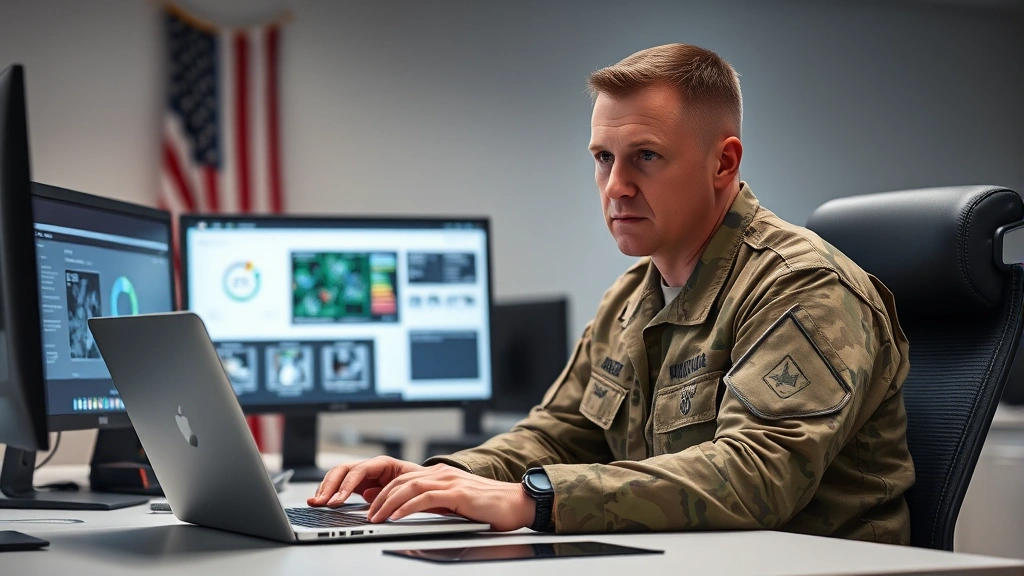
Stay Safe Online: Army Cyber Awareness Guide
In an increasingly digital world, cybersecurity awareness has become as critical as physical security, especially for military personnel and their families. The U.S. Army recognizes that cyber threats pose significant risks to national security, personal safety, and operational integrity. Whether you’re an active-duty soldier, a veteran, or a family member of military personnel, understanding fundamental cyber safety practices is essential in protecting yourself and sensitive information from malicious actors.
Army cyber awareness training programs have been developed to educate service members about the evolving threat landscape and provide practical strategies for defending against cyberattacks. These initiatives address phishing schemes, social engineering tactics, password management, secure communication, and data protection. By adopting the principles outlined in official military cyber awareness programs, you can significantly reduce your vulnerability to cyber threats and contribute to the overall security posture of our nation.
This comprehensive guide explores the core components of effective cyber awareness, drawing from established Army training protocols and industry best practices. We’ll examine real-world threats, provide actionable recommendations, and empower you with the knowledge needed to navigate the digital environment safely and securely.
Understanding Cyber Threats in the Modern Military
The digital battlefield has become as important as traditional theaters of operation. Adversaries—ranging from nation-states to criminal organizations—continuously develop sophisticated methods to infiltrate military networks, steal classified information, and disrupt operations. Army cyber awareness training begins with understanding the nature and scope of these threats.
Cyber threats targeting military personnel fall into several categories. Espionage involves state-sponsored actors attempting to steal classified information or intelligence. Sabotage aims to disrupt military systems and operations. Data theft targets personal information that could be exploited for identity theft or blackmail. Malware distribution introduces malicious code designed to compromise systems and steal data. Denial of service attacks overwhelm systems to render them unusable.
According to the Cybersecurity and Infrastructure Security Agency (CISA), military networks are targeted thousands of times daily. Understanding these threats is the first step toward effective defense. Army personnel must recognize that cyber threats are not hypothetical—they are persistent, evolving, and increasingly sophisticated. Every service member, regardless of their technical expertise, plays a crucial role in defending against these attacks.
The threat landscape includes both external and internal risks. While foreign adversaries pose obvious concerns, insider threats—whether intentional or accidental—can be equally damaging. A single compromised credential or a carelessly shared sensitive document can expose classified information or compromise operational security. This is why comprehensive cyber awareness training emphasizes personal responsibility and vigilance.
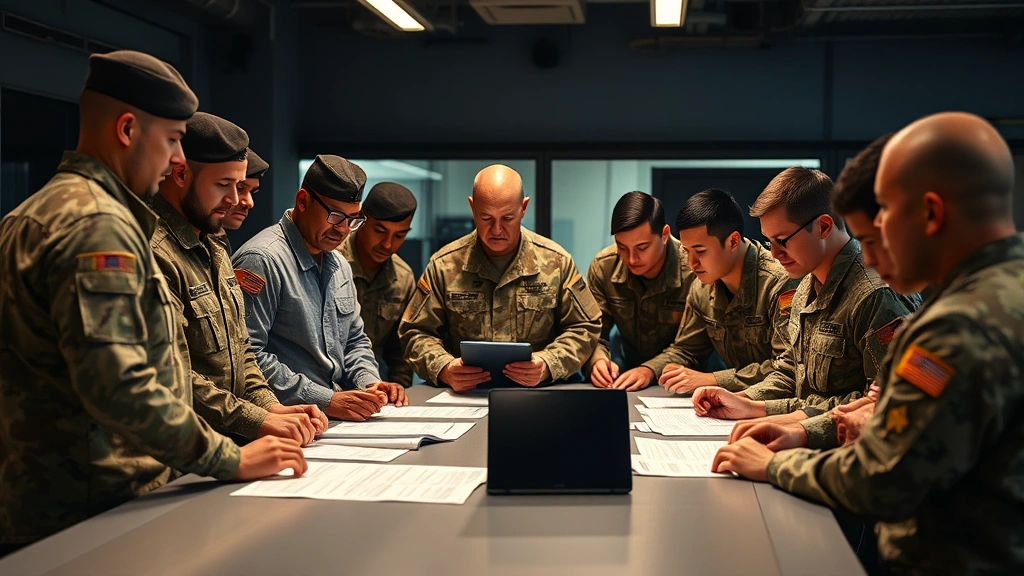
Phishing and Social Engineering Attacks
Phishing remains one of the most effective attack vectors used against military personnel. These targeted attacks exploit human psychology rather than technical vulnerabilities, making them particularly dangerous. A phishing email might appear to come from a trusted source—a commanding officer, IT support, or a government agency—but contains malicious links or attachments designed to steal credentials or install malware.
Social engineering attacks extend beyond email. Attackers may impersonate military personnel over the phone, request information through social media, or use physical pretexting to gain access to secure facilities. The goal is always the same: manipulate individuals into divulging sensitive information or compromising security protocols.
Red flags for phishing emails include:
- Requests for passwords, PINs, or personal identification numbers
- Urgent language suggesting immediate action is required
- Suspicious sender addresses or domains that closely mimic legitimate ones
- Grammatical errors or unusual formatting
- Unexpected attachments, especially executable files
- Links that don’t match the displayed text when you hover over them
- Requests for information you wouldn’t normally share via email
The Army’s approach to combating phishing emphasizes verification. Before clicking links or downloading attachments, verify the sender’s identity through an independent channel. If an email claims to be from your IT department, call them directly rather than using contact information from the email. Legitimate military communications rarely request sensitive information via email.
Social engineering attacks often succeed because they exploit trust and authority. An attacker might call claiming to be from headquarters requiring urgent network access information. Always verify requests through official channels before providing any information. When in doubt, err on the side of caution—legitimate requestors will understand the need for verification.
Training programs emphasize that reporting suspicious communications is not only encouraged but essential. Many organizations now offer secure channels for reporting phishing attempts, allowing security teams to identify patterns and block similar attacks before they reach other personnel.
Password Security and Authentication
Passwords remain the primary defense protecting access to military networks and personal accounts. Yet many individuals continue to use weak passwords, reuse credentials across multiple platforms, or write passwords down in insecure locations. These practices create significant vulnerabilities that attackers actively exploit.
Principles of strong password creation:
- Length matters: Use passwords of at least 12-16 characters. Longer passwords are exponentially harder to crack.
- Complexity: Include uppercase letters, lowercase letters, numbers, and special characters. Avoid predictable patterns or dictionary words.
- Uniqueness: Never reuse passwords across different accounts. A breach at one service could compromise all your accounts if passwords are identical.
- Avoid personal information: Don’t use birthdates, names of family members, pet names, or other information that could be researched or guessed.
- Change regularly: Update passwords every 60-90 days, or immediately if you suspect compromise.
Password managers have become essential tools for maintaining security without sacrificing usability. These applications securely store complex passwords, allowing you to use unique, strong credentials for every account while remembering only a single master password. Many military personnel now use approved password managers to manage the dozens of credentials required in their professional and personal lives.
Multi-factor authentication (MFA) adds an additional security layer beyond passwords. Even if an attacker obtains your password, they cannot access your account without the second factor—typically a code from your phone, a hardware security key, or biometric authentication. The Army strongly encourages enabling MFA on all accounts containing sensitive information or providing access to military systems.
Authentication best practices extend to security questions. When setting up account recovery options, avoid questions with answers easily found through social media research. If asked “What is your mother’s maiden name?” and that information appears on your genealogy website, attackers can use it to reset your password.
Secure Communication and Data Protection
Military personnel frequently handle sensitive information that must be protected during transmission and storage. Unencrypted communications can be intercepted, and unprotected data can be stolen or accidentally exposed. Understanding proper data handling procedures is fundamental to cybersecurity.
Email security considerations:
- Never send classified information through unencrypted email, regardless of the classification level
- Use approved military email systems with built-in encryption for sensitive communications
- Be cautious when forwarding emails—ensure all recipients have legitimate need for the information
- Delete sensitive emails after they’re no longer needed rather than archiving indefinitely
- Be aware that email is not truly private; assume messages could be intercepted or subpoenaed
File storage and sharing require equal attention. Cloud services like personal Gmail accounts or consumer Dropbox installations should never be used for military-related information. The Army provides approved secure collaboration tools designed specifically for handling sensitive data. When sharing files, use encrypted transfer methods and verify recipient identities before transmission.
Physical security of devices is equally important. A laptop or mobile device containing sensitive information must be protected against theft. This means using full-disk encryption, enabling automatic screen locks, and never leaving devices unattended in public spaces. Many military personnel have experienced the loss or theft of devices containing sensitive data—a preventable incident with proper physical security practices.
Data classification awareness is critical. Understand the classification level of information you handle and follow appropriate protection protocols. Unclassified information still requires protection if it contains personal data, operational details, or information about military personnel. Proper data labeling helps ensure appropriate handling throughout its lifecycle.
Mobile Device Security
Mobile devices have become ubiquitous in military environments, offering flexibility and connectivity but introducing significant security challenges. A smartphone or tablet can be as valuable to an attacker as a laptop, yet many users apply fewer security measures to mobile devices than computers.
Mobile device hardening practices:
- Device locking: Always use a PIN, password, or biometric lock. Unprotected devices can be accessed by anyone with physical possession.
- Operating system updates: Apply security patches immediately when available. Mobile OS updates often address critical vulnerabilities.
- App security: Download applications only from official app stores. Third-party app sources may distribute malware. Review permissions before installing apps—if a flashlight app requests access to your contacts, that’s suspicious.
- Public WiFi avoidance: Avoid connecting to unsecured public WiFi networks where attackers can intercept data. If necessary, use a VPN approved for military use.
- Data backup: Regularly backup mobile device data, but ensure backups are encrypted and stored securely.
- Remote wipe capability: Enable features allowing you to remotely erase a device if it’s lost or stolen, preventing sensitive data access.
The National Institute of Standards and Technology (NIST) provides detailed mobile security guidelines applicable to military personnel. These recommendations emphasize that mobile devices require the same security rigor as traditional computers. Bringing work-related information onto personal devices creates additional risk—consider whether personal devices should be used for military-related communications at all.
Mobile malware has become increasingly sophisticated, with some strains designed specifically to target military personnel. Spyware applications can monitor communications, record conversations, and track location. Trojanized legitimate applications distributed through compromised app stores have infected thousands of devices. Maintaining awareness of mobile threats and following security practices is essential protection.
Recognizing and Reporting Suspicious Activity
Even with strong personal security practices, threats will still emerge. The ability to recognize suspicious activity and report it quickly can prevent attacks from succeeding. Army cyber awareness training emphasizes that reporting is not only acceptable but essential—every soldier becomes part of the defense.
Signs of potential compromise include:
- Unexplained account activity or unfamiliar login locations
- Missing or changed files you didn’t modify
- Unusual network traffic or slow system performance
- Unexpected password reset notifications
- New accounts or user profiles you didn’t create
- Suspicious emails requesting verification of account information
- Devices behaving erratically or showing unexpected applications
Reporting procedures vary by organization, but most military units have dedicated cybersecurity personnel or secure reporting channels. Don’t assume someone else will report suspicious activity—take initiative. Document what you observed, when it occurred, and any relevant details. Provide this information to your IT security team or chain of command.
Many organizations now operate security awareness programs that include simulated phishing campaigns. These training exercises test employee responses to realistic attacks, providing feedback on security awareness. Falling for a simulated phishing email isn’t a failure—it’s a learning opportunity. Organizations use these results to provide targeted training and identify personnel who may need additional education.
Creating a reporting culture where personnel feel comfortable flagging concerns without fear of punishment is essential. Some of the most significant security breaches have been prevented by individuals who noticed something unusual and reported it. Encourage colleagues to maintain the same vigilance and support their reporting efforts.
Creating a Culture of Cyber Awareness
Individual security practices are important, but organizational culture ultimately determines whether cyber awareness becomes embedded in daily operations. Units where leaders prioritize cybersecurity and model secure behaviors achieve better security outcomes than those treating it as a compliance checkbox.
Effective cyber awareness cultures share common characteristics. Leadership commitment sends the message that cybersecurity matters. When commanders and senior NCOs discuss cyber threats in formation, allocate resources to training, and hold personnel accountable for security practices, the message resonates throughout the organization.
Continuous training prevents awareness from fading. Annual training is insufficient for threats that evolve constantly. Many organizations now implement monthly awareness messages, quarterly training sessions, and role-specific instruction. New personnel receive comprehensive onboarding addressing cyber risks relevant to their positions.
Psychological safety encourages reporting of security concerns without fear of punishment. Personnel must feel comfortable reporting suspected compromises, phishing attempts, or security violations without worrying about negative consequences. This requires leaders to respond constructively to reports, using them as learning opportunities rather than occasions for blame.
Peer accountability distributes security responsibility throughout the organization. When personnel recognize that colleagues are counting on them to maintain security standards, compliance improves. This extends beyond official training to informal conversations where team members remind each other about security practices.
Connecting cyber awareness to organizational mission is particularly effective in military contexts. Soldiers understand that security breaches compromise operational effectiveness and endanger lives. Framing cybersecurity as essential to mission success rather than an administrative burden increases buy-in and compliance.
The Army’s cyber awareness initiatives recognize that technology alone cannot defend against determined adversaries. Human factors—awareness, vigilance, and good judgment—are equally important. By combining technical controls with well-trained personnel who understand threats and respond appropriately, military organizations significantly enhance their security posture.
Organizations should also recognize that cyber awareness extends beyond work environments. Attackers often exploit personal accounts and devices to gain access to military systems. Encouraging personnel to apply cyber security principles in their personal lives—using strong passwords, enabling multi-factor authentication, avoiding suspicious websites—creates defense-in-depth that protects both individuals and military networks.
FAQ
What is the primary focus of Army cyber awareness training?
Army cyber awareness training focuses on educating service members about cyber threats and providing practical strategies for defense. Key areas include recognizing phishing attacks, managing passwords securely, protecting sensitive data, understanding social engineering tactics, and reporting suspicious activity. The training emphasizes that cybersecurity is everyone’s responsibility.
How often should I change my military network password?
The Army typically requires password changes every 60 days for military network access. However, best practices suggest changing passwords more frequently for accounts containing highly sensitive information. If you suspect your password has been compromised, change it immediately regardless of when the last change occurred.
What should I do if I accidentally click a phishing link?
If you suspect you’ve clicked a phishing link, immediately report it to your IT security team or unit cybersecurity personnel. Do not enter any credentials or personal information. Most modern systems can identify and remediate phishing attempts quickly if reported promptly. Many organizations now monitor for suspicious activity following phishing clicks, protecting your account even if it was compromised.
Is it safe to use personal email accounts for military-related communications?
No. Personal email accounts should never be used for military-related communications, especially those involving sensitive information. Personal email providers don’t implement military-grade security controls, and their terms of service may not protect classified information appropriately. Always use approved military email systems for work-related communications.
Can I use a personal mobile device for military work?
Policy varies by organization, but many military units restrict use of personal mobile devices for sensitive communications. If your organization permits BYOD (Bring Your Own Device), ensure your device meets security requirements including encryption, current operating system updates, and approved security software. Never install military applications or access military networks through personal devices unless explicitly authorized.
What is multi-factor authentication and why is it important?
Multi-factor authentication (MFA) requires two or more forms of verification to access an account. Common factors include passwords, codes from authenticator apps, hardware security keys, or biometric authentication. MFA is important because even if an attacker obtains your password, they cannot access your account without the second factor. The Army strongly encourages enabling MFA on all accounts containing sensitive information.
How can I recognize a social engineering attack?
Social engineering attacks manipulate people into divulging confidential information or compromising security. Red flags include unsolicited requests for passwords or personal information, urgent language creating pressure, authority figures demanding immediate compliance, and requests through unexpected channels. When in doubt, verify requests through official channels before providing information.
What should I do if I think my military account has been compromised?
Contact your IT security team or unit cybersecurity personnel immediately. Provide details about what made you suspect compromise—unusual account activity, unauthorized password changes, or suspicious emails. Change your password from a secure device. Monitor your accounts for additional suspicious activity. Report the incident through official channels to ensure appropriate investigation and remediation.


