
Is Arlo Solar Camera Secure? Expert Review
Arlo solar security cameras have gained significant popularity among homeowners seeking wireless surveillance solutions without the hassle of frequent battery replacements. However, with the increasing sophistication of cyber threats targeting IoT devices, security-conscious consumers must ask critical questions: Are Arlo solar cameras truly secure? This comprehensive review examines the security architecture, vulnerabilities, and best practices for protecting your Arlo system from potential cyber attacks and unauthorized access.
The integration of solar power technology with smart home security represents a significant convenience factor, but convenience often comes with security trade-offs. Understanding these trade-offs is essential before deploying any connected device on your property. This expert analysis delves into encryption protocols, authentication mechanisms, firmware vulnerabilities, and real-world attack vectors that could compromise your privacy and security.
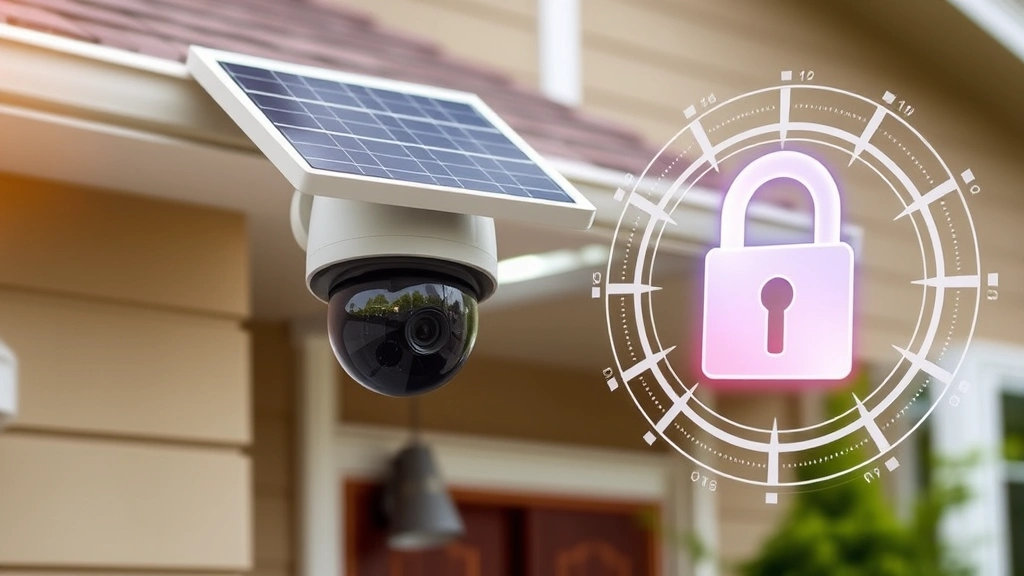
Arlo Security Architecture Overview
Arlo, owned by Netgear, implements a multi-layered security approach designed to protect video feeds, user credentials, and device communications. The security framework relies on cloud-based infrastructure combined with local device processing capabilities. Understanding this architecture is crucial for evaluating the actual security posture of Arlo solar cameras.
The system utilizes end-to-end encryption for video transmission, meaning footage travels encrypted from the camera to Arlo’s servers and ultimately to your mobile application. This approach theoretically prevents Man-in-the-Middle (MITM) attacks where unauthorized parties intercept unencrypted video streams. However, the effectiveness of this encryption depends on proper implementation across all components of the ecosystem.
Arlo cameras connect through either WiFi or the Arlo SmartHub, which acts as a local gateway device. This hub serves as the primary communication point between cameras and Arlo’s cloud servers. The hub’s security is therefore critical, as compromising it could potentially expose all connected cameras. The dual-connectivity model provides redundancy but also expands the potential attack surface.

Encryption and Data Protection
Arlo implements AES-128 encryption for video streams, a symmetric encryption algorithm widely recognized as secure for commercial applications. The company also uses TLS (Transport Layer Security) protocols for data in transit between devices and cloud servers. These encryption standards align with industry recommendations from NIST guidelines for protecting sensitive information.
However, encryption strength alone doesn’t guarantee security. Implementation details matter significantly. The key management process—how encryption keys are generated, stored, and rotated—is equally important. Arlo stores encryption keys on secure servers with restricted access, though the exact key rotation schedule and management practices aren’t fully transparent to users.
One critical consideration: video stored in Arlo’s cloud infrastructure remains encrypted at rest, protecting against unauthorized access to stored footage. Yet users must trust Arlo’s physical security measures and server access controls. Cloud-based storage inherently involves trusting a third party with your surveillance data, which represents a fundamental security trade-off.
The encryption implementation also includes protection for user credentials. Passwords are hashed using industry-standard algorithms before storage, preventing attackers from obtaining plaintext passwords even if they breach Arlo’s databases. Two-factor authentication adds an additional security layer for account access.
Authentication and Access Control
Arlo requires account creation and password authentication for accessing camera feeds and system settings. The platform supports optional two-factor authentication (2FA) through email or SMS, significantly reducing the risk of unauthorized account takeover. Users should enable 2FA immediately, as it provides protection against credential stuffing attacks and password spray techniques.
Device-level authentication occurs through unique identifiers and certificates installed during manufacturing. When a camera connects to the Arlo network, it authenticates using these credentials, preventing unauthorized devices from impersonating legitimate Arlo equipment. This manufacturer-installed authentication is more secure than user-configurable credentials, as users cannot accidentally weaken it through poor password choices.
The system also implements role-based access control, allowing primary account holders to grant limited permissions to family members or service providers. This granular access control prevents unnecessary exposure of full system capabilities to users who need only specific functionality. However, users must actively manage these permissions, as default settings may grant excessive access.
Session management represents another authentication consideration. Arlo sessions expire after periods of inactivity, requiring re-authentication. This reduces the window of opportunity for attackers to exploit stolen session tokens. The session timeout period appears reasonable, though specific timeout durations aren’t prominently documented in user materials.
Known Vulnerabilities and Exploits
Like all connected devices, Arlo cameras have experienced security vulnerabilities. In 2021, researchers discovered vulnerabilities affecting Arlo cameras that could allow attackers to access video feeds without proper authentication. Arlo released patches addressing these issues, but the discovery highlighted the importance of timely security updates.
Buffer overflow vulnerabilities in firmware have been documented in various Arlo models. These vulnerabilities could theoretically allow attackers to execute arbitrary code on the camera, achieving complete device compromise. The Cybersecurity and Infrastructure Security Agency (CISA) has issued alerts regarding IoT device vulnerabilities, and Arlo devices have occasionally appeared in these advisories.
Cross-site scripting (XSS) vulnerabilities in the Arlo web interface have been reported, potentially allowing attackers to steal session tokens or perform actions on behalf of legitimate users. These vulnerabilities typically affect older firmware versions, emphasizing the critical importance of maintaining current software versions.
Privacy concerns have also emerged regarding Arlo’s data collection practices. The company collects usage analytics and device telemetry that goes beyond what’s necessary for core functionality. While this data helps improve services, it represents additional information flowing from your home to Arlo’s servers. Users concerned about privacy should review Arlo’s privacy policy and disable optional analytics features.
Zero-day vulnerabilities—previously unknown security flaws—represent an ongoing risk for any connected device. While Arlo maintains a responsible disclosure program encouraging security researchers to report vulnerabilities privately, the existence of unknown vulnerabilities cannot be completely eliminated. This reality underscores the importance of defense-in-depth security strategies.
Firmware Updates and Patch Management
Arlo’s approach to firmware security depends heavily on its update mechanism. The company pushes security patches automatically to connected devices, which is preferable to requiring manual updates. Automatic updates reduce the window during which vulnerable devices remain unpatched and exposed to active exploits.
However, automatic updates can sometimes introduce compatibility issues or unexpected behavior changes. Users cannot review patch notes before installation or delay updates if they suspect problems. This represents a trade-off between security assurance and operational control. The recommended approach is trusting Arlo’s quality assurance processes while maintaining awareness of potential issues.
The update frequency matters significantly for security. Arlo typically releases security patches within reasonable timeframes after discovering vulnerabilities. However, the company’s patch cycle isn’t as rapid as some competitors. Critical vulnerabilities should receive expedited patches, while lower-severity issues may be bundled into regular updates.
End-of-life considerations are important for long-term security. Older Arlo camera models may eventually stop receiving security patches as the company shifts resources to newer products. Users with older models should monitor Arlo’s support documentation to determine when their devices will reach end-of-life status. At that point, replacement becomes prudent for maintaining adequate security.
The firmware verification process ensures that only legitimate Arlo updates install on your devices. The system uses cryptographic signatures to authenticate update packages, preventing attackers from distributing malicious firmware disguised as legitimate updates. This protection is essential for maintaining the integrity of the entire system.
Network Security Considerations
Your home WiFi network’s security directly impacts Arlo camera security. Cameras connecting through weak WiFi encryption (WEP or WPA with default credentials) become vulnerable to network-level attacks. Ensure your WiFi uses WPA3 encryption with strong passwords to protect the underlying network infrastructure.
Network segmentation provides additional protection by isolating IoT devices from computers containing sensitive data. Many modern routers support creating separate networks for IoT devices. This isolation limits potential damage if a camera is compromised, preventing attackers from pivoting to your personal computers or file servers.
Port forwarding configuration affects security significantly. Some users expose Arlo hubs or cameras directly to the internet through port forwarding, dramatically increasing attack surface. The recommended approach uses Arlo’s official cloud infrastructure for remote access rather than creating direct internet connections to home devices.
Firewall rules can restrict outbound connections from Arlo devices, limiting which external servers they can contact. This prevents compromised devices from exfiltrating data to attacker-controlled servers. However, such restrictions require technical expertise and careful configuration to avoid breaking legitimate functionality.
Regular network monitoring helps detect suspicious activity. Unusual traffic patterns from Arlo devices could indicate compromise. Network monitoring tools can alert you to unexpected data transfers or connection attempts to unfamiliar IP addresses. This proactive approach enables rapid response to potential security incidents.
Security Best Practices for Arlo Users
Implementing proper security practices significantly reduces risks associated with Arlo solar cameras. First, enable two-factor authentication immediately upon account creation. This single step prevents the vast majority of account takeover attacks. Use authenticator apps rather than SMS when possible, as SMS-based 2FA remains vulnerable to SIM swapping attacks.
Create strong, unique passwords for your Arlo account. Use a password manager to generate and store complex passwords, preventing password reuse across different services. If attackers compromise one service you use, password reuse allows them to immediately access your Arlo account. Unique passwords eliminate this risk.
Keep firmware updated automatically by enabling automatic updates in Arlo settings. Review update notifications when they appear, maintaining awareness of security patches being deployed. Understanding what security issues each update addresses helps you appreciate the importance of timely patching.
Review account access permissions regularly. Remove access for people no longer needing it. Check which devices have access to your cameras, ensuring only authorized hardware connects to your system. Arlo’s account settings provide visibility into connected devices and active sessions.
Disable unnecessary features and permissions. If you don’t need cloud storage, consider using local storage options if available. If you don’t require mobile notifications, disable them to reduce data collection. Minimizing enabled features reduces your attack surface and privacy exposure.
Monitor your Arlo system for suspicious activity. Check recent activity logs for unexpected access attempts or unusual login locations. Most account takeovers involve login attempts from unusual geographic locations. Arlo’s activity logs provide visibility into these events.
Use strong WiFi encryption and passwords as mentioned previously. Your network security directly impacts device security. Regularly update your router firmware as well, ensuring your network infrastructure remains secure. Many home network compromises begin with unsecured routers rather than individual devices.
Consider your physical security alongside digital security. Arlo cameras are sometimes targets for theft due to their value and easy accessibility. Secure mounting hardware prevents casual theft, and recording theft attempts can aid law enforcement.
Comparison with Competitors
Comparing Arlo’s security to competitors like Ring, Wyze, and Reolink reveals important context. Ring (owned by Amazon) implements similar encryption standards but has faced more privacy criticism regarding Amazon’s data access practices. Wyze cameras offer lower costs but have experienced more frequent security incidents. Reolink emphasizes local storage options, reducing cloud dependency but requiring more technical setup.
Ring’s integration with Amazon services provides convenience but raises concerns about Amazon’s access to surveillance footage. Wyze’s budget pricing comes with trade-offs in security infrastructure and update frequency. Reolink’s local-first approach appeals to privacy-conscious users but may limit remote access convenience.
Arlo’s cloud-centric model represents a middle ground. It provides good remote access convenience while implementing reasonable security measures. However, it doesn’t offer the privacy benefits of local-only storage solutions, nor does it provide the ecosystem integration of Ring with Amazon services.
Comparison should also consider customer support quality and responsiveness to security issues. Arlo’s support is generally adequate, though response times to security incidents vary. Companies demonstrating rapid response to vulnerabilities deserve more trust than those dragging their feet on patches.
No security solution is perfect. Each camera system involves trade-offs between convenience, privacy, and security. Arlo represents a reasonable balance for most users, particularly those prioritizing remote access and ease of use. However, users with extreme privacy concerns or advanced security requirements may prefer alternative solutions.
FAQ
Are Arlo solar cameras encrypted?
Yes, Arlo solar cameras use AES-128 encryption for video streams and TLS protocols for data transmission. However, encryption implementation quality matters as much as encryption algorithms themselves. Enable all available security features to maximize protection.
Can hackers access Arlo camera feeds?
Vulnerabilities have been discovered and patched, but properly secured Arlo systems are difficult to compromise. Enable two-factor authentication, use strong passwords, keep firmware updated, and secure your WiFi network. These measures make unauthorized access extremely unlikely.
Is Arlo safe for home use?
Arlo cameras are reasonably safe when properly configured. The company implements standard security practices, and vulnerabilities are typically patched promptly. However, no system is completely risk-free. Users must maintain security hygiene through password management, 2FA, and regular updates.
Does Arlo sell my footage to third parties?
Arlo’s privacy policy states that video footage is not sold to third parties. However, Arlo collects usage analytics and may share anonymized data with partners. Review Arlo’s full privacy policy for complete transparency regarding data practices.
What should I do if my Arlo account is compromised?
Immediately change your password to something strong and unique. Enable or reset two-factor authentication. Review recent activity logs for suspicious access. Check connected devices and remove any unfamiliar devices. Contact Arlo support if you suspect ongoing unauthorized access.
Are Arlo cameras safer than traditional wired cameras?
Arlo cameras and traditional wired systems have different security profiles. Wired systems may be less vulnerable to wireless attacks but require professional installation and offer less flexibility. Arlo cameras are more convenient but depend on wireless security. Both can be secure when properly configured.
How often does Arlo release security patches?
Arlo releases security patches as vulnerabilities are discovered and fixed, typically within weeks to months of identification. Critical vulnerabilities receive expedited patches, while lower-severity issues may be bundled into regular updates. Enable automatic updates to receive patches promptly.


