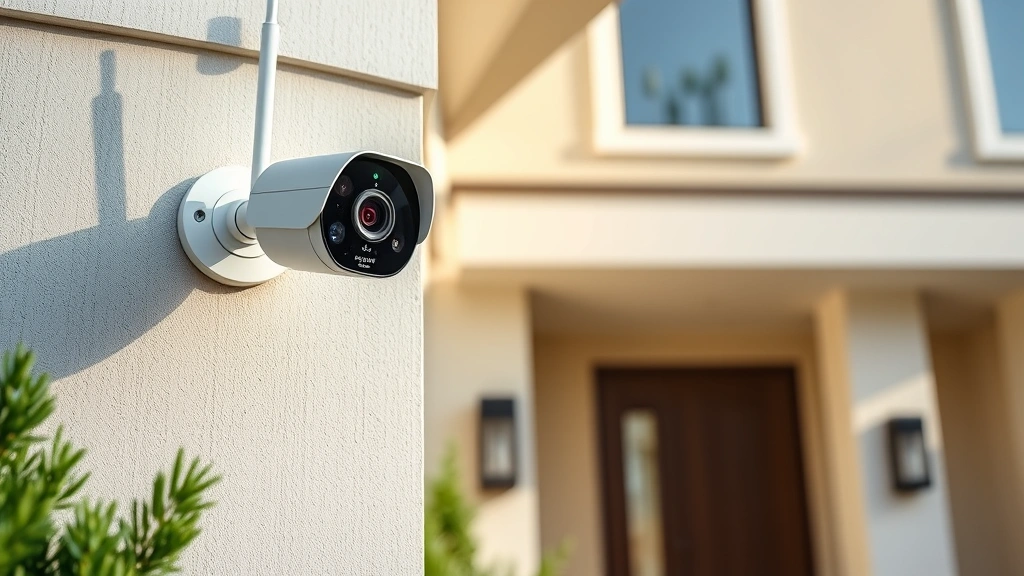
Arlo Security Cameras: Expert Reviews & Insights
Home security has become a critical concern for modern homeowners and businesses alike. With cyber threats evolving at an unprecedented pace, choosing the right surveillance system requires understanding both physical security and digital protection. Arlo security cameras have emerged as a popular choice in the market, offering wireless convenience and cloud-based monitoring. However, like all connected devices, they present unique cybersecurity considerations that users must carefully evaluate.
This comprehensive guide examines Arlo security cameras from both a performance and security perspective. We’ll analyze their features, review real-world user experiences, and provide critical insights into the privacy and protection measures you should implement when deploying these devices in your environment.
Understanding Arlo Security Cameras
Arlo, owned by Netgear, represents a significant player in the home security camera market. The brand offers various camera models ranging from basic wired options to advanced wireless systems with artificial intelligence capabilities. Understanding what Arlo brings to the table requires examining both their technological innovations and their approach to user security.
The Arlo ecosystem has expanded considerably over recent years. Their product line now includes the Arlo Pro series, Arlo Essential models, and specialized outdoor cameras designed for extreme weather conditions. Each model targets different user needs, from apartment dwellers requiring simple monitoring solutions to homeowners needing comprehensive property surveillance.
What distinguishes Arlo from competitors is their emphasis on wireless technology and cloud storage integration. Rather than relying solely on local network recording, Arlo cameras transmit footage to secure cloud servers. This approach offers convenience but also introduces cybersecurity considerations that users must understand and properly manage.
Key Features and Specifications
Video Quality and Resolution
Arlo cameras deliver varying resolution capabilities depending on the model. Premium models offer 2K and 4K video recording, providing exceptional detail for identifying individuals and vehicles. The higher resolution proves invaluable for security purposes, allowing law enforcement and insurance companies to extract meaningful evidence from footage.
Night vision capabilities have improved significantly across the Arlo lineup. Most models now feature color night vision, a feature that was previously exclusive to expensive professional systems. This advancement means you can identify suspects and document incidents even in complete darkness, a critical advantage for comprehensive security coverage.
Motion Detection and AI Features
Modern Arlo cameras incorporate machine learning algorithms that distinguish between people, vehicles, and animals. This intelligent filtering reduces false alarms caused by wind-blown debris or passing wildlife. The system learns your property’s normal activity patterns, alerting you only to genuine security concerns.
Two-way audio functionality allows real-time communication through your camera. You can speak to visitors, delivery personnel, or potential intruders without opening your door. This feature has proven particularly valuable for preventing package theft and unauthorized access attempts.
Cloud Storage and Recording Options
Arlo provides both free and paid cloud storage tiers. The free plan typically allows limited video storage, while paid subscriptions offer extended retention periods and additional features. Understanding these storage options is essential for maintaining adequate security footage for investigations or insurance claims.
Security and Privacy Considerations
When evaluating any connected security device, cybersecurity must be a primary concern. Arlo cameras connect to your home network and transmit footage through the internet, creating potential attack vectors that malicious actors could exploit.
Data Encryption and Transmission Security
Arlo implements end-to-end encryption for video transmission, meaning footage is encrypted before leaving your camera and remains encrypted during cloud storage. This encryption prevents unauthorized parties from intercepting your surveillance footage. However, you should verify that your specific Arlo model supports the latest encryption standards.
The company uses NIST-approved encryption protocols for protecting user data. This adherence to government standards provides assurance that your footage receives protection from recognized security frameworks.
Account Security and Authentication
Your Arlo account serves as the gateway to all your surveillance footage. A compromised account could expose months of security video to unauthorized viewers. Implement multi-factor authentication on your Arlo account immediately. This security measure requires a second verification method beyond your password, significantly reducing the risk of unauthorized access.
Choose a strong, unique password for your Arlo account. Avoid reusing passwords from other services, as data breaches on other platforms could compromise your security camera system. Consider using a password manager to maintain complex, unique credentials across all your accounts.
Network Security Requirements
Your home or business network’s security directly impacts your Arlo system’s safety. Ensure your WiFi network uses WPA3 encryption, the most current wireless security standard. If your router doesn’t support WPA3, WPA2 encryption represents the minimum acceptable standard.
Isolate your Arlo cameras on a separate network segment if possible. Many modern routers support guest networks or advanced network segmentation features. This isolation prevents a compromised camera from providing access to other sensitive devices on your network, such as computers containing financial records or personal information.
Firmware Updates and Patch Management
Arlo regularly releases firmware updates addressing security vulnerabilities and improving functionality. Enable automatic updates whenever possible, ensuring your cameras receive the latest security patches without requiring manual intervention. Outdated firmware represents one of the most common attack vectors for compromising connected devices.
Monitor CISA security advisories for any reported vulnerabilities affecting Arlo products. The Cybersecurity and Infrastructure Security Agency publishes detailed information about newly discovered threats and available fixes.
Privacy Settings and Data Sharing
Review Arlo’s privacy settings carefully. Disable any features you don’t actively use, such as activity sharing or third-party integrations. Each enabled feature represents an additional data access point that could potentially be exploited.
Understand Arlo’s data retention policies. The company maintains footage on their servers according to your subscription level. Even deleted footage may persist in backup systems for a period of time. If privacy concerns exist regarding specific footage, contact Arlo support to request permanent deletion.

User Experience and Installation
Setup Process
Arlo cameras are renowned for their straightforward installation process. Most models require only four steps: unpack the camera, charge the battery, download the Arlo app, and add the device to your account. This simplicity appeals to users without technical expertise, though it shouldn’t compromise your security practices.
During setup, the app guides you through network connection and initial configuration. Pay attention to security prompts during this process. If the system offers security options, enable them. The convenience of skipping security steps now will pale in comparison to the consequences of a compromised system later.
Mobile Application Features
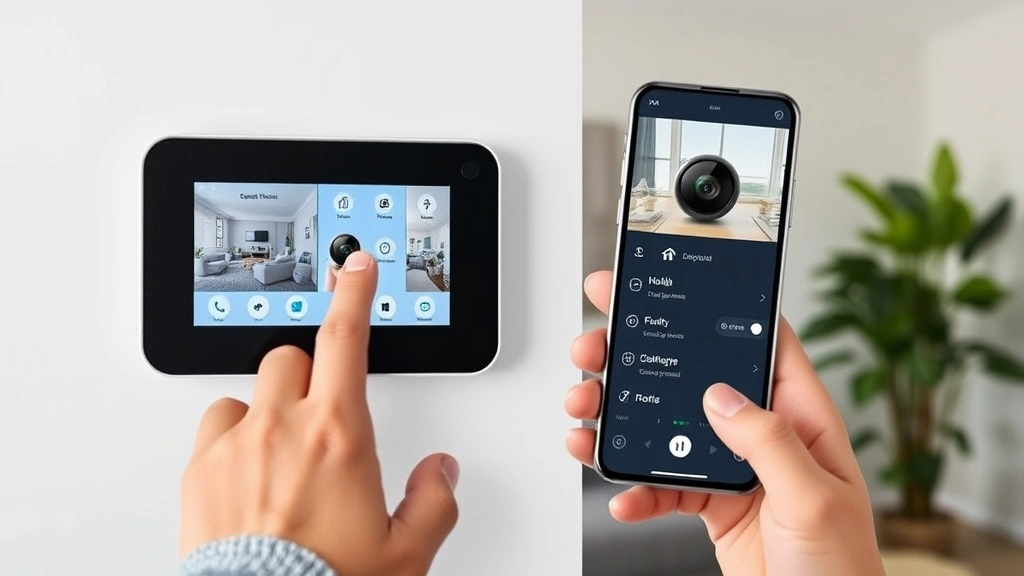
The Arlo app provides your primary interface for monitoring and managing cameras. The app delivers real-time alerts when motion is detected, allows you to view live feeds, and provides access to recorded footage. The interface design emphasizes usability, making it accessible to users of varying technical proficiency levels.
Push notifications keep you informed of security events throughout your day. You can customize notification settings based on sensitivity levels and time schedules. For example, you might receive alerts during nighttime hours but not during business hours when you expect activity.
Subscription and Pricing Models
Arlo offers various subscription tiers with different feature sets and storage capacities. The basic plan provides limited cloud storage, while premium plans offer extended retention, advanced AI features, and priority support. Evaluate your actual security needs rather than automatically subscribing to the highest tier.
Compare the cost of Arlo’s subscription model with alternative systems before making a purchase decision. Some competitors offer local storage options that reduce or eliminate recurring subscription fees, though they may require more technical configuration.
Performance in Real-World Conditions
Weather Resistance and Durability
Arlo cameras are engineered for outdoor use, with most models rated IP65 for dust and water resistance. This rating means the cameras can withstand heavy rain, snow, and temperature extremes common in most climates. However, extreme conditions like hurricanes or sustained freezing temperatures may impact performance.
Battery life varies significantly between models and usage patterns. Cameras with frequent motion detection activity drain batteries faster than those in low-activity areas. Plan to recharge or replace batteries seasonally, and maintain a record of your camera locations to ensure you don’t miss a camera during maintenance cycles.
Connectivity and Network Performance
Arlo cameras maintain consistent connectivity through your home or business WiFi network. Signal strength varies based on distance from your router and physical obstructions. Before purchasing, test your network strength in the locations where you plan to install cameras.
The cameras automatically reconnect after network interruptions, ensuring continuous protection even if your internet temporarily drops. However, during outages, you won’t be able to access live feeds or receive alerts until connectivity is restored.
Video Quality in Various Lighting Conditions
Arlo cameras perform exceptionally well in daylight and well-lit environments, delivering crisp, detailed video. Night vision quality has improved dramatically with recent models, providing clear footage in complete darkness. However, infrared night vision creates a monochromatic image that may lack the color detail available during daylight hours.
In backlit situations, where bright light sources are behind subjects, cameras may struggle to maintain detail. Position cameras to avoid direct sunlight in the lens and consider supplementary lighting for critical areas where backlit situations are unavoidable.
Comparing Arlo Models
Arlo Pro Series
The Pro series represents Arlo’s premium offering, featuring the highest resolution and most advanced AI capabilities. These cameras offer 2K resolution, color night vision, and sophisticated motion detection. If you require maximum detail and advanced features, the Pro series delivers, though at a premium price point.
Arlo Essential Line
The Essential series provides a more budget-friendly entry point to Arlo’s ecosystem. These cameras deliver solid 1080p or 2K video quality with essential features like motion detection and two-way audio. The Essential line suits users prioritizing value and simplicity over advanced AI features.
Arlo Go and Mobile Solutions
For users requiring portable surveillance or coverage in areas without traditional WiFi, Arlo Go cameras connect via cellular networks. These models provide flexibility for temporary monitoring needs, construction sites, or properties with poor internet infrastructure.
Comparison with Competing Systems
When evaluating Arlo against competitors like Ring, Wyze, or professional systems from companies like Axis Communications, consider your specific priorities. Ring excels at doorbell integration, Wyze offers exceptional value, while professional systems provide enterprise-grade security and support. Your choice should reflect your actual security requirements and budget constraints.
Expert Recommendations
Security Best Practices for Arlo Users
Implement a comprehensive security strategy that extends beyond the cameras themselves. Start by securing your home network with a strong router password and current encryption standards. Change your router’s default credentials immediately after setup.
Enable two-factor authentication on your Arlo account and any connected services. Use biometric authentication on your mobile device to protect access to the Arlo app. These layered security measures create multiple barriers against unauthorized access.
Review your Arlo account activity regularly. Most security platforms provide login history showing where and when your account was accessed. Unfamiliar access attempts should trigger immediate password changes and account security reviews.
Optimal Camera Placement Strategies
Position cameras to cover entry points, high-value asset areas, and vulnerable locations. Front doors, rear sliding glass doors, and garage entrances should all have camera coverage. Supplement these primary cameras with wide-angle cameras covering large areas like driveways or property perimeters.
Avoid pointing cameras directly at neighbors’ properties, as this may violate privacy laws in your jurisdiction. Focus coverage on your own property and visible public areas. Consult local regulations regarding video surveillance before installation.
Integration with Other Security Systems
Arlo cameras integrate with smart home platforms including Amazon Alexa and Google Home. These integrations enable voice commands and automated routines that enhance convenience. However, each integration represents an additional access point requiring security consideration.
Consider whether third-party integrations are truly necessary for your use case. Disabling unnecessary integrations reduces your system’s attack surface and improves privacy by limiting data sharing across multiple platforms.
Regular Maintenance and Monitoring
Establish a maintenance schedule for your Arlo system. Clean camera lenses monthly to remove dust and debris that can degrade image quality. Check battery levels seasonally and plan replacement or charging accordingly.
Monitor your system’s health through the Arlo app. The platform provides notifications about offline cameras, connectivity issues, or subscription problems. Address these notifications promptly to ensure continuous security coverage.
Review recorded footage regularly, particularly after security concerns or suspicious activity. Familiarize yourself with your property’s normal patterns, making it easier to identify genuinely concerning events. This practice also helps you optimize camera placement and sensitivity settings based on actual usage patterns.
When to Upgrade or Replace
Technology evolves rapidly in the security space. If your cameras are more than 3-4 years old, evaluate whether newer models offer significant improvements in resolution, AI capabilities, or security features. Older cameras may also receive fewer firmware updates as manufacturers focus on current product lines.
Battery-powered cameras require periodic battery replacement. Track the cost of replacement batteries over time and compare it against upgrading to newer models with improved battery efficiency. Sometimes the long-term cost of batteries exceeds the cost of replacement cameras.
FAQ
Are Arlo security cameras secure from hacking?
Arlo cameras employ encryption and regular security updates to protect against unauthorized access. However, no system is completely immune to determined attackers. Your responsibility is implementing best practices like strong passwords, two-factor authentication, and network security to minimize risk. Following CISA security recommendations significantly reduces vulnerability.
How long does Arlo store video footage?
Storage duration depends on your subscription level. Free plans typically store 30 days of footage, while paid subscriptions may offer 30, 60, or 90 days of retention. Check your specific subscription details in the Arlo app to confirm your storage duration.
Can I use Arlo cameras without a subscription?
Yes, Arlo cameras function without paid subscriptions, though with limited features. You can view live feeds through the app, but cloud storage and advanced features require a subscription. Local storage options are limited on most Arlo models.
What internet speed do I need for Arlo cameras?
Arlo cameras require stable internet connectivity but don’t demand exceptional speeds. A minimum of 1-2 Mbps upload speed per camera supports reliable operation. If you have multiple cameras, ensure your total available upload bandwidth accommodates all devices.
How do I recover my Arlo account if I forget my password?
Use the password recovery option on the Arlo login screen. You’ll receive a verification email allowing you to reset your password. Ensure the email address associated with your account is current and accessible. If you lose access to your email, contact Arlo support for account recovery assistance.
Can Arlo cameras detect package theft?
Yes, Arlo’s motion detection and AI features can identify individuals taking packages. The cameras record clear video evidence suitable for police reports and insurance claims. Position your camera to capture the package area and any individuals approaching it.
Is Arlo compatible with other smart home systems?
Arlo integrates with Amazon Alexa, Google Home, and Apple HomeKit, depending on your camera model. These integrations enable voice control and automation. Verify compatibility with your specific smart home platform before purchasing.
What happens to my footage if Arlo goes out of business?
This represents a legitimate concern with cloud-dependent systems. Before relying on Arlo for critical security, research the company’s financial stability and backup options. Consider downloading important footage locally to maintain access even if the service becomes unavailable.


