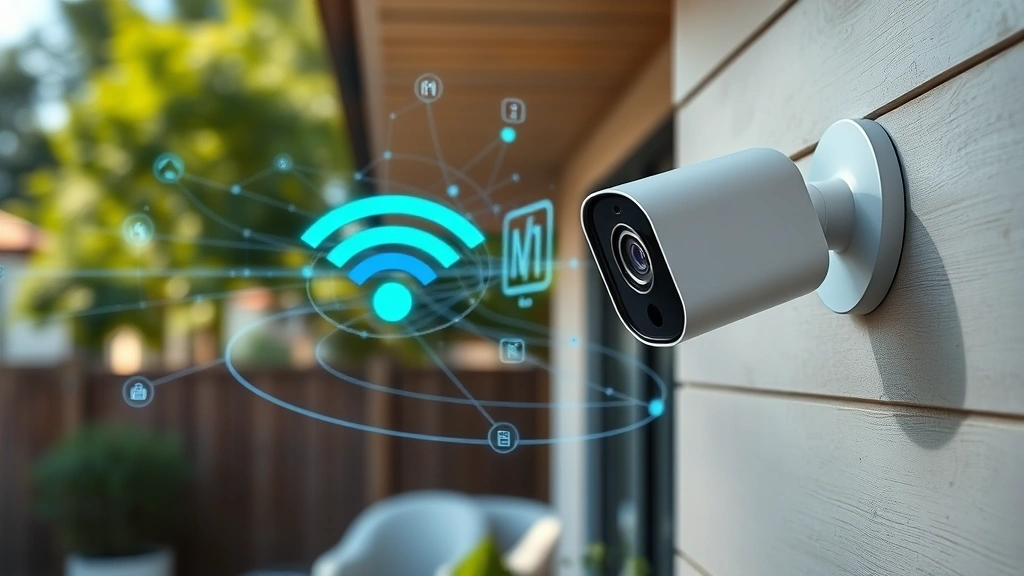
Apple HomeKit Cameras: Top Security Insights
Apple HomeKit security cameras represent a significant advancement in home surveillance technology, combining robust encryption protocols with user-friendly interfaces designed for modern homeowners. As cyber threats evolve and privacy concerns intensify, understanding the security architecture behind these devices becomes essential for anyone considering a smart home investment. Apple’s commitment to end-to-end encryption and local processing distinguishes HomeKit cameras from many competitors in an increasingly crowded market.
The security landscape for connected devices has become increasingly complex, with threat actors continuously seeking vulnerabilities in smart home ecosystems. HomeKit cameras address these concerns through a multi-layered security approach that prioritizes data protection and user privacy. This comprehensive guide explores the technical security features, best practices, and potential vulnerabilities you should know about before deploying these devices in your home.
Understanding HomeKit Security Architecture
Apple HomeKit’s security foundation rests on several interconnected technologies designed to create a fortress around your surveillance data. Unlike traditional IP cameras that transmit footage to cloud servers, HomeKit cameras employ a hub-based architecture that fundamentally changes how data flows through your network. This approach means your video streams remain encrypted and localized, never exposed to unnecessary internet transmission.
The HomeKit Secure Video feature leverages on-device machine learning to analyze footage locally before any data leaves your home network. This technology identifies people, animals, and vehicles without sending video clips to Apple servers for processing. According to Apple’s privacy documentation, only encrypted metadata about detected objects is transmitted, maintaining your visual privacy while enabling intelligent automation.
HomeKit’s security model incorporates several cryptographic standards and protocols that meet or exceed industry recommendations. The system uses AES-256 encryption for data at rest and TLS 1.2 for data in transit. These standards are recognized by NIST as appropriate for protecting sensitive information in connected device ecosystems.
End-to-End Encryption Explained
End-to-end encryption represents the cornerstone of HomeKit camera security, ensuring that video streams remain intelligible only to authorized viewers. When you access your HomeKit camera remotely, the connection establishes a secure tunnel that encrypts data at the source and decrypts it only at your authorized device. This means Apple employees, internet service providers, and potential attackers cannot intercept or view your footage.
The encryption process begins at the camera itself, where video encoding incorporates encryption keys stored securely on the device. These keys never transmit across the internet in unencrypted form. Instead, HomeKit uses a sophisticated key exchange mechanism based on Elliptic Curve Diffie-Hellman (ECDH) cryptography to establish shared secrets between your camera and viewing devices.
HomeKit’s implementation differs significantly from traditional cloud-based cameras. While those services typically encrypt video in transit and at rest on their servers, HomeKit ensures encryption never allows the service provider themselves to decrypt your footage. This architectural choice prioritizes user privacy over convenience, requiring you to maintain a HomeKit hub for remote access rather than relying solely on cloud infrastructure.
The cryptographic keys used in HomeKit cameras receive regular rotation through firmware updates. This practice aligns with cybersecurity best practices outlined in security research from leading institutions, ensuring that compromised keys cannot be exploited indefinitely.
Local Processing and Data Privacy
Local processing represents one of HomeKit’s most significant security advantages. Instead of streaming video to cloud servers for analysis, HomeKit cameras process video locally using on-device neural networks. This approach eliminates the attack surface associated with transmitting raw video data across the internet multiple times daily.
HomeKit Secure Video analyzes footage directly on the camera or through your HomeKit hub to detect people, animals, and vehicles. The system generates metadata about these detections—such as “person detected at front door at 3:47 PM”—while the actual video footage remains encrypted and stored locally. Only this minimal metadata gets transmitted to Apple’s servers when you subscribe to HomeKit+ service.
This local-first architecture means your most sensitive moments never exist in unencrypted form outside your home network. Unlike cloud-based competitors that store raw video for days or weeks, HomeKit maintains video locally and purges it according to your settings. You maintain complete control over retention policies without worrying about distant servers holding your private footage.
The privacy implications extend beyond video content. HomeKit doesn’t create behavioral profiles based on camera data. The system never learns your daily routines through centralized analytics. Your viewing patterns, the times people enter your home, and your home’s layout remain known only to you and your authorized household members.
Authentication and Access Controls
HomeKit implements sophisticated authentication mechanisms that verify the identity of anyone attempting to access your cameras. The system uses two-factor authentication by default, requiring both your Apple ID credentials and a device-specific verification code. This multi-factor approach significantly reduces the risk of unauthorized access, even if an attacker obtains your password.
HomeKit’s authentication architecture leverages your Apple ID ecosystem. When you add family members to your home, HomeKit creates individual authentication tokens for each person. These tokens grant specific permissions—some family members might view cameras while others can modify settings. This granular access control prevents unauthorized modifications while allowing appropriate sharing.
The HomeKit Secure Video feature adds another authentication layer. Viewing recorded video requires the same authentication as live streams, ensuring that stored footage remains protected even if someone gains access to your local network. The system doesn’t cache decrypted video on intermediate devices, forcing re-authentication for each viewing session.
HomeKit also implements automatic timeout mechanisms. If you leave your iPhone or iPad unlocked while accessing HomeKit, the app automatically locks after a period of inactivity, requiring re-authentication to continue viewing. This protection prevents unauthorized access if your device falls into the wrong hands.
Network Security Best Practices
While HomeKit cameras incorporate strong security features, your home network’s overall security remains critical. Implementing best practices at the network level dramatically enhances your HomeKit security posture. Begin by securing your Wi-Fi network with WPA3 encryption, the latest standard recommended by CISA, the Cybersecurity and Infrastructure Security Agency.
Your HomeKit hub—typically an Apple TV, HomePod, or iPad—serves as the central security component for remote access. Keeping this device updated with the latest software ensures it receives security patches promptly. Place your hub on a secure part of your network, separate from guest networks and IoT devices of uncertain provenance.
Consider implementing network segmentation to isolate HomeKit devices from other connected equipment. This approach limits the lateral movement an attacker could achieve if they compromise a non-critical device on your network. Many modern routers support VLAN capabilities that enable this segmentation without requiring expensive enterprise equipment.
Regularly audit your HomeKit home settings to review which devices have access and which users maintain permissions. Remove access for family members who no longer need it. Periodically review your HomeKit activity logs to identify any unusual access patterns or authentication attempts.
Keep your Wi-Fi router firmware updated and consider enabling additional security features like MAC address filtering if your router supports it. Disable WPS (Wi-Fi Protected Setup) as this older protocol contains known vulnerabilities that attackers can exploit.
Common Vulnerabilities and Threats
Despite HomeKit’s robust security architecture, potential vulnerabilities exist that users should understand. Zero-day vulnerabilities—previously unknown security flaws—could theoretically affect HomeKit cameras before Apple releases patches. While rare, these vulnerabilities represent an inherent risk of connected device ownership.
Weak Wi-Fi passwords remain a common entry point for attackers. If your home network uses default credentials or simple passwords, attackers on the same network segment could potentially access HomeKit devices. This threat is particularly concerning in multi-unit residences where neighbors share network proximity.
Phishing attacks targeting HomeKit users represent another significant threat vector. Attackers could send emails impersonating Apple, requesting HomeKit credentials or prompting users to visit fake websites. These social engineering attacks succeed through psychological manipulation rather than technical exploits, making user awareness critical.
HomeKit hub compromise poses a serious threat. If someone gains physical access to your hub device, they might extract information or gain network access. Securing your hub physically—placing it in a locked cabinet if it’s an Apple TV—adds important protection.
Firmware vulnerabilities in cameras themselves could potentially allow attackers to bypass HomeKit’s security architecture. However, HomeKit’s local-processing approach and encryption mean that even if an attacker compromises a camera, they cannot access video footage without the encryption keys stored on other HomeKit devices.
Network reconnaissance attacks where threat actors scan for HomeKit devices represent a lower-risk but ongoing threat. While HomeKit’s architecture makes it difficult for external attackers to exploit discovered devices, network scanning itself can reveal information about your home setup.

Firmware Updates and Patch Management
Regular firmware updates represent your primary defense against known vulnerabilities in HomeKit cameras. Apple releases security updates regularly, addressing discovered issues and strengthening protective measures. Enable automatic updates on your HomeKit hub and cameras to ensure you receive patches without manual intervention.
HomeKit cameras typically update automatically when connected to power and Wi-Fi, particularly during overnight hours. However, you can manually check for updates through the Home app by selecting your camera, accessing settings, and reviewing the software version. Compare this with the latest version available on Apple’s support pages.
Some HomeKit cameras from third-party manufacturers may require manual updates through their own apps or web interfaces. Consult your specific camera’s documentation to understand its update process. Prioritize cameras from manufacturers who actively support their devices with regular security updates.
Security patches often address vulnerabilities discovered by security researchers or identified during Apple’s internal testing. These updates may not always be publicly discussed, but their importance cannot be overstated. Even if an update seems minor, installing it ensures your camera receives the latest protective mechanisms.
Maintain a personal inventory of your HomeKit devices and their current firmware versions. This practice helps you verify that all devices receive updates and identify any that may have been overlooked. Some users benefit from spreadsheet tracking or notes in their password manager.
Consider disabling automatic updates only if you have specific technical reasons and understand the security implications. Most users benefit from the convenience and security of automatic patching. If you must delay an update due to compatibility concerns, establish a firm deadline for manual installation.
FAQ
Can Apple access my HomeKit camera footage?
No, Apple cannot access your HomeKit camera footage due to end-to-end encryption. Even Apple employees cannot decrypt your video streams. The encryption keys remain stored on your devices, not on Apple servers. Only metadata about detected objects is transmitted to Apple when you subscribe to HomeKit Secure Video, and this metadata doesn’t include actual video content.
Is HomeKit Secure Video worth the HomeKit+ subscription?
HomeKit Secure Video provides significant value for users concerned about privacy and security. The service enables local video recording with unlimited storage in iCloud, person/animal/vehicle detection without cloud processing, and activity notifications. However, the decision depends on your specific needs and whether you already subscribe to Apple One, which includes HomeKit+.
What happens if someone hacks my HomeKit hub?
If your HomeKit hub becomes compromised, an attacker could potentially access your home automation and view live camera feeds if they authenticate successfully. However, they cannot access encrypted video recordings or historical footage without the encryption keys. Change your Apple ID password immediately and enable a strong passcode on your hub device. Review your HomeKit activity logs to identify suspicious access.
Can HomeKit cameras work without an internet connection?
Yes, HomeKit cameras can operate on your local network without internet access. You can view live streams and access HomeKit automation using devices on the same Wi-Fi network. However, remote access from outside your home requires an internet connection and a HomeKit hub. HomeKit Secure Video recording also requires internet connectivity.
How often should I update my HomeKit camera firmware?
Install firmware updates immediately upon availability. Apple typically releases security updates as they become available rather than waiting for scheduled release windows. Enable automatic updates to receive patches without manual intervention. If you disable automatic updates, check manually at least monthly for new firmware versions.
What’s the difference between HomeKit cameras and traditional IP cameras?
HomeKit cameras prioritize privacy through local processing and end-to-end encryption, while traditional IP cameras often stream to cloud servers. HomeKit cameras cannot be accessed outside your home network without a hub. Traditional cameras offer greater flexibility but typically involve more cloud dependence. HomeKit’s approach sacrifices some convenience for superior privacy protection.
Can I use HomeKit cameras without a HomeKit hub?
You can use HomeKit cameras for local viewing without a hub, but remote access requires one. HomeKit Secure Video recording also requires a hub. HomeKit hubs can be Apple TV (4th generation or later), HomePod mini, or iPad running current software. Most users benefit from having a hub for complete HomeKit functionality.


