Apple Deals: Cyber Monday Security Must-Knows
Cyber Monday brings unprecedented deals on Apple products, but with massive discounts comes equally massive security risks. As millions of consumers rush to purchase iPhones, MacBooks, iPads, and other Apple devices at reduced prices, cybercriminals are actively exploiting the shopping frenzy through phishing schemes, fake storefronts, and malware-laden counterfeit devices. Understanding the intersection of Apple shopping and cybersecurity is critical to protecting your personal data, financial information, and digital identity during this high-risk shopping season.
The appeal of Apple Cyber Monday deals is undeniable—significant savings on premium devices that normally command top-dollar prices. However, this urgency to purchase creates a perfect storm for security vulnerabilities. Consumers often abandon their usual caution when facing limited-time offers, making them susceptible to social engineering attacks and fraudulent transactions. This comprehensive guide walks you through essential security practices to safely navigate Apple Cyber Monday deals while protecting yourself from evolving cyber threats.
Understanding Apple Cyber Monday Threat Landscape
The Cyber Monday shopping event creates a unique cybersecurity environment where threat actors concentrate their efforts on maximizing victim acquisition. According to CISA’s threat alerts, shopping-related cybercrimes spike dramatically during major retail events, with Apple products being particularly targeted due to their high resale value and premium pricing. Criminals understand that Apple Cyber Monday shoppers are often distracted, excited about deals, and less likely to verify authenticity carefully.
Threat vectors during Apple Cyber Monday include credential theft through phishing emails mimicking Apple’s official communications, fake discount websites designed to harvest payment card data, social media scams promoting non-existent deals, and malicious advertisements redirecting users to fraudulent storefronts. Additionally, cybercriminals leverage urgency messaging—”limited stock,” “deal expires in hours,” “exclusive offer”—to bypass rational decision-making processes that would normally trigger security awareness.
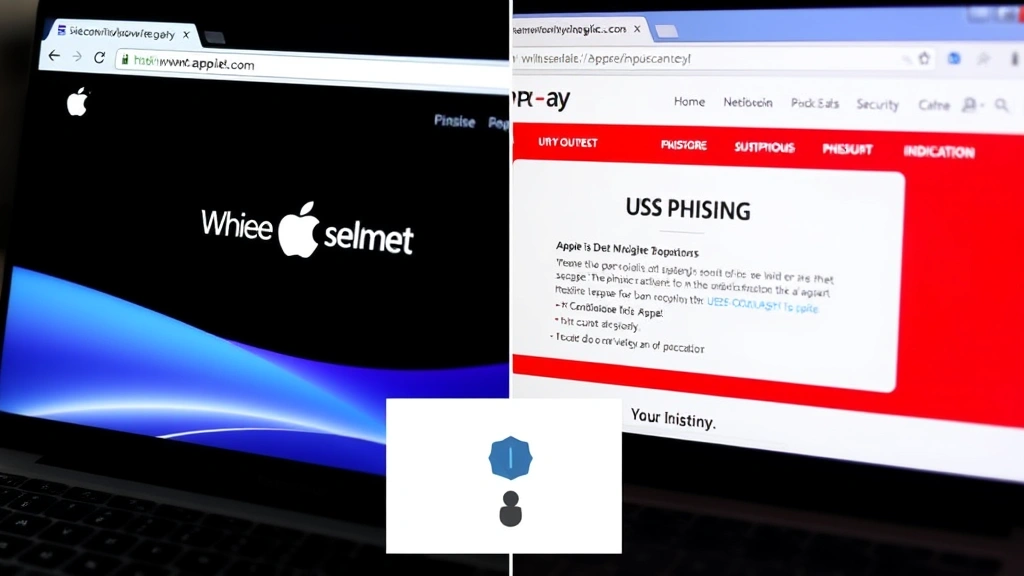
The sophistication of modern phishing campaigns targeting Apple customers has increased substantially. Attackers register domains with slight misspellings of legitimate Apple retailers, create pixel-perfect replicas of official websites, and use advanced email spoofing techniques to impersonate Apple Support. These attacks often include official-looking logos, security badges, and even SSL certificates to appear legitimate, making detection extremely challenging for average consumers.
Identifying Legitimate Apple Retailers and Phishing Attempts
Verifying retailer legitimacy is your first line of defense against Apple Cyber Monday scams. Apple’s official website (apple.com) and authorized retailers like Best Buy, Target, Walmart, and Amazon are your safest purchasing options. Before making any purchase, verify the retailer’s status through Apple’s official Apple Support website, which maintains an updated list of authorized dealers.
Phishing emails claiming to offer Apple Cyber Monday deals require careful scrutiny. Legitimate Apple communications will never ask you to click links to verify account information, provide payment details via email, or confirm passwords through email messages. Watch for telltale phishing indicators: generic greetings (“Dear Customer” instead of your name), urgent language demanding immediate action, requests for sensitive information, and suspicious sender email addresses that don’t match official Apple domains.
URL examination is critical when evaluating Apple Cyber Monday deal links. Hover over any link (without clicking) to reveal the actual destination URL. Legitimate Apple retailers will have domains matching their official web addresses. Common phishing tactics include homograph attacks using similar-looking characters (capital “I” instead of lowercase “l”), subdomain manipulation (fake-apple.store instead of apple.com), and URL shorteners that hide the true destination.
Browser security features provide essential protection during Apple Cyber Monday shopping. Modern browsers like Chrome, Safari, and Firefox include phishing detection that warns users about suspicious websites. Additionally, enable two-factor authentication on any accounts you use for shopping—this adds a crucial security layer even if your password is compromised through a phishing attack.
Securing Your Payment Information During Purchase
Payment security during Apple Cyber Monday transactions requires multiple protective measures. Never use debit cards for online shopping; credit cards provide significantly better fraud protection and liability limitations. When entering payment information, ensure the website uses HTTPS encryption (indicated by a padlock icon in the browser address bar) and displays security certificates from recognized certificate authorities.
Virtual payment methods offer enhanced security for Apple Cyber Monday purchases. Services like Apple Pay, Google Pay, and PayPal create a buffer between your actual payment card and the retailer, significantly reducing the risk of card number compromise. These services use tokenization—replacing your actual card number with a unique token that cannot be reused elsewhere—providing substantial fraud protection.
Creating unique, complex passwords for each retailer account prevents credential stuffing attacks where hackers use compromised passwords from one service to access accounts elsewhere. Your Apple Cyber Monday shopping accounts should use passwords with minimum 16 characters including uppercase, lowercase, numbers, and symbols. Consider using a password manager to generate and securely store these complex credentials.
Avoid using public Wi-Fi networks for any Apple Cyber Monday transactions. Public networks lack encryption and allow attackers to intercept unprotected data traffic. If you must shop on public Wi-Fi, use a reputable VPN (Virtual Private Network) service that encrypts all your internet traffic, protecting your payment information from network-based interception. Premium VPN services from established cybersecurity firms provide reliable protection during high-risk shopping activities.
Protecting New Apple Devices After Purchase
Securing your newly purchased Apple device begins immediately upon receipt. Before connecting to the internet or entering personal information, verify the device’s physical integrity and packaging authenticity. Counterfeit Apple products often have subtle manufacturing differences—examine build quality, weight, screen quality, and included accessories carefully. If purchasing from third-party sellers, request unboxing videos or detailed photos before finalizing the transaction.
Device activation and setup should only occur on secure, home networks—never on public Wi-Fi. During initial setup, create a strong Apple ID password separate from any passwords you use elsewhere. Enable two-factor authentication immediately, which requires a second verification method (usually a code sent to your trusted device) when signing in from new locations or devices. This prevents unauthorized access even if your Apple ID password is compromised.
Install the latest iOS, macOS, or iPadOS updates immediately after device setup. These updates patch critical security vulnerabilities that attackers actively exploit. Apple regularly releases security updates addressing zero-day vulnerabilities—flaws unknown to Apple until discovered by researchers or attackers. Delaying updates leaves your device vulnerable to these known exploits.
Enable Find My (Find My iPhone/Mac) before storing sensitive data on your device. This feature allows remote location, locking, and data wiping if your device is stolen or lost. Additionally, activate iCloud Keychain to securely sync passwords across your Apple devices, and enable automatic iCloud backups to protect against ransomware and data loss attacks.
Avoiding Counterfeit and Refurbished Device Scams
Counterfeit Apple products represent a significant threat during Cyber Monday shopping, particularly on third-party marketplaces and unauthorized sellers. Fake devices may contain malware, spyware, or hardware designed to steal data. Counterfeit iPhones often use modified operating systems that bypass Apple’s security protections, leaving you completely vulnerable to cyberattacks. These devices may also fail to receive security updates, leaving known vulnerabilities unpatched indefinitely.
Distinguishing legitimate refurbished devices from counterfeits requires knowledge of official refurbishment programs. Apple’s official refurbished products come with full warranties, original packaging, and genuine components. When purchasing refurbished Apple devices, buy exclusively through Apple’s official refurbished store or authorized retailers. Third-party sellers claiming to offer refurbished products should provide proof of authenticity through serial number verification or Apple certification documentation.
Serial number verification is your most reliable counterfeit detection method. Every legitimate Apple device has a unique serial number that you can verify through Apple’s support website. Counterfeit devices often use fake or duplicate serial numbers. Additionally, check the device’s regulatory information—counterfeit products frequently display incorrect FCC numbers or regulatory markings for different countries than where they’re being sold.
Marketplace warnings should inform your Apple Cyber Monday purchasing decisions. Sellers with minimal ratings, new accounts, unusually aggressive pricing, or reluctance to provide detailed device information are potential fraud risks. Reputable marketplaces like Amazon and eBay offer buyer protection, but only if you purchase through their official channels and report suspicious activity immediately.
Post-Purchase Security and Device Setup
After purchasing and receiving your Apple device, comprehensive security configuration is essential. Create a strong passcode (minimum 6 digits, preferably alphanumeric) that protects your device if lost or stolen. Enable biometric authentication—Face ID or Touch ID—for additional protection while maintaining convenient access for legitimate users. These biometric systems store encrypted data locally and never transmit actual facial or fingerprint data to Apple servers.
Configure app privacy settings before downloading and installing applications. Review which apps request access to your location, contacts, photos, calendar, and microphone. Restrict these permissions to only apps that legitimately require them. Malicious apps often request excessive permissions to harvest personal data. Regularly audit your app permissions through Settings, removing access from apps that no longer need specific capabilities.
Enable automatic security updates in your device settings. This ensures critical patches install immediately without requiring manual intervention. Additionally, regularly review your Apple ID’s trusted devices list and remove any unrecognized devices. Attackers gaining access to your Apple ID can add their devices to your account, allowing unauthorized access to your iCloud data.
Use NIST cybersecurity guidelines to inform your ongoing security practices. Implement the principle of least privilege—only grant apps and services the minimum permissions they require. Regularly update all installed applications, as developers frequently release security patches addressing discovered vulnerabilities. Outdated apps represent significant security risks, particularly those handling sensitive information.
Consider using Safari’s privacy features for web browsing on your new Apple device. Safari includes intelligent tracking prevention that blocks advertisers and data brokers from following your online activity. Additionally, use iCloud Private Relay to encrypt your web traffic and hide your IP address from websites, significantly enhancing your privacy during browsing sessions.
FAQ
What should I do if I receive a suspicious email claiming to be from Apple about Cyber Monday deals?
Do not click any links or download any attachments. Instead, forward the email to Apple’s official phishing report address (phishing@apple.com) and delete it. You can verify Apple’s official communications by logging directly into your Apple ID account through apple.com without clicking any email links. Never provide personal information, passwords, or payment details in response to unsolicited emails.
Are Apple Cyber Monday deals on third-party marketplaces safe?
Third-party marketplaces like Amazon and eBay can be safe if you purchase from established sellers with excellent ratings and use the marketplace’s official payment and buyer protection systems. However, the safest approach is purchasing directly from Apple’s website or authorized retailers. If using third-party marketplaces, verify seller credentials, request additional photos or videos, and confirm serial numbers before completing purchases.
How can I verify my new Apple device is genuine?
Check the device’s serial number through Apple’s official support website, examine build quality and packaging details, verify regulatory markings match your region, and ensure the device activates correctly with your Apple ID. Counterfeit devices often fail activation or show errors during setup. Additionally, purchase exclusively from authorized retailers and maintain proof of purchase for warranty purposes.
Should I use the same password for my Apple ID and email account?
Absolutely not. Using identical passwords across multiple accounts means compromising one account compromises all of them. Your Apple ID password should be unique and complex, stored securely in a password manager. If your email account is compromised, attackers can use password recovery options to reset your Apple ID password and gain complete access to your iCloud data and devices.
What’s the difference between Apple’s official refurbished products and third-party refurbished devices?
Apple’s official refurbished products undergo rigorous testing, include genuine components, come with full one-year warranties, and are indistinguishable from new devices in functionality. Third-party refurbished devices may have unknown histories, potentially faulty components, no warranty coverage, and could be counterfeit. Always purchase refurbished products exclusively through Apple’s official refurbished store or authorized retailers.
Can I trust VPNs for protecting my payment information during Apple Cyber Monday shopping?
Reputable VPN services from established cybersecurity companies provide genuine protection by encrypting your internet traffic. However, not all VPNs are trustworthy—some free VPN services actually harvest and sell user data. Use only premium VPN services from recognized companies with transparent privacy policies. Additionally, VPNs are not a substitute for using secure payment methods like credit cards or Apple Pay; they’re a supplementary protection layer.


