
Are Solar Security Cameras Hack-Proof? Expert Insights on AOSU Models
Solar security cameras have revolutionized home surveillance by eliminating the need for constant power sources and extensive wiring. AOSU solar security cameras, in particular, have gained significant traction among homeowners seeking sustainable and convenient monitoring solutions. However, the critical question remains: are these devices truly hack-proof? The answer is more nuanced than a simple yes or no. While solar security cameras offer impressive features and convenience, no connected device is completely immune to cyber threats. Understanding the security architecture, potential vulnerabilities, and best practices for protecting your AOSU solar security cameras is essential for maintaining robust home security.
The intersection of renewable energy and surveillance technology represents a significant advancement in smart home security. AOSU cameras combine solar charging capabilities with wireless connectivity, cloud storage, and mobile app integration. Yet this connectivity, while convenient, also introduces potential entry points for unauthorized access. Security researchers and cybersecurity experts have consistently demonstrated that even well-designed IoT devices can be vulnerable to various attack vectors if not properly configured and maintained. This comprehensive guide explores the reality of solar security camera vulnerabilities, examines AOSU-specific security features, and provides actionable insights to maximize your system’s protection against emerging cyber threats.
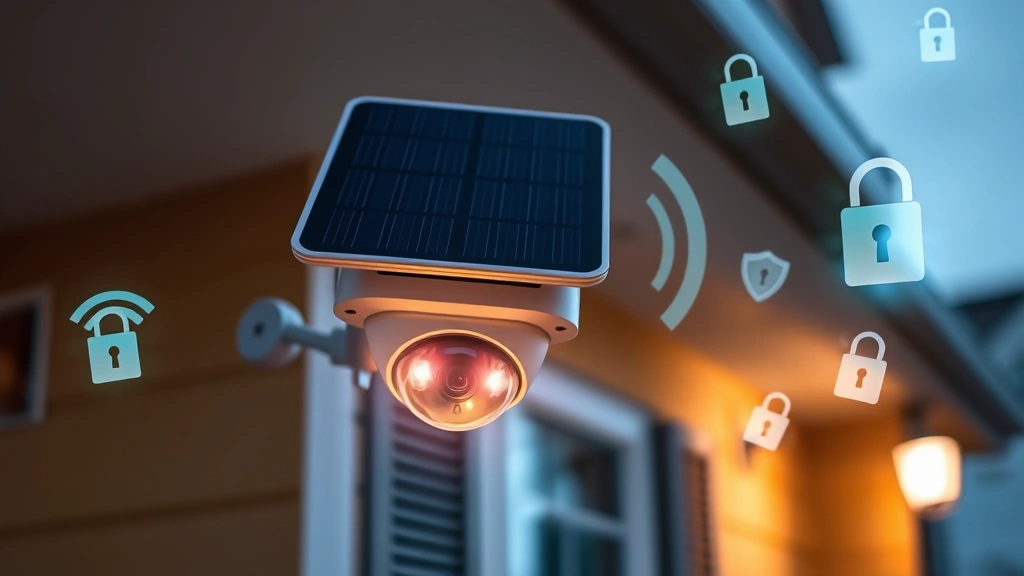
Understanding Solar Security Camera Architecture
Solar security cameras like AOSU models operate through a complex interconnected system involving multiple layers of technology. The fundamental architecture consists of the camera hardware, wireless communication modules, cloud servers, and mobile applications. Each component plays a crucial role in the overall security posture of the system. The solar panel charges an internal battery, enabling continuous operation without external power sources, while the wireless module communicates with your home network and manufacturer’s cloud infrastructure.
The communication pathway is where many security concerns arise. When your AOSU solar security camera captures footage, it must transmit this data across multiple networks. The data travels from the camera to your WiFi router, then to the manufacturer’s servers, and finally to your mobile device when you access recordings or live feeds. This multi-hop transmission creates multiple potential interception points. Understanding this architecture is fundamental to appreciating why complete hack-proofing is theoretically impossible—there are simply too many connection points in modern IoT ecosystems. However, robust encryption and authentication mechanisms can substantially reduce the practical risk of unauthorized access.
AOSU cameras utilize dual-band WiFi connectivity, allowing them to operate on both 2.4GHz and 5GHz frequencies. This flexibility improves range and performance but also means your camera must maintain secure connections across different network protocols. The device typically includes onboard storage via microSD card slots and cloud backup capabilities. This redundancy is beneficial for data preservation but introduces additional security considerations, as data stored locally may be vulnerable to physical tampering if someone gains direct access to the camera.
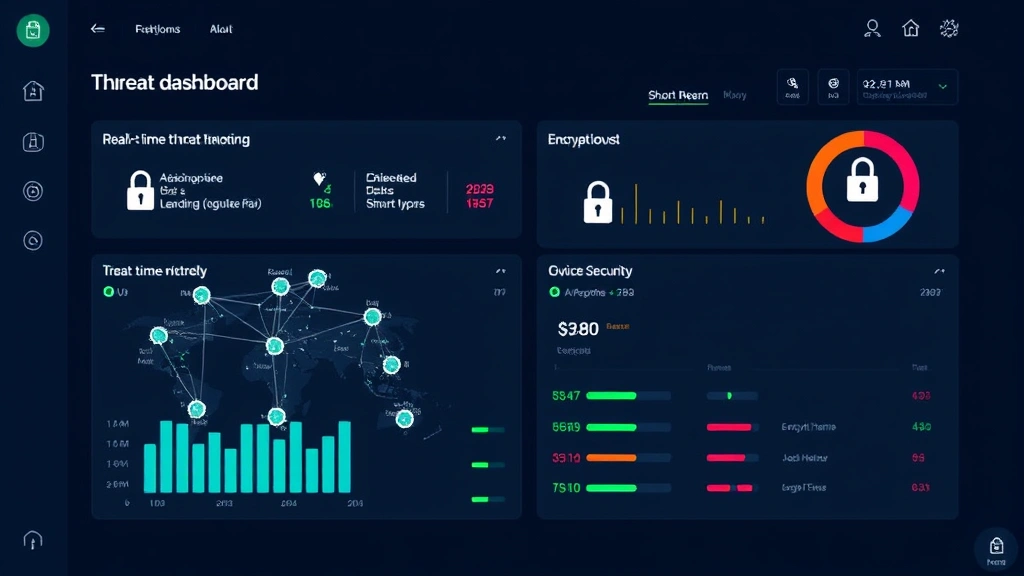
Common Vulnerabilities in Wireless Surveillance Systems
Wireless surveillance systems, including AOSU solar security cameras, share common vulnerability classes with other IoT devices. The Cybersecurity and Infrastructure Security Agency (CISA) regularly publishes advisories on IoT vulnerabilities, highlighting patterns that affect countless connected devices. Default credentials represent one of the most prevalent security failures. Many users never change factory default usernames and passwords, leaving their systems accessible to anyone with basic knowledge of the device manufacturer’s standard configurations.
Weak WiFi encryption is another critical vulnerability. If your home network uses outdated WEP or WPA encryption standards instead of modern WPA3, attackers can potentially intercept communication between your camera and router. Additionally, unencrypted HTTP connections instead of HTTPS create significant security risks. Many budget IoT devices, though not typically AOSU models, transmit sensitive data without encryption, making them vulnerable to man-in-the-middle attacks where attackers intercept and potentially modify data in transit.
Firmware vulnerabilities present ongoing challenges across the surveillance industry. As security researchers discover new exploits, manufacturers must release patches and updates. Devices that don’t automatically update or that users fail to manually update remain vulnerable to known exploits. Supply chain compromises represent a more sophisticated threat, where cameras could be tampered with during manufacturing or distribution, though this is less common with established brands like AOSU. Password spraying and credential stuffing attacks target user accounts, attempting to gain access through weak or reused passwords across multiple services.
AOSU Security Features and Encryption Standards
AOSU solar security cameras implement several security measures designed to protect user data and prevent unauthorized access. The devices typically employ AES-256 encryption for sensitive data transmission, which represents military-grade encryption standards. This encryption level is considered secure against brute-force attacks with current computational capabilities. AOSU cameras also implement TLS 1.2 or higher for secure connections between the camera, cloud servers, and mobile applications, ensuring that data traveling across the internet remains protected from eavesdropping.
Two-factor authentication (2FA) is increasingly available on AOSU account platforms, adding an additional security layer beyond passwords. When enabled, 2FA requires users to provide a second verification method, such as a code from an authenticator app, even if someone obtains your password. This significantly reduces account compromise risks. AOSU also implements account lockout mechanisms that temporarily disable accounts after multiple failed login attempts, mitigating brute-force attack effectiveness. Additionally, modern AOSU models support local network access without requiring cloud connectivity, allowing you to view footage through a local app connection, which reduces exposure to cloud-based vulnerabilities.
The company typically provides regular firmware updates addressing newly discovered vulnerabilities. These updates are often delivered automatically if you enable auto-update features in the AOSU mobile application. AOSU’s cloud infrastructure employs data center security practices including DDoS mitigation, intrusion detection systems, and regular security audits. However, it’s important to note that while these features significantly enhance security, they don’t render the system completely hack-proof. No amount of encryption can protect against users who choose weak passwords or fall victim to phishing attacks targeting their AOSU account credentials.
The integration with smart home ecosystems adds both convenience and complexity. AOSU cameras often connect with platforms like Amazon Alexa or Google Home, introducing additional authentication pathways. While these integrations are generally secure, they create more potential attack vectors. Users must ensure that smart home accounts are also properly secured with strong passwords and 2FA enabled.
Network-Based Attack Vectors
Your home WiFi network serves as the primary communication pathway for your AOSU solar security camera. If your router is compromised or uses weak security protocols, attackers can potentially intercept camera communications or even access the camera directly. This is why securing your home WiFi network is just as important as securing the camera itself. Ensure your router uses WPA3 encryption if available, or at minimum WPA2. Change your router’s default admin credentials immediately upon setup.
Man-in-the-middle (MITM) attacks represent a significant concern for wireless devices. An attacker positioned between your camera and router could potentially intercept unencrypted communications. While AOSU implements encryption, the risk increases if you use public WiFi networks or insecure connections. Never access your AOSU account or camera feeds over unencrypted public WiFi without using a VPN (Virtual Private Network). A VPN encrypts all your traffic, protecting your credentials and video streams from interception on compromised networks.
DNS hijacking is another network-based attack where attackers redirect your camera’s communication to fraudulent servers. This could potentially allow attackers to serve malicious firmware or capture your credentials. Using reputable DNS services and enabling DNSSEC validation on your router can mitigate this risk. Network segmentation, where you place IoT devices on a separate network from critical devices like computers and phones, also limits potential damage if a camera is compromised.
Brute-force attacks against your AOSU account credentials remain a persistent threat. Attackers use automated tools to attempt thousands of password combinations. This is why strong, unique passwords are essential. Implement passwords with at least 16 characters combining uppercase, lowercase, numbers, and special characters. Password managers like Bitwarden or 1Password can generate and securely store these complex passwords, eliminating the temptation to use weaker, memorable alternatives.
Firmware and Software Vulnerabilities
Firmware represents the low-level software that controls your AOSU camera’s hardware. Vulnerabilities in firmware can be particularly dangerous because they potentially allow attackers to bypass higher-level security measures. Security researchers have historically found vulnerabilities in various camera models that allow remote code execution—essentially, attackers gaining the ability to run arbitrary commands on the device. The National Vulnerability Database (NVD) maintains records of publicly disclosed vulnerabilities affecting countless IoT devices.
The AOSU mobile application also represents a potential vulnerability vector. If the app contains security flaws, attackers could potentially exploit these to gain unauthorized access to your account or intercept communications. Only download the official AOSU app from verified sources—the official Apple App Store or Google Play Store. Avoid sideloading apps from third-party sources, as these may contain malware. Keep your mobile operating system and all apps updated with the latest security patches.
Zero-day vulnerabilities, where security flaws are discovered and exploited before the manufacturer becomes aware, represent the most dangerous scenario. These cannot be patched until the vulnerability is discovered and a fix is released. While zero-days affecting AOSU cameras specifically are rare, they remain a theoretical risk for any connected device. This is why defense-in-depth strategies—implementing multiple layers of security—are essential rather than relying on any single security measure.
Regular firmware updates are crucial for maintaining security. AOSU typically releases updates addressing newly discovered vulnerabilities. Enable automatic updates in your camera settings to ensure you receive patches promptly. If automatic updates are unavailable, manually check for updates monthly. Delaying firmware updates leaves your system vulnerable to known exploits that attackers actively exploit.
Best Practices for Securing Your System
Implementing comprehensive security practices transforms your AOSU solar security camera system from a potential vulnerability into a well-protected asset. Begin by establishing strong authentication. Create a unique, complex password for your AOSU account—never reuse passwords across services. Enable two-factor authentication on your AOSU account and any associated smart home platforms. This single step dramatically reduces account compromise risk, as attackers would need both your password and access to your second authentication factor.
Network security forms the foundation of your camera’s protection. Ensure your home WiFi router uses WPA3 encryption or WPA2 as a minimum. Change your router’s default admin credentials to something strong and unique. Create a separate WiFi network specifically for IoT devices, keeping them isolated from computers and phones containing sensitive data. This network segmentation limits potential damage if a camera is compromised. Disable remote access features you don’t actively use—if you don’t need to access your camera from outside your home network, disable cloud connectivity and rely on local network access instead.
Maintain current firmware and software across all devices in your ecosystem. Enable automatic updates on your AOSU camera and mobile app. Manually check for updates monthly if automatic updates aren’t available. Subscribe to AOSU security notifications to receive alerts about critical vulnerabilities affecting your model. Regularly review your account activity and connected devices in your AOSU account settings, removing any unrecognized devices or sessions.
Physical security shouldn’t be overlooked. Mount your AOSU camera in locations that are difficult to physically access or tamper with. An attacker with direct physical access to the camera could potentially extract data from the microSD card or attempt hardware attacks. Ensure the camera is positioned to monitor its own mounting location when possible, creating a visual record if someone attempts tampering.
Implement regular security audits of your entire smart home system. Periodically change your AOSU account password and WiFi network password. Review privacy settings in your AOSU account, ensuring only necessary data is shared with third parties. Consider your video footage privacy—disable features that share footage with AOSU for analysis or improvement purposes if you’re uncomfortable with this data sharing. Review which users have access to your camera feed and remove accounts you no longer use.
Educate yourself and household members about security threats. Phishing emails impersonating AOSU could trick users into revealing credentials. Be skeptical of unexpected emails requesting account information. Access your AOSU account directly through the official app or website rather than clicking email links. If you receive suspicious communications claiming to be from AOSU, contact their support team directly through official channels.
Compliance and Industry Standards
The surveillance and IoT industry increasingly operates under regulatory frameworks designed to protect consumer privacy and security. The National Institute of Standards and Technology (NIST) publishes comprehensive cybersecurity frameworks that many manufacturers, including AOSU, use as guidelines for developing secure products. These frameworks emphasize continuous monitoring, incident response planning, and regular security assessments.
GDPR (General Data Protection Regulation) in Europe and similar privacy regulations globally establish strict requirements for how personal data, including video footage, must be handled. AOSU’s compliance with these regulations typically means implementing privacy controls, data retention limits, and user consent mechanisms. In the United States, the FTC’s Safeguards Rule requires companies handling consumer data to implement reasonable security measures—compliance with these standards indicates that AOSU takes security seriously.
Industry-specific standards for surveillance systems continue evolving. Manufacturers increasingly adhere to standards like IEC 62443 for industrial automation and control system security, which establishes security levels and requirements. While AOSU cameras are consumer products rather than industrial systems, many manufacturers adopt these rigorous standards to demonstrate security commitment. Look for certifications indicating third-party security audits or penetration testing of AOSU products.
Transparency reports and responsible disclosure practices indicate a manufacturer’s security maturity. AOSU’s willingness to acknowledge vulnerabilities, publish security advisories, and work with security researchers demonstrates a commitment to continuous improvement. Companies that hide security issues or ignore researcher reports raise red flags. Reputable manufacturers maintain security research programs, sometimes offering bug bounties for researchers who responsibly disclose vulnerabilities.
Your responsibilities as a user also involve compliance with local regulations regarding surveillance and privacy. Recording audio requires consent in many jurisdictions. Ensure your AOSU camera placement complies with local laws regarding privacy expectations—recording bathrooms or bedrooms where people expect privacy is illegal in most jurisdictions. Understanding and adhering to these legal requirements protects both you and those captured by your camera.
FAQ
Can AOSU solar security cameras be hacked?
Technically, no connected device is completely unhackable, including AOSU cameras. However, AOSU implements strong security measures including AES-256 encryption, TLS 1.2+ connections, and regular firmware updates. The practical risk of hacking is significantly lower than with poorly secured cameras. Your actions—using strong passwords, enabling 2FA, maintaining firmware updates, and securing your WiFi network—dramatically reduce vulnerability to attacks.
What’s the difference between hack-proof and secure?
Hack-proof implies absolute immunity from attacks, which is theoretically impossible for any connected device. Secure means implementing multiple layers of protection that make attacks difficult and impractical. AOSU cameras are secure through encryption, authentication, and regular updates. A determined attacker with unlimited resources might eventually breach any system, but practical attacks against AOSU cameras remain relatively unlikely if you follow security best practices.
Should I disable my AOSU camera’s cloud features for better security?
Disabling cloud features reduces attack surface by eliminating cloud-based vulnerabilities. However, you lose remote access and cloud backup capabilities. A balanced approach uses cloud features while implementing strong account security (complex passwords, 2FA) and ensuring your home network is properly secured. If privacy is your primary concern, local network access without cloud connectivity is the most secure option.
How often does AOSU release security updates?
AOSU releases security updates as needed when vulnerabilities are discovered. The frequency varies—critical vulnerabilities receive rapid patches, while non-critical updates might be included in periodic releases. Enable automatic updates to receive patches immediately. You can also check the AOSU app or website for available updates monthly.
Is WiFi 5 or WiFi 6 more secure for AOSU cameras?
WiFi 6 (802.11ax) with WPA3 encryption provides the strongest security, but WiFi 5 (802.11ac) with WPA2 encryption is also secure. The encryption standard (WPA3 or WPA2) matters more than the WiFi version. Ensure your router uses WPA3 if available, or WPA2 at minimum. Avoid WEP or WPA encryption, which are outdated and vulnerable.
Can I use AOSU cameras on public WiFi networks?
It’s not recommended to access your AOSU account or camera feeds over public WiFi without additional protection. Public networks are vulnerable to man-in-the-middle attacks where attackers intercept your traffic. If you must access your camera on public WiFi, use a VPN service to encrypt all your traffic. This protects your credentials and video streams from interception.
What should I do if I suspect my AOSU camera has been hacked?
First, change your AOSU account password immediately from a secure device. Enable 2FA if not already active. Check your account activity and connected devices, removing any unrecognized items. Review your camera’s access logs if available. Perform a factory reset of the camera to remove any potential malware, then reconfigure it with strong credentials. Consider contacting AOSU support if you suspect a serious compromise. Update your router password and WiFi network encryption as well.


