Is Your Alexa Secure? Insider Tips Revealed
Amazon’s Alexa has become one of the most ubiquitous voice assistants in modern homes, with millions of devices deployed across households worldwide. However, the convenience of voice-activated smart home control comes with significant security considerations that many users overlook. Your Alexa device constantly listens, processes voice data, and connects to numerous third-party services—creating multiple potential vulnerabilities that could expose sensitive information, compromise your privacy, or enable unauthorized access to your smart home ecosystem.
Understanding the security landscape of your Alexa system is not merely a technical concern; it’s a fundamental aspect of protecting your family’s privacy and your home’s integrity. From default settings that prioritize convenience over security to integration risks with third-party skills, there are numerous attack vectors that sophisticated threat actors could exploit. This comprehensive guide reveals insider tips from cybersecurity professionals about securing your Alexa system, identifying vulnerabilities, and implementing practical defenses that balance functionality with protection.
Understanding Alexa’s Security Architecture
Amazon’s Alexa operates on a cloud-based architecture where voice commands are transmitted to Amazon’s servers for processing and interpretation. This distributed model introduces inherent security challenges that differ significantly from traditional computing systems. The device itself contains microphones, processors, and network connectivity—all potential attack surfaces for determined threat actors. According to CISA (Cybersecurity and Infrastructure Security Agency), connected IoT devices like Alexa require multi-layered security approaches that address device-level, network-level, and cloud-level vulnerabilities.
The security architecture relies on encryption for data transmission, authentication mechanisms for voice commands, and access controls for connected services. However, the complexity of this architecture means that weaknesses in any single component can compromise the entire system. For instance, if your WiFi network lacks proper security, attackers could intercept Alexa communications before encryption protocols even engage. Understanding how Alexa processes your voice commands—from initial audio capture to cloud processing and response generation—is essential for identifying where security gaps might exist.
Amazon implements several security measures including TLS encryption for data in transit, regular security updates, and authentication protocols. However, these baseline protections are only effective if users properly configure their devices and maintain security hygiene. Many users accept default configurations without understanding the security implications, leaving their systems vulnerable to exploitation. The architecture also includes built-in safeguards against certain attack types, but these are not impenetrable and require complementary user-level security practices.
Default Settings That Put You at Risk
One of the most critical security oversights users make involves leaving Alexa with default settings that prioritize convenience over protection. Amazon’s default configuration allows voice purchasing, disables purchase confirmations for some transactions, and enables broad access to personal information through connected skills. These settings exist to create a frictionless user experience, but they simultaneously create security risks that malicious actors or unauthorized household members could exploit.
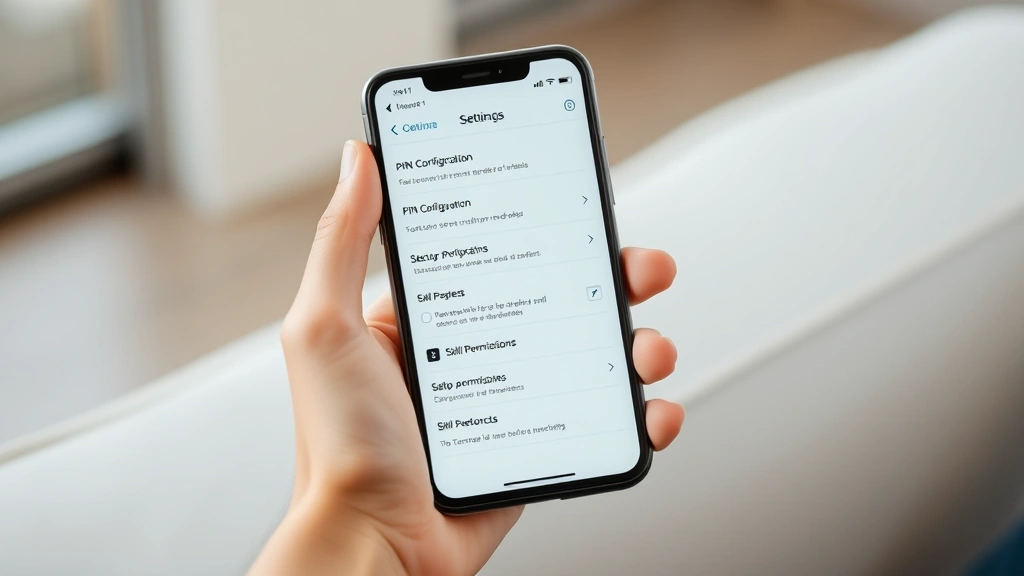
The voice purchasing feature represents a particularly dangerous default setting. Without proper PIN protection or explicit confirmation requirements, anyone near your Alexa device—including children, guests, or intruders—could potentially make purchases using your linked payment methods. Security researchers have demonstrated that attackers can use carefully crafted voice commands or even ultrasonic frequencies inaudible to human ears to trigger unauthorized purchases. Disabling voice purchasing entirely, or at minimum requiring a PIN for all transactions, is a fundamental security hardening step that should be among your first actions.
Another risky default involves the microphone always-on status and the way Alexa retains voice recordings. By default, Amazon stores your voice interactions indefinitely unless you manually delete them. This creates a comprehensive audio history that could be accessed if your Amazon account is compromised. Additionally, the microphone’s always-listening mode means your device is continuously processing audio, creating potential for accidental or malicious activation. Enabling the physical mute button and disabling the microphone when the device is not in use significantly reduces this risk.
Your Alexa device also has default settings for what information it can access and share. Without proper configuration, connected skills can request access to your location, contacts, calendar, and shopping lists. Many users grant these permissions without fully understanding the implications, inadvertently giving third-party developers access to sensitive personal information. Reviewing and restricting permissions for each installed skill is essential for maintaining data privacy.
Voice Recognition and Authentication Vulnerabilities
While Alexa includes voice recognition features, these should not be relied upon as a primary security mechanism. Voice biometrics technology, though improving, remains vulnerable to spoofing attacks where attackers use recorded audio, synthesized speech, or other techniques to impersonate authorized users. Research from security firms has demonstrated that Alexa’s voice recognition can be bypassed with carefully crafted audio samples, meaning voice authentication alone is insufficient for protecting sensitive operations.
The fundamental challenge with voice biometrics lies in the nature of audio itself. Unlike fingerprints or retinal patterns, voice characteristics change based on health conditions, emotional state, background noise, and numerous other factors. This variability creates a trade-off between security and usability—stricter voice recognition increases false rejections, while relaxed standards increase false acceptances. Attackers can exploit this balance by studying a user’s speech patterns and creating convincing spoofing attempts.
Amazon’s voice recognition system also faces challenges in multi-user households where family members have similar voice characteristics. Parents and children, or siblings, may find their voices are difficult to distinguish by the system. This limitation means that voice authentication may not effectively prevent unauthorized access by household members. Additionally, the system’s ability to recognize voice commands can be affected by background noise, accents, or speech variations, leading to both false positives and false negatives that complicate security implementation.
To mitigate voice recognition vulnerabilities, security experts recommend implementing additional authentication layers for sensitive operations. Rather than relying solely on voice commands, users should require PIN verification for purchases, account changes, or access to sensitive skills. This multi-factor approach significantly increases the difficulty for attackers attempting unauthorized access, even if they successfully spoof voice recognition systems. The NIST guidelines for authentication emphasize the importance of layered security controls that don’t depend on a single authentication factor.
Third-Party Skills and Integration Risks
The Alexa Skills marketplace contains thousands of third-party applications that extend Alexa’s functionality, but each skill represents a potential security vulnerability. Unlike Apple’s App Store or Google Play, which employ rigorous review processes, the Alexa Skills marketplace has historically been more permissive in allowing skills to be published. Security researchers have repeatedly discovered malicious or poorly-secured skills that could compromise user privacy or device security.
Third-party skills can request access to various user data and device capabilities. A seemingly innocuous skill might request permission to access your location, contacts, or shopping history. Once granted, these permissions persist even if you stop using the skill, creating ongoing privacy risks. Developers may also sell your data to third parties, use it for targeted advertising, or inadvertently expose it through poor security practices. The skill ecosystem essentially creates a trust boundary problem where you’re granting code execution privileges to unknown developers with varying security standards.
One particularly insidious attack vector involves skills that impersonate legitimate services. An attacker could create a skill with a name similar to a popular banking or health service, hoping users would accidentally enable the malicious skill instead of the legitimate one. Once enabled, such a skill could capture sensitive information from voice commands or phishing prompts disguised as legitimate service interactions. This attack has been demonstrated in security research and represents a real threat to unsuspecting users.
To protect yourself from skill-based vulnerabilities, security professionals recommend a minimalist approach: only enable skills you actively use and understand. Regularly review your enabled skills in the Alexa app, removing any you haven’t used recently. Check the permissions each skill requests and disable those that seem excessive for the skill’s stated purpose. Additionally, be cautious when enabling skills, verifying the developer’s identity and checking user reviews for warnings about data practices or security issues. When visiting the ScreenVibeDaily Blog for general technology guidance, you can apply similar critical evaluation skills to other connected devices in your ecosystem.
” alt=”Secure smart home setup with encrypted network and hardened Alexa device configuration”>
Network Security for Alexa Devices
Your Alexa device’s security is only as strong as the network it connects to. A compromised WiFi network can expose all traffic from your Alexa device, including voice commands, personal information, and authentication credentials. Ensuring robust network security is therefore a prerequisite for securing your Alexa system. This begins with securing your WiFi network using WPA3 encryption (or WPA2 if WPA3 is unavailable) and a strong, unique password that combines uppercase letters, lowercase letters, numbers, and special characters.
Network segmentation represents an advanced but highly effective security measure. By creating a separate WiFi network specifically for IoT devices like Alexa, you can limit the damage if one device becomes compromised. This guest network approach prevents attackers who compromise your Alexa device from accessing your personal computers, smartphones, or sensitive network resources. Many modern routers support creating multiple SSIDs with different security policies, making this security enhancement easily implementable for most users.
Your router itself requires security hardening to protect your entire network. Change default administrative credentials, disable remote management features, and ensure your router firmware is current. Outdated router firmware may contain known vulnerabilities that attackers could exploit to intercept or manipulate traffic from all connected devices, including your Alexa system. Checking your router’s security status should be part of regular maintenance alongside updating Alexa firmware.
DNS security also plays a crucial role in protecting your Alexa device. By configuring your router to use secure DNS services that filter malicious domains, you can prevent your device from connecting to attacker-controlled servers. Services like Cloudflare’s 1.1.1.1 DNS or Quad9 provide additional protection against DNS-based attacks that could redirect your device or intercept communications. This network-level security measure complements device-level protections and creates defense-in-depth architecture.
Data Privacy and Storage Concerns
Amazon retains voice recordings of your Alexa interactions by default, creating a comprehensive audio history of your daily activities, conversations, and behaviors. This data retention policy raises significant privacy concerns, particularly regarding how Amazon uses this information and who might access it. While Amazon states this data helps improve Alexa’s accuracy, it also represents valuable information for targeted advertising, user profiling, and potentially malicious purposes if the data is breached or improperly accessed.
The privacy implications extend beyond Amazon’s use of your data. In legal cases, law enforcement has successfully subpoenaed Alexa recordings as evidence, and there have been instances where Amazon employees or contractors accessed voice recordings for quality assurance purposes. While these are ostensibly legitimate uses, they demonstrate that your voice data is accessible to individuals beyond Amazon’s core engineering team. Each access point represents a potential security vulnerability where your audio could be exposed, misused, or leaked.
To mitigate privacy risks, you should regularly delete your Alexa voice history. Amazon provides options to delete recordings from the past day, week, or all time. Performing regular deletion of voice data ensures that any data breach would compromise a limited temporal window of information rather than your entire interaction history. Additionally, you can enable a setting that automatically deletes voice recordings after a specified period, creating a rolling deletion policy that limits data accumulation.
Reviewing your Alexa privacy settings is essential for understanding what data is being collected and how it’s being used. Amazon provides controls for whether your voice is used to improve Alexa, whether you participate in research programs, and how your data is shared with third parties. Disabling unnecessary data collection and research participation reduces the scope of data exposure and limits how your information can be used.
Practical Security Hardening Steps
Implementing comprehensive security for your Alexa system requires a systematic approach addressing multiple vulnerability vectors. Begin with account security by enabling two-factor authentication on your Amazon account. This prevents unauthorized access even if your password is compromised, protecting your entire Alexa ecosystem from account takeover attacks. Use a strong, unique password for your Amazon account—never reuse passwords across different services, as password breaches on other platforms could compromise your Amazon account.
Next, configure your Alexa device settings for security rather than convenience. Disable voice purchasing entirely if possible, or require a PIN for all purchases. Change the wake word from the default “Alexa” to a less common alternative that’s harder for outsiders to trigger accidentally. Disable features you don’t use, such as remote shopping or specific integrations that require access to sensitive information. Each disabled feature reduces your attack surface and limits what attackers could potentially exploit.
Enable the physical mute button on your Alexa device and use it when the device is not actively needed. This prevents the microphone from continuously listening and eliminates one potential attack vector. Additionally, review and restrict permissions for all installed skills, removing any skills you haven’t used in recent months. Visit your device location settings and disable location sharing unless specifically needed for functionality you actively use.
Keep your Alexa device firmware updated automatically by ensuring your device is set to receive the latest updates. Amazon regularly releases security patches addressing discovered vulnerabilities, and staying current ensures you benefit from these protections. Similarly, update your WiFi router firmware regularly and ensure your smartphone’s Alexa app is current with the latest version from official app stores.
Create strong, unique passwords for any third-party services you’ve connected to Alexa, such as banking apps, smart home platforms, or other integrations. If any of these services are compromised, a strong unique password ensures the breach doesn’t cascade to your other accounts. Additionally, review which services have access to your Alexa device through your Amazon account settings and revoke access for services you no longer use.
Monitoring and Incident Detection
Effective security requires ongoing monitoring to detect when something goes wrong. Regularly review your Amazon account’s sign-in activity to identify unauthorized access attempts. Amazon provides a login history showing device types, locations, and timestamps for all account accesses. If you notice sign-ins from unfamiliar locations or devices, immediately change your password and review your account settings for unauthorized changes.
Monitor your Alexa device’s network activity if you have the technical capability to do so. Advanced users can use network monitoring tools to observe what data their Alexa device is transmitting, identifying unusual communication patterns that might indicate compromise or malicious behavior. While this requires some technical expertise, it provides visibility into whether your device is behaving as expected or attempting to communicate with suspicious servers.
Pay attention to unusual behavior from your Alexa device, such as unexpected activation, strange responses to commands, or devices appearing in your setup that you didn’t add. These could indicate that your account has been compromised or that someone has gained physical access to your device. Respond immediately by changing your Amazon password, reviewing account settings, and checking your connected devices.
Consider implementing security monitoring tools that track your smart home ecosystem. Some advanced users employ network intrusion detection systems (IDS) that monitor for suspicious activity from IoT devices. While this represents a more sophisticated approach suitable for security-conscious users, it provides comprehensive visibility into potential threats. Security professionals increasingly recommend this approach for households with multiple IoT devices.
Stay informed about Alexa security issues by following security news sources like BleepingComputer and The Hacker News that report on newly discovered vulnerabilities affecting smart home devices. When critical vulnerabilities are announced, prioritize updating your device immediately and reviewing whether the vulnerability affects your specific device model and configuration.

” alt=”Cybersecurity expert reviewing smart device settings on tablet in modern home office”>
FAQ
Can someone hack my Alexa device remotely?
Yes, remote hacking is possible through multiple vectors including compromised WiFi networks, vulnerabilities in Alexa firmware, malicious skills, or account compromise. However, the risk is significantly reduced by implementing the security measures outlined in this guide, such as network hardening, firmware updates, and strong authentication. Remote access requires attackers to exploit specific vulnerabilities, making a well-secured Alexa device a difficult target.
Is it safe to use Alexa for banking or sensitive transactions?
Banking through Alexa introduces additional security risks beyond standard voice command vulnerabilities. While some banks offer Alexa skills for checking balances, making payments through voice commands lacks the security controls of traditional banking platforms. Security professionals generally recommend avoiding sensitive financial transactions through voice assistants, instead using dedicated banking apps or websites with robust security controls like multi-factor authentication.
What should I do if I suspect my Alexa has been compromised?
If you suspect compromise, immediately change your Amazon account password from a different device. Review your account’s connected devices and remove any unfamiliar devices. Check your login history for suspicious access patterns. Consider performing a factory reset of your Alexa device and reconfiguring it from scratch. Additionally, change passwords for any services connected through your Alexa device. If you suspect criminal activity, consider contacting law enforcement.
How often should I update my Alexa device?
Enable automatic updates on your Alexa device so it receives security patches immediately when Amazon releases them. Manually check for updates at least monthly if automatic updates are not enabled. When critical security vulnerabilities are announced, prioritize updating within 24-48 hours of the patch release to minimize your exposure window.
Can I use Alexa without an Amazon account?
No, Alexa requires an Amazon account for core functionality. However, you can limit the account’s exposure by using a separate Amazon account specifically for your Alexa device, rather than using your primary shopping account. This compartmentalization limits what data is accessible if your Alexa account is compromised. When exploring Best Movies on Netflix or other entertainment through Alexa, using a separate account adds an additional security layer.
Should I disable Alexa entirely for security?
Disabling Alexa entirely is the most secure option if you don’t actively use the device. However, if you do use Alexa for legitimate purposes, the security measures outlined in this guide provide reasonable protection while maintaining functionality. Security is about balancing protection with usability—implement the hardening steps that align with your comfort level and actual device usage patterns.


