When to Replace ADT Alarm Battery? Expert Advice on Maintaining Your Home Security System
Your ADT security alarm system serves as a critical line of defense for your home, protecting your family and valuables around the clock. However, like all electronic devices, the backup battery powering your system requires regular maintenance and timely replacement to ensure continuous protection. Understanding when and how to replace your ADT alarm battery is essential for maintaining the reliability of your security infrastructure.
The battery in your ADT system functions as a backup power source, ensuring your alarm remains operational during power outages or electrical failures. Without a properly functioning battery, your system cannot send alerts to monitoring centers or activate alarm signals when needed most. This comprehensive guide will walk you through everything you need to know about ADT security alarm battery replacement, from recognizing warning signs to executing the replacement process safely.
Whether you’re a new ADT customer or have been protected by their systems for years, understanding battery maintenance can save you money, prevent security gaps, and extend the lifespan of your alarm equipment. Let’s explore the critical aspects of ADT battery care and replacement.
Understanding Your ADT Alarm Battery Lifespan
ADT security systems typically use rechargeable backup batteries designed to maintain system functionality during power interruptions. The standard lifespan of these batteries ranges from 3 to 5 years, though actual longevity depends on several environmental and usage factors. Understanding this timeline helps you plan for proactive replacement before battery failure compromises your home security.
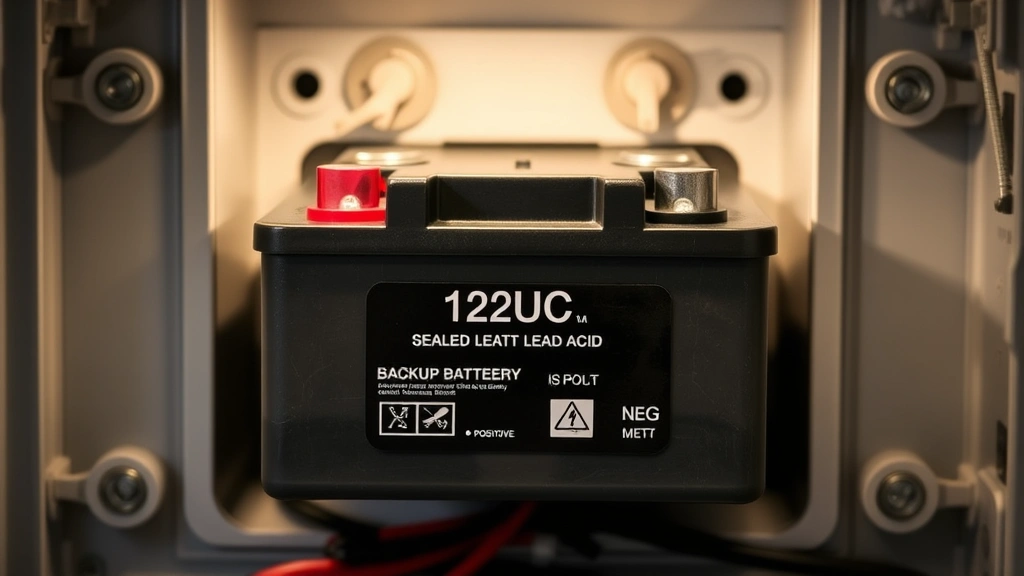
Most ADT systems use sealed lead-acid batteries or lithium-based backup power sources. These batteries continuously charge when your system receives power and discharge during outages. The constant charging and discharging cycles gradually degrade battery capacity over time, reducing their ability to hold a charge and power your system during emergencies.
Several factors influence how quickly your battery degrades. Temperature fluctuations significantly impact battery health—extreme heat accelerates chemical reactions within the battery, while cold temperatures reduce its effectiveness. If your alarm panel is installed in an attic, garage, or uninsulated area, your battery may degrade faster than systems in climate-controlled environments.
Power outage frequency also affects battery lifespan. Systems in areas with frequent electrical disruptions experience more discharge cycles, accelerating wear. Additionally, the quality of your electrical power matters—systems in homes with unstable power or frequent surges may experience reduced battery longevity.
Warning Signs Your Battery Needs Replacement
Your ADT system provides several indicators that your backup battery requires attention. Recognizing these warning signs allows you to replace the battery before it fails completely, ensuring continuous protection for your home.
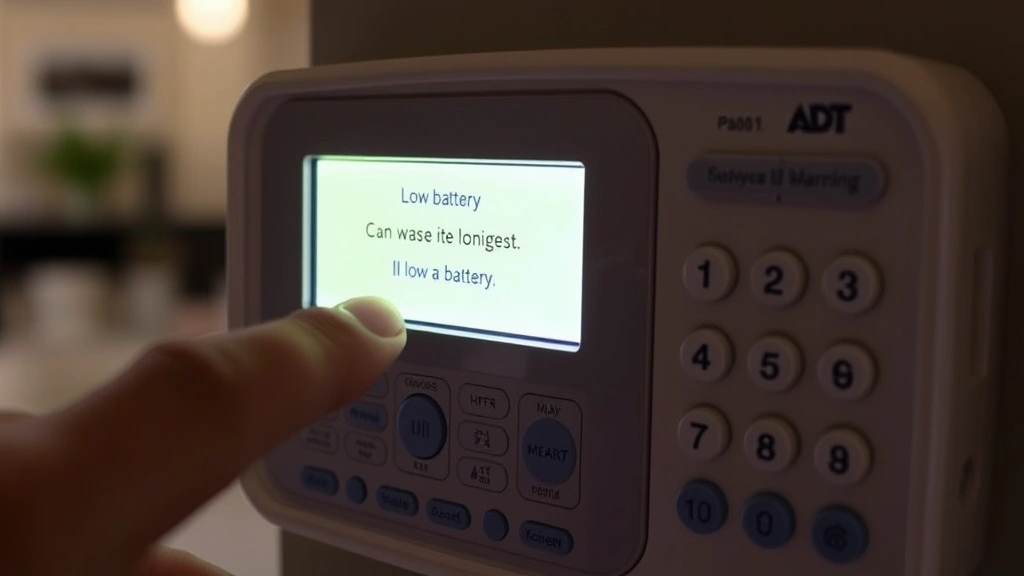
Low Battery Warning Signals: The most common indicator is a low battery alert on your keypad display. This message appears when the system detects declining battery voltage. ADT systems are programmed to alert users well before complete battery failure, typically when the battery reaches 20-30% capacity. Don’t ignore this warning—it signals that replacement is imminent.
System beeping or chirping sounds represent another critical warning sign. Many ADT systems emit periodic beeps when the battery voltage drops below safe levels. These sounds may occur every 30-60 seconds and continue until the battery is replaced. This persistent beeping indicates your system is struggling to maintain backup power capability.
Failed System Tests: If your ADT system fails self-diagnostic tests or shows error codes related to the backup battery, replacement is necessary. Modern ADT systems perform automatic battery health checks and report results through your monitoring app or keypad. Error codes like “Low Battery” or “Battery Failure” require immediate action.
Power outage performance issues also signal battery problems. If your system loses power during an outage and cannot maintain functions like sending alerts or activating sirens, your backup battery may be failing. Test your system’s backup capabilities regularly by temporarily disconnecting power to identify potential battery issues.
Physical battery indicators matter too. If your battery is visibly swollen, leaking, or damaged, replacement is urgent. Damaged batteries pose safety risks and cannot reliably power your system. Never attempt to use a visibly compromised battery.
Battery Replacement Timeline and Schedule
Creating a battery replacement schedule ensures your ADT system maintains optimal protection throughout its service life. Mark your calendar for battery replacement every 3-5 years, using your system installation date as the reference point. If you don’t remember the installation date, contact ADT customer service to retrieve this information from your account.
For systems installed in challenging environments—such as attics, basements, or areas with temperature extremes—consider replacing batteries every 2-3 years. These locations accelerate battery degradation, and proactive replacement prevents unexpected failures during critical moments.
Many homeowners synchronize battery replacement with other home maintenance tasks. Spring maintenance season or annual security system reviews provide convenient times to schedule battery replacement. This approach ensures the task doesn’t get forgotten among other household responsibilities.
Document your battery replacement history in your home maintenance records. Note the replacement date, battery model, and any issues observed. This documentation helps identify patterns and predict future maintenance needs. If you replace batteries more frequently than expected, the system’s installation location may need environmental improvements.
Seasonal considerations matter for battery maintenance. Summer heat accelerates battery degradation, making late spring an ideal time for replacement before extreme temperatures arrive. Fall replacement ensures your system enters winter with a fresh battery, providing reliable backup during seasonal storms that often cause power outages.
Step-by-Step Replacement Process
If you choose to replace your ADT battery yourself, follow these careful steps to ensure safety and proper installation. Before beginning, gather necessary materials: your replacement battery, a screwdriver (typically Phillips head), and your system’s user manual.
Step 1: Disarm Your System – Enter your security code to disarm the system completely. This prevents accidental alarm activation during battery work. Wait for all system indicators to show the disarmed state before proceeding.
Step 2: Disconnect Power – Unplug your alarm panel from the electrical outlet. This step is crucial for safety, preventing electrical shock during battery handling. Wait approximately 30 seconds after disconnecting power before opening the battery compartment.
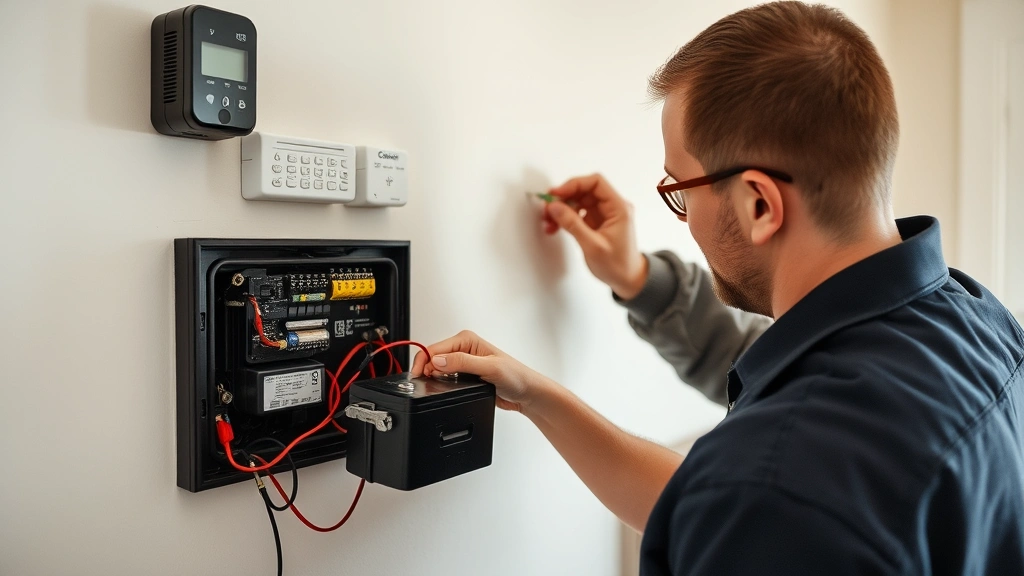
Step 3: Locate the Battery – Open your alarm panel’s battery compartment. Most ADT systems house the battery in a clearly labeled compartment within the main control panel. Consult your user manual if you cannot locate the battery immediately.
Step 4: Remove the Old Battery – Note the battery’s polarity (positive and negative terminals) before disconnecting it. Take a photo for reference. Carefully disconnect the battery connectors, typically color-coded red for positive and black for negative. Gently remove the old battery from its mounting bracket.
Step 5: Inspect the Battery Compartment – Before installing the new battery, check for corrosion, loose connections, or damage. Clean any corroded terminals with a dry cloth. Corroded connections can prevent proper battery charging and system operation.
Step 6: Install the New Battery – Place your new battery in the mounting bracket, ensuring it sits securely. Reconnect the battery connectors, starting with the positive (red) terminal, then the negative (black) terminal. Never reverse this order, as reversed polarity can damage your system.
Step 7: Reconnect Power – Plug your alarm panel back into the electrical outlet. The system should power on automatically. Wait for startup completion—this typically takes 30-60 seconds.
Step 8: Test Your System – Re-arm your system and verify that all sensors function properly. Test the backup battery by temporarily disconnecting power to confirm the system maintains functionality. Reconnect power when testing is complete.
Choosing the Right Replacement Battery
Selecting the correct replacement battery is critical for system compatibility and performance. Using an incorrect battery can damage your ADT system or provide inadequate backup power. Always consult your system’s user manual or contact ADT customer service to identify the exact battery model required.
Common ADT Battery Types: Most ADT systems use either 12-volt sealed lead-acid batteries or lithium-based batteries. The specific model depends on your system’s age and design. Newer systems increasingly use lithium batteries due to their longer lifespan and superior performance in various temperatures.
Purchase replacement batteries from authorized ADT dealers or reputable security equipment suppliers. Avoid generic batteries that claim compatibility with multiple systems—these often underperform or cause compatibility issues. Genuine ADT batteries are tested to work seamlessly with your specific system.
Battery specifications matter significantly. Check the voltage (typically 12V), amperage (measured in amp-hours), and physical dimensions. Your replacement battery must match your original battery’s specifications exactly. Substituting a battery with different specifications can result in inadequate backup power or system damage.
Consider purchasing batteries from ADT’s official website or authorized dealers who provide genuine products with warranties. Many retailers offer battery installation services, which may be worthwhile if you’re uncomfortable performing the replacement yourself.
Warranty coverage is another consideration. Quality replacement batteries include warranties ranging from 1-3 years. This coverage protects your investment and ensures you receive a functioning product. Compare warranty terms when selecting your replacement battery.
Professional vs. DIY Replacement
Deciding whether to replace your ADT battery yourself or hire a professional depends on your comfort level with electrical equipment, technical knowledge, and time availability. Both approaches have distinct advantages and considerations.
DIY Replacement Advantages: Replacing your battery yourself saves money—professional installation typically costs $75-$150, while DIY replacement only requires the battery’s cost. You also gain control over the timing and process. DIY replacement is straightforward for most homeowners with basic technical skills.
However, DIY replacement carries risks. Improper installation can damage your system or prevent proper battery charging. Reversed polarity during reconnection can cause serious system damage. If you’re uncertain about any step, professional installation is safer and more reliable.
Professional Replacement Benefits: ADT technicians possess extensive training in battery replacement and system maintenance. They ensure proper installation, test your system thoroughly, and identify any additional issues during the visit. Professional installation often includes warranty coverage for the service itself.
Professional technicians can diagnose whether poor battery performance stems from the battery itself or other system issues. They may identify environmental problems affecting battery longevity and recommend solutions. This diagnostic value often justifies the service cost.
Contact ADT customer service to schedule professional battery replacement. Most customers report appointment availability within 1-2 weeks. Emergency same-day service may be available in some areas for an additional fee. Professional service provides peace of mind that your system receives proper care.
Maintaining Your New Battery
After replacing your ADT battery, proper maintenance ensures it reaches its full 3-5 year lifespan. Regular care prevents premature degradation and keeps your backup power system reliable.
Environmental Control: Maintain moderate temperatures around your alarm panel. Ideally, keep the system in areas where temperatures remain between 50-85°F. If your panel is in an attic or garage, consider insulation improvements or relocating the panel to a climate-controlled closet or interior wall.
Protect your system from moisture and humidity. Excessive moisture accelerates corrosion of battery terminals and internal components. Ensure your system’s location has adequate ventilation and remains dry. Use dehumidifiers in damp basements or crawlspaces if necessary.
Regular Testing: Test your system’s backup battery functionality quarterly. Temporarily disconnect power and verify that all system functions continue operating normally. Reconnect power when testing is complete. This proactive testing identifies battery issues before they compromise your security.
Monitor your system’s status indicators regularly. Check your keypad display for any warning messages related to battery health. Address any alerts immediately to prevent complete battery failure. Many modern ADT systems send mobile app notifications about battery status—review these notifications promptly.
Professional Inspections: Schedule annual professional system inspections with ADT. Technicians can assess your battery’s health, identify environmental issues affecting performance, and recommend maintenance improvements. Annual inspections typically cost $50-$100 but prevent costly emergency repairs.
Keep your system’s software updated. ADT regularly releases firmware updates that improve battery management and system efficiency. Check for available updates through your system’s control panel or mobile app. Installing updates ensures your system uses the latest battery monitoring technology.
Document all maintenance activities, including battery replacements, tests, and professional inspections. This documentation creates a maintenance history that helps predict future needs and demonstrates your commitment to system reliability. If you sell your home, this maintenance record increases the security system’s perceived value to potential buyers.
FAQ
How often should I replace my ADT alarm battery?
Replace your ADT alarm battery every 3-5 years under normal conditions. Systems in extreme temperature environments may require replacement every 2-3 years. Consult your system manual or contact ADT customer service for specific recommendations based on your installation.
What does the low battery warning on my ADT system mean?
A low battery warning indicates your backup battery voltage has dropped below safe operating levels. This warning typically appears when the battery reaches 20-30% capacity. Replace your battery within 1-2 weeks of receiving this warning to prevent system failure.
Can I use a generic battery instead of an ADT-specific battery?
No, always use batteries specified for your ADT system model. Generic batteries may have different voltage or amperage specifications that cause compatibility issues, inadequate backup power, or system damage. Always verify battery specifications match your original battery exactly.
Will my security system remain armed during battery replacement?
No, you must disarm your system before replacing the battery. The replacement process requires disconnecting power, which temporarily disables your security monitoring. Contact ADT before beginning replacement to inform them of the maintenance window, and re-arm your system immediately after completing the replacement.
What should I do if my battery is visibly damaged or swollen?
Do not attempt to use a visibly damaged battery. Contact ADT immediately to schedule professional replacement. Damaged batteries pose safety risks and cannot reliably power your system. Request emergency service if your system is currently without backup power.
How long does battery replacement take?
DIY replacement typically takes 15-30 minutes for experienced users. First-time replacements may take 30-45 minutes. Professional replacement usually takes 30-60 minutes, including system testing and verification. Schedule professional service accordingly in your calendar.
Can I test my battery backup power myself?
Yes, safely test your backup battery by disarming your system, disconnecting power briefly, and verifying that all system functions continue operating. This test confirms your battery can power your system during outages. Always reconnect power immediately after testing is complete.


