
Secure Your Live Feed? Camera Expert Insights
Security cameras have become essential infrastructure for homes and businesses worldwide, yet many users remain unaware of the critical vulnerabilities that threaten their surveillance systems. A security camera live feed represents one of the most sensitive entry points into your physical and digital security posture, capable of exposing real-time footage of your premises to unauthorized actors. Whether you’re monitoring a retail storefront, residential property, or corporate facility, understanding the security implications of live streaming technology is paramount.
The proliferation of internet-connected security cameras has created unprecedented convenience—but also unprecedented risk. Cybercriminals actively target poorly secured camera systems to conduct reconnaissance, steal credentials, and establish persistent network access. Recent threat intelligence reports indicate that unsecured camera feeds rank among the top five entry vectors for residential and small business breaches. This comprehensive guide, informed by camera security experts and cybersecurity professionals, provides actionable insights to protect your live camera feeds from unauthorized access and exploitation.
Why Security Camera Live Feeds Are Prime Targets
Security camera systems represent attractive targets for multiple threat actors with varying motivations. Nation-state actors leverage unsecured cameras for intelligence gathering, while cybercriminals exploit them for credential theft and network pivoting. The fundamental appeal lies in the camera’s dual nature: it sits at the intersection of physical and digital security, often with weak authentication mechanisms and legacy technology that predates modern security standards.
According to CISA’s official guidance, internet-exposed camera systems represent a critical infrastructure vulnerability. Many organizations deploy cameras with default credentials, never change factory settings, and fail to implement basic network controls. This negligence transforms what should be a protective asset into a liability that provides attackers with visual reconnaissance of your operations, employee movements, and security procedures.
The attack surface extends beyond the camera itself. Attackers target the camera management platform, the network infrastructure supporting the feed, mobile applications used for remote viewing, and cloud storage systems where footage is archived. Each component presents distinct vulnerability classes, from SQL injection attacks against web interfaces to man-in-the-middle (MITM) attacks intercepting unencrypted video streams.
Authentication and Access Control Fundamentals
Strong authentication represents your first line of defense against unauthorized access to live camera feeds. The overwhelming majority of camera breaches stem from compromised credentials—either default credentials that were never changed or weak passwords that fall victim to brute force attacks. Camera security experts universally recommend implementing multi-factor authentication (MFA) for all systems that access live feeds, regardless of whether access occurs locally or remotely.
Begin by eliminating all default credentials from your camera infrastructure. Manufacturers ship cameras with standard usernames and passwords that are publicly documented. Attackers maintain databases of these defaults and automatically attempt them against exposed camera systems. Document every camera, NVR (network video recorder), and management platform, then change each credential to a unique, complex password containing uppercase letters, lowercase letters, numerals, and special characters. Store these credentials in a password manager rather than on sticky notes or shared spreadsheets.
Implement role-based access control (RBAC) to ensure users possess only the permissions necessary for their function. A security guard monitoring live feeds requires different access than a system administrator managing camera configurations. Some users might need only playback access to historical footage, while others require live viewing capabilities. This principle of least privilege significantly reduces damage potential if an account becomes compromised. Review access permissions quarterly and immediately revoke access for separated employees.
When implementing remote access to live camera feeds, mandate multi-factor authentication through authenticator applications, hardware security keys, or push notifications rather than SMS-based codes. Biometric authentication adds additional protection layers for mobile device access. Consider implementing conditional access policies that block login attempts from unusual geographic locations or untrusted networks.
Network Segmentation and Isolation Strategies
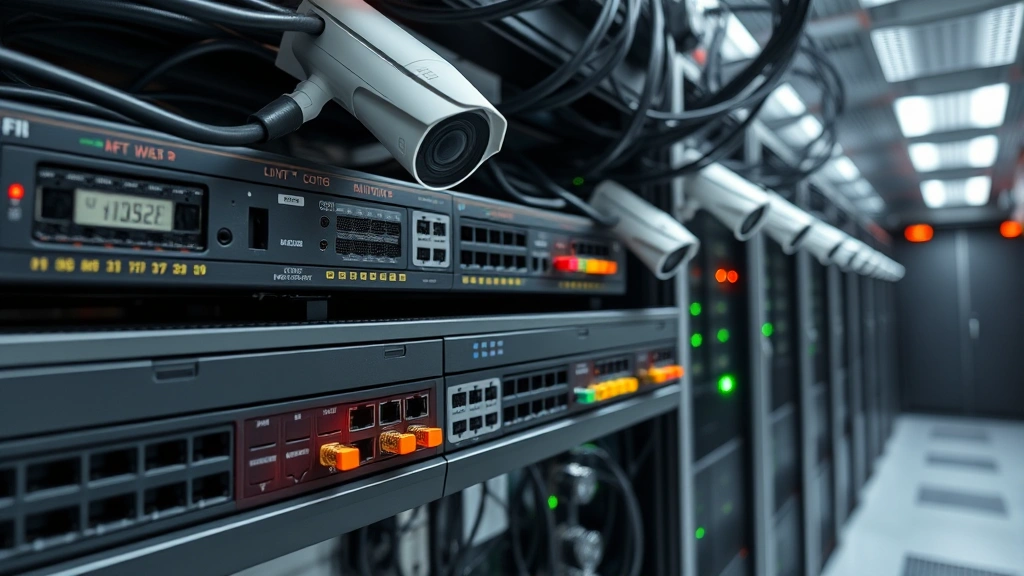
Network segmentation represents one of the most effective defenses against lateral movement attacks that exploit compromised cameras to access other systems. Cameras should reside on a dedicated network segment, isolated from systems containing sensitive data, financial records, or intellectual property. This architectural approach—sometimes called “security camera network isolation”—prevents attackers who compromise a camera from pivoting to more valuable targets.
Implement VLANs (virtual local area networks) to segregate camera traffic from general office networks. Configure network access control lists (ACLs) to explicitly define which systems can communicate with cameras and which cameras can communicate with external resources. Most cameras require only outbound HTTPS connectivity for cloud uploads and NTP (network time protocol) for clock synchronization—they should never initiate connections to arbitrary internet resources.
Deploy a dedicated firewall appliance or network segmentation tool between your camera network and broader infrastructure. This firewall should implement strict egress filtering, denying any outbound connections except those explicitly required for camera operations. Ingress filtering should block all inbound connections except from authorized management terminals and approved mobile devices accessing the camera management platform.
When implementing remote access to monitor camera feeds from external locations, utilize a VPN (virtual private network) rather than exposing management interfaces directly to the internet. The VPN provides encryption and authentication for all traffic, and creates an additional barrier that attackers must penetrate. Configure VPN access with multi-factor authentication and implement IP whitelisting when possible to restrict connections from known administrative locations.
Encryption Protocols for Live Feed Protection
Encryption protects your camera feeds from interception and eavesdropping, ensuring that only authorized parties can view your surveillance footage. All communication with and between camera systems should utilize industry-standard encryption protocols. Legacy systems using unencrypted HTTP or proprietary protocols should be prioritized for replacement or isolated behind encryption proxies.
Implement TLS 1.2 or higher for all HTTP-based camera communications. TLS 1.3, the latest standard, provides enhanced security properties and better performance characteristics. Verify that your camera management platform and any third-party applications accessing feeds enforce TLS encryption and validate server certificates. Certificate pinning—hardcoding expected certificate information in applications—provides additional protection against MITM attacks using fraudulent certificates.
For video stream encryption, ensure cameras support RTSP (Real Time Streaming Protocol) over TLS or equivalent encrypted streaming protocols. Avoid older RTMP (Real-Time Messaging Protocol) implementations, which lack modern security features. If your camera system uses proprietary streaming protocols, request documentation from the manufacturer detailing encryption mechanisms and security audits conducted by independent third parties.
End-to-end encryption between the camera and viewing applications provides the strongest protection, as it prevents even the camera manufacturer or cloud service provider from viewing your footage. Some modern camera systems implement this capability, though many traditional systems do not. Evaluate encryption options during procurement and prioritize systems offering cryptographic verification of video integrity.
Firmware Updates and Vulnerability Management
Camera firmware vulnerabilities represent critical security gaps that attackers actively exploit. Manufacturers regularly release firmware patches addressing discovered vulnerabilities, yet many organizations deploy cameras and never update them for years. This creates a predictable target environment where attackers exploit well-known vulnerabilities against multiple camera models simultaneously.
Establish a formal firmware update management program. Document every camera model, current firmware version, and manufacturer support status. Subscribe to security advisories from camera manufacturers and monitor NIST’s National Vulnerability Database for disclosed vulnerabilities affecting your equipment. Create a test environment where firmware updates can be validated before deployment to production systems.
Implement automated firmware update capabilities when available. Many modern cameras support scheduled updates that occur during low-activity periods, minimizing operational disruption. Configure update notifications and maintain detailed logs of all firmware deployments for compliance and incident investigation purposes. When vulnerabilities are disclosed for your camera models, prioritize patching within 72 hours—the window before active exploitation typically begins.
Monitor for end-of-life announcements from manufacturers, as these signals indicate when security updates will cease. Plan replacement timelines for cameras approaching end-of-support, as unpatched systems become increasingly dangerous as vulnerability databases grow. Some organizations maintain air-gapped camera systems without internet connectivity specifically to avoid firmware update requirements, but this approach sacrifices cloud features and creates other security trade-offs.

Monitoring and Threat Detection Systems
Proactive monitoring of camera system activity enables rapid detection of unauthorized access attempts and suspicious behavior patterns. Implement comprehensive logging that captures login attempts, configuration changes, firmware updates, and unusual access patterns. These logs should be centralized in a SIEM (security information and event management) system where they can be analyzed for suspicious patterns.
Configure alerts for critical security events: multiple failed login attempts, access from unexpected geographic locations, configuration changes to camera settings, and disablement of security features. Establish baseline network behavior for your camera systems and alert on deviations—unusual outbound connections, excessive data transfer volumes, or communication with suspicious IP addresses may indicate compromise.
Implement intrusion detection systems (IDS) that monitor network traffic to and from cameras for known attack signatures and anomalous patterns. This network-based monitoring detects attacks that camera-level logging might miss, including MITM attacks, credential stuffing attempts, and exploitation of unpatched vulnerabilities. Some organizations deploy honeypot cameras—decoy systems that attract attackers—to detect reconnaissance activities targeting their camera infrastructure.
Regular security audits and penetration testing of your camera systems reveal vulnerabilities before attackers discover them. Engage qualified cybersecurity professionals to conduct authorized testing of your live feed security controls, authentication mechanisms, and network isolation. Document findings and remediate vulnerabilities according to risk-based prioritization, with critical issues addressed within days rather than weeks.
Physical Security Considerations
While this discussion focuses primarily on cyber security, physical security of camera infrastructure deserves mention. Cameras should be mounted in locations resistant to tampering or destruction. Protect network cables connecting cameras to infrastructure from physical access that could enable MITM attacks or denial-of-service conditions. Consider cable routing through conduit or elevated positions that prevent casual access.
Power supply security prevents attackers from disabling cameras through physical power interruption. Implement uninterruptible power supplies (UPS) for critical cameras and ensure backup power systems are tested regularly. Some organizations implement intelligent power management that alerts administrators when cameras lose power unexpectedly, enabling rapid response to physical tampering.
Secure physical access to recording devices, NVRs, and network equipment supporting camera systems. Unauthorized physical access to these devices enables attackers to extract storage media, install malicious hardware, or directly manipulate configurations. Implement badge access controls, surveillance of server rooms, and regular audits of physical access logs.
For organizations operating multiple camera systems, consider the insights in our guide on best practices for reviewing security systems as part of your comprehensive assessment process. Additionally, understanding how to critically evaluate your security infrastructure helps identify improvement opportunities. For broader security context, explore our security blog for additional resources.
FAQ
What should I do if I suspect my security camera live feed has been compromised?
Immediately disconnect the affected camera from the network and power supply. Change all credentials for systems that access camera feeds. Review access logs and footage for evidence of unauthorized viewing. Engage a qualified cybersecurity professional to conduct forensic analysis. Check for lateral movement to other network systems. If breach confirmation occurs, notify relevant stakeholders and consider law enforcement involvement depending on jurisdiction and circumstances.
Can I use consumer-grade cameras for business security?
Consumer cameras typically lack enterprise security features like role-based access control, comprehensive logging, and firmware update mechanisms. They may contain telemetry features that send data to manufacturers without explicit user consent. For business applications, professional-grade cameras from reputable manufacturers with documented security practices provide superior protection. The cost differential is minimal compared to potential breach consequences.
How often should I change camera system passwords?
Change passwords when personnel with access separate from your organization, when credentials may have been exposed, or annually at minimum. Use unique passwords for each camera and management system—never reuse credentials across devices. Implement a password manager to track these credentials securely and facilitate regular rotation without creating memorization burden.
Should my security cameras connect directly to the internet?
Direct internet exposure significantly increases attack surface. Instead, implement cameras behind firewalls with strict access controls, accessed through VPNs for remote viewing. Cloud connectivity should be optional and encrypted end-to-end when enabled. Many modern cameras support cloud features, but these should be disabled if not actively required for operations.
What external resources provide camera security guidance?
CISA provides comprehensive guidance on IoT and camera security. CISA’s defensive measures documentation addresses camera-specific vulnerabilities. The FBI’s Internet Crime Complaint Center (IC3) publishes threat advisories affecting surveillance systems. NIST cybersecurity framework provides broader security governance principles applicable to camera systems. Shodan and similar search engines demonstrate internet-exposed camera prevalence, illustrating why security controls are essential.
Can I encrypt camera feeds retroactively if my current system uses unencrypted protocols?
Yes, several approaches exist. Deploy a reverse proxy or encryption gateway between cameras and management systems that encrypts traffic transparently. Implement a VPN concentrator that all camera access traffic routes through. Replace cameras with models supporting encrypted protocols. Upgrade to a camera management platform with built-in encryption capabilities. Evaluate each approach based on your specific infrastructure, budget constraints, and operational requirements.


