Is Arlo Secure? Expert Review & Insights on Camera System Safety
Arlo has established itself as a prominent player in the home security camera market, offering wireless video surveillance solutions that appeal to both residential and commercial users. However, with the increasing sophistication of cyber threats targeting smart home devices, a critical question emerges: Is Arlo actually secure? This comprehensive review examines the security architecture, vulnerabilities, and best practices for protecting your Arlo system from potential breaches and unauthorized access.
As cyber threats continue to evolve, understanding the security posture of your home surveillance system becomes increasingly important. Arlo cameras collect sensitive footage of your property, daily routines, and potentially vulnerable entry points—making them attractive targets for malicious actors. This guide provides detailed insights into Arlo’s security features, known vulnerabilities, and actionable recommendations to maximize protection.
Arlo Security Architecture Overview
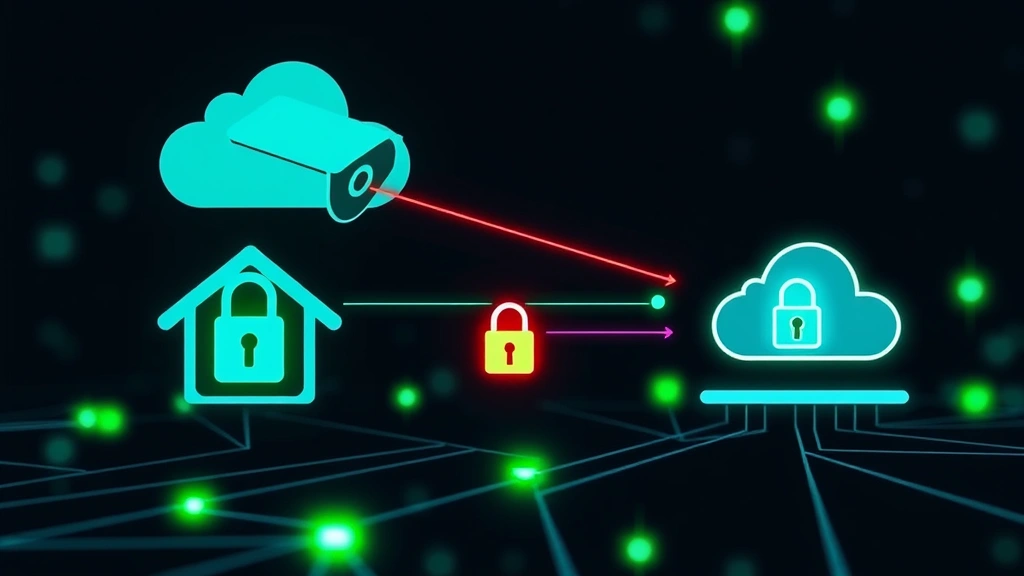
Arlo’s security infrastructure relies on multiple layers of protection designed to safeguard video feeds and user data. The system utilizes cloud-based storage and processing, which means your camera footage is transmitted to Arlo’s servers rather than stored locally on your network. This architecture presents both advantages and challenges from a security perspective.
The platform employs end-to-end encryption for video transmission, meaning data is encrypted on the camera before leaving your home and remains encrypted until it reaches Arlo’s secure servers. Additionally, Arlo implements TLS 1.2 encryption protocols for all communications between devices and cloud infrastructure. The company has achieved industry security certifications and conducts regular third-party security audits to identify and remediate vulnerabilities.
However, the cloud-centric approach means your footage is stored on external servers, requiring trust in Arlo’s data protection practices. The company has published security documentation outlining their infrastructure protections, including firewalls, intrusion detection systems, and regular security patches. Understanding these architectural choices helps users make informed decisions about their privacy and security preferences.
Arlo cameras connect through your home WiFi network, and the security of this connection depends significantly on your router’s configuration and the strength of your WiFi password. Weak network security can undermine even robust camera encryption, making your home network a critical component of overall system security.
Known Vulnerabilities and Threats
Like all connected devices, Arlo cameras have experienced documented security issues. In 2021, researchers discovered a vulnerability affecting Arlo’s mobile application that could potentially allow attackers to hijack accounts through credential manipulation. Arlo promptly addressed this issue with security updates, demonstrating their responsiveness to identified threats.
Another significant concern involves account takeover attacks, where malicious actors gain unauthorized access to user accounts through password compromise or phishing tactics. Once an attacker controls your Arlo account, they can view live camera feeds, access recorded footage, and modify system settings. This threat underscores the importance of robust authentication mechanisms and account protection strategies.
Default password vulnerabilities have historically affected IoT devices broadly, though Arlo requires users to create strong passwords during initial setup rather than shipping devices with default credentials. Nevertheless, users who select weak passwords remain vulnerable to brute-force attacks and dictionary-based password cracking attempts.
Network-level threats present another consideration. If your home WiFi network lacks proper security (WPA3 or WPA2 encryption), attackers on the same network could potentially intercept communications or launch man-in-the-middle attacks. This risk extends beyond Arlo cameras to all connected devices on your network, making comprehensive network security essential.
The firmware update ecosystem also warrants attention. Arlo cameras receive periodic security updates to patch discovered vulnerabilities. However, users must actively enable automatic updates or manually check for new firmware versions. Devices running outdated firmware remain exposed to publicly disclosed vulnerabilities that attackers actively exploit.
Encryption and Data Protection Standards
Arlo implements AES-256 encryption for stored video footage, which represents military-grade encryption strength. This means even if someone gains unauthorized access to Arlo’s servers, the encrypted video data would be extremely difficult to decrypt without the encryption keys.
During transmission, your camera footage travels through encrypted tunnels using TLS 1.2 protocols, protecting against interception by network eavesdroppers. This encryption occurs automatically whenever your camera communicates with Arlo’s cloud infrastructure, requiring no user configuration.
However, encryption strength depends on proper key management. Arlo maintains encryption keys on their servers, which means the company technically possesses the ability to decrypt your footage if served with legal demands or if their key management systems are compromised. This represents an inherent limitation of cloud-based security systems compared to local storage alternatives.
Arlo’s security standards align with NIST Cybersecurity Framework guidelines, though they are not government-certified security systems. The company publishes transparency reports documenting government data requests and their compliance procedures, providing some visibility into how law enforcement access is handled.
For users with heightened privacy concerns, the encryption implementation offers reasonable protection against casual attackers and network eavesdroppers. However, those seeking absolute privacy may prefer locally-stored video solutions that eliminate cloud storage entirely, trading convenience for maximum control over data access.
Authentication Mechanisms
Arlo accounts depend on username and password credentials as the primary authentication method. The platform supports two-factor authentication (2FA), which significantly enhances account security by requiring a second verification step beyond password entry. Users can enable 2FA through their account settings, receiving verification codes via email or authenticator applications.
The effectiveness of your authentication depends heavily on password strength. Arlo’s password requirements mandate minimum length and character complexity, but users who select predictable passwords or reuse credentials across multiple services remain vulnerable. Security experts recommend using unique, randomly-generated passwords stored in reputable password managers.
Biometric authentication options are available on Arlo’s mobile applications for iOS and Android devices, allowing users to unlock their accounts using fingerprint or facial recognition rather than entering passwords. This convenience feature reduces the likelihood of password interception through shoulder surfing or keylogging attacks.
Session management practices also affect authentication security. Arlo implements session timeouts on mobile applications and web portals, automatically logging out inactive users after specified periods. This reduces the risk of unauthorized access from compromised or unattended devices.
However, if an attacker gains access to your email account associated with your Arlo account, they can potentially reset your password and take control of your system. Protecting your email account with strong passwords and 2FA becomes essential for maintaining Arlo account security. Similarly, if someone obtains your phone number, they could potentially intercept SMS-based authentication codes, highlighting the importance of using authenticator applications instead of SMS when possible.
Privacy Considerations
Beyond security, privacy represents a distinct concern for surveillance camera systems. Arlo’s privacy policy explains how the company collects, uses, and shares user data. The platform collects information about your camera activity, account usage, and device configurations to provide service functionality and improve their products.
Third-party integrations pose privacy risks. Arlo integrates with smart home platforms including Amazon Alexa, Google Home, and Apple HomeKit, allowing voice control and automation capabilities. These integrations require sharing certain data with these platforms, potentially expanding the parties with access to your system information.
The Cybersecurity and Infrastructure Security Agency (CISA) recommends evaluating privacy policies before adopting connected devices. Arlo’s policy permits data sharing for service improvement, customer support, and legal compliance. Users uncomfortable with cloud-based data practices may prefer locally-stored video systems that eliminate cloud dependencies.
Metadata represents another privacy dimension. Even with encrypted video feeds, Arlo can observe when your cameras are active, which users access footage, and communication patterns. This metadata alone can reveal information about your daily routines and home occupancy patterns.
Arlo has implemented privacy features including activity zones that limit recording to specific areas within camera view, reducing unnecessary footage collection. Users can also adjust notification settings to minimize data transmission for non-critical events, providing some control over data practices.
Best Practices for Arlo Users
Implementing security best practices significantly enhances your Arlo system’s protection against threats. Begin by enabling two-factor authentication on your account immediately after setup. This single step dramatically reduces account takeover risk, as attackers would need both your password and access to your secondary authentication method.
Create a unique, complex password for your Arlo account that you do not use for any other online services. If one service experiences a data breach, attackers cannot use those credentials to compromise your Arlo account. Consider using a password manager to generate and securely store strong passwords.
Regularly review your account activity and connected devices through Arlo’s account management portal. Check which devices have access to your system and remove any unrecognized phones, tablets, or browsers. Arlo provides session management tools allowing you to remotely log out active sessions, useful if you suspect unauthorized access.
Keep your Arlo cameras and mobile applications updated with the latest firmware and software versions. Enable automatic updates if available, or check monthly for available patches. Security updates often address discovered vulnerabilities, and delaying updates leaves your system exposed to known threats.
Secure your home WiFi network with WPA3 encryption if your router supports it, or WPA2 as a minimum standard. Change your router’s default password and disable WPS (WiFi Protected Setup), which can be brute-forced relatively easily. Your home network security directly impacts your Arlo cameras’ security, as a compromised network allows attackers to intercept camera communications.
Review and adjust Arlo’s privacy settings according to your preferences. Disable unnecessary third-party integrations if you are concerned about data sharing. Configure activity zones to limit recording to essential areas, reducing unnecessary footage collection and data transmission.
Monitor your Arlo account for suspicious activity. Set up notifications for unexpected login attempts or system changes. If you notice unauthorized access, immediately change your password, review connected devices, and consider contacting Arlo support for further investigation.
For enhanced security, consider implementing network segmentation by placing your Arlo cameras on a separate WiFi network from computers and sensitive devices. This approach limits the potential damage if attackers compromise your camera network, preventing them from pivoting to other systems.
Comparison with Competitors
Arlo’s security posture compares reasonably to other cloud-based camera systems. Competitors like Ring, Nest, and Wyze offer similar encryption standards and authentication mechanisms. However, significant differences exist in privacy policies and data practices.
Ring cameras, owned by Amazon, integrate deeply with the Amazon ecosystem, raising privacy concerns for users uncomfortable with Amazon’s data collection practices. Google Nest cameras similarly benefit from Google’s security infrastructure but require Google account integration.
Locally-stored alternatives like Synology NAS systems or Unifi Protect offer superior privacy by keeping footage entirely within your home network, eliminating cloud storage dependencies. However, these solutions require more technical expertise to configure and maintain, making them less accessible to average users.
Arlo’s strength lies in its user-friendly interface and robust mobile applications, though this convenience comes with cloud storage trade-offs. Users prioritizing privacy over convenience may prefer locally-stored alternatives, while those seeking ease of use may accept Arlo’s cloud architecture.
The Federal Trade Commission (FTC) has increased scrutiny of smart home device manufacturers’ security and privacy practices. Recent enforcement actions against companies with inadequate security have highlighted the importance of choosing vendors with strong security track records.
FAQ
Has Arlo experienced major security breaches?
Arlo has not reported large-scale data breaches affecting user footage or credentials. However, the company has disclosed and patched specific vulnerabilities affecting mobile applications and account security. Regular security audits and prompt patch responses suggest reasonable security practices, though no system is completely breach-proof.
Can Arlo employees access my camera footage?
Theoretically, Arlo employees with access to encryption keys could decrypt your footage. However, Arlo implements access controls and logging systems to prevent unauthorized internal access. The company’s privacy policy indicates that access is restricted to authorized personnel for legitimate business purposes.
Is Arlo safe for sensitive areas like bedrooms?
Arlo cameras can be securely deployed in any area, provided you implement proper access controls and privacy settings. Use activity zones to exclude sensitive areas from recording, and ensure only trusted individuals have account access. Consider local storage alternatives if bedroom privacy is a primary concern.
What should I do if I suspect unauthorized Arlo access?
Immediately change your account password and enable two-factor authentication if not already active. Review connected devices in your account settings and remove any unrecognized devices. Check your home WiFi network for unauthorized connections and contact Arlo support if you suspect a security breach.
Does Arlo sell footage to third parties?
Arlo’s privacy policy explicitly states they do not sell footage to third parties. However, they may share aggregated, anonymized data for research and product improvement purposes. Review their current privacy policy for complete information about data practices.
Are local storage options more secure than Arlo?
Locally-stored camera systems eliminate cloud dependencies and provide maximum privacy control. However, they require more technical expertise to configure and maintain secure networks. Arlo offers better ease of use but requires trusting Arlo’s cloud infrastructure security.


