
Is Your Smart Home Secure? Expert Advice Inside
Smart home technology has transformed how we live, offering unprecedented convenience through connected devices that automate lighting, temperature, security systems, and entertainment. However, this connectivity comes with significant risks. Cybercriminals actively target smart home ecosystems because they often represent the weakest link in residential cybersecurity. A compromised smart home device can serve as an entry point to your entire network, exposing personal data, financial information, and sensitive communications.
The intersection of consumer convenience and security vulnerability creates a critical challenge for homeowners. Many users purchase smart devices without understanding the security implications or implementing proper protective measures. This gap between adoption and awareness has made smart homes increasingly attractive targets for cybersecurity threats. Understanding these vulnerabilities and implementing expert-recommended security practices is essential for protecting your digital life.
This comprehensive guide explores the security landscape of smart home technology, identifies common vulnerabilities, and provides actionable strategies to fortify your connected home against evolving cyber threats.
Understanding Smart Home Security Risks
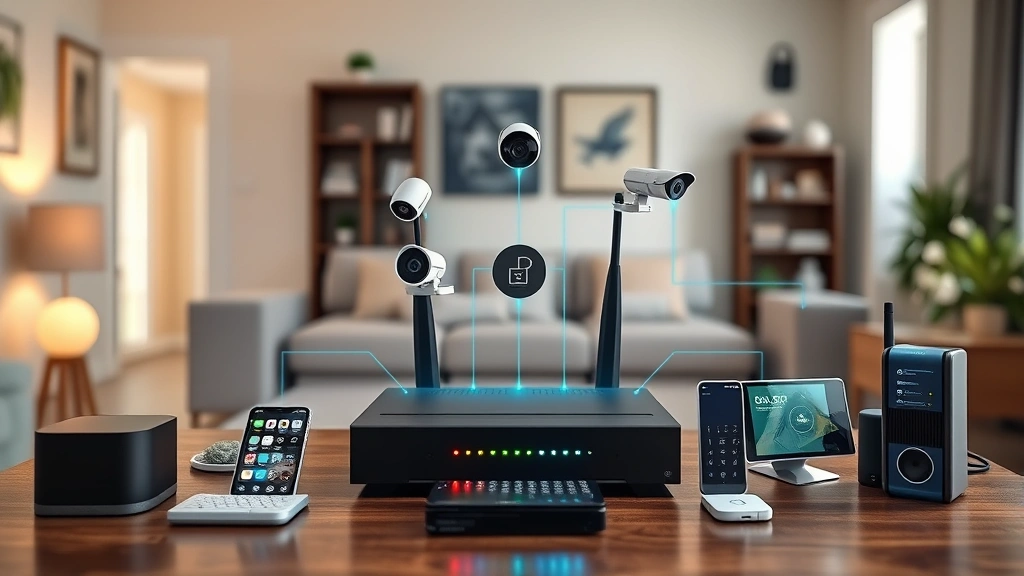
Smart home security encompasses multiple threat vectors that extend beyond traditional home security systems. Your connected ecosystem typically includes smart speakers, security cameras, door locks, thermostats, lighting systems, and appliances—each representing a potential entry point for attackers. According to CISA (Cybersecurity and Infrastructure Security Agency), IoT devices in residential environments frequently lack adequate security controls, creating opportunities for unauthorized access.
The primary risks include unauthorized device access, data interception, botnet recruitment, and lateral movement through your network. Attackers can exploit weak security to surveil your home through cameras, control smart locks for physical intrusion, or harvest personal information from connected devices. Additionally, compromised smart home devices can become part of distributed denial-of-service (DDoS) attacks targeting internet infrastructure without your knowledge.
Understanding that smart home security isn’t just about protecting individual devices—it’s about protecting your entire digital ecosystem—is fundamental to developing an effective security strategy. The interconnected nature of smart homes means that a single compromised device can potentially compromise your entire network and personal data.
Common Vulnerabilities in Connected Devices
Smart home devices frequently suffer from predictable security weaknesses that cybersecurity researchers have documented extensively. Default credentials represent one of the most exploited vulnerabilities; many devices ship with standard usernames and passwords that users never change. Attackers maintain databases of default credentials for popular smart home products, enabling rapid device compromise at scale.
Outdated firmware and unpatched software create another critical vulnerability class. Manufacturers often release security updates irregularly, and many users never update their devices after installation. This creates a persistent window of vulnerability that attackers actively exploit. According to NIST guidelines on IoT security, regular firmware updates are essential for maintaining device security posture.
Additional common vulnerabilities include:
- Weak encryption protocols that fail to properly protect data in transit between devices and cloud services
- Insecure APIs that allow unauthorized applications to interact with device functionality
- Inadequate authentication mechanisms that don’t properly verify user identity before granting access
- Information disclosure through verbose error messages or unencrypted data storage
- Lack of input validation allowing injection attacks through device interfaces
- Insufficient access controls permitting unauthorized users to modify device settings
Many manufacturers prioritize time-to-market and cost reduction over security implementation, resulting in devices deployed with known vulnerabilities. Security researchers regularly discover critical flaws in popular smart home products, highlighting the importance of proactive device selection and configuration.

Network Security Foundations
Your smart home network architecture fundamentally determines security effectiveness. Most residential networks connect all devices to a single wireless network, creating a flat network topology where any compromised device can potentially access others. Network segmentation represents the most effective architectural defense, isolating smart devices on a separate network from computers containing sensitive data.
Implementing a dedicated IoT network requires a dual-band router supporting multiple SSIDs (network names). Configure your primary network for personal computers and devices handling financial data, and create a separate network exclusively for smart home devices. This segmentation prevents attackers from leveraging a compromised smart speaker to access your banking information or personal files.
Your wireless network security settings directly impact overall security posture. Enable WPA3 encryption (or WPA2 if WPA3 isn’t available) using a strong, randomly generated password of at least 16 characters. Disable WPS (Wi-Fi Protected Setup), which allows brute-force attacks against your network password. Configure your router to hide the SSID and disable remote management features that could allow external access to network settings.
Consider implementing a guest network for visiting guests instead of providing your primary network credentials. This prevents guests’ devices from potentially accessing your smart home systems or personal network resources. Enable MAC filtering to restrict network access to approved devices, though recognize this provides security through obscurity rather than true protection.
Regular router firmware updates are essential, as routers represent critical network infrastructure that attackers frequently target. Check for updates monthly and enable automatic updates if your router supports this feature. Change your router’s administrative credentials from default values, and consider disabling UPnP (Universal Plug and Play) which can allow devices to automatically open network ports without user authorization.
Device-Level Protection Strategies
Securing individual smart home devices requires a multi-layered approach addressing device selection, configuration, and ongoing management. Begin by purchasing devices from manufacturers with demonstrated commitment to security, reviewing their update track record and security documentation before purchasing. Check security research publications for reported vulnerabilities in specific device models before integration into your home.
Change default credentials immediately upon device installation. Use unique, complex passwords for each device—never reuse passwords across multiple devices. Consider using a password manager to generate and store these credentials securely. Many modern smart devices support passkeys or biometric authentication; enable these stronger authentication methods when available.
Disable unnecessary device features and communication protocols. If your smart camera doesn’t require cloud backup, disable cloud connectivity. If your smart speaker doesn’t need to be accessible outside your home, restrict external access. Minimize the surface area available to attackers by disabling capabilities you don’t actively use.
Configure device permissions to the principle of least privilege—granting only the minimum permissions necessary for intended functionality. Review which connected applications have access to each device and revoke access for applications you no longer use. Many smart home platforms allow granular permission controls; investigate these settings during device configuration.
Enable any available security features including two-factor authentication for cloud account access, activity logging, and notification alerts. Review device activity logs regularly to identify unusual behavior that might indicate compromise. Set up alerts for suspicious activities such as unauthorized access attempts or configuration changes.
Authentication and Access Control
Strong authentication mechanisms represent your first line of defense against unauthorized device access. Multi-factor authentication (MFA) should be enabled for all smart home platform accounts and individual device accounts where supported. MFA requires attackers to compromise both your password and your second authentication factor (typically a code from an authenticator app or SMS), dramatically increasing the difficulty of account takeover.
Use authenticator applications like Google Authenticator, Microsoft Authenticator, or Authy rather than SMS-based authentication when possible. SMS authentication, while better than password-only access, remains vulnerable to SIM swapping attacks where criminals convince your mobile carrier to transfer your phone number to their device. Authenticator apps generate codes that cannot be intercepted through carrier systems.
Review and regularly audit which devices and applications have access to your smart home systems. Remove access for devices you no longer use or applications you’ve uninstalled. Periodically review login history and active sessions, terminating any sessions you don’t recognize. Many compromises occur through credentials stolen in unrelated breaches; if your password appears in a data breach, change it immediately across all systems.
Create strong, unique passwords using a combination of uppercase and lowercase letters, numbers, and special characters. Avoid dictionary words, personal information, or predictable patterns. A 16-character password provides substantially better protection than shorter alternatives. Password managers like Bitwarden, 1Password, or KeePass simplify managing unique passwords across numerous accounts without requiring memorization.
Monitoring and Incident Response
Continuous monitoring of your smart home network enables early detection of security incidents before attackers cause significant damage. Enable logging on all smart home devices and your network router, storing logs securely for at least 90 days. Review logs regularly for suspicious patterns including failed authentication attempts, unusual device behavior, or unexpected network traffic.
Monitor network traffic for anomalies using available router statistics or network monitoring tools. Identify which devices are communicating, when communications occur, and data volumes transferred. Unusual outbound traffic from smart devices could indicate compromise and botnet recruitment. Consider implementing network monitoring solutions like Pi-hole or OpenWrt-based routers that provide detailed traffic visibility.
Establish an incident response plan before security incidents occur. Identify which personnel will respond to security incidents, define communication protocols, and document recovery procedures. In case of suspected compromise, you should be able to quickly isolate affected devices, change credentials, review access logs, and restore systems to known-good states.
If you suspect a device compromise, immediately isolate the affected device from your network. Change all passwords for accounts that may have been accessed through the compromised device. Review account activity logs for unauthorized access. Consider factory-resetting the device and reinstalling current firmware if available. Update all connected devices’ credentials and review their access logs.
Best Practices Implementation Guide
Implementing comprehensive smart home security requires systematic approach addressing multiple security layers. Start by conducting a device inventory documenting all connected devices, their manufacturers, current firmware versions, and default credentials. This inventory becomes your reference for security updates and vulnerability monitoring.
Develop a device update schedule checking for security updates monthly. Most manufacturers publish security advisories on their websites; subscribe to notifications for devices in your home. Prioritize security updates over feature updates, as security patches address known vulnerabilities actively exploited by attackers. Test updates on non-critical devices first to identify potential compatibility issues.
Implement network segmentation by configuring a dedicated wireless network for smart home devices separate from your primary network. This architectural change represents one of the highest-impact security improvements possible for residential networks. Configure your router to prevent smart devices from accessing computers on your primary network while allowing your primary network devices to access smart devices if needed for control.
Establish access control policies documenting which users can access which devices and what actions they can perform. Many smart home platforms support multiple user accounts with granular permissions; configure these to match your household structure. Regularly review user accounts and remove access for users who no longer need it.
Create backup and recovery procedures enabling quick restoration after security incidents or device failures. Document device configurations so you can quickly rebuild systems. Maintain current backups of important data stored on connected devices. Test your recovery procedures periodically to ensure they function as expected during actual incidents.
Conduct regular security awareness training for household members covering password security, phishing awareness, and safe device usage. Social engineering remains an effective attack vector; educating users about suspicious communications and unauthorized access requests significantly improves security posture. Establish household rules about sharing device access credentials and connecting untrusted devices to your network.
Consider implementing a centralized security appliance or managed router providing threat detection, intrusion prevention, and malware filtering for your home network. These devices analyze network traffic for malicious patterns and can block known malicious domains and IP addresses. Options range from consumer-grade routers with security features to dedicated security appliances like Firewalla or Ubiquiti systems.
Review your privacy policies and data handling practices for each device manufacturer. Some manufacturers collect extensive user data including activity patterns, voice recordings, or location information. Understanding what data manufacturers collect and how they use it enables informed decisions about device deployment. Consider whether the convenience benefits justify the privacy implications of each device.
The implementation of these practices creates a defense-in-depth security posture where multiple layers provide overlapping protection. A single security failure doesn’t result in complete compromise when multiple controls exist. This layered approach represents best practice in cybersecurity and is essential for smart home security.
FAQ
What is the most important smart home security measure?
Network segmentation—isolating smart devices on a separate network from computers containing sensitive data—provides the highest security impact. This single architectural change prevents attackers from leveraging compromised smart devices to access personal computers or sensitive data. Combined with strong authentication and regular updates, segmentation creates a robust security foundation.
How often should I update smart home device firmware?
Check for firmware updates monthly for all smart home devices. When security updates are available, install them within one week to minimize vulnerability windows. Enable automatic updates where available to ensure devices receive patches without manual intervention. Security updates should always be prioritized over feature updates.
Are smart home devices safe if I don’t connect them to the internet?
Local-only devices without cloud connectivity eliminate remote attack vectors and significantly reduce security risk. However, most modern smart devices require internet connectivity for functionality and updates. If you require cloud features, implement network segmentation and strong authentication to minimize risk. For devices supporting local-only operation, this option provides the best security posture.
What should I do if I suspect my smart home device is compromised?
Immediately isolate the affected device from your network. Change passwords for all accounts potentially accessed through the compromised device. Review account access logs for unauthorized activity. Factory-reset the device and reinstall current firmware if available. Update credentials for all connected devices and review their access logs for suspicious activity. Consider consulting cybersecurity professionals if you suspect data theft or persistent compromise.
Do I need a security professional to secure my smart home?
Most basic smart home security measures can be implemented by homeowners following available guidance. However, security professionals can provide valuable services including vulnerability assessments, network architecture design, and incident response if breaches occur. For homes with extensive smart device deployments or sensitive data, professional consultation provides worthwhile security value.
How do I know if a smart home device is secure?
Research device security by checking security research publications for reported vulnerabilities, reviewing manufacturer security documentation, and checking independent reviews. Prioritize manufacturers with documented security update track records and transparent vulnerability disclosure practices. Avoid devices from manufacturers with poor security histories or those lacking security documentation.
Can smart home devices be hacked through my WiFi network?
Yes, smart home devices connected to your WiFi can be compromised through various WiFi-based attack vectors including weak encryption, default credentials, unpatched vulnerabilities, and social engineering. This is precisely why network segmentation, strong authentication, regular updates, and security monitoring are essential. Implementing these protections significantly reduces the likelihood of successful WiFi-based attacks.


