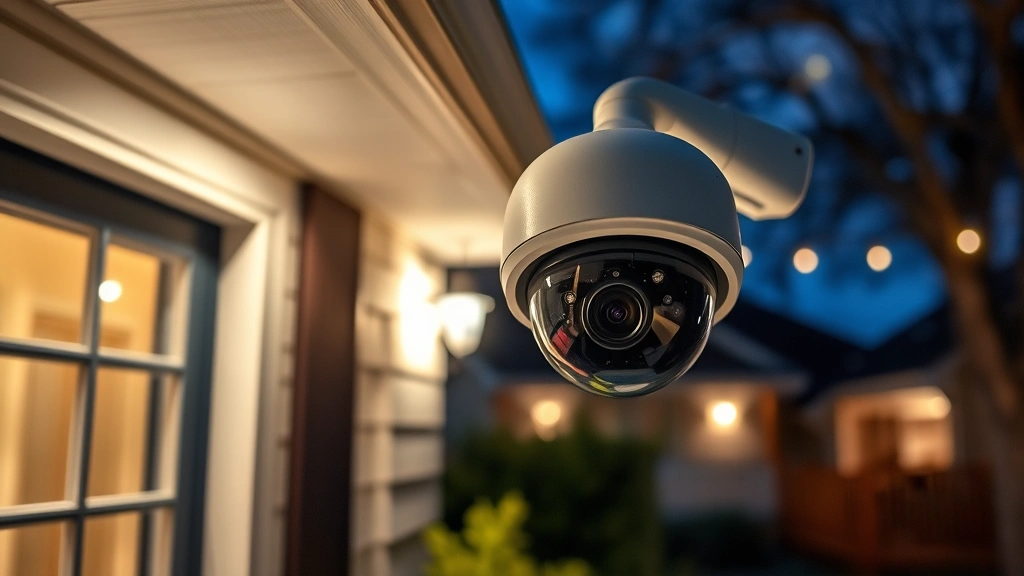
Best 4-Camera Systems? Expert Home Security Guide
A 4-camera home security system represents the optimal balance between comprehensive coverage and cost-effectiveness for most residential properties. Whether you’re protecting a single-story home, monitoring entry points, or securing a larger property, four strategically placed cameras provide layered protection against break-ins, package theft, and suspicious activity. This guide explores the cybersecurity aspects, technical specifications, and threat mitigation strategies essential for modern home security deployments.
Home security systems have evolved dramatically from simple analog setups to sophisticated IP-based networks requiring robust cybersecurity protocols. When selecting a 4-camera home security system, homeowners must balance surveillance coverage with data protection, network security, and privacy considerations. The cameras themselves represent potential entry points for cyber threats, making proper configuration and maintenance critical to overall home safety.
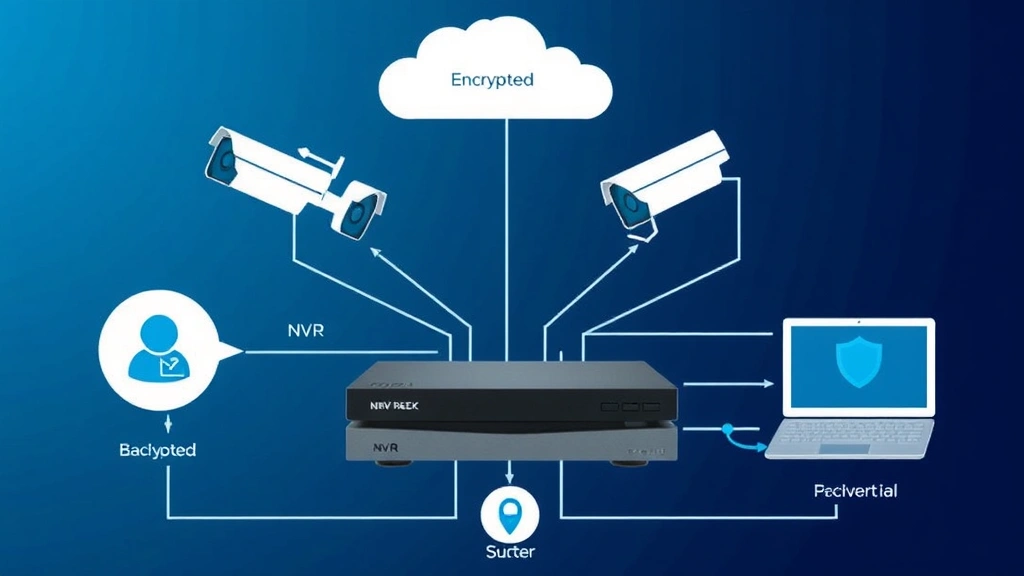
Cybersecurity Threats in Home Security Systems
Modern security cameras connected to home networks face significant cyber threats that can compromise both surveillance footage and personal data. According to CISA threat advisories, IoT devices including security cameras rank among the most frequently targeted endpoints in residential networks. Attackers exploit weak default credentials, unpatched vulnerabilities, and poor network segmentation to gain unauthorized access.
Common threats affecting 4-camera systems include:
- Credential Stuffing: Attackers use leaked username/password combinations to access camera feeds and cloud storage
- Man-in-the-Middle Attacks: Unencrypted footage transmission allows interception of video streams and metadata
- Firmware Exploits: Outdated camera firmware contains known vulnerabilities enabling remote code execution
- Network Reconnaissance: Compromised cameras become pivot points for lateral movement into home networks
- Denial of Service: Botnets overwhelm camera systems, disabling surveillance during break-ins
The intersection of physical security and cybersecurity fundamentals means that a breached camera system fails at its primary function. Your surveillance network must be treated as a critical infrastructure component requiring authentication, encryption, and regular security audits.

Camera Placement and Coverage Strategy
Strategic placement of four cameras maximizes blind spot coverage while minimizing redundancy and false alerts. For most residential properties, the optimal configuration includes:
- Front Door/Entry Point: Captures facial features and package deliveries with high-resolution detail. Position at 5-7 feet height, angled slightly downward to record visitor faces clearly.
- Back Door/Secondary Exit: Monitors vulnerable entry points and rear property access. Essential for detecting unauthorized entry attempts and trespassing.
- Driveway/Parking Area: Records vehicle approach, license plates, and suspicious loitering. Wide-angle placement at corner of property maximizes coverage area.
- Side Yard/Perimeter: Covers blind spots between front and back, monitoring fence lines and landscaping areas where intruders may hide.
When deploying your 4-camera security system, consider sight lines, lighting conditions, and potential tampering vectors. Cameras positioned too high face weather exposure; too low invites physical damage. Mount cameras on sturdy hardware rated for your climate zone, using stainless steel brackets resistant to corrosion.
Night Vision and Low-Light Performance: Infrared (IR) cameras excel in darkness but create security concerns. IR illuminators broadcast their presence, alerting potential intruders. Hybrid systems combining IR with NIST-aligned low-light technology provide better threat detection without signature emission.
Network Security and Encryption
Your 4-camera system’s network configuration determines vulnerability exposure. Each camera represents a connected device requiring isolated network segmentation and encrypted communication protocols.
Essential Network Security Measures:
- VLAN Segmentation: Place cameras on dedicated VLAN separate from personal computers and smart home devices. This prevents compromised cameras from accessing sensitive data on other network segments.
- WPA3 Encryption: Use enterprise-grade WiFi encryption (WPA3-Enterprise when available) rather than consumer WPA2. This prevents wireless eavesdropping of video streams.
- Encrypted Transmission: Enable TLS 1.3 encryption for all camera-to-cloud communication. Verify that footage stored in cloud services uses AES-256 encryption at rest.
- VPN Tunneling: Route all remote camera access through a home VPN server. Never access cameras directly from the internet without VPN protection.
- Firewall Rules: Configure router firewall to block all inbound connections to cameras. Establish outbound rules limiting camera communication to manufacturer servers only.
Authentication represents your strongest defense against unauthorized access. Replace default credentials immediately with CISA-recommended strong passwords combining uppercase, lowercase, numbers, and symbols (minimum 16 characters). Enable two-factor authentication (2FA) for all cloud accounts accessing camera footage.
Top 4-Camera System Recommendations
When evaluating specific systems, prioritize manufacturers demonstrating strong security practices, regular firmware updates, and transparent vulnerability disclosure policies.
Enterprise-Grade Systems:
- Hikvision/Uniview Professional Series: Designed for small business deployment with ONVIF compatibility, enabling integration with third-party NVRs. Requires professional installation and network configuration. Strong encryption support and regular security patches.
- Axis Communications Entry-Level Systems: Swedish manufacturer with exceptional security track record. Higher initial cost offset by superior firmware support and longer security update windows (7+ years). Ideal for security-conscious homeowners.
- Reolink 4K Systems: Balance affordability with solid encryption implementation. Local storage option (NVR) eliminates cloud dependency. Consider models with PoE (Power over Ethernet) to reduce wireless vulnerabilities.
Consumer-Friendly Options:
- Ring/Amazon Systems: Cloud-dependent architecture simplifies installation but creates privacy concerns. Amazon’s acquisition history and AWS security practices should inform your decision. Verify data retention policies and encryption specifications.
- Nest/Google Systems: Seamless Google Home integration appeals to ecosystem users. Understand that footage analysis uses Google’s machine learning infrastructure. Consider privacy implications of third-party processing.
For maximum security, locally-stored NVR systems outperform cloud-dependent architectures by eliminating internet-facing camera exposure. Footage remains on encrypted local storage, accessed only through secure home network connections.
Installation and Configuration Best Practices
Proper installation determines both physical security effectiveness and cybersecurity resilience. Follow these professional-grade protocols:
Pre-Installation Planning:
- Conduct physical security assessment identifying entry points, blind spots, and environmental hazards (weather exposure, temperature extremes)
- Map network infrastructure, identifying optimal NVR/router placement for cable runs and WiFi coverage
- Test WiFi signal strength at each proposed camera location (minimum -67 dBm for reliable connectivity)
- Plan power delivery: PoE reduces wireless dependency; hardwired power requires additional conduit
Secure Configuration:
- Initialize cameras on isolated network segment before connecting to primary home network
- Update all firmware to latest versions before first deployment (manufacturers release security patches continuously)
- Disable Universal Plug and Play (UPnP) on all devices—this protocol creates firewall bypass vulnerabilities
- Configure static IP addresses for all cameras; DHCP-assigned IPs complicate network management and create security blind spots
- Establish strong, unique credentials for each camera account and NVR administration
- Enable HTTPS/TLS encryption for all remote access; verify certificate validity
- Configure motion detection sensitivity to minimize false alerts while maintaining threat detection
- Establish cloud backup policies if using cloud services; understand encryption and retention practices
Document all configuration settings, passwords (stored in encrypted password manager), and network topology. This documentation becomes critical during incident response or system troubleshooting.
Maintenance and Firmware Updates
A 4-camera security system requires ongoing maintenance to sustain both operational effectiveness and cybersecurity posture. Establish monthly review procedures:
Physical Maintenance:
- Clean camera lenses monthly using microfiber cloths—dust buildup degrades image quality and enables tampering detection failure
- Inspect cable connections for corrosion or physical damage
- Verify mounting hardware remains secure; vibration from wind or temperature changes loosens bolts over time
- Test night vision functionality monthly; IR LEDs degrade gradually, reducing low-light performance
- Validate weatherproofing seals annually; water ingress causes catastrophic failures
Cybersecurity Maintenance:
- Firmware Updates: Check manufacturer security advisories weekly. Apply patches within 30 days of release; zero-day vulnerabilities appear regularly in camera systems. Subscribe to manufacturer security mailing lists for urgent notifications.
- Access Log Review: Audit login attempts monthly, identifying unauthorized access attempts. Investigate failed login spikes indicating credential attack activity.
- Password Rotation: Change all camera and NVR passwords quarterly, and immediately upon personnel changes with access credentials.
- Network Scans: Run vulnerability scans on your camera network monthly using tools like Nessus or OpenVAS to identify exposed services or weak configurations.
- Backup Verification: Test cloud or local backup restoration quarterly; backups proving inaccessible during incident response provide false security.
Your 4-camera home security system protects physical assets only when its digital infrastructure remains secure. Treat cybersecurity maintenance with equal priority as physical upkeep.
FAQ
What’s the ideal resolution for a 4-camera security system?
4K (3840×2160) resolution provides superior facial recognition and license plate capture compared to 1080p or 2K alternatives. However, 4K systems require higher bandwidth, storage capacity, and processing power. For most residential applications, 2K (2560×1440) offers optimal balance between detail capture and system resource consumption. Prioritize 4K for cameras monitoring entry points where facial identification matters most.
How much storage do I need for a 4-camera system?
Storage requirements depend on resolution, frame rate, and compression codec. A 4-camera system recording 24/7 at 2K resolution typically requires 1-2TB per camera for 30-day retention. 4K systems demand 2-4TB per camera. Use H.265 codec (HEVC) instead of H.264 to reduce storage by 40-50% while maintaining quality. Calculate using manufacturer specifications: (resolution × frame rate × codec efficiency × retention days) ÷ compression ratio.
Can I access my 4-camera system remotely without security risks?
Yes, using proper security protocols. Always access through a home VPN, never directly via internet. Ensure two-factor authentication is enabled on all accounts. Verify that remote access uses HTTPS with valid certificates. Disable remote access entirely if you don’t require it—this eliminates a significant attack vector. Many security breaches occur through unnecessary remote access features.
What should I do if a camera gets compromised?
Immediately isolate the camera from the network by disconnecting its power and network cable. Review access logs to determine when compromise occurred. Check other network devices for unauthorized access. Update the compromised camera’s firmware to the latest version, reset credentials, and reconfigure all network settings. Change passwords on all other cameras and NVR. Consider consulting a cybersecurity professional if you suspect broader network compromise.
Are wireless or wired 4-camera systems more secure?
Wired systems (PoE) eliminate wireless interception vectors but require cable infrastructure. Wireless systems offer easier installation but introduce WiFi vulnerabilities. Hybrid approaches combining PoE for critical cameras with wireless backups provide optimal security. Never rely solely on wireless for primary entry point monitoring. Evaluate your specific property layout and threat model.
How often should I update camera firmware?
Check for firmware updates monthly and apply patches within 30 days of release. Critical security patches warrant immediate installation. Subscribe to manufacturer security advisories for urgent notifications regarding zero-day vulnerabilities. Delay firmware updates only in rare cases where compatibility issues affect system stability—and then plan updates for the next maintenance window.


