Best Game Camera for Security? Expert Reviews Inside
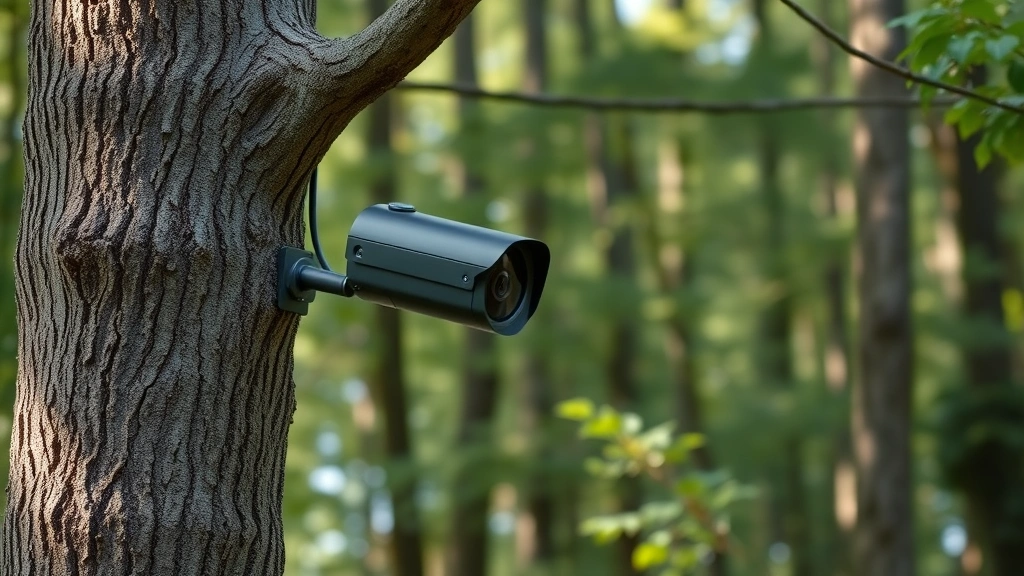
Game cameras—wildlife surveillance devices designed for hunting and nature observation—have increasingly become repurposed as affordable security solutions for homeowners and small businesses. These motion-activated cameras offer compelling advantages: extended battery life, weather resistance, and surprisingly sharp image quality at a fraction of the cost of traditional security systems. However, using game cameras for security purposes requires understanding their limitations, capabilities, and the cybersecurity risks they present when connected to networks or cloud services.
The intersection of game camera technology and security creates a unique landscape where enthusiasts seek cost-effective monitoring solutions. Yet this convergence also introduces vulnerabilities that security professionals must address. Unlike purpose-built security cameras engineered with encryption and authentication protocols, many game cameras prioritize simplicity over security, potentially exposing users to data breaches, unauthorized access, and privacy violations. This comprehensive guide examines whether game cameras truly serve security needs and what protective measures users must implement.
Game Cameras vs. Traditional Security Systems
Game cameras differ fundamentally from dedicated security cameras in design philosophy and security architecture. Traditional security systems prioritize continuous monitoring, remote accessibility, and integration with alarm systems. Game cameras, conversely, operate on motion-detection triggers to conserve battery power, store footage locally on SD cards, and typically require physical retrieval for footage access.
Key differences include:
- Power consumption: Game cameras operate for months on batteries; security cameras require consistent power or frequent charging
- Storage: Game cameras use local SD card storage; security systems often employ cloud infrastructure
- Connectivity: Many game cameras operate completely offline; security systems demand internet connectivity
- Resolution and frame rate: Game cameras typically capture 8-12 megapixel photos or 1080p video; security cameras offer 4K and higher frame rates
- Night vision: Game cameras use infrared or black flash; security cameras employ LED arrays or thermal imaging
For property owners seeking budget-conscious perimeter monitoring, game cameras present legitimate advantages. They require no monthly subscription fees, operate independently of broadband availability, and provide evidence suitable for law enforcement. However, their limitations—delayed detection, limited field of view, and lack of real-time alerts—make them unsuitable as primary security solutions for high-value assets or areas requiring immediate response.
When considering game cameras for security, evaluate whether your threat model aligns with their capabilities. A comprehensive security strategy requires understanding both technological and human factors that influence protection effectiveness.
Top Game Cameras for Security Applications
Several game camera models have gained recognition among security-conscious users for their reliability and image quality. These selections consider factors relevant to security deployment: image clarity, trigger speed, weather durability, and firmware update frequency.
Recommended models for security purposes:
- Browning Strike Force Pro: 20-megapixel resolution, 0.4-second trigger speed, encrypted SD card compatibility, and robust construction make this a reliable choice. Its rapid trigger response minimizes blind spots during motion events.
- Spypoint LINK-MICRO-LTE: Integrated cellular connectivity enables near-real-time image transmission, though this introduces connectivity dependencies and potential security risks requiring careful network configuration.
- Reconyx HyperFire 2: Professional-grade construction, 32-megapixel resolution, and exceptional low-light performance suit demanding security applications. Higher cost reflects enterprise-level durability.
- Bushnell Core DS: Dual-sensor technology captures high-quality daytime and nighttime imagery. Affordable pricing makes it accessible for perimeter monitoring on larger properties.
- Muddy Outdoors Pro Cam: Weather-sealed design, 26-megapixel sensor, and reliable trigger mechanism provide solid performance for outdoor security applications.
Selection should prioritize models with regular firmware updates, transparent security practices, and manufacturer support for encrypted storage options. Avoid cameras from manufacturers with poor cybersecurity track records or those discontinuing software support.

Cybersecurity Vulnerabilities in Game Cameras
Game cameras present several cybersecurity risks that security professionals must address before deployment. Unlike enterprise security equipment designed with threat modeling and penetration testing, many game cameras receive minimal security engineering attention.
Primary vulnerabilities include:
- Weak authentication: Cameras with cellular or WiFi connectivity often employ basic PIN protection or factory default credentials. Attackers can gain unauthorized access to live feeds and stored footage.
- Unencrypted data transmission: Images transmitted via cellular networks or WiFi may lack encryption, exposing sensitive security footage to interception during transit.
- Firmware vulnerabilities: Outdated firmware may contain known exploits. Manufacturers sometimes discontinue updates, leaving devices permanently vulnerable.
- Physical security: Cameras mounted outdoors face tampering risks. Thieves can steal devices to access stored footage or prevent monitoring entirely.
- Cloud service risks: Cameras syncing to cloud platforms introduce third-party security dependencies. Breaches at cloud providers expose all user footage simultaneously.
- GPS data leakage: Geotagged images reveal precise property locations, enabling targeted burglaries or surveillance by threat actors.
According to CISA (Cybersecurity and Infrastructure Security Agency), consumer IoT devices including cameras represent high-risk attack vectors due to their widespread deployment and often-neglected security posture. Game cameras fall squarely within this threat landscape.
The risk escalates when cameras connect to home networks. A compromised game camera can serve as a pivot point for lateral movement into personal computers, smart home systems, and network-attached storage containing sensitive documents.
Best Practices for Secure Game Camera Deployment
Implementing game cameras for security requires deliberate protective measures that mitigate identified vulnerabilities. These practices apply whether cameras operate offline or connect to networks.
Essential security measures:
- Isolate network connectivity: If using WiFi or cellular-enabled models, place cameras on isolated network segments separate from computers and personal devices. Use network segmentation to prevent lateral movement if cameras become compromised.
- Enforce strong authentication: Change default credentials immediately. Use complex, unique passwords for each camera. Enable two-factor authentication if available.
- Update firmware regularly: Subscribe to manufacturer security notifications. Apply firmware updates promptly. Document update schedules and verify successful installations.
- Encrypt storage: Use SD cards with hardware encryption support. Store backup footage on encrypted external drives. Never leave unencrypted footage accessible.
- Disable unnecessary features: Turn off GPS tagging, cloud sync, and wireless connectivity if not required. Every enabled feature expands the attack surface.
- Implement physical security: Mount cameras in tamper-resistant enclosures. Use cable locks to prevent theft. Consider decoy cameras to distract potential attackers from primary monitoring equipment.
- Establish retrieval protocols: Develop secure procedures for removing and transporting SD cards. Use encrypted USB drives for footage transfer.
- Monitor for unauthorized access: Review camera logs for access attempts, failed authentication, and unusual activity patterns. Investigate anomalies immediately.
These measures transform game cameras from casual wildlife monitors into components of a defensible security architecture. However, they require ongoing attention and technical competency to maintain effectiveness.

Network Security Considerations
Game cameras with network connectivity introduce complexities requiring careful network architecture decisions. The decision to enable wireless features should follow formal risk assessment rather than default manufacturer settings.
Network security framework:
Segmentation strategy: Create dedicated IoT networks separate from devices storing sensitive information. Implement firewall rules restricting camera communication to necessary endpoints only. Use access control lists to deny unauthorized traffic patterns.
Router hardening: Change default router credentials. Disable UPnP (Universal Plug and Play), which allows devices to automatically open firewall ports. Update router firmware regularly. Enable WPA3 encryption for WiFi networks, or WPA2 if WPA3 unavailable.
VPN considerations: While VPNs encrypt traffic from cameras to external servers, they create persistent connections that may increase vulnerability exposure. Evaluate whether VPN benefits justify the additional complexity and potential performance degradation.
According to NIST (National Institute of Standards and Technology) guidance on IoT security, network segmentation represents the single most effective mitigation for IoT device compromises. Game cameras should never share network segments with critical infrastructure.
Monitoring and detection: Implement network monitoring tools to track camera data flows. Unusual bandwidth spikes, connections to unexpected destinations, or timing anomalies may indicate compromise. Review network logs regularly.
Incident response planning: Develop procedures for responding to suspected camera compromise. Know how to isolate devices quickly, preserve evidence, and notify relevant authorities if security incidents occur.
Privacy and Legal Implications
Game camera deployment raises privacy concerns that vary by jurisdiction. Before installing cameras, understand applicable laws governing surveillance, recording, and data protection.
Key legal considerations:
- Audio recording regulations: Many jurisdictions prohibit audio recording without consent from all parties. Game cameras with microphones may violate wiretapping laws. Disable audio recording unless explicitly permitted and necessary.
- Neighbor privacy: Cameras pointing toward neighboring properties may violate privacy expectations. Position cameras to monitor only your own property. Document your security rationale.
- Employee recording: Recording employees without consent violates labor laws in many regions. Consult legal counsel before deploying cameras in workspaces.
- Data retention requirements: Some jurisdictions impose minimum retention periods for security footage. Others require deletion after specified timeframes. Establish compliant retention policies.
- Data breach notification: If camera footage is compromised, notification obligations may apply. Understand disclosure requirements in your jurisdiction.
- Third-party data sharing: Review manufacturer privacy policies. Some companies may access footage for analytics, training, or other purposes without explicit consent. Opt out where possible.
When using game cameras for security, maintain documentation of deployment decisions, threat assessments, and protective measures implemented. This documentation supports legal defensibility if incidents occur.
The Federal Trade Commission (FTC) provides resources on consumer privacy rights and IoT device security expectations. Reviewing FTC guidance helps ensure compliance with federal privacy standards.
FAQ
Can game cameras replace professional security systems?
Game cameras serve as supplementary monitoring tools but cannot replace comprehensive security systems. They lack real-time alerting, continuous recording, and integration capabilities essential for professional security. Use game cameras to extend coverage to remote areas or as backup documentation devices, but maintain primary security systems for critical protection.
Are cellular game cameras more vulnerable than offline models?
Cellular cameras introduce network connectivity risks that offline models avoid. However, offline cameras stored on unencrypted SD cards present data theft risks if devices are stolen. Both approaches require compensating security measures—network isolation for cellular models, encryption for offline storage.
What happens if a game camera’s SD card is stolen?
Unencrypted footage on stolen SD cards becomes accessible to attackers, exposing your security strategy and property details. Encrypt SD cards using hardware encryption or encrypt footage before storage. Consider this risk when positioning cameras in accessible locations.
How often should game camera firmware be updated?
Subscribe to manufacturer security notifications and apply updates within 30 days of release. Critical security patches should be applied immediately. Document all updates and verify successful installation by checking firmware version after restart.
Can game cameras be hacked remotely?
Cameras with internet connectivity can be hacked remotely if they have weak authentication, unpatched vulnerabilities, or poor network segmentation. Offline cameras require physical access to compromise but present risks if stolen. Implement appropriate protections for your connectivity model.
What’s the difference between infrared and black flash for night vision?
Infrared (IR) LEDs emit invisible light suitable for covert monitoring but produce lower-quality monochrome images. Black flash (940nm wavelength) provides nearly-invisible illumination with color capability. For security applications, black flash offers superior image quality with minimal detection risk.