Is Avast Mobile Security Effective for Android? Expert Insights
In an era where Android devices handle our most sensitive information—from banking credentials to personal photos—mobile security has become non-negotiable. Avast Mobile Security & Antivirus stands as one of the most downloaded security applications on the Google Play Store, boasting millions of active users worldwide. But does popularity translate to genuine protection? This comprehensive analysis examines whether Avast delivers on its security promises for Android users.
Mobile threats have evolved dramatically over the past decade. Malware developers now target Android with sophisticated techniques including privilege escalation exploits, banking trojans, and data harvesting applications. Users face not only traditional viruses but also privacy breaches, ransomware attacks, and unauthorized access to personal information. Understanding whether Avast Mobile Security can defend against these threats requires examining its technical capabilities, real-world performance, and independent testing results.

Core Security Features
Avast Mobile Security & Antivirus provides a comprehensive suite of protective tools designed to address multiple threat vectors. The application includes real-time malware scanning, which continuously monitors installed applications and system files for suspicious behavior. This proactive approach differs from reactive scanning, where users manually initiate virus checks.
The platform integrates a phishing protection engine that analyzes URLs before users visit websites, blocking fraudulent pages designed to steal credentials. For those concerned about data breaches, Avast includes a password manager feature alongside secure Wi-Fi monitoring. The application alerts users when connecting to unsecured networks, a critical feature given that public Wi-Fi networks present substantial security risks.
Additional features include:
- App Permissions Auditor: Analyzes which permissions applications request and flags suspicious permission combinations
- Anti-Theft Protection: Allows remote device location, locking, and data wiping if the phone is lost or stolen
- Call and SMS Filtering: Blocks spam calls and text messages, protecting against social engineering attacks
- Privacy Cleaner: Removes cached data, cookies, and temporary files that could expose personal information
- VPN Integration: Optional encrypted browsing for additional privacy (premium feature)
These features address multiple security dimensions, from malware prevention to personal data protection. However, feature abundance doesn’t automatically guarantee effectiveness—implementation quality matters significantly.
Threat Detection Capabilities
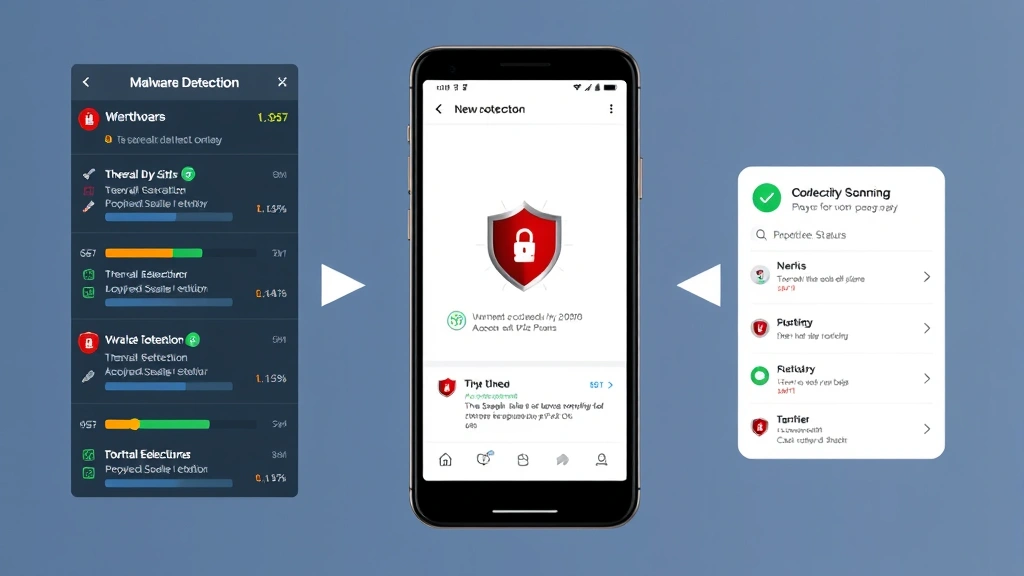
Independent testing organizations provide crucial insights into Avast’s actual threat detection performance. AV-Comparatives, a respected independent security testing institute, conducts rigorous evaluations of antivirus products. Their mobile security tests assess detection rates against real-world malware samples, false positive rates, and performance impact.
Avast typically achieves strong detection rates in independent tests, often exceeding 95% effectiveness against known malware threats. However, detection rates for zero-day exploits—previously unknown vulnerabilities—vary depending on the specific threat landscape during testing periods. The company maintains a substantial threat intelligence database, continuously updated with information about emerging malware families affecting Android devices.
The application’s heuristic analysis engine attempts to identify previously unknown threats through behavioral analysis. Rather than relying solely on signature-based detection (matching known malware patterns), heuristic engines examine program behavior to identify suspicious activities indicative of malicious intent. This approach proves valuable against emerging threats but occasionally generates false positives.
Real-world threat detection depends on several factors:
- Database freshness—how quickly Avast updates threat definitions
- Behavioral analysis accuracy—identifying suspicious patterns without excessive false alarms
- Integration with Android security features—leveraging OS-level protections
- User behavior—avoiding installation of applications from untrusted sources
Avast’s cloud-based infrastructure enables rapid threat signature distribution. When the company’s security researchers identify new malware, they can push updates to user devices within minutes. This rapid response capability proves critical for emerging threats that spread quickly across the Android ecosystem.
One important consideration: CISA (Cybersecurity and Infrastructure Security Agency) emphasizes that no single security tool provides complete protection. Layered security approaches—combining application-level protection with OS updates and user awareness—provide stronger overall defense than relying on any single application.
Performance and Battery Impact
A critical evaluation criterion for mobile security applications involves their impact on device performance and battery life. Users frequently abandon security applications if they significantly slow down their devices or drain battery excessively. Avast has optimized its Android application to minimize resource consumption, but measurable impacts still occur.
Real-time scanning processes continuously run in the background, consuming CPU cycles and memory. Avast implements intelligent scheduling to perform intensive scanning operations during periods when users are less likely to interact with their devices—typically during nighttime hours or when the device is plugged in for charging. This approach balances security needs against user experience.
Battery impact studies show that Avast Mobile Security typically increases daily battery drain by 2-5%, depending on device specifications and usage patterns. Older devices with limited RAM experience more noticeable performance degradation than newer flagship phones with abundant resources. Users with tight battery requirements may need to adjust settings, potentially reducing real-time protection levels.
Performance optimization recommendations include:
- Disabling real-time scanning during gaming or resource-intensive applications
- Scheduling full device scans during nighttime hours
- Reducing scanning frequency for already-installed applications
- Limiting the number of simultaneously running background tasks
User Experience and Interface
Avast’s user interface balances functionality with accessibility. The main dashboard presents critical security information clearly: current threat status, last scan date, and any detected issues requiring attention. Color-coded indicators (green for secure, orange for warnings, red for threats) provide quick status assessment without requiring detailed analysis.
The application’s navigation structure allows users to access security features logically organized into categories. However, the free version’s aggressive promotion of premium features occasionally clutters the interface. Users frequently encounter notifications encouraging upgrades to premium plans, which some find intrusive.
Setup and initial configuration prove straightforward for most users. The application guides new users through permission granting and feature enablement. However, advanced customization options require navigating multiple menu layers, potentially confusing less technical users.
One significant advantage: Avast provides comprehensive support documentation and responsive customer service. Users encountering issues can access detailed guides, video tutorials, and direct support channels.
Privacy Considerations
Security applications paradoxically create privacy risks through their extensive device access. Avast requires permissions to scan files, monitor network traffic, and access application data—legitimate requirements for threat detection. However, this extensive access creates potential privacy vulnerabilities if the company mishandles collected data.
Data collection practices: Avast collects usage statistics, threat information, and device characteristics to improve its services. The company’s privacy policy explicitly states that personal identification information remains separate from security and usage data. Independent privacy audits have generally confirmed that Avast follows stated practices, though some privacy advocates recommend exercising caution with any security application having extensive device access.
Users uncomfortable with data collection can adjust settings to minimize information sharing. The free version collects more data than premium plans, as the company monetizes free users through data-driven services. This business model, while common in the antivirus industry, warrants user awareness.
The Electronic Frontier Foundation recommends evaluating security applications through a privacy lens: Does the company have a history of respecting user privacy? Are data practices transparent? Does the application require excessive permissions beyond its stated functionality?
For users prioritizing privacy above all considerations, exploring alternative security solutions with stronger privacy commitments may prove worthwhile, though this requires balancing privacy against other security requirements.
Comparison with Competitors
The Android security application landscape includes numerous competitors, each with distinct strengths and weaknesses. Understanding how Avast compares helps users determine whether it represents the optimal choice for their specific requirements.
Kaspersky Mobile Security frequently achieves higher independent test scores than Avast, particularly in zero-day threat detection. However, Kaspersky faces regulatory scrutiny in some countries regarding data practices and potential government access to collected information.
Norton Mobile Security provides robust threat protection but consumes more system resources than Avast. Norton’s user interface proves intuitive for non-technical users, though premium pricing exceeds Avast’s offerings.
Bitdefender Mobile Security offers excellent malware detection with minimal performance impact. Many security professionals regard Bitdefender as offering superior overall protection, though Avast’s free version provides better value for budget-conscious users.
Google Play Protect (built into Android) provides basic malware scanning at no cost. While less comprehensive than dedicated security applications, Play Protect covers fundamental threats and receives automatic updates with Android security patches. Users questioning whether they need third-party security applications should understand that Play Protect provides foundational protection, though dedicated applications offer additional layers.
Avast’s primary competitive advantages include:
- Free version functionality exceeding many competitors’ offerings
- Intuitive user interface with clear security status reporting
- Reasonable performance impact on device speed and battery life
- Comprehensive feature set addressing multiple threat vectors
Recommendations and Best Practices
Whether Avast Mobile Security represents an appropriate choice depends on individual circumstances, threat profiles, and preferences. Consider the following evaluation framework:
Avast suits you if:
- You seek a free security application with comprehensive features
- You install applications from diverse sources beyond Google Play Store
- You prioritize ease of use and clear threat reporting
- You want anti-theft capabilities and privacy cleaning tools
- Your device has adequate resources (4GB+ RAM) to accommodate the application
Consider alternatives if:
- You prioritize privacy and want minimal data collection
- You require maximum possible threat detection rates
- Your device has limited storage or RAM (under 3GB)
- You’re willing to pay premium prices for advanced features
- You need specialized protection for business use
Regardless of which security application you select, comprehensive protection requires combining multiple defensive strategies. NIST cybersecurity guidelines emphasize that layered security approaches prove substantially more effective than relying on single solutions.
Essential complementary practices:
- Keep Android updated: Install security patches immediately upon availability. Google releases monthly security updates addressing newly discovered vulnerabilities.
- Use strong authentication: Enable biometric authentication (fingerprint or face recognition) alongside strong PINs or passwords.
- Verify app permissions: Review permissions requested by applications before installation. Legitimate applications request only permissions necessary for functionality.
- Avoid untrusted sources: Download applications exclusively from Google Play Store or other reputable stores. Third-party app stores frequently host malicious applications.
- Maintain awareness: Understand common social engineering tactics. Phishing attacks succeed through user deception rather than technical vulnerabilities.
- Regular backups: Maintain encrypted backups of critical data. Ransomware attacks become less damaging if you can restore files from backups.
- Network security: Use VPNs when accessing public Wi-Fi networks. Avoid sensitive transactions on unsecured networks.
For those interested in deepening their security knowledge, developing expertise in technology evaluation provides valuable frameworks applicable to security assessment across multiple domains.
FAQ
Does Avast Mobile Security slow down Android devices?
Avast typically increases resource consumption by 2-5% depending on device specifications. Older devices with limited RAM experience more noticeable slowdowns. Users can optimize performance by disabling real-time scanning during intensive tasks or scheduling full scans during off-peak hours.
Is Avast free version sufficient for basic protection?
Yes, Avast’s free version provides substantial security functionality including malware scanning, phishing protection, and anti-theft capabilities. However, premium versions offer additional features like VPN services and advanced privacy tools. The free version represents good value for users with basic security requirements.
How often does Avast update threat definitions?
Avast updates threat signatures multiple times daily through cloud-based distribution systems. Real-time updates occur when new threats are identified, ensuring users receive protection against emerging malware quickly.
Does Avast collect personal data?
Avast collects usage statistics and threat information to improve services, but personal identification remains separate from this data. Users can adjust privacy settings to minimize data collection. Review Avast’s privacy policy for detailed information about specific data practices.
Can Avast protect against all Android malware?
No security application provides 100% protection against all threats. Avast achieves 95%+ detection rates against known malware but may miss zero-day exploits. Comprehensive protection requires combining dedicated security applications with user awareness and system updates.
Should I use Avast alongside Google Play Protect?
Using both provides layered protection, though it increases resource consumption. Google Play Protect covers basic threats automatically. Adding Avast provides additional detection capabilities and features like anti-theft protection and privacy cleaning.
Is Avast trustworthy regarding data security?
Avast maintains generally positive reputation regarding data security, though the company has faced criticism regarding data collection practices. Independent audits confirm the company follows stated privacy policies. Users uncomfortable with any data collection should research alternatives prioritizing privacy.


