Best Auto Security Cameras? Expert Reviews Inside
Vehicle security has become a critical concern for modern drivers, with theft, vandalism, and hit-and-run incidents occurring at alarming rates. An auto security camera serves as both a deterrent and evidence collector, protecting your vehicle when you’re away. Whether you’re concerned about parking lot incidents, protecting your investment, or documenting accidents, selecting the right dashboard or surveillance system requires understanding the technology, features, and security implications involved.
The automotive security camera market has exploded in recent years, offering solutions ranging from simple single-lens dashcams to comprehensive multi-camera systems with cloud connectivity. However, not all cameras provide equal protection or reliability. This comprehensive guide examines the best options available, evaluates their security features, and helps you make an informed decision based on your specific needs and threat profile.
Understanding Auto Security Camera Types
Before selecting an auto security camera system, you must understand the different categories available. Each type serves distinct purposes and offers varying levels of protection for your vehicle.
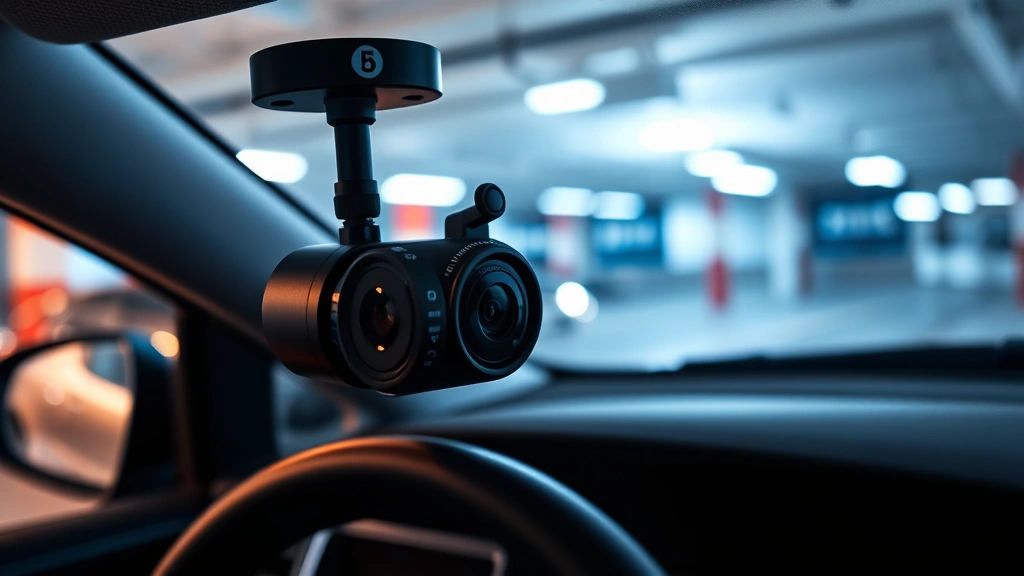
Dashcams represent the most common automotive security solution, mounted on the windshield to record forward-facing footage during driving and parking. These devices capture accident evidence, provide insurance claim support, and document road incidents in real-time. Quality dashcams feature high-resolution recording, wide-angle lenses, and loop recording capabilities that automatically overwrite older footage when storage reaches capacity.
Multi-camera systems expand coverage to include rear, side, and interior perspectives. These comprehensive setups provide 360-degree surveillance, protecting against threats from all directions. Multi-camera systems often include parking mode recording, which activates when motion is detected around your vehicle, offering protection during unattended periods.
Interior cabin cameras monitor passenger areas, deterring theft and providing evidence if unauthorized individuals enter your vehicle. Fleet operators and ride-share drivers particularly value interior monitoring for security and accountability purposes.
Wireless and hardwired systems differ significantly in installation complexity and reliability. Hardwired cameras integrate directly with your vehicle’s electrical system, offering continuous power and seamless integration. Wireless systems provide easier installation but depend on battery life and connectivity stability.
Understanding these categories helps you identify which auto security camera solution aligns with your protection requirements and budget constraints.
Top Rated Auto Security Cameras
The market offers numerous high-quality options, each with distinct advantages. Leading manufacturers have invested heavily in improving video quality, reliability, and security features.
Premium Dashcam Systems typically feature 4K resolution, advanced night vision, and artificial intelligence-powered event detection. These systems record at frame rates between 24-60 fps, ensuring smooth playback and clear identification of license plates and facial details. Top-tier models include redundant storage options, cloud backup capabilities, and real-time alerts to your smartphone.
Quality auto security cameras from reputable manufacturers include built-in GPS, which timestamps and geolocates footage for accident reconstruction and insurance claims. Some premium models feature dual-channel recording, simultaneously capturing forward and interior perspectives without performance degradation.
Mid-Range Options balance features with affordability, offering 1080p to 2K resolution, decent low-light performance, and reliable parking mode recording. These cameras suit most drivers who prioritize evidence collection over cutting-edge features. Mid-range systems typically provide 128GB-256GB storage capacity and straightforward mobile app interfaces.
Budget-Friendly Solutions deliver essential functionality without premium pricing. Basic 1080p dashcams capture sufficient detail for most incidents while remaining affordable and easy to install. However, budget models may lack advanced features like AI detection, cloud connectivity, or superior night vision capabilities.
For comprehensive vehicle protection, consider exploring ScreenVibe Daily Blog resources on security technology trends and consumer reviews that complement automotive security research.

Security Features and Data Protection
Modern auto security cameras incorporate sophisticated security measures to protect recorded footage and personal data. Understanding these features ensures your surveillance system doesn’t compromise your privacy or expose sensitive information.
Encryption Standards protect footage during storage and transmission. Leading systems employ AES-256 encryption, the same standard used by government agencies and financial institutions. This encryption prevents unauthorized access to your recordings, even if your camera is stolen or your cloud account is compromised.
Secure Cloud Storage requires evaluating the manufacturer’s data protection policies. Reputable companies comply with industry standards including GDPR, CCPA, and other privacy regulations. Before selecting a camera with cloud features, verify the provider’s data center locations, backup procedures, and incident response protocols. CISA (Cybersecurity and Infrastructure Security Agency) provides guidelines for evaluating cloud service providers’ security practices.
Local Storage Options offer privacy advantages by keeping footage on your device rather than remote servers. MicroSD cards and internal storage eliminate dependency on internet connectivity and reduce exposure to cloud breaches. However, local storage requires manual backup to prevent data loss if your camera is stolen.
Authentication Mechanisms protect camera access through multi-factor authentication, preventing unauthorized users from accessing your footage or controlling camera settings. Strong password policies and biometric authentication add protection layers against credential compromise.
Firmware Updates are critical for security. Manufacturers regularly release updates addressing discovered vulnerabilities and adding security features. Cameras with automatic update capabilities ensure your system receives patches without requiring manual intervention. Check that your chosen camera supports updates for at least 3-5 years after purchase.
Threat actors actively target connected automotive devices, exploiting vulnerabilities to access footage, track vehicle locations, or disable security features. NIST Cybersecurity Framework recommendations emphasize the importance of regular security assessments and vulnerability management for connected devices.
Privacy Considerations extend beyond technical security. Ensure your camera system respects passenger and bystander privacy according to local laws. Some jurisdictions restrict audio recording or require disclosure when recording occurs in certain areas. Review your camera’s default settings and adjust to comply with applicable regulations.
Installation and Privacy Considerations
Proper installation directly impacts security camera effectiveness and your vehicle’s security posture. Improper installation creates vulnerabilities that undermine the system’s protective value.
Professional Installation ensures correct placement, secure wiring, and optimal configuration. Professional installers understand vehicle electrical systems, prevent accidental damage, and integrate cameras with existing security features. While more expensive initially, professional installation reduces malfunction risks and warranty complications.
DIY Installation offers cost savings but requires technical competence. Self-installation mistakes can damage vehicle electronics, create electrical hazards, or result in suboptimal camera placement. If choosing DIY installation, follow manufacturer guidelines precisely and use quality components throughout.
Placement Strategy maximizes coverage while minimizing blind spots. Dashcams should mount on the windshield directly behind the rearview mirror for optimal forward viewing. Rear cameras position on the rear window or bumper to capture following vehicles and parking incidents. Interior cameras mount discreetly to monitor cabin areas without obstructing visibility.
Power Management determines how long your system operates in parking mode. Hardwired cameras connect to your vehicle’s battery through a dedicated circuit with appropriate fusing. Some systems include capacitors or supercapacitors that provide brief recording periods after power loss, capturing initial moments of vehicle tampering or theft attempts.
Legal Compliance varies significantly by jurisdiction. Research local laws regarding dash camera use, recording consent requirements, and audio recording restrictions. Some regions require disclosure stickers indicating surveillance is active. Understanding legal requirements prevents inadvertent violations and ensures your footage remains admissible in legal proceedings.
For additional insights on security technology implementation, consult Best Movie Review Sites – Ultimate Guide resources that discuss evaluating technology and information sources critically.
Network Security becomes critical for systems with WiFi or cellular connectivity. Ensure your camera connects only to secure, password-protected networks. Avoid connecting to public WiFi hotspots where intercepted data could expose your footage or camera credentials. Use a dedicated mobile hotspot or home network for all camera communications.

Comparison and Recommendations
Selecting the optimal auto security camera requires evaluating multiple factors against your specific requirements and circumstances.
For Urban Daily Drivers: Mid-range 2K dashcams with parking mode recording provide excellent value. These systems capture sufficient detail for insurance claims and accident documentation without excessive cost. Look for models with reliable WiFi connectivity and intuitive mobile apps that simplify footage review.
For High-Value Vehicles: Premium 4K multi-camera systems justify investment through comprehensive protection. These systems offer 360-degree coverage, advanced AI detection, and cloud backup ensuring critical footage survives camera theft. Superior night vision capabilities protect against sophisticated theft attempts occurring under darkness.
For Fleet Operations: Commercial-grade systems with GPS tracking, real-time alerts, and centralized management platforms optimize fleet security. These solutions integrate with vehicle telematics, providing comprehensive monitoring beyond video surveillance. Consider systems compliant with FMCSA regulations if operating commercial vehicles.
For Budget-Conscious Buyers: Basic 1080p dashcams from established manufacturers deliver reliable evidence collection at accessible price points. While lacking premium features, these systems provide essential protection for most common scenarios. Prioritize reliability and warranty support over advanced features.
Key Evaluation Criteria:
- Video Quality: Minimum 1080p resolution, preferably 2K or 4K for license plate identification
- Night Vision: Infrared or advanced low-light sensors for 24/7 protection
- Field of View: Wide-angle lenses (170+ degrees) capturing maximum area
- Storage Capacity: Sufficient onboard or cloud storage for continuous recording periods
- Reliability: Established manufacturer with proven track record and responsive customer support
- Security Features: Encryption, secure authentication, and regular firmware updates
- Warranty Coverage: Minimum 2-3 year warranty covering hardware and technical support
- Integration Capabilities: Compatibility with existing vehicle systems and smart home platforms
Research independent reviews from reputable automotive and security publications. Tom’s Guide and similar resources provide detailed testing and comparative analysis of leading auto security cameras. Avoid relying solely on manufacturer claims; third-party testing provides objective performance validation.
Consider your vehicle’s age, existing security features, and integration capabilities when selecting a system. Newer vehicles may include factory-installed cameras that integrate with aftermarket systems, while older vehicles require standalone solutions. Understanding your vehicle’s architecture ensures seamless integration and maximum protection.
FAQ
What resolution should I prioritize in an auto security camera?
For most drivers, 1080p minimum resolution suffices for capturing license plates and identifying individuals. However, 2K or 4K resolution provides superior detail for insurance claims and legal proceedings. Higher resolution requires more storage capacity, so balance quality against your storage constraints and budget.
Can auto security cameras operate continuously without draining my vehicle battery?
Most modern dashcams use minimal power, consuming approximately 0.5-2 amps during operation. Hardwired systems include voltage monitors that disable recording when battery voltage drops dangerously low, preventing complete battery drain. However, extended parking mode recording in older vehicles may eventually deplete batteries without proper power management circuits.
Are cloud-connected cameras more vulnerable to hacking?
Cloud connectivity introduces network-based attack vectors if improperly secured. However, reputable manufacturers implement robust encryption and authentication protocols that provide security equivalent to local storage. The key is selecting cameras from established companies with strong security track records and regular security updates.
How long should I retain recorded footage?
Insurance companies typically recommend retaining footage for at least 30 days, though longer retention provides additional protection for delayed incident reporting. Legal requirements vary by jurisdiction; consult local regulations regarding retention periods for potential evidence in civil or criminal proceedings.
Can I use an auto security camera to monitor my vehicle while parked?
Yes, parking mode recording is a primary feature of modern dashcams. Motion-activated recording captures incidents while your vehicle is unattended, providing evidence of theft, vandalism, or hit-and-run incidents. Ensure your camera includes appropriate power management to avoid excessive battery drain.
What security measures should I implement beyond the camera itself?
Combine auto security cameras with additional protective measures including steering wheel locks, GPS trackers, alarm systems, and secure parking practices. Multi-layered security approaches significantly increase deterrence and recovery success rates compared to cameras alone. For comprehensive vehicle protection, consult How to Become a Film Critic resources on evaluating and analyzing information critically when researching security solutions.
Do auto security cameras require internet connectivity to function?
Most dashcams function independently without internet connectivity, recording to local storage regardless of online status. However, cloud backup, real-time alerts, and remote access features require active internet connections. Evaluate whether cloud features justify potential privacy and security trade-offs for your specific situation.


