Secure Destiny 2 Assets: Pro Gamer Advice for Protecting Your Account
Your Destiny 2 account represents countless hours of gameplay, rare exotic weapons, legendary armor, and hard-earned currency. In an era where gaming accounts face unprecedented security threats, protecting your digital assets has become as critical as mastering raid mechanics. Account compromise can result in permanent loss of weapons, gear, and progression—consequences far more severe than a single failed mission.
Cyber threats targeting gaming accounts have evolved dramatically. Hackers employ sophisticated social engineering, credential stuffing, and phishing campaigns specifically designed to infiltrate Destiny 2 accounts. Unlike traditional cybersecurity concerns, gaming account breaches directly impact your entertainment investment and competitive standing. This comprehensive guide explores professional-grade security strategies that elite Destiny 2 players implement to safeguard their accounts and assets.
Understanding Account Security Threats in Destiny 2
Destiny 2 accounts represent valuable digital property. Your account contains cosmetic items, weapons with unique perks, seasonal progress, and currency investments. These assets create a lucrative target for cybercriminals operating account takeover schemes. Understanding the threat landscape is your first line of defense against compromise.
Credential stuffing represents the most common attack vector against gaming accounts. Attackers obtain leaked username and password combinations from previous data breaches across unrelated platforms, then systematically test these credentials against Destiny 2 accounts. If you’ve reused passwords across multiple services, your account becomes vulnerable the moment any single service experiences a breach.
Phishing campaigns specifically targeting Destiny 2 players have increased significantly. Scammers create convincing replicas of official Bungie login pages, social media accounts, and community forums. These fraudulent sites capture login credentials when unsuspecting players attempt to access their accounts. The sophistication of modern phishing attacks makes visual inspection alone insufficient for threat identification.
Man-in-the-middle attacks occur when attackers intercept unencrypted communications between your device and Bungie’s servers. Public WiFi networks present particular vulnerability, as they lack encryption and monitoring. Attackers positioned on compromised networks can capture authentication tokens, session cookies, and sensitive account information transmitted without proper encryption.
Social engineering exploits human psychology rather than technical vulnerabilities. Attackers may impersonate Bungie support staff, claiming account violations require immediate action. They pressure players to provide account information urgently, bypassing normal security procedures. Recognizing these manipulation tactics prevents account compromise through deception.
Two-Factor Authentication Implementation
Two-factor authentication (2FA) represents the single most effective security control available to Destiny 2 players. Even if attackers obtain your password, they cannot access your account without the second authentication factor. Bungie supports multiple 2FA methods, each providing different security and convenience tradeoffs.
Authenticator apps like Google Authenticator, Microsoft Authenticator, or Authy generate time-based one-time passwords (TOTP). These six-digit codes change every thirty seconds, making them impossible to predict or reuse. Authenticator apps function offline, requiring no internet connection for code generation. This independence from network connectivity provides security advantages over SMS-based authentication.
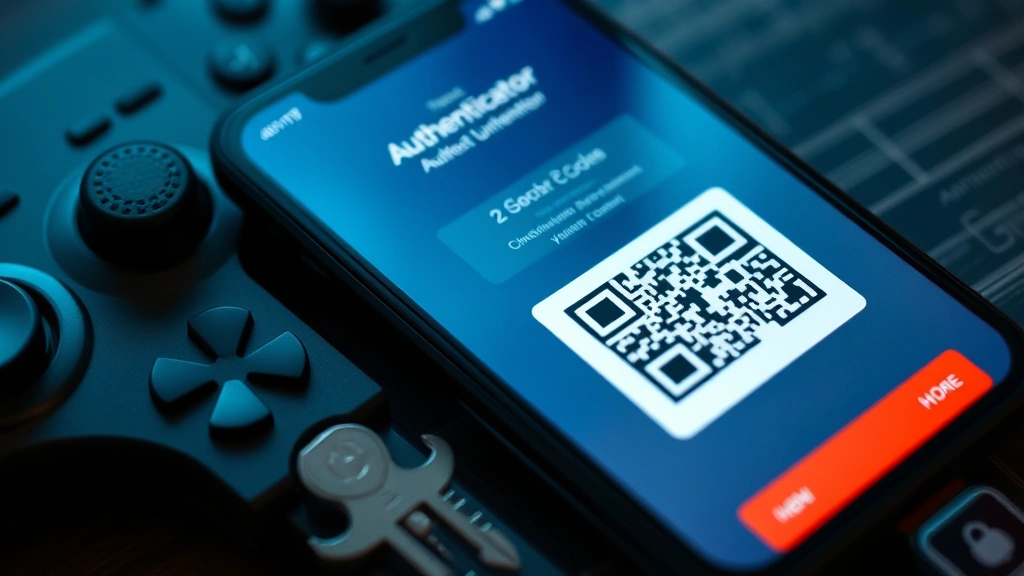
Setting up authenticator-based 2FA involves installing an authentication application on your smartphone, then scanning a QR code during account setup. The app generates unique codes bound to your Bungie account. When logging in, you enter this code alongside your password. The process takes seconds but dramatically increases account security.
SMS-based 2FA sends verification codes via text message to your registered phone number. While less secure than authenticator apps (SMS can be intercepted or redirected through SIM swapping attacks), SMS 2FA provides better protection than no 2FA. Use SMS 2FA only if authenticator apps are unavailable on your device.
Hardware security keys like YubiKey or Titan Security Keys provide the highest security level. These physical devices contain cryptographic credentials that authenticate your identity without transmitting secrets over networks. Attackers cannot compromise your account without physically possessing your security key. Hardware keys protect against phishing, man-in-the-middle attacks, and credential interception simultaneously.
Enable 2FA immediately through your Bungie account settings. Navigate to Account Settings, locate Security options, and select your preferred authentication method. Store backup codes in a secure location separate from your device. These codes bypass authentication requirements if you lose access to your primary 2FA method.
Password Management Strategies
Strong, unique passwords form the foundation of account security. Your Destiny 2 password should never be reused across other accounts, websites, or services. Password reuse means a breach on any single platform compromises your gaming account. This interconnected vulnerability explains why CISA recommends unique passwords for each online account.
Effective passwords contain at least 16 characters combining uppercase letters, lowercase letters, numbers, and special symbols. Avoid dictionary words, personal information, sequential numbers, or predictable patterns. Attackers employ dictionary attacks and pattern recognition algorithms that crack weak passwords in seconds.
Password managers like Bitwarden, 1Password, or Dashlane solve the challenge of maintaining unique, complex passwords across numerous accounts. These tools generate random passwords, securely store them in encrypted vaults, and autofill login forms. Password managers reduce the cognitive burden of password management while improving security dramatically.
Setting up a password manager involves creating a single strong master password that protects your entire vault. This master password should be memorized—never written down or shared. The password manager encrypts all stored credentials with this master password, ensuring that even if the password manager company experiences a breach, attackers cannot decrypt your credentials.
Never share your Destiny 2 password with anyone, including clan members, friends, or supposed Bungie staff. Legitimate Bungie representatives never request passwords. If someone requests your password, assume the interaction is fraudulent. This applies to in-game communications, Discord servers, Reddit posts, and social media messages.
Change your Destiny 2 password immediately if you suspect compromise, if you’ve reused it elsewhere and another service experienced a breach, or if you cannot account for a login on your account history. Bungie displays recent login activities in account settings, allowing you to identify suspicious access attempts.
Phishing Recognition and Avoidance
Phishing attacks represent a persistent threat to gaming accounts. Attackers create fraudulent websites, emails, and social media accounts that impersonate Bungie and official Destiny 2 services. These deceptive communications attempt to trick you into revealing account credentials voluntarily.
Legitimate Bungie communications always originate from official channels: bungie.net domain emails, @Bungie Twitter accounts, and official Destiny 2 social media pages. Verify sender addresses carefully—attackers register domains like “bungie-support.com” or “bungje.net” that closely resemble legitimate addresses. Slight misspellings exploit human pattern recognition limitations.
Phishing emails employ urgency and fear tactics to bypass critical thinking. Messages claim your account violates terms of service, requires immediate verification, or faces suspension. These artificial deadlines pressure you into hasty decisions without proper verification. Legitimate account issues receive communication through your registered email and account dashboard—never through urgent external messages.
Hover over links before clicking to preview their actual destination. Phishing emails display legitimate-looking link text (“Click here to verify account”) while directing to malicious domains. Modern browsers display the target URL in the status bar when you hover over links, revealing mismatches between displayed text and actual destination.
Never access your Bungie account through links in emails, Discord messages, or social media posts. Instead, navigate directly to bungie.net by typing the URL into your browser address bar. This direct navigation bypasses phishing links entirely. Bookmarking the official Bungie login page ensures you always access the legitimate site.
Report suspected phishing attempts to Bungie through official channels. The Destiny 2 community actively works to identify and report fraudulent accounts, phishing campaigns, and account recovery scams. Your reports help protect other players from similar threats.
” alt=”Professional gamer workspace with multiple monitors displaying secure authentication interfaces and security software, cybersecurity-focused professional environment”/>
Device Security Fundamentals
Your gaming device’s security directly impacts your Destiny 2 account security. Compromised devices expose your credentials, authentication codes, and sensitive account information to malware and attackers. Implementing device-level security controls protects against account compromise regardless of password strength.
Keep your operating system and all applications updated with the latest security patches. Software updates address discovered vulnerabilities that attackers exploit to gain device access. Enable automatic updates on Windows, macOS, iOS, and Android devices to ensure timely security patch deployment. Delayed updates leave known vulnerabilities exposed for extended periods.
Install reputable antivirus and anti-malware software on your gaming device. Windows Defender (Windows), XProtect (macOS), and built-in mobile security services provide baseline protection. For enhanced protection, consider dedicated solutions from established cybersecurity firms like Kaspersky, Norton, or Bitdefender. Regular antivirus scans detect and remove malicious software before it compromises account credentials.
Enable Windows Defender Firewall or equivalent firewall software on your gaming device. Firewalls monitor inbound and outbound network traffic, blocking unauthorized connections to malicious servers. This protection prevents malware from exfiltrating your credentials or establishing command-and-control connections with attacker infrastructure.
Avoid installing applications from untrusted sources. Sideloaded apps and unauthorized app stores frequently contain malware designed to steal gaming credentials. Download Destiny 2 exclusively from official sources: Microsoft Store (Windows), PlayStation Store, Xbox Game Pass, or Steam. Official app stores implement security screening that reduces malware distribution risks.
Disable unnecessary services and ports on your gaming device. Each active service represents a potential attack surface. Review startup programs and disable applications you don’t actively use. Minimize the number of active network listeners to reduce vulnerability exposure.
Use a VPN (Virtual Private Network) when gaming on public WiFi networks. VPNs encrypt all traffic between your device and the VPN server, protecting credentials from interception on compromised networks. Choose reputable VPN providers with transparent privacy policies and strong encryption standards. Avoid free VPN services that may log your activity or inject advertisements.
Bungie Account Protection Features
Bungie provides native security features specifically designed to protect Destiny 2 accounts. Understanding and configuring these features provides defense-in-depth against account compromise. Your Bungie account dashboard contains multiple security configuration options.
Account activity monitoring displays all login attempts, authentication methods used, and devices that have accessed your account. Review this log regularly for suspicious activity. Unfamiliar devices, unusual login times, or geographic anomalies indicate potential compromise. Bungie allows you to remotely sign out from all devices, terminating active sessions if unauthorized access is detected.
Linked accounts represent a security consideration. Your Bungie account may connect to Steam, PlayStation Network, Xbox Live, or Stadia accounts. Compromised linked accounts could provide access to your Destiny 2 account through account linking mechanisms. Review linked accounts regularly and remove connections to accounts you no longer use.
Email recovery settings determine how Bungie contacts you if account issues occur. Ensure your registered email address is current and that you have access to this account. Email recovery addresses should be protected with their own strong passwords and 2FA. If your recovery email is compromised, attackers can bypass account security controls.
Bungie’s account recovery process requires answering security questions in addition to email verification. Configure security questions with answers only you would know. Avoid questions with publicly discoverable answers (hometown, pet names, schools attended). Use answers that are difficult to guess through social engineering.
Enable email notifications for all account changes. Bungie can alert you whenever someone changes your password, modifies security settings, or accesses your account from new devices. These notifications provide early warning of compromise, allowing rapid response before significant damage occurs.
Recovery and Response Protocols
Despite comprehensive security measures, account compromise can occur. Rapid response minimizes damage and facilitates account recovery. Knowing recovery procedures before compromise occurs enables swift action when needed.
If you suspect account compromise, change your password immediately from a secure device. Access your Bungie account settings directly through bungie.net (not through email links or external sources). Update your password to a new, unique, complex password that you’ve never used previously. This immediate password change locks out attackers who may have obtained your credentials.
Review account activity logs for unauthorized access. Check login history, authentication methods used, and devices that accessed your account. Bungie displays IP addresses and geographic locations for login attempts, helping identify suspicious access patterns. Document any suspicious activity for your records.
Contact Bungie support through official channels if you’ve lost access to your account or believe it has been compromised. Bungie’s support team can investigate unauthorized access, review account changes, and restore your account to a secure state. Provide detailed information about when you last accessed your account, when you discovered the compromise, and any changes you noticed.
Check your linked accounts for unauthorized changes. If your Bungie account connected to other gaming platforms, verify that no malicious account linking occurred. Some compromises involve attackers linking your account to their own accounts, preventing you from regaining access. Bungie support can remove unauthorized linked accounts.
If your recovery email address was compromised, secure that email account immediately. Change its password, enable 2FA, and review its security settings. A compromised recovery email provides attackers with account recovery capabilities, allowing them to regain access even after password changes.
Document the compromise timeline for future reference. Note when you discovered the unauthorized access, what changes were made to your account, and what steps you took in response. This documentation helps Bungie support investigate the incident and may be valuable if you need to dispute fraudulent transactions or item transfers.
Implement additional security measures after recovery. Consider using a hardware security key if you haven’t already. Review all connected devices and remove any you don’t recognize. Audit your password manager for other accounts that may have been compromised if attackers accessed your device.
Monitor your account closely for weeks after recovery. Attackers sometimes maintain persistent access through backdoors or secondary accounts. Continued vigilance helps detect re-compromise attempts early. Set calendar reminders to review account activity regularly for the first month following recovery.

” alt=”Cybersecurity professional reviewing security dashboards and authentication logs on multiple screens, monitoring account security metrics”/>
FAQ
What is the difference between authenticator apps and SMS 2FA?
Authenticator apps generate codes locally on your device without internet connectivity, making them resistant to interception. SMS 2FA transmits codes through cellular networks, creating vulnerability to SIM swapping attacks where attackers redirect your phone number to their devices. Authenticator apps provide superior security but require smartphone access. Use authenticator apps when possible; SMS serves as a fallback option.
Can Bungie recover deleted characters or items?
Bungie support can sometimes restore deleted items or characters within specific timeframes, but this assistance is limited. Treat your account assets as permanent—deletion is often irreversible. Always verify major actions before confirming deletions. If you suspect unauthorized deletion, contact Bungie support immediately with details about what was deleted and when.
Is it safe to use the same password across multiple gaming accounts?
No. Password reuse means that a breach on any single platform compromises all accounts using that password. Attackers specifically target gaming accounts by testing leaked credentials across major gaming platforms. Each account requires a unique password. Password managers make maintaining unique passwords manageable across dozens of accounts.
How can I tell if my account has been compromised?
Warning signs include unrecognized login activity in your account history, missing items or weapons, unauthorized character deletions, changed email recovery address, or unexpected password reset emails. Review your account activity log regularly. If you notice suspicious activity, change your password immediately and contact Bungie support. Some compromises are subtle—regular monitoring catches compromise early.
Should I enable 2FA even if my password is very strong?
Yes. Even extremely strong passwords can be compromised through phishing, malware, or data breaches. 2FA protects your account even if your password is exposed. It adds a second security layer that password strength alone cannot provide. 2FA represents the most effective single security control available and should be enabled on all accounts containing valuable assets.
What should I do if I receive an email claiming my Destiny 2 account violated terms of service?
Do not click any links in the email. Navigate directly to bungie.net and log in through the official site. Check your account dashboard for any official notifications. If legitimate account issues existed, Bungie would display messages in your account dashboard, not through external emails. Report the phishing email to Bungie support. Legitimate account violation notices appear in your account dashboard, never through unsolicited external communications.
Can I recover my account if I lose access to my 2FA device?
Yes, if you saved your backup codes when enabling 2FA. Bungie generates backup codes during 2FA setup—these single-use codes bypass authentication requirements if you lose access to your primary 2FA method. Store backup codes securely, separate from your device. If you lost both your 2FA device and backup codes, contact Bungie support with proof of account ownership for recovery assistance.
How often should I change my Destiny 2 password?
NIST guidelines recommend changing passwords only when you suspect compromise or detect unusual activity, rather than on arbitrary schedules. Mandatory periodic password changes can encourage weaker passwords and don’t significantly improve security. Change your password immediately if you suspect compromise, if you’ve reused it elsewhere and that service experienced a breach, or if you cannot account for login activity on your account.


