Best Arlo Cameras: Security Expert Reviews
Arlo wireless security cameras have become a cornerstone of modern home security systems, offering homeowners flexible surveillance options without the complexity of wired installations. As cyber threats and physical security concerns continue to evolve, understanding which Arlo camera models provide the best balance of protection, features, and reliability is essential for making informed security decisions. This comprehensive review examines the top Arlo wireless security camera systems, analyzing their cybersecurity features, video quality, integration capabilities, and real-world performance to help you fortify your home’s perimeter.
The security camera landscape has transformed dramatically over the past decade. Modern wireless cameras like Arlo’s offerings integrate advanced encryption, cloud storage, and AI-powered threat detection—capabilities that were once exclusive to enterprise-grade systems. However, with increased connectivity comes increased responsibility: selecting cameras with robust security protocols is not merely about capturing clear footage, but about protecting your privacy and home network from potential vulnerabilities.
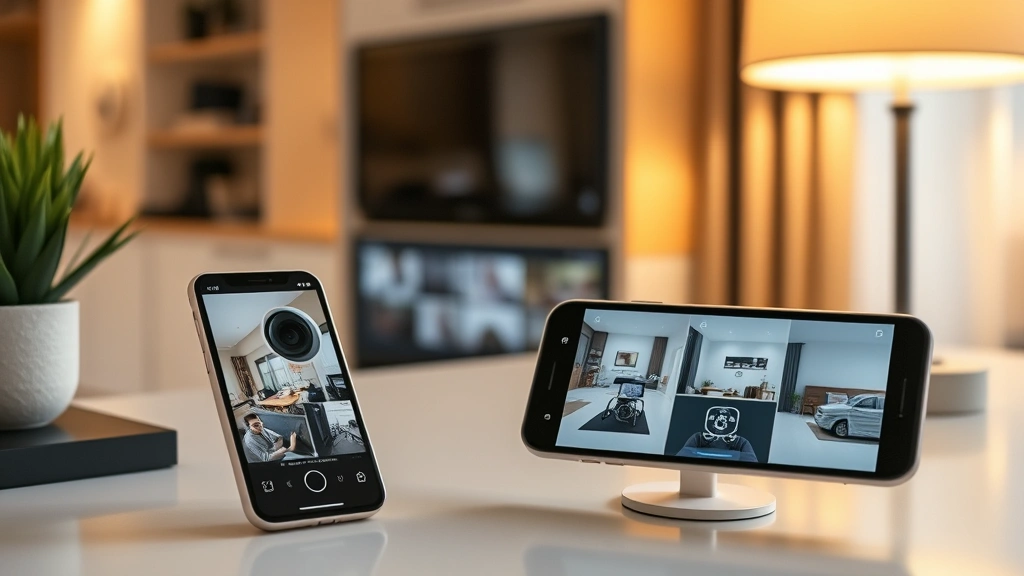
Arlo Pro 4: Premium Wireless Security
The Arlo Pro 4 represents a significant advancement in wireless security camera technology, delivering 2K video resolution with exceptional clarity even in low-light conditions. This model features a 160-degree ultra-wide field of view, allowing comprehensive coverage of larger areas with fewer cameras. The integrated rechargeable battery provides extended operational periods—typically 3-6 months between charges depending on activity levels—making it an ideal choice for homeowners seeking maintenance-free security solutions.
What distinguishes the Arlo Pro 4 from competitors is its advanced motion detection capabilities. The camera employs sophisticated algorithms to differentiate between genuine security threats and false alarms triggered by moving vegetation, passing vehicles, or animals. This intelligent filtering reduces notification fatigue while ensuring critical events receive immediate attention. The system supports customizable activity zones, enabling you to specify precisely which areas trigger alerts.
The Arlo Pro 4 integrates seamlessly with Amazon Alexa, Google Assistant, and Apple HomeKit, providing voice-controlled access to live feeds and recorded footage. This integration ecosystem transforms your camera system into a unified smart home security platform. Battery life remains exceptional even with frequent live view access, and the weatherproof design ensures reliable performance across diverse climates.
Advanced features include two-way audio, night vision with color capability, and encrypted cloud storage. The camera automatically backs up footage to Arlo’s secure servers, protecting against local device compromise. With optional family-focused features, you can establish activity schedules that align with household routines.
Arlo Essential: Budget-Friendly Protection
For budget-conscious consumers who refuse to compromise on security, the Arlo Essential camera delivers exceptional value. This entry-level model maintains Arlo’s core security strengths while eliminating premium features that many users never utilize. The 1080p resolution provides clear identification of people and vehicles, sufficient for most residential security applications.
The Arlo Essential operates on a battery-powered design with approximately 6-month battery life under normal usage conditions. The compact form factor allows discreet installation in locations where larger cameras might prove obtrusive. Despite the lower price point, the camera includes robust encryption protocols, two-way audio communication, and night vision capabilities.
This model particularly appeals to renters and homeowners with temporary security needs. The non-permanent installation approach means no drilling or wiring complications. The comprehensive review process reveals that Arlo Essential cameras perform admirably in threat detection scenarios, with false alarm rates comparable to premium models.
Integration capabilities match the Pro 4, supporting major smart home platforms. The simplified app interface makes setup and operation straightforward, even for users unfamiliar with security technology. Free cloud storage includes a limited video history, with optional paid plans for extended retention.
Arlo Ultra 2: Advanced AI Detection
The Arlo Ultra 2 represents the pinnacle of Arlo’s technology stack, incorporating cutting-edge artificial intelligence for sophisticated threat recognition. This flagship model features 4K video resolution with HDR (High Dynamic Range) processing, delivering cinema-quality footage that captures minute details crucial for security investigations.
What sets the Ultra 2 apart is its advanced person, vehicle, and package detection capabilities. The integrated AI engine analyzes video streams in real-time, identifying specific threat categories and alerting users accordingly. This granular detection prevents the notification fatigue common with basic motion sensors, as the system distinguishes between a mail carrier delivering packages and an unfamiliar person loitering near your home.
The Ultra 2 supports wired power options in addition to battery operation, enabling 24/7 continuous recording without recharge cycles. This persistent surveillance capability provides comprehensive documentation of all property activities. The 180-degree diagonal field of view captures expansive areas, reducing the number of cameras required for complete perimeter coverage.
Advanced privacy features include encrypted local storage options and granular access controls. The detailed analysis approach demonstrates that Ultra 2 users appreciate the transparency regarding data handling and storage locations. Arlo’s commitment to end-to-end encryption ensures that only authorized account holders access recorded footage.
Security Features Comparison
Evaluating security cameras requires understanding the technical specifications that protect both your footage and your network. All Arlo models employ AES-128 encryption for data transmission, protecting video streams from interception during upload to cloud servers. This encryption standard aligns with NIST cybersecurity guidelines, ensuring industry-standard protection.
The comparison between models reveals important distinctions in authentication mechanisms. Arlo Pro 4 and Ultra 2 support two-factor authentication, adding an additional security layer beyond standard password protection. This prevents unauthorized account access even if password credentials are compromised. The Arlo Essential supports standard password protection with optional biometric login on mobile devices.
Video resolution impacts security effectiveness significantly. The 4K capability of the Ultra 2 enables identification of facial features and license plate details from greater distances than 1080p models. However, 1080p resolution suffices for most residential applications, particularly when combined with intelligent detection algorithms.
Cloud storage security varies by model subscription tier. Arlo maintains geographically distributed data centers with redundant backups, protecting against data loss from hardware failures or natural disasters. All stored footage receives encryption, and Arlo employs strict access controls limiting employee access to customer data.
Network security considerations apply to all wireless cameras. Arlo devices connect through WPA3 WiFi encryption where available, providing robust protection against network intrusion attempts. The company regularly releases firmware updates addressing newly discovered vulnerabilities, and users receive security advisories through the mobile app.
Installation and Setup Guide
Successful camera installation requires attention to both physical placement and network configuration. Begin by identifying strategic locations providing clear sightlines to areas requiring surveillance. Corners of your property, entry points, and vulnerable windows should receive priority. Avoid positioning cameras where bright sunlight creates glare or where reflected light obscures the sensor.
Before mounting, ensure your WiFi network provides strong signal strength at the installation location. Weak signals result in dropped connections, missed recordings, and unreliable notifications. Test connectivity using your mobile device at proposed camera locations. If signal strength proves inadequate, consider WiFi range extenders or mesh network systems to ensure reliable coverage.
The Arlo mobile app guides users through setup with clear step-by-step instructions. Initial configuration involves creating or accessing your Arlo account, connecting the camera to your WiFi network, and mounting the device. The entire process typically requires 10-15 minutes for experienced users, though first-time users may require additional time.
After physical installation, configure activity detection settings aligned with your security priorities. Establish activity zones focusing detection on high-risk areas while ignoring low-threat regions. Set notification schedules preventing alerts during sleeping hours unless security modes are activated. Test the system by walking past cameras to verify detection sensitivity and notification responsiveness.
For wired Arlo Ultra 2 installations, professional electrician consultation ensures safe power connections meeting local electrical codes. Improper wiring creates fire hazards and may void manufacturer warranties. Arlo provides professional installation referrals for users preferring expert assistance.
Privacy and Data Protection
Privacy concerns rightfully dominate security camera discussions. Homeowners must balance surveillance benefits against personal privacy implications. Arlo addresses these concerns through transparent privacy policies and granular access controls. The platform enables users to specify exactly which household members access camera feeds and recorded footage.
End-to-end encryption ensures that even Arlo employees cannot view your footage without explicit permission. The company maintains this commitment across all subscription tiers, from free basic storage to premium cloud plans. Users maintain complete control over footage deletion, with options for automatic purging after specified retention periods.
Compliance with privacy regulations including GDPR and CCPA demonstrates Arlo’s commitment to user protection. The company provides data export capabilities, allowing users to retrieve their information in standardized formats. Deletion requests receive processing within regulatory timeframes, ensuring users can completely remove their data from Arlo systems.
Guest access features enable temporary sharing of camera feeds with family members, service providers, or security professionals. These temporary permissions automatically expire, preventing indefinite access to your security system. The audit trail documents all access attempts, providing transparency regarding who viewed your footage and when.
Local storage options available on certain models provide additional privacy assurances. By storing footage on local devices rather than cloud servers, users maintain complete control over their data. However, local storage requires active device management and lacks the redundancy protection offered by geographically distributed cloud servers.
Integration with Smart Home Systems
Modern security systems function optimally within integrated smart home ecosystems. Arlo cameras connect seamlessly with Amazon Alexa, enabling voice commands for live view access and recording review. “Alexa, show me the front door camera” initiates live streaming on compatible Echo devices, providing immediate situational awareness.
Google Assistant integration mirrors Alexa capabilities, serving households preferring Google’s ecosystem. Apple HomeKit support through the Arlo Secure Video subscription enables encrypted processing of video streams within Apple’s privacy-focused architecture. This integration provides HomeKit automation, allowing cameras to trigger other smart home actions based on detected events.
IFTTT (If This Then That) integration enables custom automation workflows. Users can create scenarios where detected packages trigger notifications, detected people activate outdoor lighting, or motion triggers door lock engagement. These automations enhance security while reducing manual intervention requirements.
Integration with professional monitoring services transforms Arlo cameras into components of comprehensive security systems. Monitoring services receive alerts from camera detection systems and dispatch emergency responders when necessary. This professional monitoring layer provides peace of mind for homeowners unable to respond to security events immediately.
Smart home integration extends to energy management, with cameras adjusting operation based on occupancy detection. When the system recognizes residents are away, cameras switch to heightened detection sensitivity. Upon arrival, cameras reduce notification frequency, preventing alert overload during normal household activities.
Troubleshooting Common Issues
Despite robust engineering, wireless cameras occasionally experience connectivity issues or performance degradation. The most common problem—camera disconnection from WiFi—typically results from weak signal strength or network interference. Moving your router closer to camera locations, removing physical obstructions, or installing WiFi range extenders usually resolves connectivity problems.
Battery drain occurring faster than expected often indicates excessive live view usage or continuous night vision operation. Night vision requires substantial power consumption, and frequent manual live view access prevents efficient battery cycling. Adjusting activity detection sensitivity to reduce unnecessary camera activations extends battery life significantly.
False alarm generation plagues many users, causing notification fatigue and reduced security effectiveness. Fine-tuning activity detection zones to exclude areas prone to false triggers—such as tree branches or passing traffic—substantially improves accuracy. Arlo’s intelligent detection algorithms learn household patterns over time, automatically improving accuracy without manual intervention.
Poor video quality may result from inadequate WiFi bandwidth, low lighting conditions, or lens obstruction. Ensuring your internet connection provides sufficient upload bandwidth for video streaming prevents quality degradation. Cleaning camera lenses removes dust and cobwebs that obscure video clarity. Supplementing available light with outdoor lighting improves nighttime video quality.
Audio issues during two-way communication typically stem from microphone or speaker obstruction. Verifying that microphone and speaker openings remain clear of debris restores normal audio functionality. Testing audio with a second mobile device confirms whether issues relate to specific devices or the camera system itself.
For persistent technical problems, Arlo’s customer support team provides comprehensive assistance through multiple channels. The CISA cybersecurity resources recommend documenting error messages and system behavior when contacting support, enabling faster issue resolution.
Firmware update failures occasionally occur during automatic update processes. Manually triggering updates through the mobile app, ensuring consistent WiFi connectivity throughout the update process, and avoiding interruptions typically resolves update issues. Arlo maintains version rollback capabilities for problematic firmware releases.
Password reset procedures exist for users unable to access their accounts. The recovery process involves email verification, ensuring only legitimate account owners regain access. Two-factor authentication users must verify their identity through registered devices, adding security layers to the recovery process.
FAQ
What is the best Arlo camera for home security?
The answer depends on your specific needs and budget. The Arlo Pro 4 offers the optimal balance of features, battery life, and affordability for most homeowners. If budget is your primary concern, the Arlo Essential provides exceptional value. For maximum capabilities and 4K video quality, the Arlo Ultra 2 delivers cutting-edge features, though at premium pricing.
Are Arlo cameras secure from hacking?
Arlo cameras employ industry-standard AES-128 encryption, two-factor authentication, and regular security updates. While no system is absolutely unhackable, Arlo’s security architecture aligns with FBI cybersecurity recommendations. Enabling two-factor authentication, maintaining strong unique passwords, and keeping firmware updated significantly reduce compromise risk.
How long do Arlo camera batteries last?
Battery life varies by model and usage patterns. The Arlo Pro 4 typically provides 3-6 months of operation, while the Arlo Essential offers approximately 6 months. Heavy live view usage, frequent night vision activation, and extreme temperatures reduce battery longevity. Seasonal recharging aligns with daylight saving time changes, providing convenient maintenance reminders.
Can I use Arlo cameras without a subscription?
Yes, Arlo cameras function without subscriptions, though capabilities are limited. Free accounts receive limited cloud storage and lack advanced features like extended video retention and professional monitoring integration. Subscription plans unlock additional storage and premium detection features.
Do Arlo cameras work offline?
Arlo cameras require internet connectivity for cloud recording and remote access. However, local storage options on certain models enable continued recording if internet connectivity temporarily drops. The footage remains accessible once connectivity restores. Completely offline operation is not supported, as cameras rely on cloud infrastructure for mobile app functionality.
How many cameras can I connect to one system?
Arlo supports multiple camera connections on a single account, with most users managing 4-8 cameras effectively. Larger installations require attention to network bandwidth. Each camera consumes approximately 1-4 Mbps during active recording, so ensure your internet connection provides sufficient capacity for simultaneous camera operation.
What is the warranty coverage for Arlo cameras?
Arlo provides one-year limited hardware warranties covering manufacturing defects. Extended warranty options available through Arlo protect against accidental damage, including water damage and hardware failures. Review specific warranty terms before purchase to understand coverage scope.
Can Arlo cameras be integrated with other security systems?
Arlo cameras integrate with major smart home platforms including Amazon Alexa, Google Assistant, and Apple HomeKit. Professional monitoring services can incorporate Arlo cameras into comprehensive security systems. IFTTT integration enables custom automation workflows connecting Arlo with thousands of compatible services.
What should I do if my Arlo camera keeps disconnecting?
Disconnect issues typically result from weak WiFi signals. Relocate your router closer to the camera, remove physical obstructions, or install WiFi range extenders. If problems persist, perform a factory reset of the camera and re-establish the connection through the mobile app. Contact Arlo support for persistent connectivity problems.


