
Secure Storage Solutions: Expert Recommendations
In an era where data breaches compromise millions of records annually, secure storage has become non-negotiable for individuals and organizations alike. Whether you’re protecting sensitive business documents, personal financial information, or confidential client data, the storage solutions you choose directly impact your cybersecurity posture. This comprehensive guide explores expert-recommended approaches to secure storage, from encryption technologies to physical security measures, ensuring your most valuable digital assets remain protected against evolving threats.
The landscape of data security has transformed dramatically over the past decade. Cloud services, remote work, and distributed teams have created new vulnerabilities while simultaneously offering innovative protection mechanisms. Understanding how to implement secure storage solutions effectively requires knowledge of multiple layers: encryption protocols, access controls, backup strategies, and threat detection systems. We’ll examine industry best practices that security professionals recommend, regardless of your organization’s size or sector.
Encryption Fundamentals for Storage
Encryption represents the cornerstone of modern secure storage solutions. By converting readable data into encoded formats, encryption ensures that even if unauthorized parties gain access to your storage systems, they cannot decipher the information without proper decryption keys. Industry experts consistently recommend implementing end-to-end encryption, which protects data both in transit and at rest.
Two primary encryption approaches dominate secure storage implementations: symmetric and asymmetric encryption. Symmetric encryption uses a single key for both encoding and decoding, making it faster for large-scale operations. Advanced Encryption Standard (AES) with 256-bit keys represents the gold standard, recommended by NIST for protecting classified information. Asymmetric encryption, meanwhile, employs public and private key pairs, offering superior security for key exchange scenarios while introducing slightly more computational overhead.
When selecting encryption protocols for your secure storage infrastructure, prioritize solutions that utilize AES-256 encryption and implement proper key management practices. The encryption keys themselves require protection equal to or exceeding the data they protect. Many organizations make critical mistakes by storing encryption keys alongside encrypted data, effectively negating security benefits. Expert recommendations emphasize separating key management systems from storage infrastructure, utilizing dedicated Hardware Security Modules (HSMs) or cloud-based key management services.
Encryption key rotation policies should mandate periodic key changes—typically every 90 days for highly sensitive environments. This practice limits exposure windows if keys become compromised. Additionally, organizations should maintain detailed audit logs documenting all encryption operations, key access requests, and rotation activities. These logs prove invaluable during security investigations and compliance audits.

Cloud Storage Security Best Practices
Cloud storage has revolutionized how organizations manage data, offering scalability and accessibility previously impossible with on-premises solutions. However, cloud environments introduce distinct security considerations requiring specialized approaches. Before migrating sensitive data to cloud platforms, conduct thorough security assessments evaluating the provider’s encryption capabilities, data residency policies, and compliance certifications.
Leading cloud providers like AWS, Microsoft Azure, and Google Cloud implement robust encryption standards, yet security responsibility remains shared between provider and customer. This shared responsibility model means you must configure security settings appropriately rather than assuming default configurations provide adequate protection. Enable server-side encryption with customer-managed keys, allowing you to maintain exclusive control over encryption keys.
Multi-factor authentication (MFA) should be mandatory for all cloud storage access, particularly for administrative accounts. Implement identity and access management (IAM) policies that follow the principle of least privilege—granting users only permissions necessary for their specific roles. Regular access reviews ensure that former employees, contractors, and transferred team members no longer retain unnecessary storage permissions.
When evaluating cloud providers for secure storage needs, verify their compliance with relevant standards including SOC 2 Type II, ISO 27001, and industry-specific regulations. Request security audit reports and penetration testing results. Establish clear data governance policies defining what information can be stored in cloud environments, retention periods, and deletion procedures. Some organizations maintain hybrid approaches, keeping highly sensitive data in on-premises secure storage while utilizing cloud solutions for less critical information.
Physical Storage Protection Strategies
While digital security captures most attention, physical security remains critically important for secure storage solutions. Server rooms, data centers, and storage facilities require multi-layered physical protection preventing unauthorized access to hardware containing sensitive information.
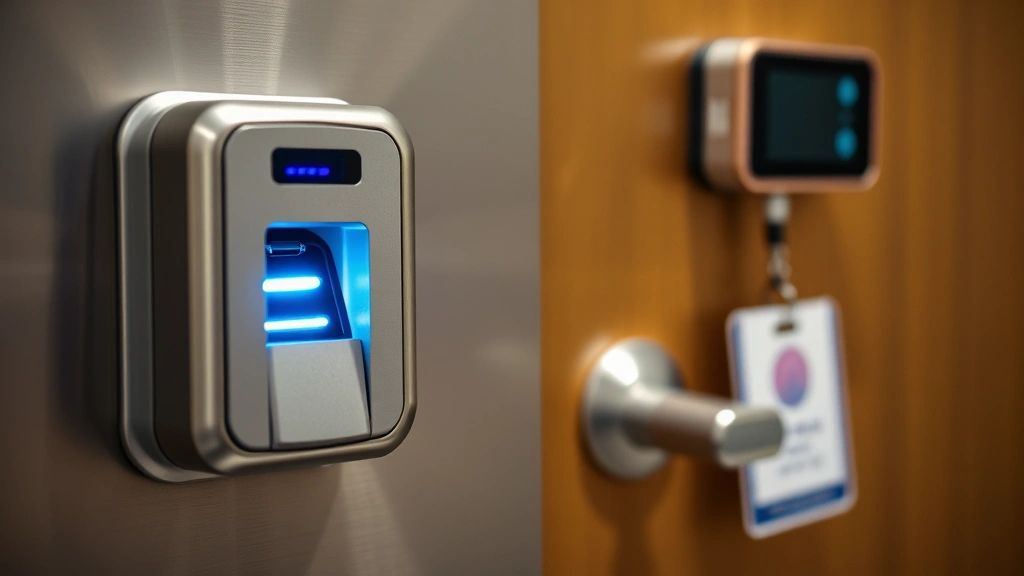
Implement access controls including badge readers, biometric scanners, and security guards for facilities housing storage infrastructure. Environmental monitoring systems should track temperature, humidity, and water detection, alerting administrators to conditions that could damage equipment. Many data center breaches occur through physical access rather than sophisticated cyber attacks—a disgruntled employee with badge access poses significant risk.
For organizations maintaining on-premises storage, implement proper cable management and hardware labeling to prevent accidental or intentional data extraction. Segregate storage infrastructure from general office areas, restricting access to authorized IT personnel only. Establish visitor management policies requiring escorts and logging of all facility access.
Destruction protocols deserve equal attention to access controls. When retiring storage devices, follow certified data destruction procedures ensuring information cannot be recovered. Simply deleting files or formatting drives leaves data vulnerable to recovery through specialized forensic techniques. Industry standards recommend degaussing, shredding, or incineration for highly sensitive storage media. Maintain detailed destruction records for compliance purposes, documenting when sensitive data was permanently removed from service.
Access Control and Authentication
Robust access control mechanisms form the foundation of secure storage implementation. Role-based access control (RBAC) ensures that employees access only information relevant to their positions. A marketing employee shouldn’t access financial records, just as developers shouldn’t reach human resources data containing personal information.
Implement zero trust architecture for storage access, requiring verification of every access request regardless of network location or device. This approach assumes no user or system is inherently trustworthy, demanding continuous authentication and authorization validation. Zero trust models prove particularly valuable in modern distributed work environments where employees access storage from various locations and devices.
Password policies should enforce strong requirements: minimum 12-character length, complexity rules including uppercase, lowercase, numbers, and special characters. However, passwords alone provide insufficient protection for sensitive storage. Combine password authentication with MFA mechanisms such as time-based one-time passwords (TOTP), hardware security keys, or push notifications to mobile devices.
Single sign-on (SSO) systems can streamline access management while enhancing security through centralized authentication. SSO platforms maintain detailed audit logs of all authentication attempts, successful and failed, enabling rapid detection of unauthorized access attempts. Establish conditional access policies triggering additional verification when access patterns appear unusual—such as login attempts from unfamiliar geographic locations or at atypical times.
Backup and Disaster Recovery
Secure storage extends beyond protecting against unauthorized access; it includes safeguarding against data loss through comprehensive backup and disaster recovery strategies. The 3-2-1 backup rule represents industry best practice: maintain three copies of critical data, stored on two different media types, with one copy located offsite.
Implement automated backup processes executing on regular schedules—daily for critical systems, weekly for less sensitive information. Automated approaches eliminate human error and ensure consistent protection. However, verify backup integrity through regular restoration testing. Many organizations discover backup systems have failed only when attempting recovery during actual disasters.
Encrypt all backup data using the same standards applied to primary storage. Backup systems often receive less security attention than production environments, creating attractive targets for attackers. Establish separate access controls for backup systems, ensuring that compromised production credentials don’t automatically grant backup access.
Develop detailed disaster recovery plans documenting recovery time objectives (RTO) and recovery point objectives (RPO) for different data categories. RTO defines acceptable downtime duration, while RPO specifies maximum acceptable data loss. These metrics guide backup frequency and recovery process design. Regular disaster recovery drills validate that your backup systems and procedures function properly under stress.
Compliance Standards and Regulations
Regulatory requirements increasingly mandate specific secure storage implementations. Organizations handling healthcare data must comply with HIPAA, which requires encryption of protected health information and detailed access audit trails. Financial institutions face requirements under PCI-DSS for payment card data, including encryption and regular security assessments.
The General Data Protection Regulation (GDPR) affects any organization processing personal data of European Union residents, requiring encryption and establishing detailed data protection protocols. GDPR violations result in substantial fines—up to 4% of global revenue—making compliance essential rather than optional. Similar regulations like the California Consumer Privacy Act (CCPA) impose requirements on U.S. organizations.
Industry-specific standards provide additional guidance. NIST Cybersecurity Framework offers comprehensive recommendations applicable across sectors. CISA publishes regular alerts and guidance addressing emerging storage security threats. ISO 27001 certification demonstrates comprehensive information security management implementation.
Conduct regular compliance audits assessing whether your secure storage solutions meet applicable regulatory requirements. Document security controls, policies, and procedures, maintaining evidence of implementation. Engage qualified auditors for independent assessment, identifying gaps before regulatory bodies discover them. Establish a compliance calendar tracking renewal deadlines and assessment schedules.
Emerging Threats to Storage Security
The threat landscape continuously evolves, introducing new risks to storage infrastructure. Ransomware attacks targeting backup systems have become increasingly sophisticated, with attackers attempting to encrypt or delete backups alongside primary data. Combat this threat through immutable backups that cannot be modified or deleted even by administrators, and isolated backup systems with separate access controls and network segmentation.
Supply chain attacks targeting storage vendors represent growing concern. Attackers compromise software updates or hardware components before delivery to end organizations. Implement vendor security assessment programs evaluating third-party security practices. Maintain software patch management processes, applying security updates promptly after thorough testing.
Insider threats—malicious or negligent actions by authorized users—remain among the most damaging storage security risks. Employees with storage access can exfiltrate data without triggering typical security alerts. Implement user behavior analytics solutions detecting unusual access patterns, such as bulk downloads or access to data unrelated to job responsibilities. Maintain separation of duties preventing single individuals from bypassing all controls.
Quantum computing poses long-term threats to current encryption standards. While not an immediate concern, organizations should monitor quantum-resistant cryptography development and plan migration strategies. NIST has begun standardizing post-quantum cryptographic algorithms anticipated to resist quantum computing attacks.
Implementation Guide for Organizations
Developing a comprehensive secure storage strategy requires systematic planning and execution. Begin with a data inventory identifying all information your organization maintains—where it’s stored, who accesses it, and its sensitivity level. This assessment provides foundation for appropriate security measure selection.
Establish a security governance structure defining roles and responsibilities. A Chief Information Security Officer (CISO) or designated security leader should oversee storage security strategy, ensuring executive commitment and resource allocation. Create cross-functional teams including IT operations, security, compliance, and business unit representatives.
Develop detailed security policies documenting acceptable storage practices, encryption requirements, access controls, and incident response procedures. Policies should address both technical and procedural aspects. Communicate policies clearly to all employees, requiring acknowledgment and training. Security policies require regular review and updates as threats evolve and technologies advance.
Implement technical controls supporting policy requirements. This includes encryption solutions, access management systems, monitoring and logging infrastructure, and backup systems. Ensure integration between components—for example, encryption key management systems should integrate with access control systems to enable proper audit trails.
Establish continuous monitoring detecting security incidents promptly. Security Information and Event Management (SIEM) systems aggregate logs from storage infrastructure, analyzing patterns indicating potential breaches. Configure alerts for suspicious activities such as unauthorized access attempts, unusual data access patterns, or encryption key access.
Conduct regular security assessments including vulnerability scans, penetration testing, and security audits. External assessments by qualified security firms provide independent evaluation and often identify risks that internal teams overlook. Address identified vulnerabilities promptly, prioritizing critical issues affecting storage security.
When evaluating security recommendations from industry resources, consider how different approaches align with your organization’s specific needs and risk profile. What works for financial institutions may not suit healthcare providers or technology companies, though core principles remain consistent.
FAQ
What encryption standard should I use for sensitive data storage?
AES-256 encryption represents the industry gold standard for sensitive data protection. NIST endorses AES-256 for protecting classified information and recommends it for all sensitive organizational data. Ensure your storage solution implements AES-256 in both encryption and decryption operations.
How often should encryption keys be rotated?
Industry experts recommend encryption key rotation every 90 days for highly sensitive environments. Less sensitive data may rotate keys annually. However, rotation frequency should align with your organization’s risk assessment and compliance requirements. Establish automated key rotation processes to ensure consistency and eliminate manual errors.
Can cloud storage be as secure as on-premises solutions?
Cloud storage can provide equivalent or superior security compared to on-premises solutions when properly configured. Major cloud providers invest heavily in security infrastructure and employ specialized security teams. However, security depends on proper configuration, including enabling encryption, implementing access controls, and maintaining strong authentication. Evaluate cloud providers’ security certifications and audit reports before migration.
What should I do with storage devices before disposal?
Never simply delete files or format drives before disposal—data remains recoverable through forensic techniques. Instead, follow certified data destruction procedures including degaussing, shredding, or incineration. Maintain detailed destruction records documenting what data was destroyed, when, and by whom. For extremely sensitive information, in-house destruction under supervision provides maximum assurance.
How can I detect unauthorized storage access?
Implement comprehensive logging capturing all storage access, then analyze logs for suspicious patterns. Security Information and Event Management (SIEM) systems automate analysis, detecting unusual access patterns such as bulk downloads, after-hours access, or access from unusual locations. User behavior analytics solutions identify deviations from normal access patterns, flagging potential insider threats.
What’s the difference between backup and disaster recovery?
Backups create copies of data enabling restoration if original data is lost or corrupted. Disaster recovery encompasses broader processes including backup restoration, system recovery, and business continuity. A comprehensive disaster recovery plan defines how quickly systems must be restored (RTO) and maximum acceptable data loss (RPO), with regular testing validating procedures work during actual emergencies.
How do I ensure compliance with storage security regulations?
Conduct thorough compliance assessments identifying applicable regulations for your industry and data types. Document how your secure storage solutions meet specific requirements, maintaining evidence of implementation. Engage qualified auditors for independent assessment, and establish regular review processes ensuring continued compliance as regulations evolve. Create a compliance calendar tracking renewal deadlines and assessment schedules.
What’s zero trust architecture for storage access?
Zero trust assumes no user or system is inherently trustworthy, requiring verification for every access request. Rather than trusting users based on network location or device, zero trust demands continuous authentication and authorization validation. This approach proves particularly valuable in modern distributed environments where employees access storage from various locations, significantly reducing breach risk.


