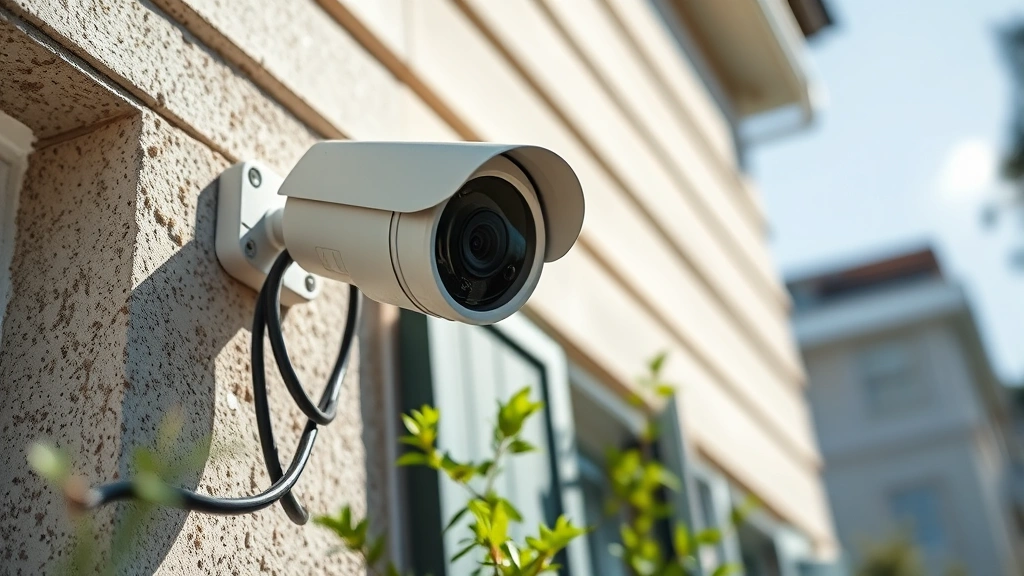
Budget Security Cameras: Expert Buyer’s Guide for Affordable Home & Business Protection
Security doesn’t have to drain your wallet. With the proliferation of affordable security camera technology, protecting your home or small business has become more accessible than ever. However, navigating the crowded market of budget options requires understanding key specifications, security vulnerabilities, and the critical difference between cheap cameras that merely record and intelligent systems that actively defend your property.
This comprehensive guide walks you through selecting affordable security cameras that deliver genuine protection without compromising on essential features. We’ll examine the technical specifications that matter, identify common security pitfalls in budget systems, and provide actionable recommendations for maximizing your investment. Whether you’re deploying a single camera or building a multi-camera network, understanding these fundamentals ensures your budget purchase doesn’t become a security liability.
Understanding Security Camera Fundamentals
Before investing in affordable security cameras, you need to understand what these devices actually do and their limitations. Security cameras serve three primary functions: deterrence, recording, and investigation. Budget models excel at the latter two but may not provide the visual presence necessary for deterrence that higher-end systems offer.
The fundamental difference between budget and premium systems lies in image quality, processing power, and security architecture. A $50 camera captures video, but a $300 system adds intelligent features like person detection, facial recognition preprocessing, and encrypted cloud storage. For cybersecurity purposes, this distinction matters enormously—cheaper cameras often lack the encryption standards that protect your footage from interception.
Your budget camera’s effectiveness depends on three factors: placement strategy, environmental conditions, and integration with other security measures. A $100 camera positioned correctly with proper lighting can outperform a $500 camera in a dark corner. Understanding your specific security needs prevents wasteful spending and ensures adequate coverage.
Key Specifications That Matter for Budget Cameras
When evaluating affordable security cameras, focus on specifications that directly impact usability and security rather than marketing buzzwords. Resolution matters, but not in the way manufacturers suggest. A 4K camera recording at 30 frames per second (fps) in low light produces worse results than a 1080p camera with superior low-light performance.
Resolution and Sensor Quality
Budget cameras typically offer 1080p (Full HD) or 2K resolution. For most residential applications, 1080p provides adequate detail for identifying individuals and activities. The camera’s sensor—the component capturing light—matters more than pixel count. Look for cameras using 1/3-inch or larger sensors, which perform significantly better in low-light conditions than smaller 1/4-inch sensors common in budget models.
Frame Rate and Motion Capture
Frame rate directly affects motion clarity. Cameras recording at 30fps capture smooth motion; lower rates produce choppy footage. For identifying suspicious activity, 30fps is the minimum acceptable standard. Some budget cameras reduce frame rates in low light to save bandwidth, which compromises security footage quality exactly when you need it most.
Field of View
Budget cameras often feature wide fields of view (90-130 degrees), which seems advantageous but creates distortion and reduces identification detail. A 90-degree field of view with higher resolution often outperforms a 130-degree wide-angle camera for security purposes. Consider your specific monitoring area and prioritize detail over breadth.
Low-Light Performance
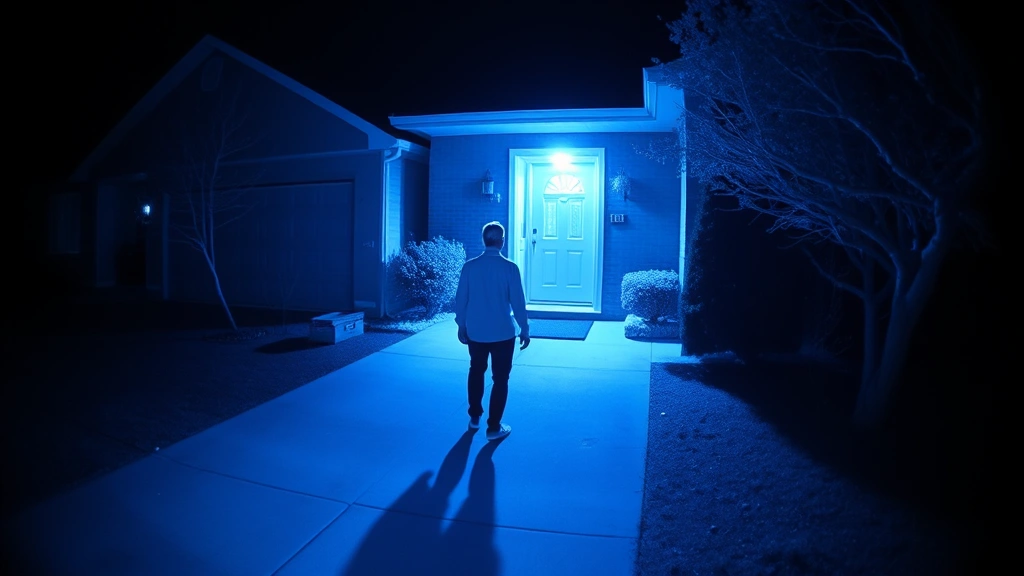
This specification separates adequate budget cameras from problematic ones. Infrared night vision enables monitoring after dark, but quality varies dramatically. Cameras with 850nm infrared LEDs provide better range and clarity than cheaper 940nm options, though they’re more visible to potential intruders. For covert monitoring, 940nm is preferable; for deterrence, the visible red glow of 850nm works better.
Weather Resistance Rating
Outdoor cameras require IP65 or higher ratings (IP65 withstands water jets; IP67 survives temporary submersion). Budget cameras sometimes claim weatherproofing without proper testing. Verify actual specifications rather than marketing claims, and expect to replace budget outdoor cameras more frequently than premium models.
Security Vulnerabilities in Affordable Systems
This is where budget security cameras become a cybersecurity concern rather than merely a surveillance tool. Cheaper systems frequently cut corners on security architecture, creating vulnerabilities that expose your footage to unauthorized access.
Encryption and Data Protection
Budget cameras often transmit video unencrypted or use outdated encryption standards. When selecting affordable models, verify support for modern protocols: TLS 1.2 or higher for data transmission and AES-256 for stored footage. Many budget manufacturers use proprietary encryption schemes that haven’t undergone security audits, making them unreliable.
Check whether the system supports HTTPS connections and whether the manufacturer enforces password requirements. Surprisingly, some budget cameras ship with default credentials that users never change, creating trivial entry points for attackers. Research whether the manufacturer automatically updates security patches or requires manual intervention.
Cloud Storage Risks
Budget camera systems often rely on proprietary cloud platforms with unclear data handling practices. CISA recommends reviewing privacy policies and data residency information before selecting cloud-dependent systems. Some budget manufacturers store footage on servers outside your country, complicating legal protections and increasing breach exposure.
Consider whether local storage options exist. Network-attached storage (NAS) devices or local microSD cards provide better privacy control than cloud-dependent systems, though they require more technical management. For sensitive applications, hybrid approaches—local backup with optional cloud redundancy—offer optimal security.
Firmware and Software Updates
Budget camera manufacturers often abandon software support within 2-3 years. Before purchasing, research the manufacturer’s update history and commitment to security patches. Cameras that never receive updates become security liabilities as new vulnerabilities are discovered. Some budget brands lack security update mechanisms entirely, making them permanently vulnerable to known exploits.
Network Integration Vulnerabilities
Poorly designed budget systems create network risks beyond the camera itself. Cameras with unnecessary open ports, weak authentication, or unencrypted local network communication can be exploited to attack other devices on your network. When researching affordable options, verify the system uses proper network segmentation and doesn’t require disabling security features for basic functionality.
Types of Budget Security Cameras
Understanding camera types helps match your security needs to appropriate budget solutions. Different designs excel in different scenarios.
Bullet Cameras
Cylindrical, weather-resistant designs ideal for exterior monitoring. Budget bullet cameras range from $30-80 and work well for basic perimeter coverage. Their obvious appearance provides deterrent value but makes them targets for physical tampering. Ensure weatherproofing credentials are verified rather than assumed.
Dome Cameras
Compact, ceiling-mounted designs popular for interior monitoring. Budget dome cameras ($40-100) provide less obvious coverage and work well for retail or office environments. Their design makes aiming adjustment slightly more difficult, requiring careful pre-installation planning.
PTZ (Pan-Tilt-Zoom) Cameras
Motorized cameras that adjust position and zoom remotely. Budget PTZ models start around $80-150 but often feature sluggish movement and poor zoom quality. Unless you specifically need motorized coverage adjustment, fixed cameras typically provide better value.
Wireless Cameras
Battery or Wi-Fi powered options eliminating installation complexity. Budget wireless cameras ($50-120) appeal to renters but introduce power management challenges and potential connectivity issues. Verify Wi-Fi range and battery life claims through independent testing rather than manufacturer specifications.
Turret Cameras
Compact fixed designs resembling small domes. Budget turret cameras ($40-90) offer good value for basic monitoring, combining weather resistance with reasonable optical performance. They work well for small business applications where professional appearance matters less than functionality.
Installation and Network Considerations
Proper installation determines whether your affordable camera system functions reliably or becomes a frustrating, insecure liability. Budget systems often lack professional installation support, making DIY deployment critical to understand.
Network Infrastructure Requirements
Determine whether your internet connection supports your camera system. A single 1080p camera requires 1-4 Mbps depending on frame rate and compression; multiple cameras demand proportionally more bandwidth. Before purchasing, test your actual upload speeds rather than theoretical maximums. Many budget system users discover their internet can’t support their cameras only after installation.
Wired Ethernet connections provide superior reliability and security compared to Wi-Fi. If possible, run Cat5e or Cat6 cables to camera locations, even if it requires additional effort. The security and stability improvements justify the installation investment.
Power Delivery
Budget outdoor cameras typically use either separate power adapters or Power over Ethernet (PoE). PoE simplifies installation by delivering power through the same cable as network connectivity, but requires PoE-capable network switches. Budget PoE switches are available but verify they meet IEEE 802.3af standards for reliable power delivery.
Storage Planning
Calculate storage requirements based on resolution, frame rate, and retention period. A single 1080p camera recording continuously generates approximately 20-50 GB daily depending on compression settings. A 2TB drive stores roughly 40-100 days of footage. Budget your storage accordingly and implement automatic deletion policies to prevent running out of space.
Network Segmentation
Isolate cameras on separate network segments from critical devices. If your network lacks VLAN capability, consider basic network segmentation using separate routers or managed switches. This prevents compromised cameras from providing attackers direct access to computers containing sensitive data.
Top Budget Camera Options by Category
Rather than endorsing specific brands, this guide focuses on identifying camera categories offering the best security and value within budget constraints.
Best Value 1080p Fixed Cameras ($40-80)
Look for models from manufacturers with established security update track records. Verify support for RTSP (Real Time Streaming Protocol) or ONVIF standards, which enable flexibility in recording and viewing software. Avoid cameras locked to proprietary cloud platforms without local recording alternatives.
Best Low-Light Performance ($80-150)
Prioritize sensor size and infrared quality over resolution. Cameras with 1/2-inch sensors and 850nm infrared LEDs excel in darkness. Test actual performance claims through independent reviews rather than manufacturer specifications.
Best Wireless Options ($60-120)
Select wireless cameras with local backup recording options, avoiding models dependent on cloud connectivity. Verify battery life under actual usage conditions and confirm Wi-Fi reliability in your specific environment.
Best Turret Cameras for Small Business ($50-100)
Turret designs offer good value for professional environments. Select models with proper weather ratings and industrial-grade components rather than consumer-oriented designs.
Maximizing Security on a Limited Budget
Strategic spending and smart system design multiply the effectiveness of affordable camera systems. Rather than purchasing maximum cameras, optimize placement and integration.
Placement Strategy
One well-placed camera outperforms three poorly positioned units. Focus cameras on entry points—doors, windows, and pathways. Ensure adequate lighting or select cameras with superior low-light performance rather than relying on infrared in brightly lit areas. NIST physical security guidelines recommend overlapping coverage zones and redundant angles for critical areas.
Integration with Lighting
Combine cameras with motion-activated lighting to improve image quality and deter intruders. Budget lighting ($20-50) often provides better ROI than additional cameras. Well-lit environments reveal more detail and reduce reliance on low-light performance.
Local Recording Priority
Invest in local storage before cloud services. A basic NAS device ($100-200) provides secure local backup independent of internet connectivity and cloud subscription costs. This protects footage if your internet fails and eliminates ongoing cloud storage expenses.
Smart Integration
Connect your camera system to existing smart home infrastructure. Budget cameras compatible with Home Assistant or other open-source platforms enable sophisticated automation without expensive proprietary ecosystems. This approach provides flexibility and reduces vendor lock-in risks.
Regular Maintenance
Budget cameras require more frequent maintenance than premium models. Clean lenses monthly, verify focus and aim quarterly, and test recording functionality regularly. These simple steps prevent degradation that makes footage unusable for identification purposes.
Security Best Practices
Implement strong passwords (16+ characters mixing upper/lowercase, numbers, symbols), enable two-factor authentication where available, and change default credentials immediately upon installation. Disable unnecessary network services and close unused ports. Schedule regular firmware updates and monitor manufacturer security advisories. These practices cost nothing but dramatically improve security posture.
Documentation and Testing
Create a camera system inventory documenting locations, specifications, and access credentials in a secure offline location. Periodically test recording, playback, and backup functionality to confirm everything works when needed. Many people discover their camera system failed only when attempting to use footage during an incident.
FAQ
What’s the minimum budget for a reliable security camera system?
A single quality 1080p camera with local storage costs $100-150. A basic two-camera system with local NAS backup requires $300-400. This assumes DIY installation; professional installation adds $200-500 per camera.
Are budget cameras good enough for identifying faces?
1080p cameras identify faces clearly only within 8-12 feet. For longer distances, consider higher resolution (2K or 4K) or focus cameras on entry points where people naturally approach closer. Lighting quality matters as much as camera resolution.
Should I choose cloud or local storage for budget systems?
Local storage offers better privacy and eliminates subscription costs, making it ideal for budget-conscious users. Cloud provides convenience and redundancy but introduces ongoing expenses and privacy considerations. Hybrid approaches using local primary storage with cloud backup offer optimal balance.
How often do budget cameras need replacement?
Quality budget cameras last 3-5 years before degradation. Cheaper models may fail within 2 years. Outdoor cameras require more frequent replacement than protected indoor units. Plan for eventual replacement when budgeting.
Can I mix budget and premium cameras in one system?
Yes, if they share compatible recording platforms. Mix budget cameras for general coverage with strategic premium cameras for high-detail applications. This approach optimizes budget allocation while maintaining quality where it matters most.
What’s the most important security feature for budget cameras?
Encryption for data transmission and storage is non-negotiable. Even cheap cameras must support TLS 1.2+ and AES-256. This single feature prevents your footage from becoming accessible to attackers.
Do I need professional installation for budget cameras?
DIY installation is feasible for most budget systems if you understand basic networking and electrical safety. Professional installation ($200-500 per camera) ensures optimal positioning and configuration but significantly increases total cost.
How do I protect my budget camera system from hacking?
Use strong unique passwords, enable two-factor authentication, keep firmware updated, disable unnecessary network services, segment cameras on separate networks, and monitor manufacturer security advisories. These practices prevent 95% of common attacks.
What’s the difference between RTSP and ONVIF cameras?
RTSP is a streaming protocol; ONVIF is a broader standard enabling compatibility across manufacturers. ONVIF cameras typically offer more flexibility but may cost slightly more. For budget systems, RTSP support is sufficient if you’re using compatible recording software.
Should budget cameras include audio recording?
Audio recording complicates legal and privacy considerations in many jurisdictions. For most applications, video-only cameras are preferable. If audio is necessary, research local laws before enabling recording.


