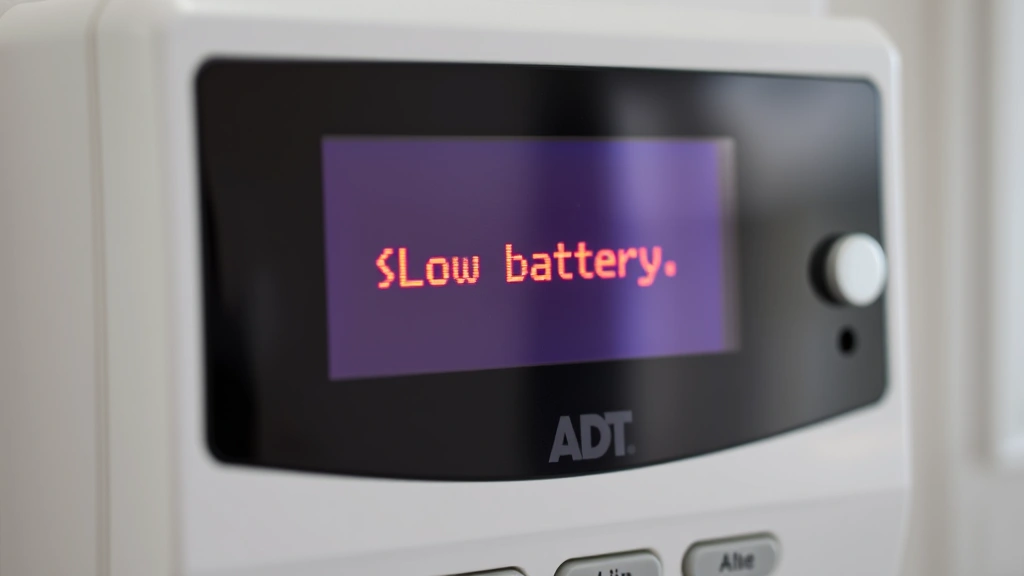
Low Battery Alert: ADT Security Expert Advice
An ADT security panel low battery alert is one of the most common notifications homeowners receive from their security systems. While it might seem like a minor inconvenience, understanding what this warning means and how to respond properly is critical for maintaining comprehensive home protection. A low battery condition in your ADT system can compromise your ability to respond to emergencies, affect alarm transmission, and leave your property vulnerable during power interruptions.
The battery backup in your ADT security panel serves as a critical failsafe mechanism. When your home loses power due to storms, accidents, or intentional sabotage, this battery ensures your system remains operational and can continue monitoring your property and alerting authorities. Ignoring low battery warnings or delaying replacement can result in a completely non-functional security system precisely when you need it most.
This comprehensive guide provides expert advice on understanding, addressing, and preventing ADT security panel battery issues. We’ll explore the technical aspects of battery backup systems, troubleshooting steps, replacement procedures, and maintenance strategies to keep your security system functioning optimally.
Understanding Your ADT Security Panel Battery System
Your ADT security panel contains a rechargeable backup battery, typically a sealed lead-acid (SLA) or lithium-ion battery depending on your system model and installation year. This battery is designed to provide power for 24 to 48 hours during complete electrical outages, allowing your system to maintain monitoring capabilities and transmit alerts to ADT’s monitoring centers.
The battery management system in modern ADT panels continuously charges the backup battery while AC power is available. This trickle-charging approach keeps the battery in a ready state without overcharging, which would degrade performance. When your system detects that the battery voltage has dropped below acceptable thresholds, it triggers the low battery alert—a warning that the backup power source is deteriorating and needs replacement.
Different ADT panel models have varying battery specifications. Older systems may use 12-volt SLA batteries with capacities ranging from 4Ah to 7Ah, while newer systems might incorporate more efficient lithium-ion solutions. Understanding your specific panel model is essential for ordering the correct replacement battery and ensuring continued protection.
Why Low Battery Alerts Occur
Several factors trigger low battery alerts in ADT security systems. The most common cause is natural battery degradation over time. Most backup batteries have a lifespan of 3 to 5 years depending on environmental conditions, charging cycles, and usage patterns. As batteries age, their ability to hold a charge diminishes, eventually triggering the warning system.
Environmental factors significantly impact battery longevity. Batteries stored in hot locations deteriorate faster than those in cool, dry environments. If your ADT panel is installed near heat sources, in direct sunlight, or in areas with high humidity, battery degradation accelerates. Conversely, extremely cold temperatures can temporarily reduce battery performance and trigger false low battery alerts.
Frequent power interruptions force your backup battery to discharge and recharge repeatedly. During extended outages where the battery provides primary power, significant capacity is consumed. If your area experiences regular power fluctuations, your battery will degrade faster than in areas with stable electrical infrastructure.
System malfunctions can also cause erroneous low battery alerts. A faulty battery monitoring circuit might misread battery voltage, or corroded battery connectors could create false low-voltage signals. Hardware failures in the charging circuit prevent proper battery replenishment, leading to legitimate low battery conditions.
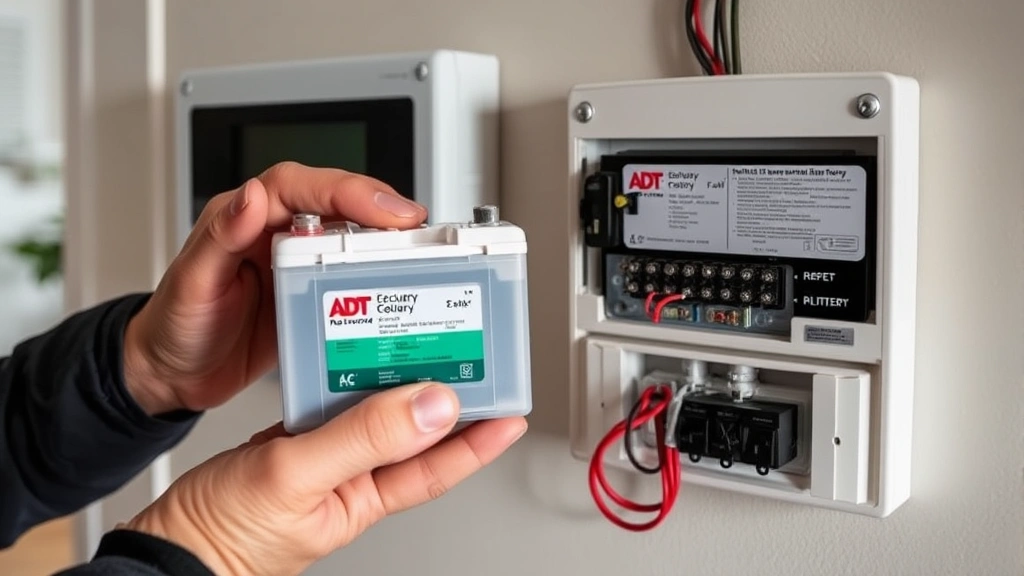
Immediate Steps to Take
When you receive a low battery alert from your ADT panel, take immediate action to assess the situation and prevent security gaps. First, note the exact time and date of the alert. Document whether the alert appeared during normal operation or following a power outage. This information helps you and ADT technicians diagnose underlying issues.
Check your panel’s display for specific error codes. ADT systems typically display codes like "Low Battery" or "Battery Low" along with numeric identifiers. Write down these codes, as they provide valuable diagnostic information. Consult your system manual or contact CISA’s cybersecurity resources for general system security best practices while addressing your immediate battery concerns.
Verify that your ADT system remains armed and functional despite the low battery warning. Test your system by triggering a sensor to confirm that alarms still sound and signals transmit to monitoring centers. This verification ensures your property remains protected while you arrange battery replacement.
Contact your ADT monitoring center or local technician to report the low battery condition. ADT maintains detailed records of all system alerts and can provide specific guidance based on your panel model and account history. They may recommend immediate replacement or schedule a technician visit at your convenience.
Do not ignore the alert or assume it will resolve independently. Battery conditions only worsen with time. Taking prompt action prevents emergency situations where your system fails during an actual security threat or power outage.
Battery Replacement Process
ADT offers several options for battery replacement. Professional technician replacement is the most common approach, ensuring proper installation and system testing. When you contact ADT, they schedule a technician visit to your home. The technician arrives with the correct replacement battery for your specific panel model, removes the old battery, installs the new one, and tests system functionality.
The replacement process typically takes 30 to 60 minutes. The technician will power down your system, disconnect the old battery, remove mounting hardware, install the new battery, reconnect all terminals, and restart the system. They’ll verify that the low battery alert clears and run diagnostic tests to confirm proper operation.
Some ADT customers prefer DIY battery replacement to reduce costs and avoid scheduling delays. If you choose this approach, order the correct replacement battery for your panel model from ADT or authorized retailers. Before beginning, photograph the current battery installation to reference during reinstallation. Power down your system, disconnect the old battery, note the terminal positions, and carefully remove the battery from its mounting bracket.
Install the new battery by reversing these steps. Ensure terminals are connected securely—loose connections create false low battery alerts and prevent proper charging. Power your system back on and verify that the low battery alert clears. If the alert persists after proper installation, contact ADT immediately as this indicates a deeper system issue.
Battery disposal requires proper handling. Lead-acid batteries contain toxic materials and must be recycled through authorized facilities. Many retailers that sell replacement batteries accept old batteries for proper disposal. Never dispose of batteries in regular household waste.
Preventive Maintenance Strategies
Proactive maintenance extends battery lifespan and prevents unexpected failures. Maintain optimal environmental conditions for your ADT panel by keeping it in cool, dry locations away from direct sunlight and heat sources. Ideal operating temperatures range between 50°F and 80°F. If your panel is in a hot garage or exposed to temperature extremes, consider relocating it to a climate-controlled space.
Perform monthly visual inspections of your battery and panel connections. Look for corrosion on battery terminals—a white, blue, or green crusty substance indicates oxidation that impedes electrical flow. Clean corroded terminals using a small brush and white vinegar or a commercial battery terminal cleaner. Ensure all connections are tight and free from debris.
Test your backup battery quarterly by disconnecting AC power to your panel for several seconds. During this test, your system should remain operational, sensors should function normally, and the panel should continue communicating with ADT monitoring centers. This verification confirms that your backup power system is ready for actual emergencies.
Keep your system’s firmware updated by scheduling regular maintenance visits with ADT technicians. Updated firmware improves battery management algorithms and may include fixes for battery monitoring issues. Modern systems include enhanced diagnostics that predict battery failure before it occurs, allowing proactive replacement.
Document your battery installation date and set calendar reminders for replacement every 3 to 5 years, even if no alerts occur. Preventive replacement prevents emergency situations and ensures your security system never fails due to battery degradation.
Common Battery Issues and Solutions
Persistent low battery alerts after replacement indicate a charging circuit malfunction. If your new battery continues triggering warnings within days of installation, the problem likely isn’t the battery itself but rather the charging system. Contact ADT immediately for diagnostic testing. Technicians can measure charging voltage and determine whether the power supply or charging circuit requires replacement.
Battery swelling or physical deformation represents a serious condition requiring immediate attention. Swollen batteries indicate internal chemical reactions that can lead to leakage or fire hazards. If you observe physical changes to your battery, discontinue use immediately and contact ADT for emergency replacement. Do not attempt to install or use a visibly damaged battery.
False low battery alerts that clear after system restart may indicate temporary voltage fluctuations or firmware glitches. If alerts reappear consistently, document the pattern and contact ADT. Sometimes updating system firmware or recalibrating battery monitoring circuits resolves persistent false alerts without battery replacement.
Rapid battery drain during power outages suggests your system is drawing excessive current or the battery capacity is insufficient for your installation. Discuss your area’s power reliability with ADT and ask about upgrading to a larger capacity battery or adding supplemental power solutions.
Corrosion-related issues stem from moisture and environmental contamination. Improve ventilation around your panel, use silica gel packets in the panel enclosure to absorb moisture, and inspect battery connections monthly. Addressing corrosion early prevents connection failures that disable your system.
For comprehensive guidance on broader security system management, review our resources on security system topics and best practices. Additionally, NIST provides detailed cybersecurity guidelines applicable to smart home security systems, and US-CERT/CISA offers threat intelligence relevant to home security vulnerabilities.
FAQ
How long does an ADT security panel battery last?
Most ADT backup batteries last 3 to 5 years under normal conditions. Lifespan depends on environmental temperature, charging cycles, and power outage frequency. Batteries in cool environments with stable power typically last toward the longer end of this range, while those in hot areas with frequent outages may fail sooner.
Can I replace my ADT battery myself?
Yes, many ADT customers successfully replace batteries independently. Ensure you order the correct battery model for your panel, follow the disconnection and reconnection procedures carefully, and verify proper operation after installation. If you’re uncomfortable with electrical work, professional installation is available through ADT.
What does the low battery alert sound like?
ADT panels typically emit a periodic beeping sound (usually every 30 to 60 seconds) and display a "Low Battery" message on the keypad. Some systems also send push notifications to your mobile app and alert your monitoring center. The alert continues until the battery is replaced or AC power is restored after a power outage.
Will my system stop working if the battery is low?
Your system continues functioning during low battery conditions, but its backup power capacity is limited. During a power outage, a low battery may only sustain operation for a few hours instead of the normal 24 to 48 hours. Replace the battery promptly to maintain full protection capability.
Can extreme temperatures cause false low battery alerts?
Yes, very cold temperatures can temporarily reduce battery voltage and trigger false alerts. If alerts occur during cold weather but disappear when temperatures normalize, this indicates temperature-related voltage fluctuation rather than actual battery failure. However, if alerts persist, battery replacement is still recommended.
How much does an ADT battery replacement cost?
Professional ADT battery replacement typically costs between $100 and $300 depending on your panel model and local service rates. DIY replacement using batteries purchased online costs $50 to $150. Contact your local ADT office for specific pricing and available options.
Should I replace my battery before receiving a low battery alert?
Preventive replacement every 3 to 5 years is recommended, even without alerts. Proactive replacement prevents emergency situations and ensures your backup power system is always ready. Many security professionals recommend replacement on a fixed schedule rather than waiting for failure warnings.


