
Is Your Email Security Abnormal? Expert Advice on Detecting and Preventing Threats
Email remains one of the most critical attack vectors in modern cybersecurity, yet many organizations fail to recognize when their email security posture has become abnormal or compromised. According to recent threat intelligence reports, over 85% of data breaches involve email-based attacks, ranging from sophisticated phishing campaigns to business email compromise (BEC) schemes. The challenge lies in distinguishing between normal email behavior and indicators of compromise that demand immediate attention.
Your email security isn’t just about having a spam filter or enforcing password policies. It encompasses authentication mechanisms, encryption protocols, user behavior analysis, and threat detection systems working in concert. When abnormal patterns emerge—whether unusual login locations, unexpected attachment types, or suspicious forwarding rules—these red flags often signal that your organization’s email infrastructure requires urgent remediation.
This comprehensive guide explores the signs of abnormal email security, explains why these anomalies matter, and provides actionable expert recommendations to strengthen your defenses against evolving email-based threats.
Understanding Email Security Fundamentals
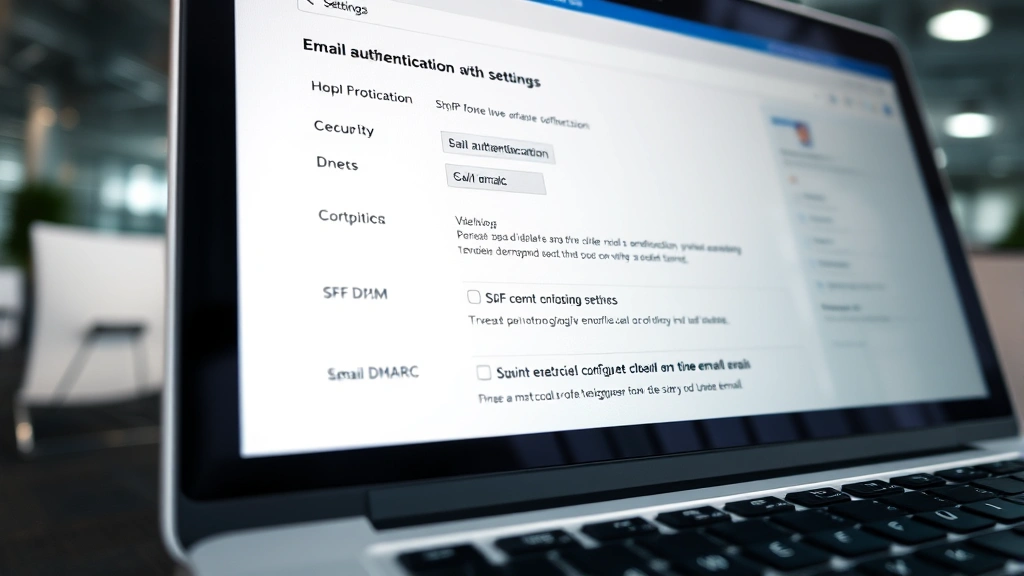
Email security forms the foundation of any organization’s cybersecurity infrastructure. At its core, email security involves multiple layers of protection designed to safeguard messages from interception, manipulation, and unauthorized access. The fundamental components include authentication protocols like SPF (Sender Policy Framework), DKIM (DomainKeys Identified Mail), and DMARC (Domain-based Message Authentication, Reporting, and Conformance), which verify that emails originate from legitimate sources.
According to the Cybersecurity and Infrastructure Security Agency (CISA), organizations should implement a defense-in-depth approach combining technical controls with administrative policies. This means your email security shouldn’t rely on a single solution but rather integrate multiple protective layers. Encryption ensures that email content remains confidential during transmission and storage, while content filtering blocks malicious attachments, suspicious links, and known phishing attempts.
What many security professionals overlook is that abnormal email security patterns often emerge gradually. A single misconfigured setting might seem insignificant, but when combined with other weaknesses, it creates vulnerability windows that attackers exploit. Understanding your baseline email security posture is therefore essential for identifying deviations that warrant investigation.

Common Signs of Abnormal Email Security
Recognizing abnormal email security requires awareness of specific indicators that suggest compromise or misconfiguration. These warning signs span technical anomalies, behavioral patterns, and policy violations that security teams must monitor continuously.
Unexpected Login Locations and Times: If your email system logs show access from unfamiliar geographic locations, unusual time zones, or multiple simultaneous sessions, these patterns indicate potential unauthorized access. Legitimate users typically access email from predictable locations during standard working hours. When you observe logins from countries where your organization has no presence, or access patterns that contradict employee schedules, immediate investigation is warranted.
Forwarding Rule Anomalies: One of the most dangerous yet often-overlooked email security abnormalities is the creation of unauthorized forwarding rules. Attackers who gain email access frequently establish rules that silently forward sensitive messages to external addresses. If you discover forwarding rules you don’t recognize, or if users report missing emails that should have arrived, this strongly suggests compromise. Regularly audit forwarding configurations across your organization to catch these threats early.
Unusual Attachment and Link Behavior: Abnormal email security manifests when users suddenly begin receiving emails with suspicious attachments or malicious links from trusted contacts. This often indicates that legitimate email accounts have been compromised and are being used to distribute malware. Pay attention to requests for unusual file types, pressure to open attachments immediately, or links that don’t match the sender’s typical communication patterns.
Credential Stuffing and Brute Force Indicators: Monitor your email system’s authentication logs for excessive failed login attempts, which signal brute force attacks. If you notice patterns of failed logins followed by successful access, or if legitimate users report account lockouts they didn’t trigger, these abnormalities warrant investigation and potential password resets.
Unexpected Mailbox Size Growth: Sudden, unexplained increases in mailbox storage usage can indicate that attackers are collecting and storing sensitive messages for exfiltration. Compare mailbox growth rates against historical baselines to identify anomalies that require investigation.
Authentication and Verification Mechanisms
Strong authentication represents the cornerstone of abnormal email security prevention. Multi-factor authentication (MFA) significantly reduces the risk of unauthorized access, even when credentials are compromised. By requiring a second verification factor—whether biometric, hardware token, or time-based code—MFA creates barriers that most attackers cannot overcome.
Implementing NIST guidelines for authentication provides a framework for establishing robust identity verification. NIST recommends moving beyond simple password-based authentication toward phishing-resistant methods such as hardware security keys or certificate-based authentication. Organizations that rely solely on passwords face significantly higher risk of abnormal email security incidents.
SPF, DKIM, and DMARC work together to prevent email spoofing and domain impersonation. SPF records specify which mail servers are authorized to send messages on behalf of your domain. DKIM adds digital signatures to outgoing messages, allowing recipients to verify authenticity. DMARC policies define how receiving servers should handle messages that fail authentication checks. Properly configuring these protocols is essential for preventing attackers from sending emails that appear to come from your organization—a tactic that damages reputation and facilitates social engineering attacks.
Additionally, implement envelope authentication to verify not just the message source but also the actual sending system. This multi-layered verification approach makes it substantially harder for attackers to spoof legitimate communications and reduces the likelihood of abnormal email security incidents going undetected.
Advanced Threat Detection Strategies
Modern email security threats require sophisticated detection mechanisms that go beyond signature-based filtering. Machine learning and behavioral analysis tools can identify abnormal email security patterns by establishing baselines of normal user activity and flagging deviations.
Sandboxing technology provides another critical layer of defense. When emails contain suspicious attachments, sandboxing executes them in isolated environments to observe their behavior before allowing them to reach users. This approach catches zero-day malware and polymorphic threats that traditional signature-based detection misses. Organizations implementing advanced threat intelligence platforms gain visibility into emerging attack patterns and can adjust defenses proactively.
User and Entity Behavior Analytics (UEBA) represents a powerful tool for detecting abnormal email security incidents. UEBA systems learn individual user patterns and alert security teams when behavior deviates significantly. If a user suddenly begins accessing sensitive files they’ve never touched before, or if email send volumes spike unexpectedly, UEBA systems flag these anomalies for investigation.
Email header analysis provides forensic evidence of abnormal patterns. Headers contain routing information, authentication results, and timestamps that reveal whether messages have been tampered with or originated from unexpected sources. Security professionals who understand email header structure can identify spoofed messages, trace message paths, and detect signs of compromise that casual inspection would miss.
Implementing content disarm and reconstruction (CDR) technology adds another protection layer. CDR tools strip potentially dangerous elements from files and documents, reconstructing them in a safe format. This approach neutralizes threats embedded in Office documents, PDFs, and archives without requiring users to open dangerous files.
Employee Training and Awareness
Even the most sophisticated technical controls fail without user awareness and adherence to security practices. Email security abnormalities frequently stem from employee mistakes—clicking malicious links, opening dangerous attachments, or sharing credentials through social engineering. Comprehensive training programs significantly reduce these human factors.
Effective email security training should cover:
- Phishing recognition: Teaching employees to identify common phishing tactics, suspicious sender addresses, and urgency-based manipulation
- Social engineering awareness: Explaining how attackers manipulate psychology to extract information or access credentials
- Password hygiene: Emphasizing unique, strong passwords and the dangers of credential reuse
- Reporting procedures: Establishing clear mechanisms for employees to report suspicious emails to security teams
- Data classification: Helping employees understand which information requires special protection and handling
Simulated phishing campaigns provide practical training by sending fake phishing emails to employees and measuring click-through rates. Organizations that conduct regular simulations see significant improvements in employee ability to recognize threats. These campaigns, when combined with immediate feedback and retraining, create a security-conscious culture that reduces abnormal email security incidents.
Executive awareness proves particularly important, as C-suite targets face sophisticated spear-phishing and business email compromise attacks. Customized training for high-value targets acknowledges the elevated threats they face and provides specific defense strategies.
Incident Response and Recovery
When abnormal email security indicators emerge, rapid response minimizes damage. Establishing an incident response plan specific to email compromise ensures your organization can act decisively. This plan should include:
Detection and Containment: Once compromise is suspected, immediately isolate affected accounts from the broader email system. Change credentials, revoke active sessions, and prevent further unauthorized access. Conduct thorough mailbox audits to identify what information attackers accessed and what actions they performed.
Forensic Investigation: Preserve email logs, authentication records, and system activity for forensic analysis. Work with security researchers or incident response specialists to understand how attackers gained access and what vulnerabilities they exploited. This analysis informs remediation efforts and prevents recurrence.
Notification and Communication: Following CISA incident response guidance, notify affected parties of any data exposure. Regulatory requirements may mandate disclosure timelines, so understanding your obligations prevents legal complications. Transparent communication maintains stakeholder trust during security incidents.
Remediation and Hardening: Address root causes of the compromise. If weak passwords enabled unauthorized access, enforce stronger password policies. If unpatched systems were exploited, implement vulnerability management processes. If forwarding rules went undetected, implement monitoring and alerting for mailbox rule changes.
Post-Incident Review: Conduct thorough post-mortems examining what warning signs were missed, why detection failed, and how response could have been faster. Use these insights to strengthen defenses and improve incident response procedures for future occurrences.
Organizations that treat email security incidents as learning opportunities strengthen their overall cybersecurity posture. Each incident reveals weaknesses in technical controls, processes, or awareness that, when addressed, reduce the likelihood of similar future compromises.
Consider implementing email retention policies and backup systems that enable recovery from ransomware or destructive attacks. These measures ensure business continuity even when email systems are compromised or temporarily unavailable.
FAQ
What are the first signs that my email security might be compromised?
Watch for unexpected forwarding rules, login attempts from unfamiliar locations, sudden changes in sent email volume, and reports from contacts that they’re receiving suspicious messages from your address. These abnormal email security indicators warrant immediate investigation and credential resets.
How often should I audit email security configurations?
Security audits should occur at minimum quarterly, with critical configurations reviewed monthly. After any security incident or organizational change, conduct immediate audits to ensure configurations remain aligned with security policies.
What’s the difference between DMARC, SPF, and DKIM?
SPF authorizes which servers can send mail for your domain, DKIM adds digital signatures to messages, and DMARC defines policies for handling authentication failures. Together, these protocols prevent spoofing and domain impersonation attacks that create abnormal email security patterns.
Is multi-factor authentication really necessary for email?
Yes. MFA dramatically reduces unauthorized access risk. Even if attackers obtain credentials through phishing or data breaches, they cannot access accounts without the second verification factor. For email systems containing sensitive business information, MFA is essential.
How can I tell if my email account has been compromised?
Check your email forwarding rules, review recent login activity and locations, examine sent mail folders for messages you didn’t send, and verify that recovery email addresses and phone numbers remain correct. If anything appears abnormal, change your password immediately and enable MFA.
What should I do if I discover abnormal email forwarding rules?
Delete unauthorized rules immediately, change your password, enable MFA, review sent emails for unauthorized messages, and notify your security team. If the compromise occurred on a business account, your organization may need to conduct broader investigation to determine the attack’s scope.


