
AAA Home Security: Protect Your Digital Assets
Your home is more than just a physical space—it’s a hub of digital activity where sensitive information, financial data, and personal communications converge. In an era where cyber threats evolve daily, implementing comprehensive AAA home security measures has become essential for every household. AAA security, which stands for Authentication, Authorization, and Accountability, forms the foundation of robust digital protection that safeguards your devices, networks, and personal information from increasingly sophisticated attackers.
The average household today contains dozens of connected devices, from smartphones and laptops to smart home systems and IoT devices. Each connection point represents a potential vulnerability that cybercriminals exploit to gain unauthorized access to your data. Unlike traditional home security that focuses on physical intrusions, digital home security protects against invisible threats that can compromise your identity, drain your finances, and expose intimate details of your life. Understanding and implementing AAA home security principles ensures you maintain control over your digital environment and minimize your exposure to modern cyber threats.
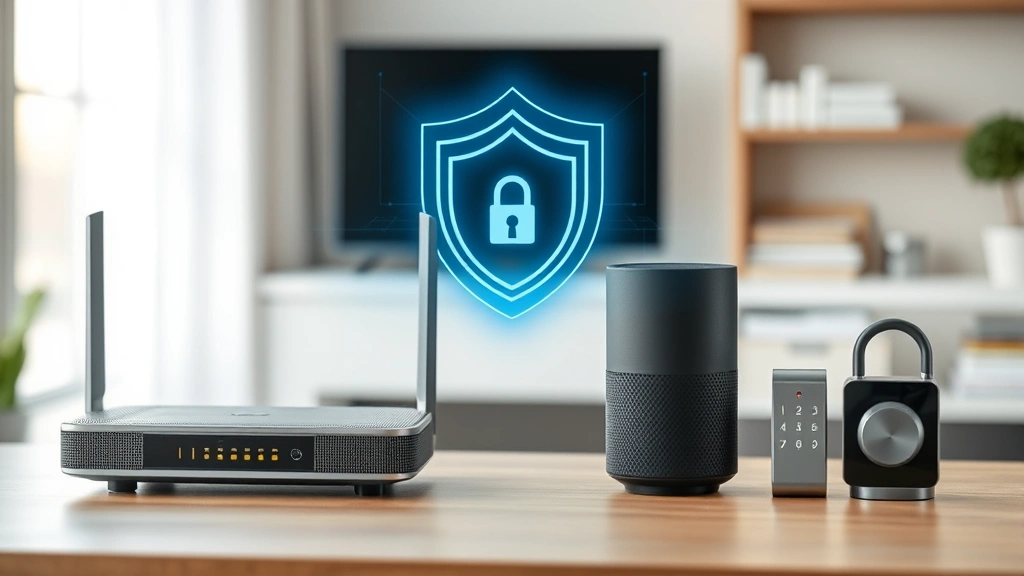
Understanding AAA Security Framework
The AAA framework represents three critical pillars that work together to create a secure digital environment. Authentication verifies that users are who they claim to be through credentials and verification methods. Authorization determines what authenticated users can access and what actions they’re permitted to perform. Accountability tracks and logs all activities to create an audit trail that identifies who did what and when. When applied to home security, these principles create multiple layers of protection that are far more effective than single-point defenses.
According to CISA (Cybersecurity and Infrastructure Security Agency), implementing AAA controls reduces unauthorized access incidents by up to 85%. The framework works by establishing security gates at each level: first verifying identity, then confirming permissions, and finally documenting all access attempts. This approach is particularly valuable for households with multiple family members, guests, and numerous devices that require varying levels of access.
The beauty of AAA home security lies in its scalability. Whether you’re protecting a single apartment or a large family residence with smart home systems, you can tailor AAA principles to match your specific needs. The framework adapts from enterprise-level security practices and brings institutional-grade protection to residential environments. When properly implemented, AAA security creates an ecosystem where every access attempt is verified, every user knows their boundaries, and every action leaves a traceable record.

Multi-Layer Authentication Strategies
Authentication is your first line of defense against unauthorized access. Single-factor authentication—relying solely on passwords—leaves your accounts vulnerable to brute force attacks, credential stuffing, and phishing schemes. Multi-factor authentication (MFA) dramatically improves security by requiring multiple verification methods before granting access.
Implement these authentication layers across your digital ecosystem:
- Something You Know: Complex passwords combining uppercase, lowercase, numbers, and symbols. Use unique passwords for each account, stored in a reputable password manager like Bitwarden or 1Password.
- Something You Have: Physical authenticators such as hardware security keys (YubiKey, Titan), authenticator apps (Google Authenticator, Authy), or backup codes stored securely offline.
- Something You Are: Biometric factors including fingerprint recognition, facial recognition, or iris scanning available on modern devices.
- Somewhere You Are: Location-based authentication that verifies access from expected geographic locations, flagging unusual login attempts from unfamiliar regions.
For your home network, enable WPA3 encryption on your WiFi router—the latest wireless security standard that provides stronger protection than WPA2. This ensures that devices connecting to your network must authenticate properly before gaining access. Change default router credentials immediately upon setup, as default passwords are among the first things attackers attempt.
Consider implementing a NIST-compliant authentication strategy for your most sensitive accounts. This includes avoiding security questions that can be researched online and using passwordless authentication methods where available. Major platforms including Microsoft, Google, and Apple now support passwordless sign-in options that eliminate phishing vulnerabilities associated with traditional passwords.
Authorization and Access Control
Once users are authenticated, authorization determines what they can access. In home environments, this means establishing different permission levels for different family members and devices. A child’s tablet shouldn’t have access to parental financial accounts, and guest devices shouldn’t reach your personal files.
Implement these authorization controls:
- Role-Based Access Control (RBAC): Define roles such as Administrator (full access), Family Member (moderate access), and Guest (limited access). Assign permissions based on roles rather than individuals.
- Principle of Least Privilege: Grant only the minimum access necessary for each user to accomplish their tasks. Regularly audit permissions and revoke access that’s no longer needed.
- Device-Level Controls: Use operating system features like user accounts, parental controls, and app permissions to restrict what applications can access on each device.
- Network Segmentation: Separate your network into zones—one for trusted devices, another for guests, and potentially isolated segments for IoT devices that don’t need access to sensitive systems.
- File-Level Encryption: Encrypt sensitive files and folders so that even if a device is compromised, attackers cannot access the encrypted content without the decryption key.
Smart home systems require particular attention to authorization. Your smart door lock shouldn’t grant access to someone who authenticated to your guest WiFi network. Use your smart home platform’s native security settings to create authorization hierarchies that prevent privilege escalation. If your system supports it, enable activity logging so you receive notifications whenever someone accesses critical devices.
Accountability Through Monitoring
Accountability creates the audit trail that proves who accessed what and when. This detective control helps you identify breaches quickly and provides evidence if disputes arise. Enable logging on every system possible: routers, devices, cloud services, and applications.
Review these logs regularly for suspicious patterns:
- Login attempts from unfamiliar locations or at unusual times
- Failed authentication attempts that suggest brute force attacks
- Permission changes or account modifications you didn’t authorize
- Unusual data transfers or access to sensitive files
- Device connections from previously unknown MAC addresses
Set up security alerts through your email provider, password manager, and critical online accounts. Services like Gmail, Microsoft, and Apple will notify you of unusual sign-in activity, new device connections, and permission changes. These alerts provide early warning of potential compromise.
Use free tools like Have I Been Pwned to check if your email addresses appear in known data breaches. This accountability mechanism helps you understand your exposure and take corrective action. Many password managers integrate this service directly, automatically alerting you if credentials in your vault appear in breach databases.
Securing Your Home Network
Your home network is the backbone connecting all your devices, making it a critical component of AAA home security. A compromised network allows attackers to intercept communications, inject malware, and move laterally between devices.
Harden your network with these measures:
- Update Firmware Regularly: Router manufacturers release security patches monthly. Enable automatic updates or manually check for updates every 30 days. Outdated firmware contains known vulnerabilities that attackers actively exploit.
- Disable Unnecessary Services: Turn off UPnP, remote management, and WPS (WiFi Protected Setup). These features create attack vectors that provide no benefit in most home environments.
- Configure Strong Encryption: Use WPA3 if available, or WPA2 with AES encryption at minimum. Never use WEP or open networks, even for guest access.
- Change Default Credentials: Modify the default username and password for your router’s admin interface. Use a strong, unique password stored securely.
- Enable Firewall: Activate the built-in firewall on your router and ensure it’s set to block unsolicited inbound connections while allowing outbound traffic.
- Create Guest Networks: Separate guest WiFi from your main network so visitors cannot access your personal devices or files.
- Monitor Connected Devices: Regularly review the list of devices connected to your network. Unfamiliar devices indicate potential unauthorized access.
Consider implementing a home VPN server using tools like OpenVPN or Wireguard. This allows secure remote access to your home network when traveling, protecting your communications from public WiFi networks. For technical users, a home server running Pi-hole provides network-wide ad blocking and DNS-level threat filtering.
Device Hardening Essentials
Every device in your home represents a potential entry point for attackers. Hardening each device reduces its attack surface and limits what attackers can accomplish if they gain initial access.
Apply these hardening techniques across all devices:
- Operating System Updates: Enable automatic updates on all devices. Security patches address newly discovered vulnerabilities, and delayed patching leaves you exposed. Most breaches exploit known vulnerabilities that patches have already addressed.
- Antivirus and Anti-Malware: Install reputable security software on Windows and Mac systems. Modern solutions like Kaspersky, Bitdefender, and Norton provide real-time protection against evolving threats. Mobile devices have built-in protections but benefit from additional security apps.
- Disable Auto-Play: Turn off auto-play for USB drives and removable media. Malware often spreads through removable devices using auto-run features.
- Application Whitelisting: On critical devices, enable settings that only allow approved applications to run. This prevents malware from executing even if it reaches your device.
- Screen Locking: Set devices to lock automatically after brief inactivity periods. Use strong PINs or biometric locks, not simple patterns or swipes.
- Disable Unnecessary Features: Turn off Bluetooth, location services, and camera access for applications that don’t require them. Each enabled feature expands the attack surface.
Mobile device security deserves special attention since smartphones often contain the most sensitive personal information. Enable device encryption (available by default on iOS and Android), keep the OS updated, and review app permissions quarterly. Uninstall applications you no longer use, as abandoned apps may contain unpatched vulnerabilities.
Incident Response Planning
Despite your best efforts, security incidents may still occur. A well-developed incident response plan minimizes damage and enables rapid recovery. Create a documented plan that all household members understand.
Your plan should address:
- Detection: How you’ll identify security incidents (unusual device behavior, missing files, unexpected charges, password reset emails you didn’t request)
- Containment: Steps to isolate compromised devices or accounts to prevent further spread (disconnect from network, change passwords, revoke sessions)
- Investigation: Methods for determining what happened, how long it persisted, and what data was exposed
- Recovery: Procedures for restoring systems to a known good state, including which backups to use and how to verify integrity
- Communication: Who to contact and when (family members, financial institutions, law enforcement if necessary)
Maintain offline backups of critical data stored on devices disconnected from your network. This enables recovery even if ransomware encrypts your files or an attacker deletes data. Follow the 3-2-1 backup rule: maintain 3 copies of important data, on 2 different media types, with 1 copy stored offsite.
Review CISA’s incident response guidance for detailed procedures. If you suspect a breach involving financial accounts or identity theft, contact your bank and consider filing a report with the FTC at identitytheft.gov, which provides resources and recovery assistance.
FAQ
What’s the difference between AAA security and traditional home security systems?
Traditional home security focuses on physical intrusions using cameras, alarms, and motion sensors. AAA home security protects your digital assets through authentication, authorization, and accountability controls. Modern comprehensive security requires both physical and digital protection, as cyber attacks can compromise your identity, finances, and personal information without any physical intrusion.
Is multi-factor authentication really necessary for home accounts?
Yes, absolutely. Cybercriminals use automated tools to compromise accounts at massive scale. MFA dramatically increases security by requiring attackers to possess something beyond just your password. Even if your password is stolen in a data breach, attackers cannot access your account without the second factor. Prioritize MFA for email, banking, and password managers—these provide access to your other accounts.
How often should I update my router firmware?
Check for router firmware updates monthly. Enable automatic updates if your router supports this feature. Critical security vulnerabilities may require immediate updates, so monitor your router manufacturer’s security advisories. Routers often remain in service for 5-10 years but may only receive firmware updates for 3-5 years, so consider replacement if your router is approaching end-of-life.
What should I do if I suspect my home network is compromised?
Disconnect all devices from the network immediately. Change your router’s admin password and perform a factory reset if you suspect unauthorized access. Reconfigure your network with strong encryption and updated firmware. Change passwords for all critical accounts from a clean device on a different network. If you believe financial accounts were compromised, contact your bank immediately. For serious incidents, consider hiring a professional cybersecurity firm to investigate.
Are password managers safe to use?
Reputable password managers are significantly safer than reusing passwords or using weak passwords. Choose established providers like Bitwarden, 1Password, or Dashlane that use strong encryption and have undergone security audits. Password managers eliminate password reuse, which is one of the most common causes of account compromise. The convenience of strong unique passwords outweighs the theoretical risks of centralized password storage.
How can I protect my smart home devices from hacking?
Update smart device firmware regularly, change default credentials immediately, use strong WiFi encryption, create a separate network segment for IoT devices if your router supports it, and disable features you don’t use. Review manufacturer privacy policies—some devices collect unnecessary data. Consider devices from manufacturers with strong security track records and active patch support. For critical devices like smart locks, prioritize security over convenience features.


