
Are 4K Security Cameras Secure? Expert Insights on Modern Surveillance Technology
4K security cameras have revolutionized how businesses and homeowners monitor their properties, offering unprecedented clarity and detail in video footage. However, with greater capability comes greater responsibility—and greater security risks. As cyber threats evolve, the question of whether these advanced surveillance systems can actually protect you while remaining secure themselves has become increasingly critical. This comprehensive guide explores the security landscape of 4K cameras, examining vulnerabilities, best practices, and expert recommendations to help you make informed decisions about your surveillance infrastructure.
The proliferation of Internet of Things (IoT) devices, including 4K security cameras, has created a complex ecosystem where convenience and security often exist in tension. While manufacturers continue to enhance video quality and features, security implementation frequently lags behind, leaving many systems vulnerable to exploitation. Understanding these risks is essential for anyone considering or currently using 4K security camera systems.
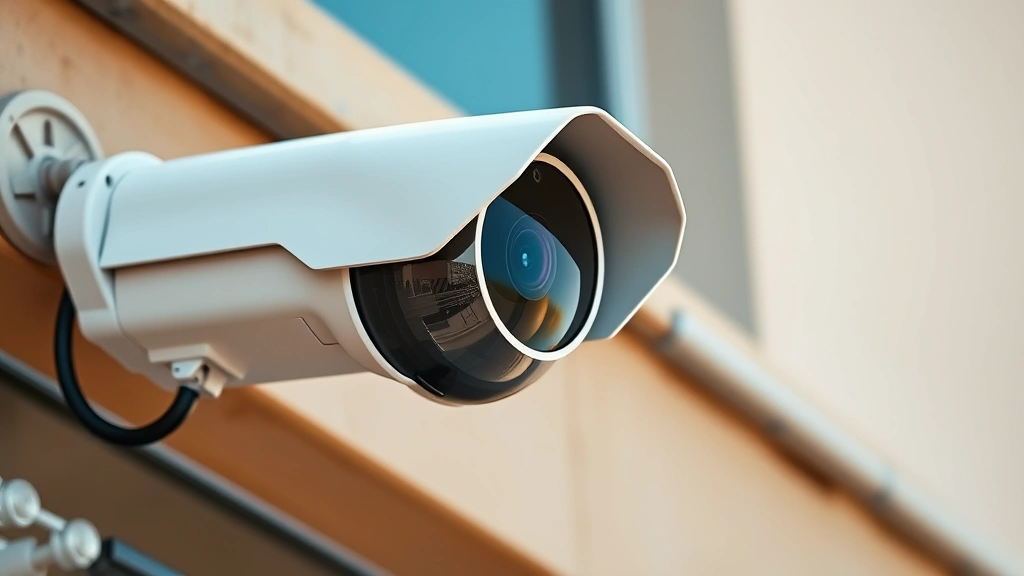
Understanding 4K Security Camera Vulnerabilities
4K security cameras represent a significant technological leap forward, delivering four times the resolution of standard HD cameras. This enhanced clarity makes them invaluable for identifying suspects, reading license plates, and capturing critical details in security incidents. However, this increased functionality comes with expanded attack surfaces that malicious actors actively exploit.
The primary vulnerability in 4K security cameras stems from their nature as connected devices operating with limited computational resources. Unlike traditional computers with robust security infrastructure, most cameras prioritize performance and cost-effectiveness over comprehensive security measures. Manufacturers often ship devices with default credentials, minimal encryption, and outdated operating systems—creating immediate risks upon installation.
Common vulnerabilities include insufficient input validation, hardcoded credentials embedded in firmware, unencrypted data transmission, and inadequate authentication mechanisms. According to CISA (Cybersecurity and Infrastructure Security Agency), IoT devices like security cameras represent increasingly attractive targets for botnet recruitment and distributed denial-of-service (DDoS) attacks. When compromised, these devices can be weaponized without the owner’s knowledge, participating in large-scale cyber attacks while simultaneously exposing stored footage and live feeds to unauthorized access.
The challenge intensifies when considering the typical deployment environment. Security cameras often operate on networks shared with sensitive business systems or personal devices, creating potential lateral movement pathways for attackers who compromise a camera.

Network Security Threats and Risks
Your 4K security camera system’s security depends heavily on the network infrastructure supporting it. Many security breaches don’t target the camera itself but rather the network pathways through which it communicates. Man-in-the-middle (MITM) attacks, where attackers intercept communication between your camera and monitoring system, represent a significant threat when traffic lacks proper encryption.
Unencrypted video streams transmit footage across your network in plaintext, visible to anyone with basic network analysis tools. This vulnerability allows attackers to view live feeds, intercept recorded footage, or inject malicious content into the stream. Additionally, if your camera connects to cloud storage services without proper security protocols, your surveillance data becomes vulnerable to interception during transmission.
Botnet infections pose another critical threat. Compromised 4K cameras often become part of massive botnet networks like Mirai or its variants, participating in DDoS attacks without your awareness. These botnets can compromise thousands of cameras simultaneously, leveraging their combined bandwidth for devastating attacks against critical infrastructure. Your camera’s bandwidth becomes weaponized while potentially drawing law enforcement attention to your network.
Remote access vulnerabilities demand particular attention. Many users enable remote viewing capabilities to monitor their properties from smartphones or computers, but improper configuration of these access points creates entry vectors for attackers. Weak credentials, exposed ports, and unencrypted remote access protocols allow unauthorized users to view your surveillance system from anywhere globally.
Encryption and Data Protection Standards
Encryption represents the foundational security measure for protecting 4K camera footage and system communications. However, not all encryption implementations provide equivalent protection. Understanding encryption standards and their proper application is essential for evaluating system security.
Transport Layer Security (TLS) and its predecessor SSL should protect all communication between cameras, storage systems, and viewing devices. TLS 1.2 or higher provides current protection standards, while older SSL versions or TLS 1.0/1.1 contain known vulnerabilities. Many manufacturers continue shipping cameras with outdated encryption protocols, leaving systems vulnerable despite encryption being theoretically enabled.
End-to-end encryption, where footage remains encrypted from capture through storage and viewing, provides superior protection compared to encryption limited to transmission. This approach ensures that even if attackers breach storage systems, they cannot access video content without encryption keys. However, implementing robust end-to-end encryption requires careful key management—poor key handling can render encryption ineffective.
According to NIST cybersecurity guidelines, encryption alone doesn’t guarantee security; it must combine with proper key management, secure storage, and access controls. Many 4K camera systems implement encryption but store encryption keys insecurely, essentially providing security theater rather than genuine protection.
Data at rest—footage stored on local drives, NAS systems, or cloud services—requires encryption as robust as transmission encryption. Unencrypted storage means a compromised server or stolen hard drive exposes all historical footage. Additionally, consider the encryption implementation’s strength; weak algorithms or insufficient key lengths can be broken by determined attackers.
Firmware and Software Security Issues
Firmware represents the operating system running on your 4K security camera, controlling all functionality and serving as the primary attack surface for determined adversaries. Outdated or vulnerable firmware transforms even well-configured cameras into security liabilities.
Manufacturers often release security patches addressing newly discovered vulnerabilities, yet many users never apply these updates. The reasons vary: users unaware updates exist, fear of system downtime, or cameras that lack automatic update capabilities. This creates a persistent vulnerability window where known exploits remain effective against deployed systems.
Zero-day vulnerabilities—previously unknown security flaws—represent an unavoidable risk category. However, responsible vulnerability disclosure practices and prompt patching minimize exposure windows. Manufacturers demonstrating commitment to security respond rapidly to disclosed vulnerabilities, while others delay or ignore reports entirely.
Many 4K cameras ship with administrative interfaces accessible through default credentials like “admin/12345” or “root/root.” Users who fail to change these credentials—or cameras that don’t require credential changes during setup—remain trivially compromised. Attackers use automated scanning tools to identify cameras with unchanged default credentials, gaining immediate administrative access.
Legacy firmware versions often contain known exploits that attackers actively weaponize. Unlike personal computers that receive years of security updates, many camera manufacturers support devices for only 2-3 years before ceasing security patches entirely. This creates a situation where cameras become progressively more vulnerable as they age.
Best Practices for Securing Your System
Implementing robust security practices dramatically reduces your 4K security camera system’s vulnerability to compromise. These practices span technical configuration, operational procedures, and ongoing monitoring.
Network Segmentation represents perhaps the most effective security measure. Isolating your security camera system on a dedicated network segment, separate from computers containing sensitive business or personal data, limits an attacker’s lateral movement if cameras are compromised. This network isolation should include firewall rules restricting camera communication to necessary ports and destinations only.
Strong Authentication begins with changing all default credentials immediately upon installation. Implement passwords exceeding 12 characters, combining uppercase, lowercase, numbers, and special characters. Enable multi-factor authentication wherever available. For administrative accounts, consider using unique credentials separate from standard user accounts.
Regular Firmware Updates must become a scheduled maintenance task. Check manufacturer websites monthly for security updates and establish procedures for deploying them systematically. Many modern cameras support automatic updates; enabling this feature ensures you receive patches without manual intervention.
Encryption Configuration requires verifying that all available encryption options are enabled. Confirm TLS 1.2 or higher is active for all communications. If the system supports end-to-end encryption, enable it despite potential performance impacts. Verify that stored footage uses strong encryption with securely managed keys.
Access Control Management demands limiting who can access your surveillance system. Provide administrative credentials only to necessary personnel, maintain audit logs of access attempts, and regularly review who has system access. Revoke access promptly when personnel change roles or leave organizations.
Additionally, disable unnecessary features and services. If remote access isn’t required, disable it entirely. Close unused ports. Disable default services that add no value to your specific deployment. Each disabled feature represents one fewer attack vector.
Authentication and Access Control
Authentication mechanisms determine who can access your 4K camera system and what actions they can perform. Weak authentication undermines all other security measures, while robust authentication creates meaningful barriers against unauthorized access.
Role-based access control (RBAC) allows different users different permission levels. Administrators require full access, while monitoring personnel might only view live feeds. Some users might access only specific cameras. Implementing granular permissions ensures users access only necessary system components.
Multi-factor authentication (MFA) requires users provide multiple verification forms—typically something they know (password), something they have (smartphone), and potentially something they are (biometric). MFA dramatically increases security even if passwords are compromised, as attackers would need access to secondary authentication factors.
Session management must enforce reasonable timeouts. Leaving systems logged in indefinitely creates risks if workstations are accessed by unauthorized users. Automatic logout after 15-30 minutes of inactivity prevents this scenario. Additionally, ensure users cannot maintain multiple simultaneous sessions with the same credentials, preventing shared account usage that obscures accountability.
Audit logging should record all authentication attempts, successful access sessions, configuration changes, and administrative actions. These logs enable detection of unauthorized access attempts and provide forensic evidence if compromises occur. However, logs themselves require protection; attackers often attempt to delete logs covering their activities.
Monitoring and Detection Strategies
Even perfectly configured systems can be compromised; therefore, continuous monitoring and threat detection capabilities are essential. Proactive monitoring enables rapid response before significant damage occurs.
Network Monitoring examines traffic patterns to identify anomalies suggesting compromise. Unusual outbound connections, excessive data transfers, or communication with known malicious IP addresses indicate potential compromise. Network analysis tools can establish baseline traffic patterns, alerting administrators to deviations.
Log Analysis examines system logs for suspicious patterns. Failed authentication attempts, unusual access times, configuration changes from unexpected sources, or administrative actions from unfamiliar accounts all warrant investigation. Centralized log collection and analysis tools enable correlation across multiple events.
System Resource Monitoring tracks CPU, memory, and disk usage. Compromised cameras may exhibit unusual resource consumption as they participate in botnets or perform unauthorized functions. Baseline resource usage allows detection of anomalies suggesting malicious activity.
Behavioral Analysis compares current system behavior against established baselines. This includes monitoring when cameras access the network, data transfer volumes, and communication patterns. Machine learning algorithms can identify subtle anomalies that might escape human notice.
Threat intelligence integration allows your security team to cross-reference detected indicators against known malicious entities. If your camera communicates with an IP address identified as malicious in threat intelligence reports, immediate investigation and response become necessary.
Choosing Secure 4K Camera Systems
When evaluating 4K security cameras, security should weigh equally with image quality and features. Several factors indicate a manufacturer’s commitment to security.
Security Track Record matters significantly. Research how manufacturers respond to discovered vulnerabilities. Do they acknowledge issues promptly and release patches quickly? Or do they ignore reports and delay fixes? Companies with demonstrated commitment to security typically maintain public vulnerability disclosure policies and timely patch cycles.
Transparency regarding security practices indicates confidence in implementation. Manufacturers willing to discuss encryption methods, authentication mechanisms, and security architecture typically implement more robust security than those providing minimal technical information.
Certifications and Compliance demonstrate adherence to security standards. Look for products certified under frameworks like NIST Cybersecurity Framework or compliance with industry standards like ISO 27001. These certifications indicate third-party verification of security practices.
Regular Updates should continue for at least 5-7 years post-purchase. Manufacturers committing to long-term support demonstrate confidence in their products and prioritize customer security. Conversely, manufacturers ceasing updates after 2-3 years suggest limited security commitment.
Community Reputation provides valuable insight. Research user reviews specifically mentioning security, check security researcher analyses, and examine whether the product has been subject to successful exploits. Products with histories of widespread compromise warrant careful consideration.
Consider consulting security research organizations and threat intelligence firms for analyses of specific camera models. These resources often publish detailed vulnerability assessments and security evaluations.
Enterprise-grade systems typically offer superior security compared to consumer-grade alternatives, though at higher cost. If security represents a critical priority, the investment in professionally managed systems often proves worthwhile. These systems typically feature centralized management, advanced encryption, comprehensive audit logging, and dedicated security teams supporting the platform.
FAQ
Can 4K security cameras be hacked?
Yes, 4K security cameras can be hacked, particularly if default credentials remain unchanged, firmware is outdated, or the system lacks proper network segmentation. However, implementing security best practices significantly reduces compromise risk. No system is completely unhackable, but robust security measures make cameras much less attractive targets compared to poorly secured alternatives.
What encryption should 4K cameras use?
4K security cameras should use TLS 1.2 or higher for all network communications and ideally support end-to-end encryption for stored footage. Verify that encryption is actually enabled in camera settings rather than assuming it’s active by default. Encryption strength depends on implementation quality; weak implementations may provide minimal protection despite encryption being theoretically enabled.
How often should I update camera firmware?
Check for firmware updates monthly and apply security updates immediately upon release. Critical security patches should be deployed within days of availability. Consider enabling automatic updates if available, ensuring patches deploy without requiring manual intervention. Establish a maintenance schedule for non-critical updates, applying them during periods of lower surveillance criticality.
Should I connect my security cameras to the cloud?
Cloud connectivity offers benefits like remote access and backup storage but introduces additional security considerations. If you use cloud services, ensure the provider implements strong encryption, offers security certifications, and maintains transparent privacy policies. Use network segmentation to isolate cameras from sensitive business systems. Verify that data transmission to cloud services uses current encryption protocols.
What’s the difference between local and cloud storage security?
Local storage requires physical security to prevent theft and encryption to protect data if storage devices are stolen. Cloud storage relies on provider security controls, data encryption in transit and at rest, and access controls. Both approaches have merits; many deployments use hybrid approaches storing recent footage locally while maintaining cloud backups.
How do I know if my camera has been compromised?
Indicators of compromise include unusual network traffic patterns, degraded camera performance, inability to access the camera despite correct credentials, unexpected configuration changes, or the camera appearing in public vulnerability databases. Implement continuous monitoring and maintain baseline understanding of normal system behavior, enabling rapid detection of anomalies.


