
Secure Your 4G LTE Cameras: Expert Advice
4G LTE security cameras have revolutionized surveillance by eliminating the need for complex wiring and providing reliable connectivity in remote locations. Whether you’re monitoring a construction site, rural property, or business facility, these wireless cameras offer flexibility and accessibility. However, this convenience comes with significant security risks that many users overlook. Without proper protection, your 4G LTE security camera becomes a potential entry point for cybercriminals, exposing your footage, network, and personal information to unauthorized access.
The proliferation of Internet of Things (IoT) devices, including security cameras, has created a new landscape of cyber threats. Attackers actively target poorly configured cameras to gain network access, steal sensitive footage, or use them as launching points for broader attacks. Understanding the security vulnerabilities specific to 4G LTE cameras and implementing robust protective measures is essential for anyone relying on these devices for surveillance.
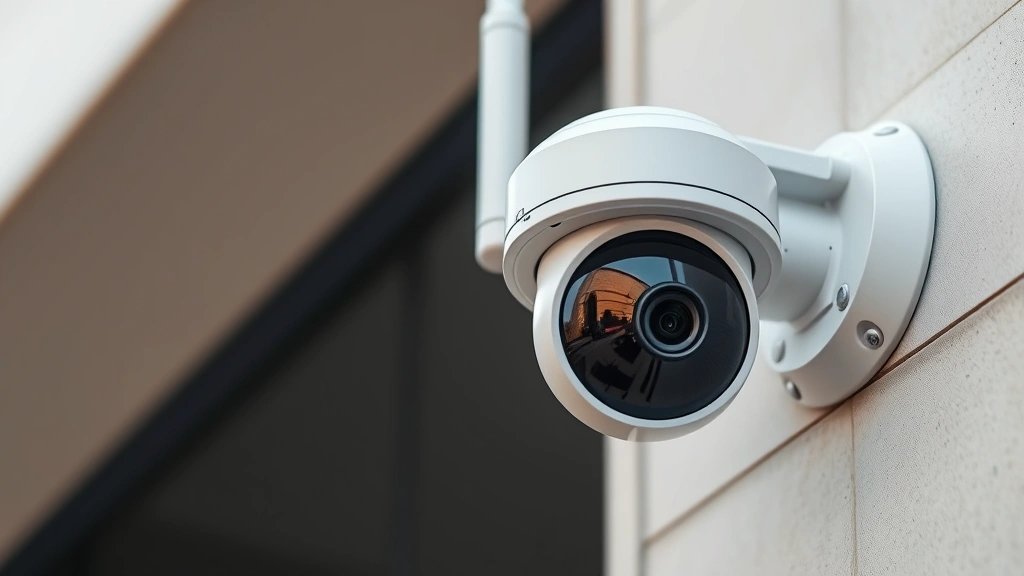
Understanding 4G LTE Camera Vulnerabilities
4G LTE security cameras operate on cellular networks, which introduces a unique set of vulnerabilities distinct from traditional wired surveillance systems. These cameras transmit data wirelessly over public cellular infrastructure, making them susceptible to interception if proper encryption protocols aren’t implemented. The challenge intensifies when considering that many manufacturers prioritize ease of use over security, leaving default configurations dangerously exposed.
One of the most critical vulnerabilities involves default credentials. Many 4G LTE cameras ship with factory-set usernames and passwords that are publicly available or easily guessable. Attackers use automated tools to scan networks and attempt access using these common defaults. When users fail to change these credentials immediately—a surprisingly common oversight—cameras become trivially compromised.
Another significant concern is inadequate firmware security. Many camera manufacturers release infrequent security updates, leaving known vulnerabilities unpatched for extended periods. Cybersecurity researchers regularly discover flaws in popular camera models that allow remote code execution, data exfiltration, or complete system takeover. Without timely patching, your camera remains vulnerable to exploitation.
The 4G LTE connection itself presents both advantages and risks. While cellular networks offer coverage in areas where WiFi is unavailable, they also mean your camera communicates through infrastructure you don’t control. Man-in-the-middle attacks, where attackers intercept communications between your camera and the cloud service, become possible if encryption is weak or misconfigured.

Authentication and Access Control
Implementing strong authentication is your first line of defense against unauthorized access to your 4G LTE security cameras. This extends beyond simply changing the default password—it requires a comprehensive approach to identity verification and access management.
Multi-factor authentication (MFA) should be enabled wherever the camera system supports it. This typically involves something you know (password) combined with something you have (a phone or authentication app) or something you are (biometric data). When accessing your camera remotely through mobile apps or web interfaces, MFA significantly reduces the risk of account compromise even if passwords are stolen.
Create complex, unique passwords for each camera and associated account. Your password should contain at least 16 characters mixing uppercase letters, lowercase letters, numbers, and special symbols. Avoid dictionary words, personal information, or sequential patterns. Consider using a password manager to generate and store these securely.
Implement role-based access control (RBAC) if your camera system supports it. This means different users receive different permission levels—administrators get full control, while other authorized users might only view footage without modification capabilities. This principle of least privilege ensures that even if one account is compromised, the damage remains limited.
Regularly audit access logs and review who has accessed your camera system and when. Most modern 4G LTE cameras maintain activity logs that show login attempts, configuration changes, and footage access. Suspicious patterns—multiple failed login attempts, access from unfamiliar locations, or unusual times—indicate potential compromise attempts.
Consider implementing IP whitelisting when possible. This restricts camera access to specific, pre-approved IP addresses. While less convenient for remote access, it provides substantial security benefits by preventing unauthorized connection attempts from unknown locations.
Encryption Best Practices
Encryption transforms your camera data into unreadable format, protecting it during transmission and storage. However, not all encryption implementations are equally secure.
End-to-end encryption (E2EE) ensures that footage remains encrypted from the moment your camera captures it until you decrypt it for viewing. This means even the cloud service provider hosting your footage cannot access the unencrypted content. When selecting a 4G LTE camera system, prioritize models that offer E2EE as a standard feature.
Verify that your camera uses TLS 1.2 or higher for all network communications. Transport Layer Security (TLS) is the modern standard for encrypting data in transit. Older protocols like SSL 3.0 or TLS 1.0 contain known vulnerabilities and should be avoided. Check your camera’s technical specifications or contact the manufacturer to confirm the TLS version supported.
AES-256 encryption is the gold standard for data at rest—footage stored on cloud servers or local storage devices. This military-grade encryption algorithm provides exceptional security against brute-force attacks. Ensure your camera system uses AES-256 for any stored footage.
Disable any unencrypted access protocols or services. Some cameras support both encrypted and unencrypted connection options. Always disable HTTP, Telnet, and other unencrypted protocols, using only HTTPS and SSH alternatives. This prevents attackers from intercepting credentials or data transmitted in plain text.
Understand the key management practices of your camera provider. Encryption is only effective if encryption keys are properly managed. Ask your provider: Where are keys stored? Who has access? How are keys rotated? How are keys protected if you forget your password? Weak key management can undermine even strong encryption algorithms.
Network Security Fundamentals
Your 4G LTE camera doesn’t exist in isolation—it connects to broader networks and systems that require comprehensive security architecture. Proper network segmentation and monitoring are essential components of a robust security strategy.
Network segmentation involves isolating your security cameras on a separate network from other devices and systems. Instead of connecting cameras to your primary business or home network, create a dedicated VLAN (Virtual Local Area Network) or subnet exclusively for surveillance devices. This containment strategy means that if a camera is compromised, attackers cannot easily pivot to compromise other systems like computers, servers, or personal devices.
Deploy a firewall configured with strict rules governing camera traffic. Firewalls should allow cameras to communicate only with specific authorized cloud services or local storage systems. Block unnecessary ports and protocols. Monitor firewall logs for suspicious connection attempts or unusual traffic patterns that might indicate compromise.
Implement intrusion detection and prevention systems (IDPS) to monitor network traffic for signs of attack. These systems analyze data flowing to and from your cameras, identifying malicious patterns or known attack signatures. When suspicious activity is detected, IDPS can automatically block the connection or alert administrators.
Use a Virtual Private Network (VPN) when accessing your cameras remotely. A VPN encrypts all traffic between your device and your home or office network, preventing eavesdropping even on public WiFi networks. This is particularly important when viewing camera feeds from coffee shops, airports, or other untrusted networks.
Maintain an asset inventory documenting all 4G LTE cameras, their models, firmware versions, and connected services. This inventory helps you track which devices require updates, identify deprecated models no longer receiving security patches, and quickly respond when vulnerabilities are disclosed.
Firmware and Software Updates
Firmware represents the core software controlling your camera’s operations. Regular updates address security vulnerabilities, improve functionality, and patch known exploits that attackers actively use against older versions.
Enable automatic updates whenever your camera system offers this option. Automatic updates ensure that security patches deploy immediately without requiring manual intervention. While some organizations prefer manual updates to test compatibility first, automatic updates provide superior protection for most users by eliminating the window of vulnerability.
If automatic updates aren’t available, establish a regular update schedule—at minimum monthly, though weekly is preferable for critical security patches. Subscribe to your camera manufacturer’s security mailing list or RSS feed to receive notifications about available updates. Visit the manufacturer’s website regularly to check for firmware releases.
Before deploying updates to production cameras, test them in a controlled environment when possible. While this adds complexity, it prevents update-related issues from disabling your surveillance system at critical moments. Maintain a test camera running the latest firmware to identify potential problems before affecting your operational systems.
Document all firmware update activities, including dates, versions applied, and any issues encountered. This record helps you troubleshoot problems and verify that all cameras remain current. It also demonstrates compliance with security policies and regulatory requirements.
Never disable security notifications or alerts related to updates. Some users silence these warnings to reduce notification fatigue, but they represent critical security communications. Take each notification seriously and prioritize applying security updates above routine feature updates.
Monitoring and Threat Detection
Proactive monitoring transforms your security posture from reactive to preventive. Continuous observation of camera system behavior helps detect compromise attempts before they succeed.
Establish baseline behavior profiles for normal camera operation. Document typical bandwidth usage, connection patterns, and data transfer rates. Significant deviations from these baselines—such as unusual data uploads to unknown servers—indicate potential compromise. Most modern network monitoring tools can automatically alert when traffic patterns deviate from established baselines.
Review camera access logs at least weekly. Look for failed login attempts, successful access from unexpected locations, configuration changes you didn’t authorize, or access during unusual hours. Most camera systems maintain these logs for 30-90 days. Export and archive older logs for historical analysis and compliance documentation.
Monitor for physical tampering alongside digital threats. Many cameras include motion sensors or can detect lens obstruction. Configure alerts for these conditions. Physical compromise—removing a camera, covering its lens, or disconnecting its power—often precedes digital attacks or indicates active threats.
Implement centralized logging that collects logs from all cameras to a central server or service. This prevents attackers from deleting individual camera logs to hide their activities. Centralized logs also enable correlation analysis across multiple cameras to identify coordinated attacks.
Establish alerting thresholds for critical events. Configure your system to immediately notify you of multiple failed login attempts, unauthorized configuration changes, or network anomalies. These real-time alerts enable rapid response before attackers can cause significant damage.
Physical Security Considerations
While cybersecurity dominates discussions of camera security, physical security remains critically important. An attacker with physical access can bypass many digital protections.
Install cameras in secure locations where they’re difficult to tamper with, remove, or disable. Mount cameras high or behind protective barriers. Use tamper-evident seals or covers that show obvious signs of interference. For outdoor cameras, consider protective housings that shield against weather and physical damage while remaining transparent to the lens.
Secure power sources and connections to prevent attackers from simply unplugging cameras. Use cable conduits to protect wiring from cutting or disconnection. For battery-powered cameras, implement mechanisms to alert you if the battery is removed or depleted.
Maintain physical access controls around camera infrastructure. Limit who can access areas where cameras, routers, or storage devices are located. Use locks, keypads, or biometric systems to restrict physical access to sensitive equipment. Document all physical access to these areas.
Implement redundancy in your surveillance system. Deploy multiple cameras covering the same area so that disabling one camera doesn’t create a surveillance gap. Use diverse connectivity—combining 4G LTE with WiFi or wired connections—so that compromising one connection method doesn’t eliminate all coverage.
Consider GPS tracking and geofencing for portable 4G LTE cameras. If a camera is moved or removed from its expected location, automatic alerts notify you of potential theft or tampering. This feature proves particularly valuable for construction sites, remote properties, or temporary surveillance installations.
FAQ
What makes 4G LTE cameras more vulnerable than wired alternatives?
4G LTE cameras transmit data wirelessly over public cellular networks, creating interception opportunities that wired cameras avoid. They also often prioritize convenience over security, featuring weaker default configurations. However, when properly secured, 4G LTE cameras can achieve comparable security levels through encryption and access controls.
How often should I change my camera passwords?
Change passwords immediately after initial setup and whenever you suspect unauthorized access. For ongoing security, update passwords every 90 days. If using password managers and multi-factor authentication, less frequent changes become acceptable since password compromise becomes significantly harder.
Is cloud storage or local storage more secure for camera footage?
Each approach offers different security tradeoffs. Cloud storage provides redundancy and disaster recovery but depends on the provider’s security practices. Local storage keeps data under your control but requires you to maintain backup systems. The most secure approach often combines both: encrypted local storage with encrypted cloud backup.
What should I do if I suspect my camera has been compromised?
Immediately disconnect the camera from power and network. Document any suspicious activity for forensic analysis. Change all passwords for accounts associated with the camera system. Contact your camera manufacturer’s security team and report the incident to relevant authorities. Review all footage from the suspected compromise period for evidence of unauthorized access or surveillance.
Can I use a consumer-grade 4G LTE camera for business purposes?
Consumer cameras often lack the security features, support infrastructure, and reliability required for business use. They typically receive fewer security updates, lack enterprise management tools, and provide limited audit capabilities. For business applications, invest in enterprise-grade cameras designed for commercial deployment with professional support and security standards.
How does encryption impact camera performance and bandwidth?
Modern encryption adds minimal performance overhead—typically 1-5% impact on processing and bandwidth. The slight increase in bandwidth usage is negligible compared to the security benefits. Avoid disabling encryption to improve performance; instead, upgrade your network infrastructure if bandwidth becomes constrained.


