
3D Secure: Why Authentication Fails? Expert Insights
3D Secure (3DS) authentication has become the industry standard for protecting online payment transactions, yet merchants and consumers continue experiencing frustrating authentication failures. Despite its widespread implementation across major payment networks, 3D Secure authentication failed scenarios remain alarmingly common, costing businesses millions in lost transactions while simultaneously exposing customers to fraud risks. Understanding why these failures occur is critical for anyone involved in e-commerce, payment processing, or cybersecurity.
The paradox of 3D Secure is stark: a security measure designed to prevent fraud often becomes the barrier that prevents legitimate transactions from completing. When authentication fails, customers abandon shopping carts, merchants lose revenue, and the entire payment ecosystem suffers. This comprehensive guide explores the technical, operational, and user-experience factors that cause 3D Secure authentication failures, drawing on expert analysis and industry best practices to help you troubleshoot and prevent these costly disruptions.
Whether you’re a merchant troubleshooting payment issues, a developer implementing authentication protocols, or a security professional evaluating transaction security, understanding the root causes of 3DS failures is essential. We’ll examine everything from technical implementation challenges to user behavior patterns that trigger authentication blocks, providing actionable insights to improve your payment authorization success rates.
What Is 3D Secure and How Does It Work?
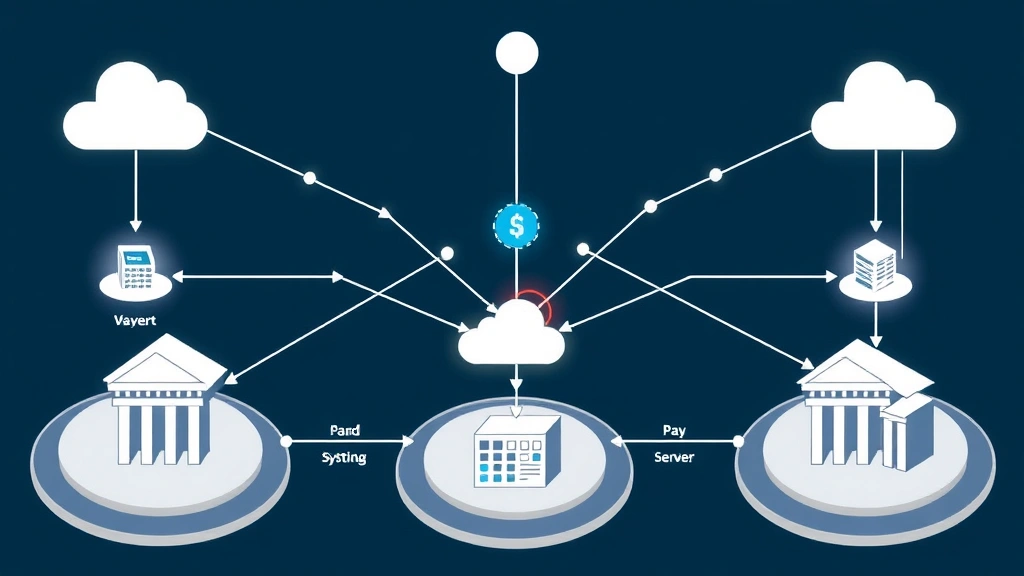
3D Secure represents a security protocol designed to add an extra layer of verification to online credit and debit card transactions. The “3D” refers to three domains: the merchant domain, the issuing bank domain, and the payment gateway domain. This three-party authentication system aims to verify that the person making the purchase is actually the legitimate cardholder.
The current version, 3D Secure 2.0 (3DS2), represents a significant evolution from its predecessor. Unlike the older 1.0 version, which relied heavily on static passwords, 3DS2 employs risk-based authentication using advanced machine learning and behavioral analysis. The system evaluates transaction data in real-time, including device fingerprinting, transaction history, and user behavior patterns, to determine whether a challenge (additional authentication) is necessary.
When a customer initiates a payment, the authentication server analyzes dozens of data points within milliseconds. If the transaction appears legitimate based on historical patterns and device recognition, it may be approved without requiring additional steps. However, if the transaction exhibits suspicious characteristics—such as an unusual location, unfamiliar device, or atypical purchase amount—the system triggers a challenge, requesting additional verification from the cardholder.
This risk-based approach theoretically reduces friction for legitimate customers while maintaining robust fraud protection. However, the complexity of these decision-making algorithms, combined with implementation inconsistencies across financial institutions, creates numerous failure scenarios that frustrate users and merchants alike.
Common Reasons 3D Secure Authentication Fails
3D Secure authentication failed messages stem from multiple interconnected causes. Understanding these root causes is essential for implementing effective solutions. The most prevalent failure categories include network connectivity issues, database synchronization problems, and algorithmic decision-making errors.
Network and Connectivity Issues
One of the most common reasons for authentication failures is network latency or connection problems during the authentication process. When the merchant’s payment gateway attempts to communicate with the issuing bank’s authentication server, any interruption in this communication chain can result in a failed authentication. Timeouts occurring during this critical handshake frequently cause transactions to be rejected, even when the cardholder’s credentials are valid.
Global payment infrastructure relies on multiple intermediaries—payment processors, card networks, and banking systems—to communicate in real-time. A single point of failure in this chain can cascade into authentication failures. During peak shopping periods or due to infrastructure maintenance, these connectivity issues become more prevalent, leading to increased transaction failures.
Incorrect Cardholder Information
Many authentication failures occur because customers provide incorrect information during the verification process. This includes entering wrong one-time passwords (OTPs), providing incorrect billing addresses, or mismatching card details. Since 3DS2 relies on behavioral data and device recognition, customers using new devices or accessing accounts from unfamiliar locations are more likely to encounter challenges.
Mobile users particularly struggle with OTP entry, as they must switch between applications to retrieve codes from SMS or authenticator apps. This friction point alone accounts for a significant percentage of abandoned transactions. Additionally, customers often misremember security answers or fail to complete multi-step authentication sequences before timeout limits expire.
Issuer-Side System Failures
Not all authentication failures originate from merchant systems. Many failures occur within the issuing bank’s infrastructure. Banks may experience system outages, database synchronization issues, or outdated authentication servers that cannot properly process 3DS2 requests. Some legacy banking systems lack full 3DS2 compatibility, falling back to older authentication methods that may not function correctly with modern payment gateways.
When an issuing bank’s authentication system is overwhelmed or experiences technical difficulties, it may respond with rejection codes that appear to indicate fraud but actually reflect internal system problems. This creates a frustrating situation where legitimate transactions fail through no fault of the merchant or customer.

Technical Implementation Issues
Behind many 3D Secure authentication failures lie technical implementation problems that plague both merchants and payment processors. These issues range from improper API integration to inadequate error handling and logging.
API Integration Problems
Merchants integrating 3DS2 authentication must implement complex API calls that transmit cardholder data securely to authentication servers. Common integration errors include incorrect parameter formatting, missing required fields, or improper handling of authentication responses. Developers unfamiliar with 3DS2 specifications may inadvertently create implementation gaps that trigger authentication failures.
Additionally, NIST guidelines on cryptographic standards require specific encryption methods and key management protocols. Merchants failing to implement these requirements correctly may encounter validation errors that cause authentication rejection.
Inadequate Error Handling
When 3DS2 authentication fails, proper error handling becomes critical. Many merchants implement insufficient error recovery mechanisms, simply displaying generic “authentication failed” messages without attempting alternative authentication methods or providing clear recovery instructions. This leaves customers confused and unable to complete their purchases.
Robust implementations should include fallback mechanisms, such as attempting authentication through alternative payment methods or implementing risk-based decision rules that allow lower-risk transactions to proceed despite authentication challenges.
Certificate and SSL/TLS Issues
3D Secure authentication relies on encrypted communication channels using SSL/TLS certificates. Expired certificates, certificate chain validation failures, or incompatible encryption protocols can cause authentication servers to reject requests. Many merchant systems operate with outdated SSL/TLS configurations that don’t meet current security standards, resulting in authentication failures.
User Experience and Abandonment Factors
While not strictly “failures” in a technical sense, user experience issues cause many customers to abandon authentication processes, resulting in failed transactions. These behavioral factors significantly impact overall payment success rates.
Authentication Challenge Friction
When customers encounter 3DS2 challenges, they must complete additional verification steps. On mobile devices, this friction is particularly acute. Customers must switch between applications, enter codes, or navigate through multiple screens. Studies show that each additional step in the authentication process increases abandonment rates by 5-10%.
The Cybersecurity and Infrastructure Security Agency acknowledges that excessive friction in authentication systems can paradoxically reduce security by encouraging users to adopt workarounds or weak alternatives.
Timeout Expiration
Authentication codes and session tokens typically expire within 5-10 minutes. Customers who step away from their devices or who take time reading transaction details may return to find their authentication has expired, requiring them to restart the entire process. This frustration frequently results in cart abandonment.
Poor Communication
Many merchants fail to adequately explain why authentication is required or what steps customers should take. Unclear instructions, confusing error messages, and lack of support contact information leave customers uncertain about whether their transaction will eventually succeed, encouraging them to abandon the purchase and try a competitor.
Device Recognition and Biometric Failures
3DS2’s advanced features include device fingerprinting and biometric authentication. However, these technologies introduce new failure points that can frustrate users and prevent legitimate transactions.
Device Fingerprinting Inconsistencies
Device fingerprinting analyzes hardware characteristics, operating system information, and browser data to create unique device profiles. However, these fingerprints can change when users update software, clear browser cache, or modify device settings. When a previously recognized device appears to have changed characteristics, the authentication system may incorrectly flag it as suspicious, triggering unnecessary challenges.
Additionally, shared devices—such as family computers or public kiosks—present challenges for device recognition systems. The same device may be associated with multiple users, creating confusion in the authentication algorithms.
Biometric Authentication Errors
While biometric authentication offers strong security, it introduces technical failure points. Fingerprint readers may fail to recognize legitimate users due to dirt, moisture, or skin conditions. Facial recognition systems may struggle with lighting conditions, glasses, or changes in appearance. When biometric authentication fails, customers often lack alternative verification methods, resulting in transaction rejection.
Cross-Device Authentication Challenges
Customers frequently initiate transactions on one device and complete authentication on another. A customer might begin checkout on a desktop computer but receive the authentication challenge on their mobile phone. This cross-device scenario can confuse authentication algorithms, as device fingerprints won’t match between platforms, potentially triggering false fraud alerts.
Best Practices to Reduce Authentication Failures
Merchants and payment processors can significantly reduce 3D Secure authentication failures by implementing comprehensive strategies that balance security with user experience.
Implement Intelligent Risk Scoring
Rather than applying uniform authentication requirements to all transactions, implement intelligent risk-scoring systems that evaluate transaction context. Low-risk transactions—such as repeat purchases from recognized devices—can proceed with minimal friction, while high-risk scenarios receive enhanced scrutiny. This approach reduces unnecessary authentication challenges while maintaining fraud protection.
Optimize Challenge Presentation
Design authentication challenges that minimize friction without sacrificing security. Use native mobile authentication methods when available, implement one-click approval mechanisms for recognized users, and provide clear progress indicators showing customers how many steps remain. Consider implementing ISSA recommendations on user authentication best practices to guide your design decisions.
Provide Comprehensive Error Recovery
When authentication fails, immediately offer alternative payment methods or recovery options. Allow customers to retry authentication, use different verification methods, or contact support. Clear, specific error messages should guide customers toward resolution rather than leaving them confused and frustrated.
Maintain Robust Logging and Monitoring
Implement comprehensive logging of all authentication attempts, including success rates, failure reasons, and user demographics. Monitor trends in authentication failures to identify systemic issues, such as problems with specific issuing banks or geographic regions. This data enables proactive troubleshooting and optimization.
Ensure Proper Integration Testing
Before deploying 3DS2 authentication, conduct thorough testing across multiple scenarios: different devices, browsers, card types, and issuing banks. Test both successful authentication and failure scenarios to ensure proper error handling. Partner with payment processors to validate integration completeness and compatibility.
Maintain Updated Infrastructure
Keep SSL/TLS certificates current, update authentication libraries regularly, and maintain compatibility with the latest 3DS2 specifications. Subscribe to security advisories from PCI Security Standards Council to stay informed about emerging issues and recommended practices.
The Future of 3D Secure Authentication
The payment authentication landscape continues evolving rapidly. Understanding emerging trends helps merchants prepare for future authentication scenarios and potential failure modes.
Passwordless Authentication Evolution
Industry leaders increasingly emphasize passwordless authentication methods. Future 3DS implementations will likely rely more heavily on biometric verification, device possession factors, and behavioral analysis rather than knowledge-based authentication. This shift should reduce certain failure categories while introducing new challenges around biometric accuracy and cross-device authentication.
Artificial Intelligence and Machine Learning
Advanced machine learning algorithms will increasingly power fraud detection and risk assessment in authentication systems. These systems will learn from millions of transactions to distinguish legitimate customer behavior from fraudulent patterns with greater accuracy. However, algorithmic bias and false positive rates remain ongoing concerns that could increase authentication failures for specific customer segments.
Regulatory and Compliance Evolution
Regulatory bodies worldwide continue updating authentication requirements. The European Union’s Strong Customer Authentication (SCA) regulations and similar mandates in other regions will continue shaping 3DS implementations. Merchants must stay informed about evolving compliance requirements to avoid authentication failures resulting from non-compliance with regional regulations.
Industry experts at Forrester Research predict that authentication systems will become increasingly invisible to users, with risk-based decision-making preventing most challenges before customers even perceive them. This evolution should significantly reduce user-facing authentication failures while maintaining robust fraud protection.
Blockchain and Distributed Authentication
Emerging technologies like blockchain may eventually provide alternative authentication mechanisms for payment transactions. Distributed ledger technology could reduce single points of failure by eliminating centralized authentication servers. However, these technologies remain largely experimental for payment authentication and won’t significantly impact current 3DS failure rates in the near term.
FAQ
Why does my 3D Secure authentication keep failing?
Authentication failures can stem from multiple causes: network connectivity issues, incorrect information entry, device recognition problems, or issuer-side system issues. Try clearing your browser cache, using an updated device, and ensuring you enter information exactly as it appears on your card. If failures persist, contact your bank to verify your account status and authentication settings.
Can I bypass 3D Secure authentication?
Legitimate 3D Secure authentication cannot be bypassed without compromising security. However, merchants can implement risk-based authentication that may exempt low-risk transactions from challenges. If you believe a challenge is unnecessary for your transaction, contact your bank’s customer service for assistance.
Why do I need authentication on my own card?
3D Secure authentication protects your account from unauthorized use. Even though you’re the legitimate cardholder, authentication systems may flag your transaction if it appears unusual—perhaps due to a new device, different geographic location, or atypical purchase amount. This protection prevents fraudsters from using stolen card information to make unauthorized purchases.
How long does 3D Secure authentication take?
Most 3DS2 authentication completes within seconds, especially for low-risk transactions that don’t require customer challenges. When challenges are required, the process typically takes 1-3 minutes, though timeouts may occur if customers don’t respond within 5-10 minutes. Check with your merchant or bank if authentication is taking longer than expected.
Is 3D Secure authentication secure?
Yes, 3D Secure authentication significantly enhances payment security by verifying cardholder identity and reducing fraud. The 3DS2 version implements advanced encryption, device recognition, and behavioral analysis to protect transactions. However, no authentication system is completely foolproof; security remains an ongoing process of improvement and adaptation.
What should I do if 3D Secure fails repeatedly?
If you experience repeated authentication failures, first try a different payment method or device. Clear your browser cache and cookies, ensure your device software is updated, and verify that your card information is entered correctly. If problems persist, contact your bank directly to report the issue and request assistance. They can investigate authentication system problems and potentially whitelist your device or transaction pattern.
How can merchants reduce 3D Secure failures?
Merchants should implement intelligent risk-based authentication, optimize user experience in authentication challenges, maintain updated infrastructure, and provide comprehensive error recovery options. Additionally, merchants should monitor authentication metrics, conduct regular testing, and work closely with payment processors to identify and resolve integration issues. Review the EFT Lab guidelines for payment authentication optimization for detailed merchant recommendations.


