
Prevent Phishing Attacks: Cyber Pro’s Guide to Email Security
Phishing remains one of the most dangerous cyber threats facing organizations and individuals today. These sophisticated social engineering attacks trick users into revealing sensitive information, compromising credentials, or installing malware. Unlike other cyberattacks that exploit technical vulnerabilities, phishing targets human psychology, making it devastatingly effective regardless of how advanced your security infrastructure might be.
In this comprehensive guide, we’ll explore everything you need to know about phishing attacks, from recognition techniques to prevention strategies that actually work. Whether you’re an IT professional, business leader, or concerned individual, understanding phishing mechanics is essential for protecting yourself and your organization from costly breaches and data theft.
What Is Phishing and How Does It Work
Phishing is a cyber attack method where attackers impersonate legitimate organizations to deceive users into taking harmful actions. The term derives from the fishing analogy—attackers cast wide nets using fraudulent emails, hoping to hook unsuspecting victims. These attacks typically aim to steal login credentials, financial information, personal data, or deploy malware onto victim devices.
The mechanics of phishing are deceptively simple yet highly effective. Attackers research their targets, craft convincing messages that mimic trusted sources, and include malicious links or attachments. When victims click these links or download attachments, they either land on fake websites designed to capture credentials or unknowingly install malicious software. The entire process exploits fundamental human psychology: trust, urgency, and authority.
According to CISA’s phishing resources, phishing attacks have increased dramatically over the past decade, with attackers becoming increasingly sophisticated in their methods. Organizations lose billions annually to phishing-related breaches, making this threat impossible to ignore.
Types of Phishing Attacks
Understanding different phishing variants helps you recognize threats more effectively. Each type employs unique tactics and targets specific vulnerabilities.
Email Phishing: The most common form, email phishing sends mass fraudulent messages impersonating banks, payment services, or popular websites. These emails contain urgent language designed to provoke immediate action without careful thought.
Spear Phishing: This targeted variant focuses on specific individuals or organizations. Attackers research their targets extensively, personalizing messages to increase credibility. Spear phishing success rates are significantly higher than mass phishing campaigns because they appear more legitimate.
Whaling: Also called CEO fraud, whaling targets high-level executives and senior management. These highly personalized attacks often request wire transfers, sensitive data access, or confidential information. The potential financial impact makes whaling particularly dangerous for organizations.
Smishing and Vishing: SMS phishing (smishing) uses text messages instead of email, while voice phishing (vishing) exploits phone calls. These methods bypass email filters and exploit the trust people place in direct communication channels.
Clone Phishing: Attackers duplicate legitimate emails from trusted sources, replacing legitimate links with malicious ones. Recipients often don’t notice the subtle differences, making clone phishing deceptively effective.
Business Email Compromise (BEC): This sophisticated attack compromises legitimate business email accounts to conduct fraud. Attackers send messages appearing to come from trusted colleagues, requesting payments or sensitive information.
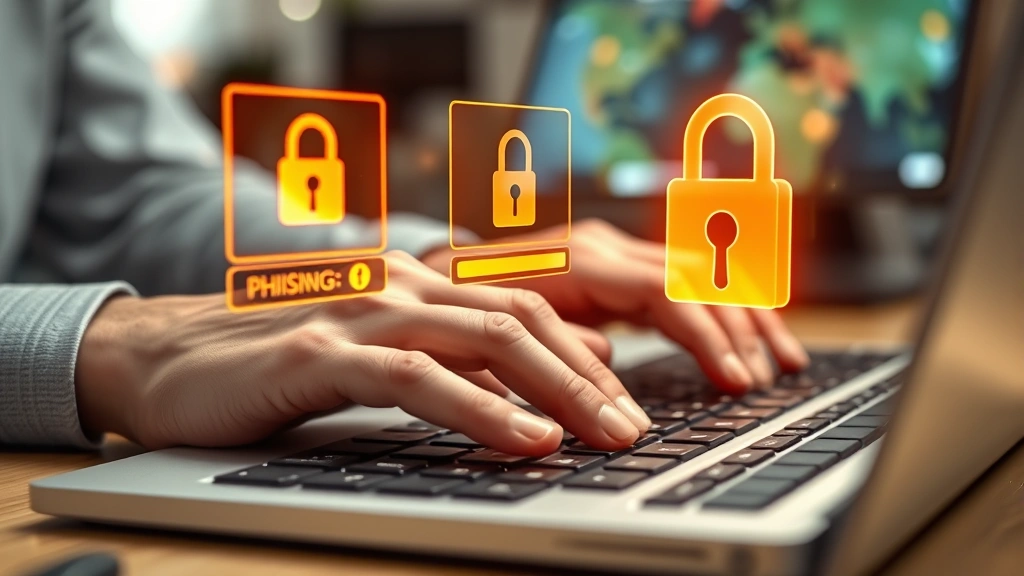
Recognizing Phishing Emails and Messages
Developing keen observation skills is your first defense against phishing attacks. Legitimate organizations rarely send unsolicited emails requesting sensitive information, creating an important baseline for evaluation.
Suspicious Sender Addresses: Examine email addresses carefully. Phishers often use addresses resembling legitimate ones with slight variations (support@bankk.com instead of support@bank.com). Hover over sender names to reveal actual email addresses, as display names can be spoofed easily.
Generic Greetings: Legitimate companies typically address customers by name. Emails starting with “Dear Customer” or “Dear User” are common phishing indicators. Personalization requires database access that phishers usually lack.
Urgent Language and Threats: Phishing emails create artificial urgency to bypass critical thinking. Phrases like “immediate action required,” “account will be closed,” or “confirm identity now” pressure recipients into hasty decisions. Legitimate institutions rarely demand urgent responses via email.
Suspicious Links and Attachments: Hover over links before clicking to see the actual URL. Phishing links often direct to domains resembling legitimate sites but with subtle differences. Unexpected attachments, especially executable files or macros, should raise immediate red flags.
Poor Grammar and Formatting: Many phishing emails contain spelling errors, awkward phrasing, or inconsistent formatting. Professional organizations maintain quality standards; poor communication often indicates fraudulent messages.
Requests for Sensitive Information: Banks, payment processors, and legitimate companies never request passwords, Social Security numbers, or credit card details via email. Such requests are virtually always phishing attempts.
Mismatched Information: Check that company logos, branding, and contact information match official sources. Phishers often use outdated or incorrect logos, creating visual inconsistencies.
Email Security Best Practices
Implementing robust email security practices creates multiple defensive layers against phishing attacks.
Enable Multi-Factor Authentication (MFA): MFA requires multiple verification methods before granting account access. Even if attackers compromise your password through phishing, they cannot access your account without the second authentication factor. This single measure prevents the vast majority of account takeovers.
Use Strong, Unique Passwords: Create complex passwords combining uppercase letters, lowercase letters, numbers, and special characters. Avoid dictionary words, personal information, or predictable patterns. Consider using NIST guidelines for password management to establish enterprise-level standards.
Verify Before Clicking: When receiving unexpected emails requesting action, contact the organization directly using phone numbers or websites from official sources, not from the email itself. This verification step catches most phishing attempts before they cause damage.
Keep Software Updated: Security patches close vulnerabilities that phishing attacks often exploit. Enable automatic updates for your operating system, browser, and applications to maintain current protection.
Use Email Filtering: Deploy advanced email filtering solutions that detect phishing characteristics, block suspicious senders, and quarantine dangerous messages. Modern email security platforms use machine learning to identify sophisticated phishing variants.
Configure Email Authentication: Implement SPF (Sender Policy Framework), DKIM (DomainKeys Identified Mail), and DMARC (Domain-based Message Authentication, Reporting, and Conformance) protocols. These technologies verify email authenticity and prevent domain spoofing.
Technical Defense Measures
Organizations should deploy comprehensive technical solutions protecting against phishing at multiple levels.
Advanced Email Gateways: These security appliances inspect inbound and outbound emails for malicious content, phishing indicators, and policy violations. They sandbox suspicious attachments, detonating them in isolated environments to detect threats before reaching users.
URL Rewriting and Inspection: Security solutions can rewrite URLs in emails, redirecting them through inspection servers that verify destination legitimacy. This approach catches malicious links even when phishers use legitimate-looking domains.
DNS Filtering: DNS filtering blocks access to known malicious domains. When users accidentally click phishing links, DNS filtering prevents connections to attacker infrastructure, stopping the attack before credential compromise occurs.
Browser Security Extensions: Security-focused browser extensions warn users about phishing websites, malicious downloads, and suspicious pages. These tools provide real-time protection during browsing activities.
Endpoint Detection and Response (EDR): EDR solutions monitor endpoint activity, detecting and blocking malware deployed through phishing attachments. These tools provide visibility into threat behavior and enable rapid response to compromised systems.
Security Awareness Platforms: Simulated phishing campaigns test employee vulnerability to attacks. These platforms identify at-risk users and provide targeted training, measurably improving organizational security posture.
Employee Training and Awareness
Technology alone cannot prevent phishing attacks. Human awareness and vigilance form essential components of comprehensive defense strategies.
Regular Security Training: Conduct mandatory security awareness training covering phishing recognition, social engineering tactics, and proper incident reporting. Training should be ongoing, not one-time events, as new attack methods constantly emerge.
Simulated Phishing Campaigns: Organizations should conduct regular simulated phishing exercises, sending fake phishing emails to employees. Results identify vulnerable staff requiring additional training and measure program effectiveness over time.
Clear Reporting Procedures: Establish simple processes for reporting suspected phishing attempts. Employees should feel comfortable reporting suspicious emails without fear of punishment. Quick reporting enables rapid threat response and prevents others from falling victim.
Leadership Engagement: Executive leadership must visibly support security initiatives. When leadership prioritizes security and models good practices, employees are more likely to adopt security-conscious behaviors.
Role-Specific Training: Different organizational roles face different phishing risks. Finance personnel face BEC attacks, HR staff encounter recruitment phishing, and executives encounter whaling attacks. Tailor training to address role-specific threats.
Creating Security Culture: Build organizational cultures where security is everyone’s responsibility. Recognize employees who report phishing attempts, share lessons from security incidents, and celebrate security successes to reinforce positive behaviors.
Incident Response Protocol
Despite best efforts, phishing attacks sometimes succeed. Effective incident response minimizes damage and accelerates recovery.
Immediate Actions: If you believe you’ve fallen victim to phishing, immediately change your passwords from a different device. Contact your organization’s security team or IT support to report the incident. Do not open additional emails from the suspicious sender.
Account Security: If credentials were compromised, change passwords for all accounts using the same or similar credentials. Enable MFA on all accounts if not already active. Monitor accounts for suspicious activity and consider placing fraud alerts on financial accounts.
Organizational Response: Security teams should isolate affected systems, preserve evidence for investigation, and scan systems for malware deployment. Notify relevant stakeholders, including management and legal teams, about the incident.
Communication: Organizations should communicate incident details to affected parties as required by law and policy. Transparency builds trust and helps others protect themselves against related attacks.
Post-Incident Analysis: Conduct thorough investigations to understand how the attack succeeded. Identify systemic weaknesses and implement corrective measures. Share lessons learned across the organization to prevent similar incidents.
For guidance on incident response, consult CISA’s incident response resources and consider engaging professional incident response firms for significant breaches.
FAQ
What should I do if I accidentally clicked a phishing link?
Immediately disconnect from the internet if possible. Change your passwords from a different device, enable MFA on all accounts, and report the incident to your organization’s security team. Monitor your accounts for suspicious activity and consider placing fraud alerts on financial accounts.
How can I tell if a website is legitimate before entering credentials?
Check for HTTPS encryption (look for the padlock icon), verify the domain matches official sources, examine the overall design quality, and avoid entering credentials on sites you reached through email links. Instead, navigate directly to official websites using bookmarks or direct URL entry.
Are phishing attacks only sent via email?
No. Phishing attacks also occur through text messages (smishing), phone calls (vishing), social media messages, and other communication channels. Apply the same skepticism and verification practices across all communication methods.
Can antivirus software alone protect against phishing?
Antivirus software provides important protection against malware deployed through phishing attachments, but cannot prevent credential theft from fake websites. Comprehensive protection requires multiple layers: email filtering, user awareness, MFA, and endpoint security working together.
How often should organizations conduct security awareness training?
Organizations should provide mandatory security training at least annually, with additional targeted training for high-risk roles. Simulated phishing campaigns should run quarterly or more frequently. Regular reinforcement maintains awareness and adapts to emerging threats.
What distinguishes spear phishing from regular phishing?
Spear phishing targets specific individuals or organizations with personalized messages based on research. Regular phishing uses mass-sent generic messages. Spear phishing’s personalization makes it significantly more effective, as victims find it more convincing and legitimate-appearing.
How does business email compromise differ from standard phishing?
Business email compromise compromises legitimate business email accounts, allowing attackers to send messages appearing to come from trusted colleagues. Unlike standard phishing, these messages come from actual company accounts, making them extremely credible and difficult to detect.


