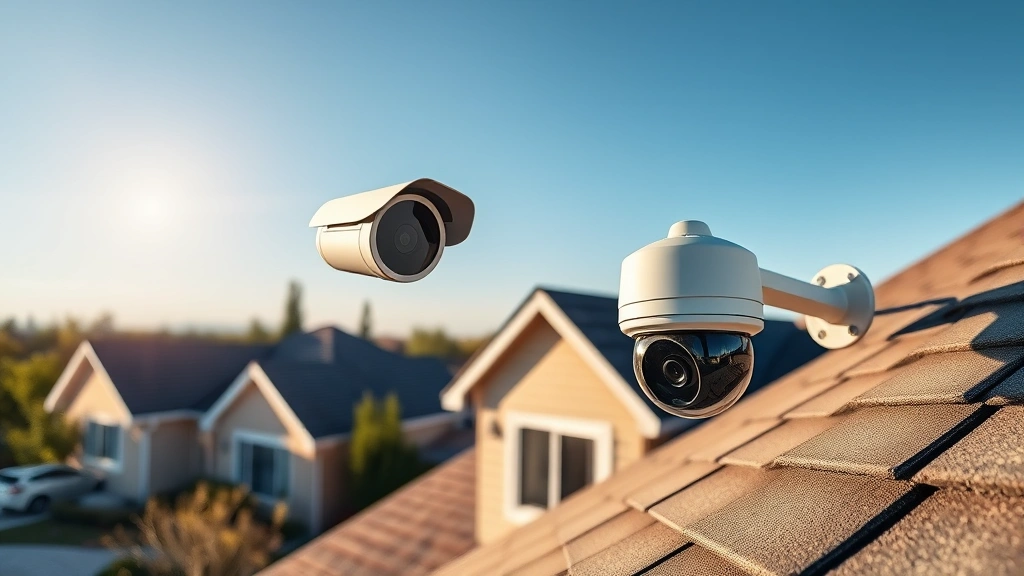
Top Security Cameras: No Subscription Needed
Security camera systems have evolved dramatically over the past decade, shifting from expensive professional installations requiring ongoing subscription fees to affordable, user-friendly solutions that prioritize your privacy and budget. The misconception that quality surveillance requires recurring monthly payments has prevented many homeowners and small business owners from protecting their properties effectively. Today’s best security cameras without subscription options deliver exceptional performance, local storage capabilities, and advanced features that rival their cloud-dependent competitors while keeping your data firmly under your control.
The rise of subscription-free security cameras represents a fundamental change in how we approach property protection. By eliminating recurring fees, these systems offer true cost savings over time while providing complete autonomy over your footage. Whether you’re concerned about home security, monitoring a rental property, or protecting a small commercial space, understanding the landscape of subscription-free options empowers you to make informed decisions that align with your security needs and financial constraints.
Why Choose Subscription-Free Security Cameras
Selecting security cameras without subscription requirements offers numerous advantages that extend far beyond simple cost savings. When you eliminate recurring monthly fees, you’re not just reducing expenses—you’re gaining complete control over your surveillance infrastructure and the data it captures. This fundamental shift in ownership dynamics has profound implications for homeowners and business operators alike.
The financial argument speaks for itself. A typical cloud-based security system might charge between $10 and $30 per month per camera, translating to $120 to $360 annually for a single device. Over five years, that’s $600 to $1,800 in fees alone, often exceeding the camera’s original purchase price. Subscription-free systems eliminate this recurring burden entirely, making them economically superior for long-term deployments.
Beyond finances, subscription-free cameras provide data sovereignty and privacy assurance. Your footage remains stored locally on your network rather than being transmitted to distant cloud servers. This approach dramatically reduces exposure to data breaches affecting cloud providers and eliminates concerns about third-party access to your surveillance data. You maintain complete authority over who views your footage and when, without relying on corporate servers or internet connectivity for basic functionality.
When exploring the ScreenVibe Daily Blog, you’ll discover that the philosophy of independence extends across many technology sectors. Similarly, subscription-free security cameras embody this principle of self-reliance and data ownership that increasingly matters to privacy-conscious consumers.
Top Subscription-Free Camera Models
The market now offers exceptional no-subscription security camera options across various price points and feature sets. These cameras represent the cutting edge of affordable surveillance technology, combining reliability with intelligent functionality.
Hikvision DS-2CD2143G2-I stands out as a professional-grade turret camera delivering 4MP resolution with advanced image processing. This model operates entirely on local network infrastructure, requiring only a compatible NVR system for recording and management. Its exceptional low-light performance and wide dynamic range make it suitable for challenging lighting conditions common in residential and commercial environments.
Uniview IPC322SR-DVS28 provides another compelling option, featuring 2MP resolution, intelligent motion detection, and robust construction suitable for outdoor deployment. The camera’s flexible power options and straightforward network integration make installation accessible to users without extensive technical expertise.
Dahua IPC-HFW2431S-SAE offers impressive 4MP capability with starlight technology for exceptional night vision performance. This camera excels in scenarios requiring reliable operation across varying light conditions, from bright daylight to near-total darkness. Its compact form factor suits discrete installations where visibility must be minimized.
Reolink RLC-810A has gained significant popularity among homeowners seeking professional results without subscription complexity. This 4K camera delivers stunning image clarity, dual-lens design for wide coverage, and comprehensive local storage compatibility. Its user-friendly mobile application and web interface make system management straightforward for non-technical users.
Amcrest UltraHD series cameras provide excellent value propositions, combining 4K resolution with accessible pricing. These cameras integrate seamlessly with standard NVR systems and support multiple local storage configurations, allowing flexible deployment across various property sizes.
Local Storage Solutions and NVR Systems
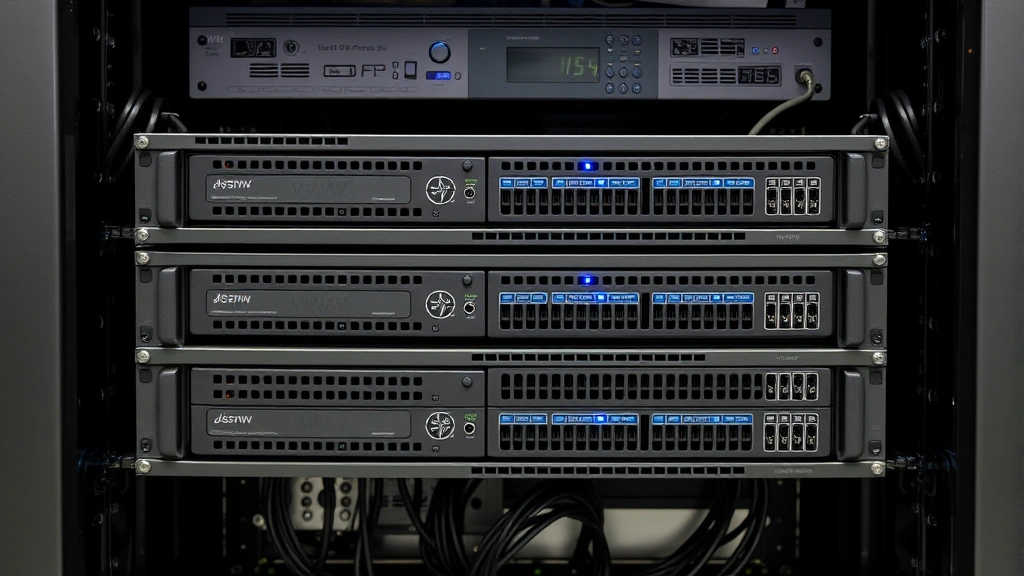
The heart of any subscription-free security camera system lies in its local storage infrastructure. Network Video Recorders (NVRs) serve as the central hub, recording footage directly to internal hard drives or external storage devices under your complete control.
NVR systems fundamentally differ from cloud-dependent alternatives by maintaining all footage locally, accessible only through your private network or secure remote access. This architecture eliminates reliance on internet bandwidth for basic recording operations—your system continues functioning even during internet outages, a critical feature cloud-dependent systems cannot match.
Storage capacity planning requires careful consideration of your specific needs. A single 4MP camera recording continuously at high bitrate requires approximately 500GB to 1TB of storage per month. Multi-camera installations demand proportionally larger storage solutions. Most professional NVR systems accommodate multiple internal drives, allowing storage expansion through hot-swappable configurations that maintain continuous operation during upgrades.
Hard drive selection significantly impacts system reliability. Enterprise-grade surveillance drives like Seagate SkyHawk or WD Purple are specifically engineered for 24/7 recording environments, featuring enhanced reliability and optimized performance characteristics compared to standard consumer drives. While more expensive initially, these drives provide superior longevity and reduced failure rates across extended operational periods.
Network attached storage (NAS) devices offer alternative storage solutions, providing centralized backup and redundancy capabilities. Premium NAS systems support RAID configurations that maintain data integrity even when individual drives fail, ensuring your surveillance footage survives hardware failures that would devastate single-drive solutions.
Installation and Setup Considerations
Deploying best security cameras without subscription requirements involves several critical decisions regarding placement, network configuration, and integration with existing infrastructure. Proper planning during installation phase prevents costly corrections and ensures optimal performance throughout the system’s operational lifetime.
Camera placement strategy determines surveillance effectiveness. Entrance points, perimeter areas, and high-value asset locations should receive primary coverage. Avoid positioning cameras where they can be easily disabled or where mounting surfaces cannot support equipment weight. Consider sightlines carefully—a camera positioned too high may miss facial details, while placement too low invites blind spots and potential tampering.
Network infrastructure requires thoughtful design. Dedicated network switches isolated from general internet traffic improve security and performance. Power-over-ethernet (PoE) implementations eliminate separate power cabling, reducing installation complexity while providing uninterruptible power supply (UPS) protection for the entire system through a single backup battery. This approach ensures cameras continue recording during power interruptions that would disable systems relying on individual camera power supplies.
Cabling decisions significantly impact system longevity. Cat6A ethernet cables support higher bandwidth and longer distances than older standards, future-proofing your installation against emerging 4K and 8K camera technologies. Quality connectors and professional termination prevent signal degradation and intermittent connection issues that plague poorly installed systems.
NVR configuration requires attention to recording parameters, motion detection sensitivity, and retention policies. Setting appropriate bitrates balances storage efficiency against image quality—excessively high bitrates waste storage capacity on non-critical footage, while aggressive compression sacrifices detail when incident review becomes necessary.
Privacy and Data Security Features
Implementing security cameras without subscription services naturally addresses privacy concerns that plague cloud-dependent alternatives. However, robust local systems still require attention to cybersecurity practices protecting cameras from unauthorized access and network compromise.
Strong authentication mechanisms form the security foundation. Default credentials represent the most common vulnerability in networked camera systems—manufacturers often ship devices with standard usernames and passwords widely known throughout the security community. Immediately changing default credentials to strong, unique passwords prevents trivial unauthorized access. Multi-factor authentication provides additional protection for administrative access to NVR systems and configuration interfaces.
Network segmentation isolates surveillance systems from general internet-connected devices. Dedicated VLANs prevent compromised personal computers or smartphones from accessing camera networks. Firewall rules strictly limit which devices can communicate with NVR systems, creating barriers that restrict lateral movement if one network segment becomes compromised.
Firmware updates require consistent attention. Camera and NVR manufacturers regularly release security patches addressing newly discovered vulnerabilities. Establishing update protocols ensures your system benefits from latest security improvements without extended vulnerability windows. Many modern systems support automatic update mechanisms that install patches during low-activity periods, minimizing operational disruption.
Encryption protocols protect footage and administrative traffic from interception. Modern cameras support HTTPS for web access and encrypted storage options for recorded footage. These technical safeguards ensure that even if someone gains physical access to hard drives, encrypted data remains unreadable without proper decryption keys.
Comparing Costs: Subscription vs. No Subscription
Financial analysis reveals dramatic long-term advantages for subscription-free systems, particularly across multi-camera deployments serving small to medium-sized facilities. Understanding true total cost of ownership requires examining both obvious expenses and hidden fees.
A typical cloud-based security system with four 2K cameras might cost $400 to $600 for equipment, then require $15 monthly per camera ($60 total), equaling $720 annually. Over ten years, this translates to $7,200 in subscription fees alone, often exceeding the entire equipment cost multiple times. Many users discover additional charges for features like advanced analytics, longer retention periods, or simultaneous user access—costs that accumulate insidiously.
Equivalent subscription-free deployment requires approximately $1,500 to $2,500 for cameras, NVR system, and storage drives. This single upfront investment covers the entire installation with no recurring fees. Occasional hard drive replacement every three to five years costs $100 to $300, negligible compared to subscription alternatives. After ten years, total ownership cost remains under $3,000—less than half the subscription-dependent alternative.
For larger installations, cost advantages become even more pronounced. A twenty-camera commercial system using subscription services would cost $14,400 annually in fees alone. The same subscription-free system might require $8,000 to $12,000 initial investment with minimal ongoing costs, achieving cost parity within the first year and generating substantial savings throughout subsequent decades of operation.
Quality considerations further favor subscription-free systems. Without recurring revenue pressure from subscriptions, manufacturers compete on product quality and feature richness. Premium cameras from established manufacturers often cost less than mid-range cloud-dependent alternatives, allowing deployment of higher-quality equipment at lower total cost.
Advanced Features in Modern No-Subscription Cameras
Contemporary subscription-free security camera systems incorporate intelligent features previously restricted to expensive professional installations. These capabilities enhance security effectiveness without introducing recurring costs or external service dependencies.
Intelligent motion detection algorithms distinguish between genuine threats and environmental noise—wind-blown vegetation, passing vehicles, or weather changes trigger false alarms in basic systems, while modern cameras employ artificial intelligence to recognize human and vehicle movement with impressive accuracy. This intelligence operates entirely locally, eliminating dependency on cloud-based analysis services.
Facial recognition capabilities in premium models enable identification of specific individuals, creating searchable databases of persons-of-interest. Combined with local storage, this functionality allows rapid identification of suspicious individuals across thousands of hours of footage without transmitting biometric data to external services.
Object detection features identify specific item categories—packages, vehicles, animals—allowing targeted alerts when particular objects appear in monitored areas. A homeowner might receive notifications only when packages are delivered, ignoring routine pedestrian traffic. Businesses can alert staff specifically when vehicles enter restricted areas, improving operational efficiency.
Audio recording capabilities in models supporting sound capture provide complete incident context. Two-way audio functionality enables real-time communication with visitors or intruders, potentially deterring criminal activity or enabling emergency communication during security incidents.
Integration with smart home ecosystems allows security cameras to trigger automated responses—lights activating when motion is detected, alarms sounding, or notifications reaching multiple devices simultaneously. These integrations occur entirely locally, maintaining privacy while enhancing overall security posture.
Maintenance and Long-Term Reliability
Ensuring best security cameras without subscription systems maintain peak performance throughout their operational lifetime requires proactive maintenance and strategic component replacement planning.
Regular lens cleaning prevents image degradation from dust, pollen, and environmental contamination. Outdoor cameras accumulate debris more rapidly, requiring monthly inspection and gentle cleaning with microfiber cloths. Neglecting lens maintenance gradually degrades image quality, potentially rendering footage unsuitable for identification purposes when critical incidents occur.
Housing inspection prevents environmental damage to internal electronics. Seals and gaskets degrade over time, allowing moisture infiltration that corrodes circuitry and shortens component lifespan. Annual inspection and resealing of outdoor camera housings prevents premature failure and extends operational life significantly.
Hard drive monitoring through S.M.A.R.T. (Self-Monitoring, Analysis and Reporting Technology) data provides early warning of drive failures. Most modern NVR systems display drive health metrics, allowing proactive replacement before catastrophic failure causes data loss. Maintaining spare drives enables rapid replacement without interrupting surveillance operations.
Network connectivity monitoring ensures uninterrupted operation. Periodic testing of PoE power delivery, ethernet connectivity, and backup power systems identifies issues before they impact surveillance. Many NVR systems support automated diagnostics that flag connectivity problems, enabling rapid corrective action.
Firmware management represents critical maintenance responsibility. Establishing regular update schedules—perhaps quarterly reviews—ensures systems benefit from latest security patches and feature improvements. Documentation of update dates and version numbers facilitates troubleshooting and ensures consistency across multi-camera deployments.
For additional insights on managing digital systems effectively, explore how professional approaches to critical analysis emphasize attention to detail—a principle equally applicable to security system administration.
Choosing the Right System for Your Needs
Selecting appropriate security cameras without subscription requirements demands honest assessment of your specific security objectives, property characteristics, and technical comfort level. No single solution optimally serves all situations.
Residential homeowners typically benefit from mid-range systems combining four to eight cameras with modest storage capacity. Models like Reolink systems offer exceptional value, providing professional features without overwhelming complexity. Most homeowners can successfully install and manage these systems independently, avoiding professional installation costs.
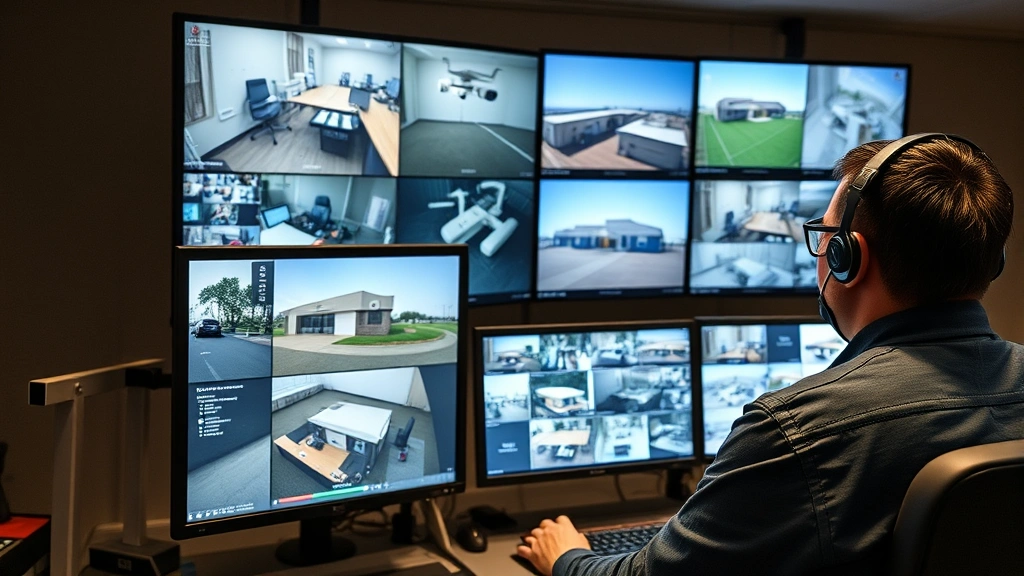
Small business operations require more comprehensive coverage and extended retention periods. Eight to sixteen camera systems with redundant storage, backup power supplies, and professional monitoring integration provide appropriate security infrastructure. These deployments justify investment in dedicated NVR hardware and enterprise-grade components.
Large commercial facilities demand sophisticated systems with dozens of cameras, multiple NVR units, geographic redundancy, and integration with access control systems. These installations require professional design, installation, and ongoing management—subscription-free architecture remains advantageous even at this scale, but technical expertise becomes essential.
Property type significantly influences camera selection. Retail environments require facial recognition and object detection capabilities for loss prevention. Industrial facilities need extreme temperature tolerance and rugged construction. Residential properties prioritize aesthetic integration and neighbor privacy considerations. Matching camera capabilities to environmental demands optimizes security effectiveness.
Budget constraints should not force compromise on critical infrastructure. Phased deployment—installing core perimeter coverage initially, then expanding to additional areas—allows spreading costs while maintaining security from day one. Starting with fewer cameras of superior quality often provides better outcomes than attempting comprehensive coverage with budget equipment.
FAQ
Are subscription-free security cameras reliable for 24/7 monitoring?
Yes, subscription-free cameras excel at continuous operation. Local storage systems record continuously without internet dependency, providing uninterrupted surveillance even during connectivity disruptions. Enterprise-grade surveillance drives are specifically engineered for 24/7 recording environments, offering superior reliability compared to standard hard drives. Proper power management through UPS systems ensures operation during electrical outages.
Can I access footage remotely without subscriptions?
Absolutely. Most modern NVR systems support secure remote access through dedicated mobile applications or web browsers. This functionality operates through your home network, not external cloud services. VPN connections provide additional security layers for remote access, ensuring encrypted communication between your devices and home infrastructure.
What storage capacity do I need for a four-camera system?
Storage requirements depend on resolution, bitrate, and retention period. Four 4MP cameras recording continuously typically require 2-4TB monthly. For thirty-day retention, 8-12TB storage suffices. For extended retention (ninety days), plan 24-36TB. Enterprise-grade surveillance drives in RAID configurations ensure data integrity and survival of individual drive failures.
How difficult is installation for non-technical users?
Modern systems are increasingly user-friendly. PoE-based systems eliminate separate power cabling, significantly simplifying installation. Most cameras and NVRs feature intuitive web interfaces and mobile apps requiring minimal technical knowledge. However, optimal placement and network configuration benefit from professional consultation, particularly for larger deployments.
Do subscription-free cameras offer motion detection and alerts?
Yes, intelligent motion detection operates locally on modern cameras and NVR systems. Alerts are delivered through mobile notifications, email, or integrated smart home systems. These features function without external services, responding instantly to detected motion while filtering environmental noise.
What about privacy concerns with recording audio?
Audio recording raises legal considerations varying by jurisdiction. Many areas require consent from recorded individuals, restricting audio recording to private property where consent is implicit. Research local regulations before deploying audio-capable cameras. Many users disable audio recording entirely, relying on video surveillance alone to avoid legal complications.
How often do security cameras need maintenance?
Quarterly lens cleaning, annual seal inspection for outdoor units, and regular firmware updates represent appropriate maintenance schedules. Hard drive health monitoring through S.M.A.R.T. data enables proactive replacement before failures occur. These minimal requirements pale compared to cloud service subscription obligations.


