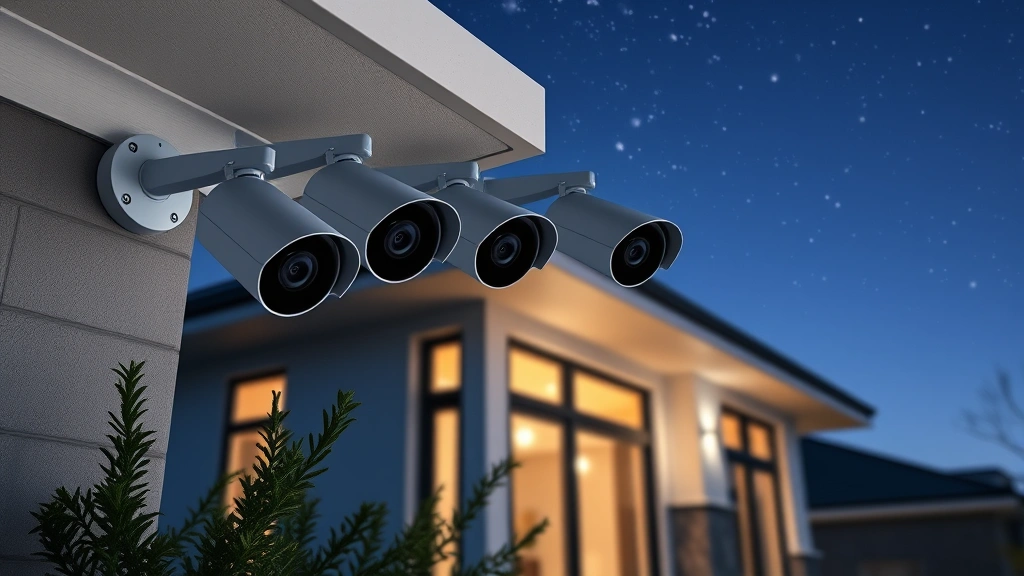
Top Home Security Cameras: No Subscription Needed
Home security has become a critical concern for modern families, yet many hesitate to invest in surveillance systems due to recurring subscription costs. The good news is that numerous high-quality security cameras now operate without mandatory monthly fees, offering robust protection through local storage, cloud-free operation, and one-time purchase models. These subscription-free alternatives provide the same essential features as premium services while keeping your costs predictable and your data private.
Choosing a security camera without subscription requirements means you maintain complete control over your footage, avoid vendor lock-in, and eliminate surprise billing. Whether you’re protecting your front door, monitoring your backyard, or securing your entire property, this guide explores the best options available that prioritize your security needs without draining your budget through endless subscription cycles.
Why Choose Subscription-Free Security Cameras
The security camera market has shifted dramatically over the past decade. While cloud-based subscription services dominate marketing campaigns, an increasing number of homeowners recognize the advantages of subscription-free alternatives. These cameras prioritize self-sufficiency and long-term value, making them an intelligent investment for security-conscious households.
Subscription-free cameras eliminate recurring costs that accumulate significantly over time. A camera requiring just $10 monthly results in $120 annually—expenses that compound across multiple devices. Over five years, a four-camera system could cost $2,400 in subscriptions alone, regardless of your actual usage or satisfaction levels. This financial burden often forces users to compromise their security setup due to budget constraints.
Beyond economics, subscription-free systems offer superior privacy protection. Your footage remains stored locally on your network rather than transmitted to third-party servers. This approach prevents data breaches affecting cloud infrastructure, reduces government surveillance vulnerabilities, and ensures your family’s daily activities stay confidential. You’re not dependent on a company’s security practices or subject to their data retention policies.
Local storage also provides reliability advantages. If your internet connection fails, your camera continues recording to local devices. Cloud-dependent systems become blind spots during connectivity issues, exactly when security matters most. Subscription-free cameras ensure continuous protection regardless of your ISP’s performance.
Top Subscription-Free Camera Models
Several manufacturers now produce excellent security cameras that operate without mandatory subscriptions. These models range from budget-friendly options to premium systems with advanced features like artificial intelligence-powered detection and 4K resolution.
Wyze Cam Series represents the most affordable entry point into subscription-free security. These cameras cost between $25-$50 and include local recording capabilities through microSD card storage. The Wyze Cam v3 offers color night vision and weatherproof design suitable for outdoor installation. While Wyze offers optional cloud storage, the service remains entirely optional—users can function completely offline using local storage alone.
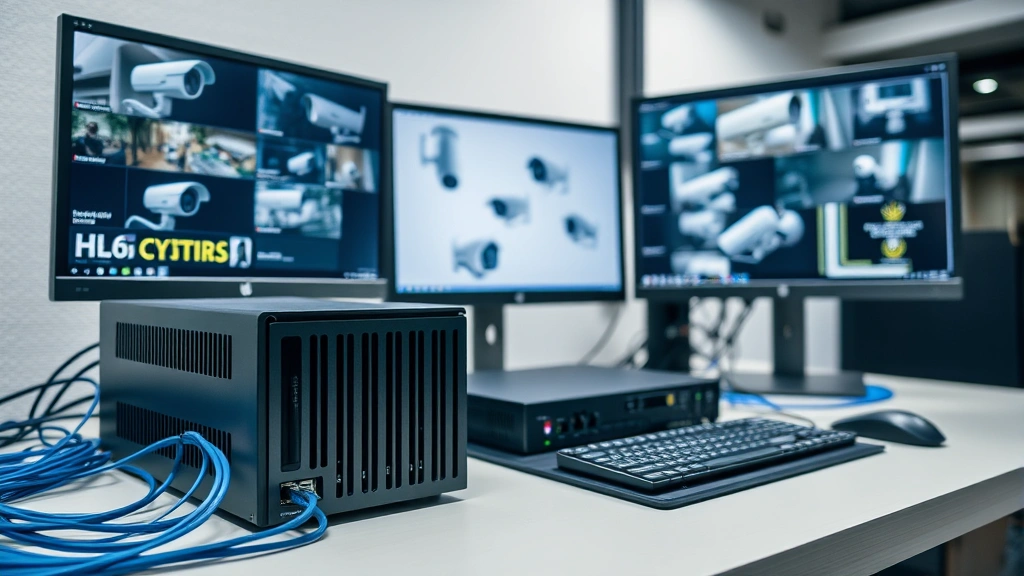
Reolink Systems stands out as a comprehensive subscription-free solution. Their cameras and NVR (Network Video Recorder) systems store footage on local hard drives without cloud dependencies. Reolink’s PoE (Power over Ethernet) cameras eliminate battery concerns and provide 24/7 recording capability. Their flagship models include AI-powered person detection, vehicle recognition, and package detection—features typically reserved for premium subscription services.
Hikvision and Uniview offer professional-grade cameras originally designed for commercial applications but increasingly accessible to homeowners. These systems provide exceptional image quality, advanced analytics, and complete local control. Setup requires more technical knowledge than consumer-friendly options, but the performance justifies the learning curve.
Amcrest ProHD cameras deliver excellent value with 4K resolution, night vision, and local recording without subscriptions. Their systems integrate with standard network infrastructure and support third-party monitoring platforms, offering flexibility that subscription-locked systems cannot match.
Local Storage Solutions
Understanding storage options is crucial when selecting subscription-free cameras. Local storage methods determine how long you retain footage and how accessible recordings remain during investigations.
MicroSD Card Storage suits individual cameras in smaller setups. Most consumer cameras support cards up to 256GB or 512GB, providing days or weeks of continuous recording depending on resolution and compression. This method works well for renters or temporary installations but requires manual card management and offers limited scalability.
Network Attached Storage (NAS) provides professional-grade solutions for multi-camera systems. NAS devices connect to your home network and automatically receive footage from all cameras. Systems like Synology and QNAP offer redundancy features, automatic backups, and remote access through secure protocols. A quality NAS device costs $300-$800 but supports unlimited storage expansion through additional drives.
Personal Computers can serve as recording devices through software like Blue Iris or Frigate. This approach requires leaving a computer running continuously but costs nothing beyond electricity. Tech-savvy users appreciate the customization possibilities and advanced features these platforms provide.
DVR/NVR Systems represent traditional approaches still widely used. These dedicated devices connect directly to cameras and include built-in storage, eliminating the need for separate computers or network devices. Professional-grade DVRs ensure optimized performance and reliability specifically designed for security applications.
Wireless vs Wired Options
The wireless versus wired decision fundamentally impacts installation complexity, reliability, and ongoing maintenance requirements.
Wireless Cameras offer convenient installation without running cables through walls or along exteriors. Battery-powered models like Ring and Arlo provide flexibility for renters and those unwilling to modify their homes. However, batteries require regular charging or replacement, and wireless connections depend on your WiFi network’s strength and stability. Interference from other devices or distance from your router can compromise performance.
When considering wireless options for subscription-free systems, ensure the camera supports local recording. Some wireless models rely entirely on cloud storage, making them unsuitable for privacy-conscious users. Our comprehensive blog coverage discusses various technology solutions that might complement your security setup.
Wired Cameras provide superior reliability through consistent power and direct network connections. PoE (Power over Ethernet) systems deliver both data and electricity through a single cable, simplifying installation compared to cameras requiring separate power supplies. Wired cameras operate continuously without battery concerns and maintain stable connections ideal for 24/7 recording.
Wired installation requires more initial effort—running cables, drilling holes, and potentially hiring professionals—but eliminates recurring maintenance. The upfront investment pays dividends through decades of uninterrupted operation. Professional installers typically charge $100-$300 per camera for outdoor wired installations, but the long-term reliability justifies this cost.
Hybrid Approaches combine wireless convenience with wired reliability. Battery-powered cameras cover temporary needs while PoE systems handle permanent installations. This strategy allows you to expand gradually, testing camera placement before committing to permanent wiring.
Installation and Setup Considerations
Successful security camera deployment requires careful planning beyond simply selecting equipment. Installation decisions impact both performance and security effectiveness.
Camera Placement Strategy determines what your system actually protects. Entry points—doors and ground-floor windows—deserve priority placement. Cameras should provide clear views of faces and identifying features, not just detect motion. Mount cameras 8-10 feet high to capture faces at eye level and prevent tampering. Avoid backlighting situations where subjects appear as silhouettes against bright backgrounds.
Network Configuration affects both functionality and security. Isolate security cameras on a separate network segment if your router supports guest networks or VLANs. This prevents a compromised camera from accessing computers containing sensitive data. Strong passwords and disabled remote access features protect against unauthorized viewing.
Power and Connectivity Planning requires honest assessment of your home infrastructure. Outdoor installations need weatherproof components and reliable power sources. PoE systems simplify this through single-cable runs from your NVR to cameras. Battery-powered options sacrifice convenience for installation ease but demand regular charging commitment.
Storage Capacity Calculations prevent unpleasant surprises. High-resolution continuous recording consumes 100-500GB daily depending on compression and frame rate. Calculate your retention needs—do you want 30 days of footage?—then size storage accordingly. Most users find 7-14 days of continuous recording provides adequate coverage for investigation purposes.
Privacy and Data Security
Subscription-free cameras offer inherent privacy advantages, but proper configuration remains essential. According to CISA guidance on home network security, camera systems should follow fundamental security practices regardless of subscription status.
Firmware Updates prevent exploitation of known vulnerabilities. Manufacturers regularly release patches addressing security flaws. Enable automatic updates when possible, or establish a monthly routine checking for patches. Outdated firmware represents one of the most common security weaknesses in home camera systems.
Access Control limits who can view your footage. Use strong, unique passwords for all camera and storage accounts. Enable two-factor authentication wherever available. Disable features like cloud backup or remote access if you don’t actively use them—fewer enabled features mean fewer potential attack surfaces.
Network Segmentation isolates security cameras from computers containing financial information, medical records, or personal documents. If a camera becomes compromised, attackers cannot directly access your most sensitive devices. This requires router support for separate networks or VLAN functionality.
Local Storage Security protects footage from unauthorized access. NAS devices and DVRs should use encryption and require authentication. Physical security matters too—store recording devices in secure locations where guests cannot access them.
The NIST Cybersecurity Framework provides additional guidance for securing smart home devices. While designed for enterprise environments, the principles apply directly to residential camera systems.
Regular security audits help identify vulnerabilities before attackers exploit them. Review which devices can access your cameras, check for unnecessary ports open to the internet, and verify that firmware versions remain current. This periodic attention prevents complacency that undermines security intentions.
Cost-Benefit Analysis: Subscription vs Non-Subscription
Comparing total cost of ownership reveals why subscription-free systems often represent better value despite potentially higher upfront costs.
A typical subscription-based system might include two cameras at $100 each ($200 initial) plus $10 monthly per camera ($240 annually for two cameras). After five years, total cost reaches $200 + (5 × $240) = $1,400. After ten years, costs balloon to $200 + (10 × $240) = $2,600.
A subscription-free alternative using Reolink PoE cameras and a modest NVR system costs approximately $600-$800 initially but requires no recurring fees. After five years, you’ve spent $600-$800 total. After ten years, assuming occasional hard drive replacement ($100-$200), total cost remains under $1,000. The subscription-free approach saves $600-$1,600 over a decade while maintaining superior privacy and control.
This analysis doesn’t account for subscription price increases—many services raise rates annually—or service discontinuation risks. Companies shut down services, forcing users to replace entire systems. Subscription-free cameras purchased today will likely function in ten years, while subscription services may disappear entirely.
Integration with Smart Home Ecosystems
Modern subscription-free cameras increasingly integrate with broader smart home platforms, allowing automation and coordination with other devices.
Local Automation Platforms like Home Assistant enable cameras to trigger actions based on detected motion or threats. You might automatically activate lights when motion is detected at night or send notifications to your phone when a package is delivered. These automations run locally without internet dependencies, ensuring reliability even during connectivity outages.
For those interested in broader entertainment and technology integration, exploring free online streaming options alongside your security setup demonstrates how various tech solutions complement modern home management.
Third-Party Integrations with platforms like Frigate, Blue Iris, or Shinobi provide advanced features including AI-powered detection, facial recognition, and sophisticated alerting. These open-source or affordable commercial platforms work with nearly any camera, offering flexibility that proprietary subscription services cannot match.
Voice Assistant Compatibility increasingly works with subscription-free cameras. Amazon Alexa and Google Home can display camera feeds on smart displays without requiring subscriptions, though some advanced features may need paid services. Basic viewing and motion alerts typically function without additional costs.

Troubleshooting Common Issues
Understanding typical problems helps you resolve issues quickly and maintain consistent security coverage.
Connectivity Problems represent the most common complaint with wireless cameras. Weak WiFi signals cause intermittent connection loss and missed recordings. Solutions include repositioning your router, adding WiFi extenders, or switching to wired PoE systems for critical cameras. Check that your camera remains within your router’s range and that interference from microwaves or cordless phones doesn’t degrade signal strength.
Storage Capacity Issues occur when recording devices fill unexpectedly. Modern cameras with high resolution and low compression settings consume storage rapidly. Verify your retention settings match your storage capacity. Adjust compression levels or recording frame rates if necessary. Monitor available space regularly—systems often stop recording when drives reach capacity, leaving you unprotected.
Night Vision Performance varies significantly between cameras. Infrared LEDs provide monochrome night vision, while color night vision cameras use larger sensors and lower compression. If night vision appears dark or unclear, ensure the camera has direct line of sight to areas you’re monitoring and that infrared reflections don’t wash out images. Some cameras allow adjustable infrared intensity—reducing power can actually improve performance.
False Alerts from motion detection waste time and compromise your system’s utility. Most cameras offer adjustable sensitivity settings and detection zones. Configure zones to exclude areas like tree branches or passing cars that generate false positives. Enable AI-powered person detection if available—these filters dramatically reduce false alerts compared to simple motion sensing.
FAQ
Do subscription-free cameras require internet access?
Not necessarily. Cameras with local storage (microSD cards or connected NVR devices) function completely offline. You can review footage on your local network without internet. However, remote viewing from your phone while away from home requires internet connectivity. Most subscription-free systems work fine without cloud access but offer optional remote viewing if you enable it.
How long can subscription-free cameras record continuously?
Duration depends entirely on your storage capacity. A 256GB microSD card records approximately 5-7 days of continuous 1080p video. Professional NVR systems with multiple terabytes of storage maintain 30-90 days of footage. You control retention periods through storage decisions—larger drives enable longer retention without recurring costs.
Are subscription-free cameras less reliable than cloud-based alternatives?
Actually, the opposite is often true. Local storage systems function during internet outages while cloud-dependent cameras become blind. Subscription-free systems don’t depend on company server uptime or maintenance windows. The only reliability concern is your local storage device—ensure you maintain backups and monitor drive health.
Can I access subscription-free camera footage remotely?
Yes, through your home network. Most systems support remote viewing via VPN or direct network access when properly configured. This requires more technical setup than cloud services but maintains privacy and avoids subscription costs. Apps for iOS and Android typically work with subscription-free systems just like cloud alternatives.
What happens if a subscription-free camera manufacturer goes out of business?
Your camera continues functioning. Subscription-free systems don’t depend on company servers or ongoing support. Even if the manufacturer disappears, your equipment operates indefinitely. Cloud-dependent cameras become useless if the company shuts down their servers—a real risk with subscription services.
Do subscription-free cameras provide adequate video quality?
Modern subscription-free cameras offer 1080p, 2K, and 4K resolution options matching or exceeding subscription-based competitors. Quality differences relate more to sensor quality and lens specifications than subscription status. You’ll find excellent image quality in both subscription and subscription-free models at similar price points.
Can subscription-free cameras detect people automatically?
Many now include AI-powered person detection without subscriptions. Models from Reolink, Wyze, and others offer AI features locally processed on the camera or NVR—no cloud service required. This technology detects people, vehicles, and packages, filtering false alerts from animals or moving branches.


