
Is Your Data Secure? Cybersecurity Expert Advice
In today’s hyper-connected digital landscape, data security has become more critical than ever. Whether you’re managing personal information, financial records, or sensitive business communications, the threat of cyberattacks looms large. Cybercriminals are constantly evolving their tactics, deploying sophisticated malware, ransomware, and phishing schemes that target individuals and organizations alike. Understanding the fundamentals of data protection isn’t just a technical concern—it’s a fundamental responsibility in our digital age.
The consequences of inadequate data security extend far beyond financial loss. A single breach can compromise your identity, expose your loved ones to fraud, damage your professional reputation, and erode trust in your organization. Yet many people remain uncertain about where to start when it comes to protecting their digital assets. This comprehensive guide draws on expert insights and industry best practices to help you fortify your defenses and answer the critical question: Is your data truly secure?
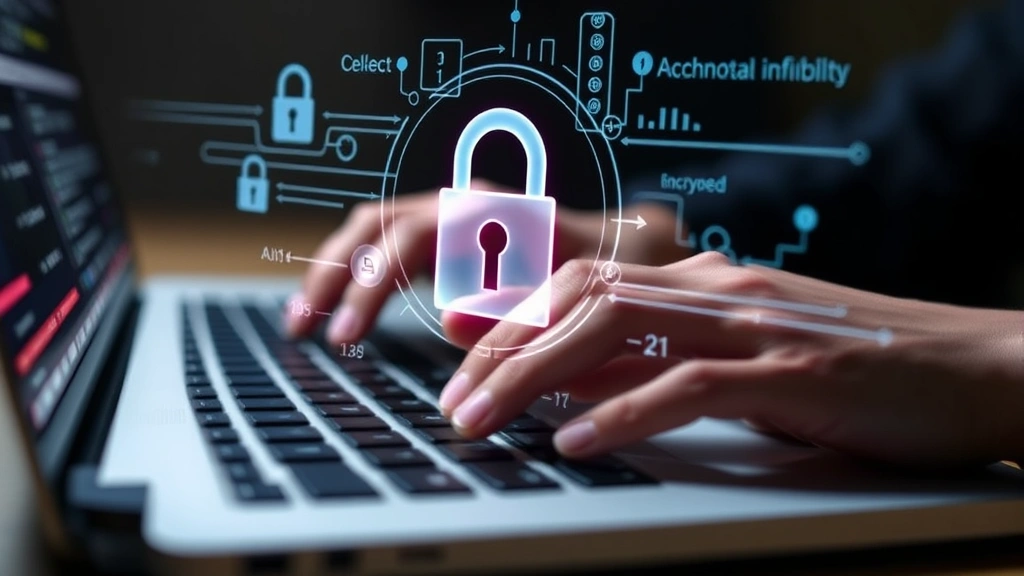
Understanding the Modern Threat Landscape
The cybersecurity threat landscape has transformed dramatically over the past decade. According to CISA (Cybersecurity and Infrastructure Security Agency), organizations face an unprecedented volume of sophisticated attacks targeting everything from personal devices to critical infrastructure. The average cost of a data breach now exceeds $4 million, with recovery times extending months or even years.
Today’s threats come in multiple forms. Ransomware attacks encrypt your files and demand payment for decryption keys. Phishing campaigns trick users into revealing credentials through deceptive emails and websites. Malware infiltrates systems to steal data or grant unauthorized access. Zero-day exploits target previously unknown vulnerabilities before patches are available. Understanding these threat vectors is the foundation of effective defense.
The human element remains the weakest link in most security chains. Studies show that approximately 85% of data breaches involve human error or social manipulation. This makes employee training and awareness equally important as technical safeguards. When implementing cybersecurity measures, experts emphasize a holistic approach that combines technology, processes, and people.
Essential Password Security Practices
Your passwords are the keys to your digital kingdom, yet most people treat them carelessly. Weak passwords remain among the primary entry points for attackers. Security experts recommend creating passwords that are at least 16 characters long and include a combination of uppercase letters, lowercase letters, numbers, and special symbols. Avoid using predictable patterns, dictionary words, or personal information like birthdates and pet names.
The challenge with modern password requirements is that humans cannot realistically remember dozens of complex, unique passwords across different platforms. This is where password managers become invaluable. Tools like Bitwarden, 1Password, and LastPass securely store your credentials behind a single master password, reducing the burden of memorization while ensuring each account has a unique, strong password.
Never reuse passwords across multiple accounts. If one service suffers a breach, attackers will immediately attempt to use those credentials on high-value targets like email and banking platforms. Check whether your accounts have been compromised using Have I Been Pwned, a free service that tracks known data breaches.
Additionally, avoid sharing passwords via email, text message, or unencrypted communication channels. When you must share credentials temporarily, use dedicated password-sharing tools that allow you to set expiration times and revoke access immediately after the recipient completes their task.
Multi-Factor Authentication: Your Second Line of Defense
Even the strongest password can be compromised through phishing, brute-force attacks, or credential stuffing. This is why multi-factor authentication (MFA) has become essential. MFA requires you to provide two or more verification methods before gaining access, dramatically reducing the risk of unauthorized account takeover.
The most common MFA methods include:
- Time-based One-Time Passwords (TOTP): Apps like Google Authenticator and Authy generate six-digit codes that change every 30 seconds
- Push notifications: Your phone receives a prompt asking you to approve or deny login attempts
- Hardware security keys: Physical devices like YubiKey that communicate directly with services via FIDO2 protocol
- SMS text messages: Codes sent to your registered phone number (less secure than other methods)
- Biometric authentication: Fingerprint or facial recognition tied to your device
Security experts strongly recommend hardware security keys as the gold standard for protecting high-value accounts like email, banking, and cryptocurrency. These physical devices cannot be intercepted remotely and are immune to phishing attacks. Enable MFA on every account that supports it, prioritizing accounts with access to sensitive data or financial resources.
Encryption and Data Protection Strategies
Encryption transforms readable data into unreadable code that only authorized parties with the correct decryption key can access. This technology is fundamental to modern data security, protecting information both in transit and at rest.
End-to-end encryption (E2EE) ensures that only the sender and recipient can read messages, with no intermediary—not even the service provider—able to decrypt the content. Messaging platforms like Signal and Wire implement E2EE by default, making them significantly more secure than unencrypted alternatives.
For your personal devices, enable full-disk encryption:
- Windows users should activate BitLocker, built into Windows Pro and Enterprise editions
- macOS users have FileVault, accessible through System Preferences
- Linux users can implement LUKS encryption during system installation
- Mobile device encryption is enabled by default on iOS and Android
When working with sensitive files, use encrypted containers or encrypted file storage services. NIST (National Institute of Standards and Technology) provides detailed guidelines on encryption standards and implementation best practices for organizations handling classified or sensitive data.
Additionally, ensure all connections to websites and services use HTTPS (indicated by a padlock icon in your browser). This encrypts data transmitted between your device and the server, preventing attackers on the same network from intercepting your information.
Securing Your Devices and Networks
Your devices serve as gateways to your digital life, making their security paramount. Begin by keeping all software updated. Operating system patches and security updates address known vulnerabilities that attackers actively exploit. Enable automatic updates whenever possible to eliminate delays in protection.
Your home network is equally important. Change your router’s default administrator credentials immediately after setup—default passwords are publicly documented and easily exploitable. Use WPA3 encryption (or WPA2 if WPA3 isn’t available) for your WiFi network, and disable WPS (WiFi Protected Setup), which is vulnerable to brute-force attacks.
Implement a firewall on both your router and individual devices. Firewalls monitor incoming and outgoing traffic, blocking suspicious connections and unauthorized access attempts. Most operating systems include built-in firewalls, but ensure they’re enabled and properly configured.
Install reputable antivirus and anti-malware software. While no security tool is 100% effective, quality software detects and removes threats that bypass other defenses. Windows Defender (built into Windows) and Malwarebytes offer solid protection for most users.
Be cautious with public WiFi networks. Attackers frequently set up fake hotspots with legitimate-sounding names to intercept traffic. If you must use public WiFi, connect through a Virtual Private Network (VPN). A VPN encrypts all your traffic and routes it through a secure server, masking your IP address and protecting your data from network eavesdropping.
Recognizing and Preventing Social Engineering Attacks
Social engineering exploits human psychology rather than technical vulnerabilities. Attackers manipulate people into divulging secrets, clicking malicious links, or transferring funds. These attacks often prove more successful than technical exploits because they bypass sophisticated security systems entirely.
Phishing emails remain the primary social engineering vector. They typically impersonate trusted organizations, creating urgency to trick you into clicking links or downloading attachments. Red flags include:
- Generic greetings like “Dear Customer” instead of your name
- Spelling and grammar errors
- Suspicious sender email addresses that don’t match the claimed organization
- Requests for sensitive information like passwords or credit card numbers
- Urgent language demanding immediate action
- Unexpected attachments or links
Verify requests through official channels before responding. If a bank claims there’s a problem with your account, call the number on your card or statement rather than clicking email links. Hover over links to preview their actual destination before clicking. Be extremely skeptical of unsolicited requests, especially those asking for credentials or financial information.
Vishing (voice phishing) and smishing (SMS phishing) extend social engineering to phone calls and text messages. Never provide sensitive information to callers unless you initiated the contact or can verify their identity through independent means. Legitimate organizations never request passwords or full credit card numbers via phone or text.
Data Backup and Disaster Recovery Planning
Even with perfect security, data loss can occur through hardware failure, natural disasters, or successful attacks. Regular backups are your insurance policy, enabling recovery without paying ransoms or accepting permanent data loss.
Follow the 3-2-1 backup strategy:
- 3 copies: Keep three copies of your data (original plus two backups)
- 2 different media types: Store backups on different storage types (external drive, cloud storage, etc.)
- 1 offsite location: Keep at least one backup away from your physical location to protect against theft or disaster
Automate your backup process to ensure consistency. Manual backups are easily forgotten, leaving you vulnerable during the gaps. Cloud backup services like Backblaze and Acronis automatically backup your devices, while services like Google Drive and OneDrive provide continuous synchronization.
Test your backup restoration process periodically. A backup you cannot restore is worthless. Verify that you can actually recover your data before you need it in an emergency.
For ransomware protection specifically, maintain offline backups that are disconnected from your network. Ransomware spreads through network connections, so completely isolated backups cannot be encrypted by the malware.
Compliance and Regulatory Requirements
Depending on your location and industry, various regulations mandate specific data security practices. GDPR (General Data Protection Regulation) applies to anyone handling European residents’ data, imposing strict requirements for consent, data handling, and breach notification. HIPAA governs healthcare data in the United States, requiring encryption and access controls. PCI DSS (Payment Card Industry Data Security Standard) applies to anyone processing credit cards.
Organizations must conduct regular security audits and penetration testing to identify vulnerabilities before attackers exploit them. These assessments should be performed by qualified professionals and documented thoroughly.
Incident response planning is critical. Organizations should have documented procedures for detecting, responding to, and recovering from security incidents. This includes clear chains of command, communication templates, and forensic preservation techniques that maintain evidence integrity.
Consider consulting with cybersecurity professionals to assess your specific compliance obligations. Many regulations carry substantial penalties for non-compliance, making professional guidance a worthwhile investment.
FAQ
What is the most important cybersecurity practice?
While all practices matter, using unique, strong passwords with multi-factor authentication on critical accounts provides the highest return on security investment. This single step prevents the majority of account compromises and data breaches.
Should I be worried about my data being on streaming platforms?
Popular streaming services implement robust security measures. However, review their privacy policies to understand how they use your data. If you’re concerned about account security, enable MFA and use a unique password. For content discovery, consider reading reviews on sites like the ScreenVibeDaily Blog to find legitimate streaming options.
How often should I update my passwords?
Modern security guidance recommends changing passwords only when you suspect compromise, rather than on fixed schedules. However, if a service you use suffers a breach, change your password immediately. Using unique passwords across accounts eliminates the need for frequent changes on unaffected services.
Is a VPN necessary for home use?
For most home users on secure networks, a VPN isn’t essential. However, always use one on public WiFi. For enhanced privacy against ISP monitoring or geo-restrictions, a quality VPN provides value. Choose reputable providers with transparent privacy policies and no-logging guarantees.
What should I do if I suspect a data breach?
First, change your password immediately using a secure device on a different network. Monitor your credit reports and financial accounts for unauthorized activity. Consider enabling fraud alerts with credit bureaus. If personal information was exposed, you may qualify for free credit monitoring services offered by the breached organization.
Can antivirus software protect against all threats?
No. While antivirus detects known malware, sophisticated attacks like zero-days and targeted spear-phishing require behavioral analysis and human judgment. Antivirus is one layer in defense-in-depth strategy, not a complete solution.


