How to Secure Your Data: Cybersecurity Pro Tips
In today’s interconnected digital landscape, data security has become more critical than ever. Whether you’re streaming entertainment on Movies HD or managing sensitive personal information, understanding cybersecurity fundamentals is essential. Cybercriminals are constantly evolving their tactics, targeting individuals and organizations alike through sophisticated attacks that exploit vulnerabilities in outdated systems and poor security practices.
This comprehensive guide explores practical, actionable strategies to protect your data from threats. From implementing strong authentication methods to recognizing social engineering tactics, we’ll cover everything you need to know to establish a robust security posture. Whether you’re a casual internet user or someone managing critical business data, these pro tips will help you significantly reduce your risk of becoming a victim of cybercrime.
The stakes have never been higher. Identity theft, ransomware attacks, and data breaches cost individuals and businesses billions annually. By taking proactive measures today, you can prevent tomorrow’s disasters and enjoy digital services like Best Movies on Netflix with confidence and peace of mind.
Understanding Cybersecurity Threats
Before implementing protective measures, you must understand the landscape of cyber threats. Modern cybersecurity challenges encompass a diverse range of attack vectors, from malware and phishing campaigns to zero-day exploits and advanced persistent threats. The Cybersecurity and Infrastructure Security Agency (CISA) reports that cyber attacks have increased dramatically, with threat actors targeting everything from personal devices to critical infrastructure.
Common threats include:
- Malware: Malicious software designed to infiltrate systems and steal data or cause damage. Ransomware variants lock your files and demand payment for decryption.
- Phishing Attacks: Deceptive emails or messages that trick users into revealing credentials or downloading malicious attachments. These remain among the most effective attack methods.
- Man-in-the-Middle (MITM) Attacks: Attackers intercept communications between two parties to steal sensitive information or inject malicious content.
- Brute Force Attacks: Systematic attempts to guess passwords by trying numerous combinations until gaining access.
- SQL Injection: Attackers insert malicious code into vulnerable applications to access databases containing sensitive information.
Understanding these threats helps you recognize suspicious activity and take preventive action. Many breaches occur because users don’t recognize warning signs or underestimate vulnerability. Stay informed about emerging threats by following security blogs and advisories from reputable sources.
Password Management and Authentication
Your passwords are the first line of defense against unauthorized access. Weak passwords remain a leading cause of data breaches. According to security research, most people reuse passwords across multiple accounts, meaning a single breach compromises multiple services.
Create Strong Passwords: Implement these password best practices immediately:
- Use minimum 16 characters combining uppercase, lowercase, numbers, and symbols
- Avoid dictionary words, personal information, or predictable patterns
- Never reuse passwords across different accounts or services
- Change passwords every 90 days, especially for critical accounts
- Use passphrases combining random words for memorability and strength
Password Managers: Utilize dedicated password management tools that securely store and auto-fill credentials. These applications encrypt your passwords with master encryption, allowing you to maintain unique, complex passwords for every account without memorization burden. Leading password managers include Bitwarden, 1Password, and Dashlane.
Multi-Factor Authentication (MFA): Enable MFA on all accounts supporting it. This requires multiple verification methods—typically something you know (password), something you have (phone or security key), or something you are (biometric). MFA dramatically reduces account compromise risk even if passwords are stolen. When viewing ScreenVibe Daily Blog or accessing email accounts, always enable available MFA options.
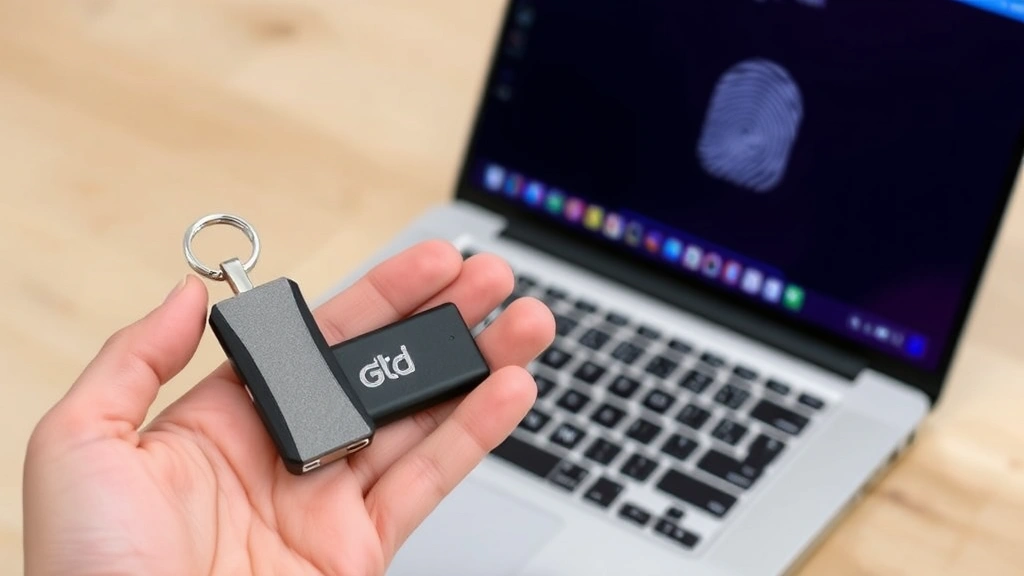
Hardware security keys provide the strongest MFA protection. These physical devices generate authentication codes or confirm logins, eliminating phishing risks that plague SMS-based authentication.
Securing Your Devices and Networks
Your devices—computers, smartphones, and tablets—are constant targets for cybercriminals. Implementing device-level security is fundamental to overall data protection.
Operating System Updates: Keep all operating systems patched with latest security updates. These patches address known vulnerabilities that attackers actively exploit. Enable automatic updates to ensure protection without manual intervention. Delaying updates significantly increases compromise risk.
Antivirus and Anti-Malware Software: Install reputable security software on all devices. Modern antivirus solutions provide real-time scanning, malware detection, and behavioral analysis. Popular options include Norton, McAfee, and Bitdefender. Even Mac and Linux users should maintain protective software.
Firewalls: Enable built-in firewalls on all devices. Firewalls monitor incoming and outgoing network traffic, blocking suspicious connections. Ensure your router includes firewall functionality and configure it properly. Change default router credentials immediately after setup.
Secure WiFi Networks: Configure home WiFi with WPA3 encryption (or WPA2 if WPA3 unavailable). Use strong, unique network passwords different from your admin credentials. Disable WPS (WiFi Protected Setup) which introduces security vulnerabilities. Hide SSID broadcast for additional obscurity.
When using public WiFi at cafes or hotels while researching Best Movie Review Sites, use a Virtual Private Network (VPN) to encrypt all traffic. Public networks are prime hunting grounds for attackers intercepting unprotected communications.
Disable Unnecessary Services: Turn off Bluetooth, NFC, and location services when not needed. These features expand your attack surface. Disable remote access features unless absolutely necessary. Review application permissions regularly—many apps request unnecessary access to contacts, location, or camera.
Recognizing and Preventing Social Engineering
Technology alone cannot protect against social engineering—attacks exploiting human psychology. Attackers manipulate people into revealing secrets or performing actions compromising security.
Common Social Engineering Tactics:
- Phishing: Fraudulent emails impersonating legitimate companies requesting credential verification or urgent action. Examine sender addresses carefully—attackers use similar addresses differing by one character.
- Spear Phishing: Targeted phishing using personal information to appear legitimate. Attackers research targets on social media and public records before crafting convincing messages.
- Pretexting: Attackers create fictional scenarios to build trust and extract information. They may claim to be IT support, delivery services, or authority figures.
- Baiting: Offering something enticing—USB drives, downloads, or rewards—containing malware. Never plug unknown USB devices into your computer.
- Quid Pro Quo: Promising services or rewards in exchange for information or access.
Defense Strategies: Develop healthy skepticism toward unexpected communications. Verify requests through official channels before responding. Never click links or download attachments from suspicious emails. Hover over links to see actual URLs before clicking. When exploring Top Famous Movie Quotes or other content, avoid clicking suspicious advertisements or pop-ups.
Legitimate companies never request passwords via email. Your bank, email provider, or social media platform will never ask you to verify credentials through links. When in doubt, contact organizations directly using official contact information from their legitimate websites.
Encryption and Data Protection
Encryption transforms readable data into coded form, readable only with proper decryption keys. Even if attackers access encrypted data, they cannot read it without keys.
End-to-End Encryption: Use messaging and email services providing end-to-end encryption where only sender and recipient can read messages. Signal, ProtonMail, and WhatsApp offer strong encryption. Ensure encryption is enabled and verified through security codes.
Full Disk Encryption: Enable encryption on all storage devices. Windows BitLocker, macOS FileVault, and Linux LUKS encrypt entire drives. If your device is stolen, encrypted data remains protected. This is critical for laptops and portable devices.
File and Folder Encryption: Encrypt sensitive files and folders individually using VeraCrypt or built-in OS tools. Create encrypted containers for highly sensitive documents.
Cloud Storage Security: If using cloud services for backing up content from How to Become a Film Critic or personal projects, choose providers with end-to-end encryption. Understand their privacy policies and data handling practices. Consider zero-knowledge cloud services like Sync.com or Tresorit where providers cannot access your data.
The National Institute of Standards and Technology (NIST) provides comprehensive encryption guidelines. Implement AES-256 encryption as industry standard for sensitive data protection.
Backup Strategies and Disaster Recovery
Even with robust security, data loss can occur through hardware failure, ransomware, or accidental deletion. Regular backups ensure you can recover without paying ransoms or losing critical information.
3-2-1 Backup Rule: Maintain three copies of important data: original plus two backups. Store backups in two different locations using different media types. Keep one backup offline, disconnected from networks where ransomware cannot reach it.
Backup Frequency: Back up critical data daily or at minimum weekly. Automate backups to ensure consistency. Cloud backup services like Backblaze, Carbonite, or IDrive provide automated, encrypted cloud backups.
Test Restoration: Periodically test your ability to restore from backups. Backups are worthless if you cannot recover data. Document your backup procedures and recovery processes.
Ransomware Protection: Ransomware encrypts your files and demands payment for decryption. Offline backups are your best defense—attackers cannot encrypt backups disconnected from your network. Implement immutable backups where files cannot be modified or deleted after creation, preventing ransomware encryption.
According to FBI cybercrime reports, ransomware attacks continue escalating. Organizations and individuals should treat offline backups as essential infrastructure.
Online Privacy and Anonymity
Beyond security, protecting your privacy prevents data collection and tracking. Advertisers, data brokers, and malicious actors continuously collect information about your online activities.
Virtual Private Networks (VPNs): VPNs encrypt your internet traffic and route it through secure servers, masking your IP address. This prevents ISPs, network administrators, and websites from seeing your real location or browsing activities. Use reputable VPN providers with no-logging policies. NordVPN, ExpressVPN, and Mullvad are respected options.
Browser Privacy: Use privacy-focused browsers like Firefox or Brave that block trackers by default. Disable third-party cookies. Install privacy extensions like uBlock Origin and Privacy Badger blocking advertisements and tracking scripts. Clear cookies and browsing history regularly.
Search Engine Privacy: Replace Google with privacy-respecting alternatives like DuckDuckGo or Startpage that don’t track searches or build profiles. These provide comparable search quality without surveillance.
Social Media Settings: Review privacy settings on all social media accounts. Restrict who can see your posts, location information, and personal details. Limit data shared with third-party applications. Be cautious about personal information disclosed publicly.
Data Brokers: Data brokers collect and sell personal information. Opt out from major data brokers through their opt-out processes. Services like DeleteMe or PrivacyDuck assist with removal requests.
Two-Factor Authentication for Privacy: Even privacy-focused accounts need strong authentication. Combine privacy tools with MFA for comprehensive protection.
FAQ
What is the most important cybersecurity practice?
Multi-factor authentication (MFA) provides the highest security impact relative to implementation effort. Enabling MFA on critical accounts—email, banking, social media—prevents unauthorized access even if passwords are compromised. This single practice prevents the vast majority of account takeovers.
How often should I change my passwords?
Change passwords every 90 days for critical accounts like email and banking. For less sensitive accounts, annual changes suffice if using unique, strong passwords. After suspected breaches or suspicious activity, change passwords immediately. Password managers make frequent changes manageable.
Are password managers safe?
Reputable password managers like Bitwarden and 1Password employ strong encryption and security practices. The risk of using a password manager is dramatically lower than reusing weak passwords across accounts. Attackers target password managers, but properly designed systems resist attacks. Choose established, audited password managers and use strong master passwords.
Should I use public WiFi for sensitive activities?
Avoid sensitive activities on public WiFi without a VPN. Even with VPN protection, public networks present risks. Never access banking, email, or sensitive accounts on public WiFi. When necessary, use a VPN and ensure HTTPS connections (indicated by padlock icon in browser).
What should I do if I suspect a data breach?
Change passwords immediately on affected accounts. Monitor accounts for unauthorized activity. Consider credit monitoring or freezing credit with bureaus to prevent identity theft. Report breaches to relevant authorities. Use Have I Been Pwned to check if your information appears in known breaches.
How do I recognize phishing emails?
Examine sender addresses carefully—attackers use similar addresses with slight variations. Hover over links to see actual URLs. Legitimate companies never request passwords via email. Look for poor grammar, urgent language, and suspicious requests. Verify through official channels before responding to requests.
What encryption level is necessary?
AES-256 encryption is industry standard for sensitive data. For most personal use, standard encryption options in modern operating systems and applications provide adequate protection. For highly sensitive information, implement additional encryption layers using dedicated encryption tools.


