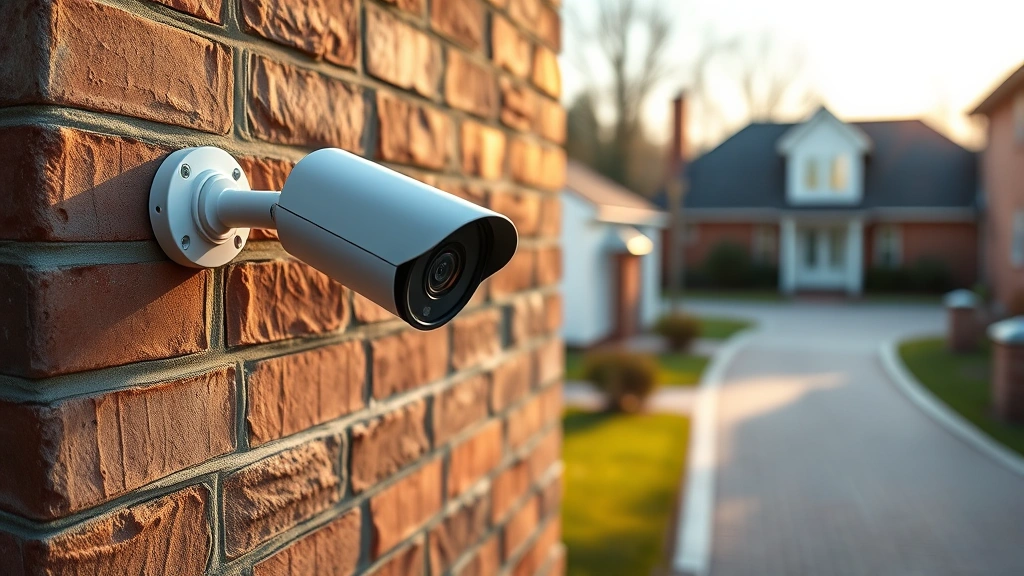
Top Cellular Security Cameras? Tech Review Inside
Cellular security cameras have revolutionized home and business surveillance by eliminating the need for traditional wired installations and complex networking infrastructure. These devices connect directly to cellular networks, providing real-time monitoring and alerts regardless of your internet connection status. As cyber threats continue to evolve, understanding the security implications of these systems becomes increasingly critical for protecting your property and personal data.
The market for cellular security cameras has exploded in recent years, with manufacturers competing to offer better video quality, faster response times, and enhanced security features. However, not all cameras are created equal when it comes to protecting your privacy and securing your surveillance infrastructure against unauthorized access. This comprehensive guide explores the best cellular security cameras available today while examining the cybersecurity considerations you must evaluate before making a purchase decision.
Understanding Cellular Security Camera Technology
Cellular security cameras represent a significant advancement in surveillance technology by leveraging LTE and 5G networks to transmit video feeds directly to your smartphone or cloud storage. Unlike traditional IP cameras that require a stable broadband connection, these devices maintain independence from your home WiFi network, making them ideal for remote locations, rural properties, and areas with unreliable internet infrastructure.
The fundamental architecture of cellular cameras involves a SIM card slot that connects to cellular networks, allowing continuous data transmission without relying on your residential internet service. This decentralized approach offers substantial advantages for monitoring properties when primary network connections fail. However, this connectivity method introduces unique cybersecurity challenges that require careful attention during device selection and configuration.
When evaluating cellular camera technology, you should understand the distinction between cameras with built-in cellular connectivity and those requiring external cellular hotspots. Built-in solutions offer superior integration and simplified management, while external hotspot approaches provide flexibility for older camera models. The ScreenVibeDaily Blog offers insights into emerging technology trends that complement surveillance system evaluations.
Top Cellular Security Cameras on the Market
Reolink Go Series represents the market leader in standalone cellular cameras, offering 4G LTE connectivity without requiring additional hardware or subscriptions for basic functionality. These cameras feature solar panel compatibility, weatherproof construction rated for extreme temperatures, and dual-lens configurations that capture wide-angle coverage. The Reolink ecosystem provides local storage options through microSD cards, reducing reliance on cloud services and enhancing data privacy.
The Arlo Essential Cellular camera combines cellular connectivity with Arlo’s established cloud infrastructure, delivering seamless integration across multiple devices and locations. This system emphasizes person detection algorithms and activity zones, minimizing false alerts triggered by environmental factors. The subscription-based cloud storage model ensures encrypted transmission and redundant backups, though it introduces ongoing costs beyond initial hardware investment.
Spypoint Link-Micro cameras target outdoor enthusiasts and property managers, featuring exceptional battery life extending 6-12 months on standard alkaline batteries. These compact devices prioritize reliability in harsh environments, making them suitable for wildlife monitoring, construction site surveillance, and remote cabin protection. The straightforward interface reduces configuration complexity while maintaining essential security controls.
Wyze Cam Cellular delivers budget-conscious surveillance without sacrificing core functionality, offering cellular connectivity at approximately one-third the cost of premium competitors. Despite the lower price point, Wyze maintains reasonable security standards and provides local recording capabilities through microSD card support. The trade-off involves smaller cloud storage allocations and less sophisticated AI-powered detection features.
The Inseego MiFi M2000 cellular hotspot, while not a camera itself, deserves mention for transforming non-cellular cameras into mobile-ready devices. This portable solution enables IP camera deployment in cellular-only environments, providing flexibility for temporary monitoring scenarios or testing cellular connectivity before permanent installation.
Security and Privacy Considerations
Cellular security cameras create attractive targets for cybercriminals seeking to access live video feeds, recorded footage, or using compromised devices as entry points into broader network infrastructure. CISA (Cybersecurity and Infrastructure Security Agency) emphasizes that IoT devices including security cameras represent critical vulnerabilities requiring immediate attention from both manufacturers and end-users.
Encryption standards must be your primary evaluation criterion when selecting cellular cameras. Legitimate manufacturers employ AES-256 encryption for video transmission and storage, protecting footage from interception during transmission over cellular networks. Verify that your chosen device supports TLS 1.2 or higher for all cloud communications, ensuring industry-standard security protocols protect your surveillance infrastructure.
Authentication mechanisms deserve equal scrutiny as encryption standards. Strong password requirements, two-factor authentication support, and biometric login options significantly reduce unauthorized access risks. Avoid cameras requiring simple numeric PINs or default credentials that remain unchanged after installation. Many security breaches originate from unchanged factory passwords, making credential management a critical first step after device deployment.
Cloud storage policies determine whether your footage remains under your control or becomes accessible to third parties. Review manufacturer privacy statements carefully, identifying whether video footage can be accessed by company employees, law enforcement, or subpoenaed by legal proceedings. NIST Cybersecurity Framework guidelines recommend maintaining data minimization practices, storing only essential footage and deleting unnecessary recordings promptly.
Firmware update frequency indicates manufacturer commitment to security maintenance. Devices receiving regular security patches demonstrate responsive vulnerability management, while cameras with infrequent updates pose escalating risk as security researchers discover new attack vectors. Establish a firmware update schedule immediately after installation, checking monthly for security patches addressing newly discovered vulnerabilities.
The Movies HD content delivery platform serves as a reminder that streaming technology security extends across multiple domains. Understanding how cellular cameras transmit video involves similar considerations to streaming service security, emphasizing the importance of encrypted connections for all data in transit.
Local storage capabilities provide crucial security advantages by reducing dependence on cloud infrastructure. Cameras supporting microSD card recording maintain footage within your physical control, eliminating cloud service data breaches as a threat vector. However, local storage requires physical device access for footage retrieval, creating trade-offs between accessibility and security.
Network segmentation protects your broader home or business network from compromised cameras. Isolate cellular cameras on dedicated network segments with restricted access to sensitive systems. Modern routers support guest network functionality, providing ideal isolation for IoT devices while maintaining camera functionality for authorized users.
Installation and Network Requirements
Cellular camera installation varies significantly based on device type and intended application. Most cellular cameras require minimal setup beyond SIM card insertion and app configuration, though this simplicity masks important security considerations during initial deployment.
SIM card selection impacts both connectivity and security. Dedicated IoT SIM cards from reputable carriers offer superior security compared to standard consumer plans. These specialized SIM cards include features like fixed IP addressing, enhanced encryption, and carrier-level monitoring preventing unauthorized access. Evaluate SIM card options before purchasing cameras, as switching providers later creates configuration complexity.
Power requirements determine installation feasibility for various locations. Solar-powered cameras eliminate battery replacement concerns but require adequate sunlight exposure. Battery-powered devices offer maximum flexibility but demand periodic maintenance and replacement planning. AC-powered cellular cameras provide unlimited operation but require proximity to electrical outlets, limiting deployment flexibility.
Mounting hardware selection impacts both camera performance and physical security. Secure mounting prevents tampering and ensures optimal viewing angles, while poor installation creates gaps exploitable by determined adversaries. Use manufacturer-recommended brackets and hardware, avoiding improvised mounting solutions that compromise device integrity.
The Best Movie Review Sites guide demonstrates how comprehensive evaluation frameworks apply across technology sectors. Similarly, thorough cellular camera evaluation requires systematic assessment across multiple performance dimensions.
Comparing Features and Performance
Video resolution serves as the most visible performance metric, though megapixel count alone fails to indicate practical image quality. A 2MP camera with superior lens optics and intelligent compression often outperforms 4MP cameras with inferior optical systems. Assess sample footage under various lighting conditions before committing to purchase decisions, as marketing specifications frequently overstate real-world performance.
Night vision capabilities separate premium cameras from budget alternatives. Infrared illumination enables night recording but may reduce image quality compared to daylight footage. Thermal imaging cameras provide alternative approaches for low-light environments, detecting heat signatures rather than relying on visible light. Evaluate night vision performance for your specific deployment scenarios, as advertising claims frequently misrepresent capabilities.
Motion detection sensitivity adjustments prevent alert fatigue while ensuring you receive notifications about genuine threats. Cameras supporting configurable activity zones allow you to monitor specific areas while ignoring irrelevant motion like vehicle traffic or tree movement. AI-powered person detection distinguishes humans from animals and vehicles, significantly improving alert accuracy for most applications.
Cloud storage policies vary dramatically across manufacturers, affecting long-term costs and data retention capabilities. Some cameras provide limited free cloud storage (typically 24-72 hours), while others require paid subscriptions for any cloud functionality. Local storage through microSD cards provides unlimited recording capacity at minimal cost, though retrieval requires physical device access.
Two-way audio functionality enables communication through camera speakers and microphones, useful for package delivery instructions or deterring intruders. However, this feature introduces microphone security considerations, as compromised devices could enable unauthorized eavesdropping. Disable two-way audio when unnecessary, and review manufacturer policies regarding microphone access restrictions.
The Best Movies on Netflix collection demonstrates how content delivery platforms evaluate streaming quality across multiple dimensions. Cellular camera evaluation similarly requires multi-factor assessment beyond single performance metrics.
Cost Analysis and Value Proposition
Initial hardware costs range from approximately $100 for budget cellular cameras to $400+ for premium systems with advanced features. This significant price variance reflects differences in build quality, optical performance, and security implementations. Avoid selecting cameras purely on price, as cost-cutting frequently targets security features rather than aesthetic elements.
Subscription costs accumulate substantially over multi-year ownership periods. A $15/month cloud storage subscription equals $180 annually, potentially exceeding hardware costs for budget-tier cameras over three-year periods. Calculate total cost of ownership including subscriptions, replacement batteries, and eventual hardware upgrades when evaluating value propositions.
Data plan costs depend on monthly cellular data consumption, typically ranging from $10-30 monthly depending on video resolution, recording frequency, and carrier pricing. Higher resolution cameras consume more data, while motion-triggered recording reduces consumption compared to continuous recording. Estimate your data requirements before selecting plans, as overages create unexpected expenses.
Professional installation services add $200-500 per camera but ensure optimal mounting, proper security configuration, and network integration. DIY installation saves money but risks suboptimal performance and security vulnerabilities if configuration steps are overlooked. Consider professional installation for critical deployments while handling simpler installations independently.
Warranty coverage and manufacturer support quality significantly impact long-term ownership satisfaction. Premium manufacturers typically offer 2-3 year warranties with responsive customer support, while budget brands may limit warranty to one year or provide minimal technical assistance. Factor warranty quality into purchasing decisions, as support responsiveness proves invaluable when configuration issues arise.
The How to Produce a Short Film guide illustrates how comprehensive planning prevents costly mistakes during complex projects. Similarly, thorough cellular camera planning prevents expensive security oversights and configuration errors.
FAQ
What is the difference between cellular and WiFi security cameras?
Cellular cameras connect through LTE/5G networks using SIM cards, providing connectivity independent of your home internet. WiFi cameras require your residential broadband connection, making them unreliable without stable internet service. Cellular cameras excel for remote locations while WiFi cameras suit properties with excellent broadband coverage.
Are cellular security cameras secure against hacking?
Properly configured cellular cameras with strong passwords, encryption, and regular firmware updates provide robust security for most applications. However, no device achieves absolute invulnerability. Implement defense-in-depth strategies combining strong authentication, network segmentation, and regular security audits to minimize compromise risks.
Do cellular cameras require monthly subscriptions?
Cellular data plans (typically $10-30 monthly) are essential for connectivity, while cloud storage subscriptions vary by manufacturer. Some cameras offer limited free cloud storage, while others require paid plans for any cloud functionality. Local storage through microSD cards eliminates cloud subscription requirements if you’re willing to retrieve footage manually.
How much data do cellular cameras consume monthly?
Data consumption depends on resolution, recording frequency, and compression efficiency. Budget $5-15 monthly for motion-triggered 1080p recording, while continuous 4K recording may consume $30-50 monthly. Contact your carrier for IoT-specific data plans offering favorable pricing for security camera applications.
Can I use cellular cameras without cloud storage?
Yes, cameras supporting local microSD card storage operate entirely without cloud services. This approach maximizes privacy while eliminating cloud subscription costs, though it requires physical device access for footage retrieval. Combine local storage with periodic manual backups for comprehensive data protection.
What security features should I prioritize when selecting cellular cameras?
Prioritize AES-256 encryption for video transmission, two-factor authentication support, regular firmware updates, and strong password requirements. Verify manufacturer privacy policies, confirm local storage capabilities, and assess update frequency before purchasing. These foundational security elements prevent most common attack vectors targeting surveillance systems.
How often should I update cellular camera firmware?
Check for firmware updates monthly and apply security patches immediately upon release. Subscribe to manufacturer security bulletins or check the device app weekly for critical vulnerability notifications. Establish automated update schedules whenever possible, reducing manual oversight requirements for ongoing security maintenance.


