
Barracuda Email Security: Expert Protection Tips
Email remains one of the most critical attack vectors in modern cybersecurity, with threat actors continuously evolving their tactics to compromise organizational networks. Barracuda Email Security represents a comprehensive defense mechanism designed to protect enterprises from sophisticated email-borne threats including malware, phishing, ransomware, and business email compromise (BEC) attacks. With email handling over 347 billion messages daily worldwide, implementing robust email security solutions has transitioned from optional to mandatory for organizations of all sizes.
Barracuda’s platform combines advanced threat protection, data loss prevention, and email archiving capabilities to create a multi-layered security posture. This guide explores expert strategies for maximizing Barracuda Email Security’s effectiveness, understanding its key features, and implementing best practices that align with industry standards and regulatory requirements. Whether you’re managing email security for a small business or enterprise organization, these protection tips will help you leverage Barracuda’s capabilities to their fullest potential.
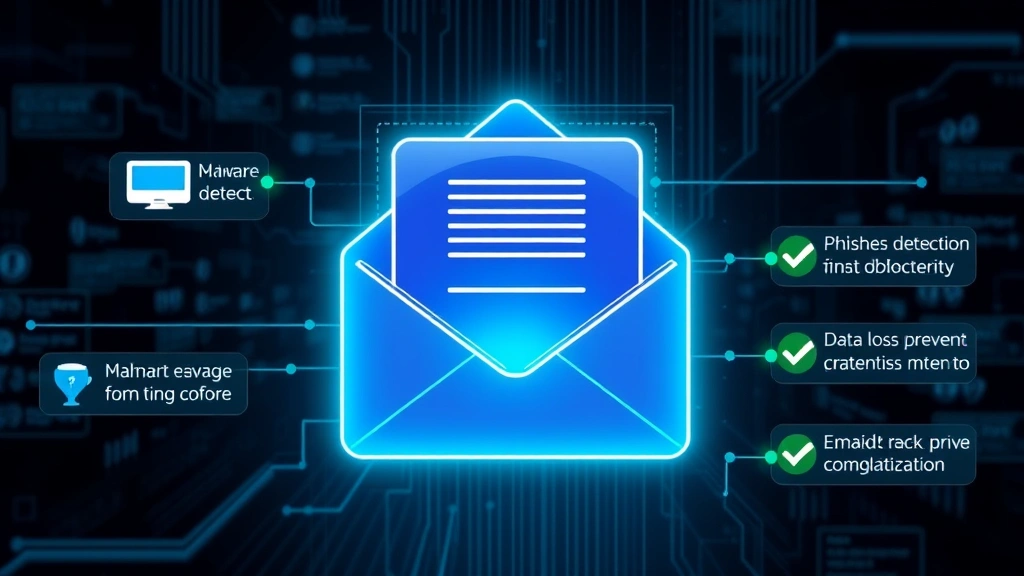
Understanding Barracuda Email Security Architecture
Barracuda Email Security operates on a cloud-native architecture that intercepts, analyzes, and filters email traffic before it reaches organizational mailboxes. The platform employs multiple detection engines working in parallel to identify malicious content, suspicious attachments, and phishing attempts with minimal false positives. Understanding this architectural foundation is essential for security administrators seeking to optimize their email protection strategy.
The system utilizes a combination of signature-based detection, behavioral analysis, and machine learning algorithms to identify both known and zero-day threats. Messages pass through sequential inspection stages where they’re evaluated against threat databases, scanned for malware, analyzed for suspicious URLs, and assessed for potential data exfiltration risks. This multi-stage approach ensures comprehensive coverage while maintaining email delivery performance and user experience.
Barracuda’s infrastructure includes redundant processing centers, ensuring high availability and preventing single points of failure. The platform maintains real-time threat intelligence feeds, continuously updating its detection capabilities based on emerging threats and attack patterns observed across the global customer base. Organizations benefit from collective intelligence, where threat data from millions of protected mailboxes informs protective measures across the entire network.

Advanced Threat Protection Mechanisms
Advanced Threat Protection (ATP) within Barracuda Email Security employs sophisticated techniques to detect and neutralize emerging threats before they reach user inboxes. The system’s sandboxing capabilities allow suspicious attachments to be executed in isolated virtual environments, revealing malicious behavior that traditional signature-based detection might miss. This proactive approach proves particularly effective against ransomware variants and polymorphic malware that constantly modify their code to evade detection.
URL rewriting and dynamic link analysis represent another critical component of Barracuda’s threat protection arsenal. The platform rewrites URLs in incoming messages, allowing it to monitor click patterns and identify when users attempt to access malicious or compromised websites. If a legitimate-appearing link leads to a phishing site or malware distribution point, Barracuda can block access in real-time, even if the URL was previously unknown.
The platform’s machine learning models analyze attachment behavior, email metadata patterns, and user communication history to identify anomalies indicating compromise. When an employee’s account exhibits unusual sending patterns or attempts to forward sensitive data to external recipients, Barracuda’s behavioral analysis flags these activities for administrative review. This intelligent approach reduces reliance on rigid rules that often generate false positives.
Integration with CISA threat intelligence feeds ensures Barracuda administrators access current information about active threats, known malicious infrastructure, and emerging attack campaigns. Organizations can leverage this intelligence to adjust their email security policies proactively, blocking communications from known threat actor infrastructure before attacks reach end users.
Configuring Multi-Layer Defense Strategies
Effective email security requires implementing multiple defensive layers rather than relying on a single protection mechanism. Barracuda Email Security supports sophisticated configuration options enabling administrators to create defense strategies tailored to their organizational risk profile and regulatory requirements. The principle of defense in depth ensures that if one protective layer fails to stop a threat, subsequent layers provide additional opportunities for detection and prevention.
The first defensive layer involves connection filtering and sender reputation assessment. Barracuda evaluates the sending mail server’s historical behavior, checking whether it appears on known spam lists, has poor authentication records, or exhibits suspicious characteristics. Organizations can configure strict policies that reject messages from servers with poor reputations or implement gray-listing techniques that temporarily defer messages from unknown sources, allowing time for reputation databases to be updated.
Content filtering represents the second protective layer, analyzing message body text for indicators of phishing, fraud, or malicious intent. Administrators can configure keyword-based rules targeting industry-specific threats, such as banking fraud terminology or healthcare ransomware language. Regular expression patterns enable sophisticated matching of obfuscated content where attackers attempt to bypass simple keyword filters through character substitution or encoding techniques.
Attachment scanning and analysis form the third defensive layer. Barracuda supports comprehensive file type validation, preventing execution of potentially dangerous file types while allowing legitimate business documents. The platform can decompress nested archives, analyzing files hidden within password-protected or multi-level compressed containers. Organizations handling sensitive information can implement policies that block or quarantine files based on sensitivity classification, preventing accidental data exfiltration.
The fourth layer involves authentication framework enforcement, including SPF (Sender Policy Framework), DKIM (DomainKeys Identified Mail), and DMARC (Domain-based Message Authentication, Reporting, and Conformance) validation. Barracuda can enforce strict DMARC policies, rejecting messages that fail authentication checks and preventing domain spoofing attacks where threat actors impersonate legitimate business partners.
Phishing and BEC Prevention Techniques
Phishing and business email compromise represent the most prevalent email-based attack vectors, with attackers leveraging social engineering to manipulate users into revealing credentials, transferring funds, or executing malware. Barracuda Email Security incorporates specialized detection capabilities designed specifically to combat these threats, combining technical analysis with behavioral pattern recognition.
Advanced phishing detection utilizes machine learning models trained on millions of legitimate and malicious emails to identify suspicious characteristics that humans might overlook. The system analyzes sender reputation, email header authenticity, HTML structure analysis, and visual similarity to legitimate brand communications. When an email closely resembles a message from a trusted vendor but originates from a suspicious source, Barracuda’s algorithms flag it for further scrutiny.
BEC prevention requires understanding the sophisticated social engineering tactics threat actors employ to impersonate executives and financial personnel. Barracuda’s user behavior analytics track normal communication patterns within the organization, identifying when accounts suddenly begin requesting wire transfers, sending messages outside normal business hours, or communicating with unfamiliar external recipients. These anomalies trigger alerts allowing security teams to verify requests before funds or sensitive information transfer.
The platform supports advanced impersonation protection policies that analyze sender addresses against organizational directories, identifying spoofed versions of legitimate employee accounts. When a message claims to come from “john.smith@company.com” but originates from “john.smith@company-secure.com,” Barracuda’s similarity detection algorithms identify the subtle difference and flag the message as potentially malicious. Organizations can configure whitelisting policies for trusted external partners while maintaining strict verification for less-familiar senders.
User awareness training integration helps employees recognize phishing attempts and report suspicious messages. Barracuda’s reporting mechanisms allow users to easily submit suspected phishing emails for analysis, creating a feedback loop that improves detection accuracy. Organizations can track which employees fall victim to phishing simulations, targeting additional training resources to high-risk groups and measuring security awareness program effectiveness.
Data Loss Prevention Best Practices
Beyond threat detection, Barracuda Email Security incorporates robust data loss prevention (DLP) capabilities that prevent unauthorized disclosure of sensitive information through email channels. DLP policies analyze outgoing message content, identifying when employees attempt to exfiltrate confidential data, trade secrets, personally identifiable information (PII), or regulated data subject to compliance requirements.
Effective DLP implementation requires careful policy configuration balancing security with business functionality. Overly restrictive policies generate excessive false positives, frustrating legitimate business communications and potentially driving users toward unsanctioned communication channels. Barracuda’s intelligent DLP engine supports contextual analysis, understanding that mentioning a customer’s phone number in a business context differs significantly from bulk exfiltration of customer databases.
Pattern-based DLP rules identify structured data formats including credit card numbers, Social Security numbers, bank account information, and other regulated identifiers. The system can validate these patterns using algorithms like Luhn checks for credit cards, ensuring alerts focus on actual sensitive data rather than random number sequences. Organizations can create custom patterns matching proprietary data formats, such as employee ID schemes or internal product codes.
Classification-based DLP leverages document metadata and content analysis to identify messages containing information marked as confidential, restricted, or sensitive. When employees attempt to email documents containing high-value intellectual property or strategic business information, Barracuda can automatically encrypt the message, require administrative approval, or redirect it to secure file sharing services. This approach prevents accidental data loss while maintaining legitimate business communication capabilities.
Remediation options extend beyond simple message blocking. Administrators can configure policies that automatically encrypt sensitive outgoing messages, requiring recipients to authenticate before accessing content. Alternatively, Barracuda can convert sensitive attachments to secure file links, allowing organizations to maintain access controls and audit trails for sensitive information sharing. These graduated response approaches maintain productivity while protecting organizational assets.
Integration and Deployment Optimization
Barracuda Email Security’s effectiveness depends significantly on proper integration with existing organizational infrastructure and cloud services. Modern enterprises employ hybrid environments combining on-premises systems, cloud applications, and third-party services, requiring email security solutions that seamlessly integrate across this complex landscape.
MX record configuration represents the foundational integration step, directing email traffic through Barracuda’s filtering infrastructure before reaching organizational mail servers. Administrators must carefully plan this transition, maintaining redundancy and ensuring failover mechanisms prevent email delivery failures. Barracuda supports flexible deployment options including cloud-only filtering, on-premises appliance deployment, or hybrid approaches combining both architectures.
Integration with Microsoft 365 and Google Workspace requires configuration of appropriate connectors and authentication mechanisms. Organizations can leverage Barracuda’s cloud-native architecture to filter email before it reaches cloud mailboxes, reducing storage consumption and improving security posture. The platform supports mailbox scanning capabilities, allowing retrospective analysis of historical email to identify past compromises or policy violations that weren’t detected when messages originally arrived.
Active Directory synchronization ensures Barracuda maintains current information about organizational users, distribution groups, and security group memberships. This integration enables sophisticated policy enforcement based on user roles, departments, or security classifications. Finance department members might face stricter DLP policies than marketing staff, while executives might receive additional impersonation protection.
SIEM and security orchestration platform integration enables automated incident response workflows. When Barracuda detects a sophisticated phishing campaign, it can automatically alert security teams, quarantine related messages, and trigger investigation procedures. Organizations using NIST cybersecurity frameworks can map Barracuda’s capabilities to specific control requirements, demonstrating compliance with industry standards.
Monitoring and Incident Response
Continuous monitoring of email security metrics provides visibility into threat landscape changes and policy effectiveness. Barracuda Email Security generates comprehensive reporting on message volumes, threat detection rates, policy violations, and user behavior patterns. Security teams should establish baseline metrics during normal operations, enabling rapid identification of anomalies indicating active attacks or compromised accounts.
Dashboard configuration allows administrators to focus on metrics most relevant to their organization’s risk profile. Financial services organizations might prioritize BEC detection rates and wire transfer anomalies, while healthcare providers focus on HIPAA-regulated data protection and ransomware prevention. Real-time alerting ensures security teams receive immediate notification of high-severity threats rather than discovering them through periodic report reviews.
Quarantine management represents a critical operational responsibility, as messages incorrectly flagged as malicious accumulate in quarantine queues awaiting administrative review. Barracuda provides granular quarantine controls allowing different handling for different threat categories. Messages suspected of phishing might require administrative approval before release, while messages with policy violations could automatically notify senders to use approved secure file sharing services instead.
Incident response procedures should document how security teams handle various threat scenarios. When Barracuda detects a potential BEC attack, procedures should specify notification channels, approval requirements for releasing blocked messages, and investigation steps to determine if organizational accounts have been compromised. Regular tabletop exercises testing these procedures ensure teams respond effectively when actual incidents occur.
Threat hunting activities leverage Barracuda’s historical data and forensic capabilities to identify sophisticated attacks that might evade automated detection. Security teams can query message archives for communications exhibiting specific characteristics, such as messages from newly registered domains or conversations involving unusual wire transfer terminology. This proactive approach helps organizations detect compromises before attackers achieve their objectives.
Collaboration with Barracuda’s security research team provides access to emerging threat intelligence and best practice guidance. The vendor publishes regular threat reports analyzing active attack campaigns, allowing organizations to assess whether they face similar threats and adjust defenses accordingly. Participation in Barracuda’s user communities enables information sharing with peer organizations facing comparable security challenges.
FAQ
What makes Barracuda Email Security effective against zero-day threats?
Barracuda employs sandboxing technology that executes suspicious attachments in isolated virtual environments, revealing malicious behavior even for previously unknown malware variants. The system’s machine learning algorithms identify suspicious patterns that might indicate zero-day exploits, while behavioral analysis detects anomalous file execution or system modification attempts that characterize zero-day attacks.
How does Barracuda prevent advanced phishing attacks?
The platform combines multiple detection methods including sender reputation analysis, URL rewriting with real-time monitoring, HTML structure examination, and machine learning models trained on millions of emails. Visual similarity analysis detects brand spoofing attempts, while user behavior analytics identify account compromise enabling BEC attacks.
Can Barracuda Email Security integrate with existing Microsoft 365 deployments?
Yes, Barracuda provides native integration with Microsoft 365 through cloud-native filtering architecture. The platform can process email before it reaches cloud mailboxes, and supports retrospective mailbox scanning to identify historical security incidents or policy violations.
What compliance frameworks does Barracuda Email Security support?
Barracuda’s DLP and archiving capabilities support compliance with HIPAA, GDPR, PCI-DSS, SOX, and other regulatory requirements. The platform maintains detailed audit trails for all email activity, supporting compliance investigations and regulatory audits. Organizations can configure policies enforcing specific compliance requirements relevant to their industry.
How should organizations handle quarantined messages?
Establish clear procedures for quarantine review, distinguishing between high-confidence threats requiring deletion and messages requiring administrative approval for release. Implement automated notifications informing senders when messages are quarantined due to policy violations, encouraging use of approved secure file sharing services for sensitive content.
What metrics should security teams monitor for email security effectiveness?
Key metrics include threat detection rates, false positive ratios, message delivery times, policy violation frequencies, and user reporting engagement. Organizations should track trends in these metrics over time, investigating significant changes that might indicate shifting threat landscapes or configuration issues requiring adjustment.


