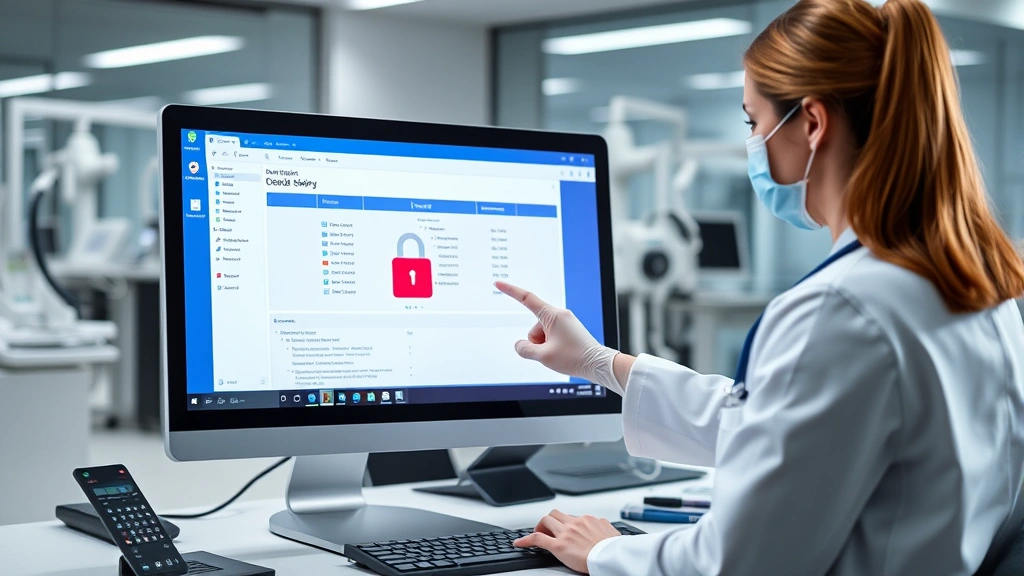
Is Azalea Health Login Safe? Security Insights for Healthcare Professionals
Azalea Health has become a widely-used electronic health record (EHR) and practice management system for healthcare providers across the United States. With healthcare data representing one of the most valuable targets for cybercriminals, understanding the security posture of your login credentials and account access is critically important. This comprehensive guide examines the security features, potential vulnerabilities, and best practices for protecting your Azalea Health account against unauthorized access and data breaches.
Healthcare professionals handle sensitive patient information daily, making secure authentication mechanisms essential. The Azalea Health platform processes Protected Health Information (PHI) regulated under HIPAA, requiring robust security controls at every access point. Whether you’re a physician, nurse, administrator, or support staff member, your login practices directly impact your organization’s compliance status and patient data protection.

Understanding Azalea Health Security Architecture
Azalea Health implements a multi-layered security framework designed to protect healthcare data at rest and in transit. The platform utilizes encryption technologies, access controls, and audit logging mechanisms consistent with HIPAA requirements and industry standards. The company has invested in security infrastructure to prevent unauthorized access, though healthcare organizations must supplement these controls with their own security practices.
The system employs Transport Layer Security (TLS) encryption for all data transmitted between user devices and Azalea Health servers. This means your login credentials, patient records, and clinical information are encrypted during transmission, preventing interception by malicious actors. However, encryption alone doesn’t guarantee security—implementation quality and certificate management are equally important factors that organizations should verify with their vendors.
Azalea Health maintains role-based access control (RBAC) systems that limit user permissions based on job functions. A nurse cannot access billing records, and administrative staff cannot modify clinical notes without appropriate authorization. This principle of least privilege reduces the damage potential from compromised accounts, as attackers gain access only to information accessible by the specific user account they’ve compromised.
The platform includes comprehensive audit logging capabilities that track user activities, login attempts, data access, and modifications. These audit trails are essential for detecting suspicious activities and investigating security incidents. Organizations using Azalea Health should regularly review these logs to identify unauthorized access patterns or unusual login behaviors that might indicate account compromise.

Login Authentication Methods and Protocols
Azalea Health supports several authentication mechanisms, with single sign-on (SSO) integration being a primary method for many healthcare organizations. SSO allows users to authenticate once through their organization’s identity provider, then access multiple applications without re-entering credentials. When properly configured, SSO reduces password fatigue and improves security by centralizing authentication controls.
The platform supports integration with Active Directory and other LDAP-compatible directory services, enabling organizations to manage user identities through existing infrastructure. This approach maintains consistency with organizational identity management policies and facilitates rapid offboarding when employees leave. However, the security of your Azalea Health login depends significantly on how your organization configures these integrations.
Multi-factor authentication (MFA) represents a critical security control for healthcare applications. If your organization has enabled MFA for Azalea Health access, you’ll need to provide a second verification factor beyond your password—typically a time-based code from an authenticator app, SMS message, or hardware token. Healthcare organizations should require MFA for all user accounts, particularly those with administrative privileges or access to sensitive clinical data.
Password policies enforced by Azalea Health typically require minimum length, complexity requirements, and periodic changes. However, security research suggests that overly complex password requirements can paradoxically reduce security by encouraging users to write passwords down or reuse similar variations. Modern security practices emphasize passphrase length and prohibition of previously-breached passwords over arbitrary complexity rules.
Some organizations implement conditional access policies that restrict Azalea Health login to specific geographic locations, IP address ranges, or device types. These controls prevent account access from unusual locations that might indicate credential theft. For example, if your account suddenly logs in from a foreign country while you’re at work domestically, the system might block the login or require additional verification.
Common Security Vulnerabilities and Threats
Phishing attacks remain the primary attack vector targeting healthcare professionals and their credentials. Attackers send convincing emails impersonating Azalea Health, your organization’s IT department, or trusted colleagues, requesting credential verification or prompting you to click malicious links. These attacks exploit human psychology rather than technical vulnerabilities, making user awareness training essential.
Credential stuffing attacks leverage passwords stolen from unrelated data breaches to attempt unauthorized access to healthcare systems. If you’ve reused your Azalea Health password across multiple websites or services, attackers who obtained that password from a breach elsewhere can try it against your healthcare account. This underscores the importance of unique, strong passwords for each critical system.
Man-in-the-middle (MITM) attacks can occur when users connect to Azalea Health through unsecured public Wi-Fi networks. Attackers positioned on the same network can intercept unencrypted traffic or present themselves as a legitimate access point. While TLS encryption protects login credentials in transit, users should avoid accessing Azalea Health on public Wi-Fi whenever possible.
Insider threats represent a significant concern in healthcare environments. Employees with legitimate access credentials might abuse their access to view patient records of celebrities, family members, or competitors. Unlike external attacks, insider threats bypass many perimeter security controls because the attacker already possesses valid credentials. Organizations should implement monitoring for unusual access patterns and educate employees about privacy expectations.
Session hijacking occurs when attackers steal valid session tokens, allowing them to impersonate authenticated users without knowing passwords. If your browser session is compromised through malware or network attacks, attackers could access Azalea Health using your active session. Logging out when finished and using updated, malware-free devices reduces this risk significantly.
Mobile device threats pose particular challenges for healthcare workers who access Azalea Health through smartphones or tablets. Unpatched devices, malicious applications, and unsecured device storage create opportunities for credential theft. Mobile device management (MDM) solutions help organizations enforce security policies on employee-owned devices accessing sensitive healthcare systems.
Best Practices for Secure Login Access
Implement a unique, complex password specifically for your Azalea Health account that you don’t use anywhere else. Ideally, use a passphrase combining random words rather than attempting to meet arbitrary complexity requirements. Password managers like Bitwarden, 1Password, or Dashlane securely generate and store unique passwords, eliminating the need to memorize multiple strong credentials.
Enable multi-factor authentication immediately if your organization supports it. Even if MFA isn’t currently required, voluntarily enabling it provides substantial protection against credential compromise. The additional verification step prevents attackers from accessing your account even if they obtain your password through phishing, data breaches, or social engineering.
Keep your devices updated with the latest security patches for your operating system, browser, and applications. Cybercriminals exploit known vulnerabilities in outdated software to install malware that captures credentials. Regular updates close these security gaps and reduce your attack surface. Enable automatic updates when possible to ensure timely protection.
Verify that you’re accessing the legitimate Azalea Health login portal before entering credentials. Bookmark the correct login URL rather than searching for it, and check for HTTPS encryption and valid SSL certificates. Attackers create convincing phishing pages designed to steal credentials, so direct access through bookmarks or organization-provided links reduces this risk.
Never share your login credentials with colleagues, even if they request access to patient information you can view. If someone needs access to specific records, they should request it through proper channels using their own credentials. Shared accounts prevent accurate audit trails and make it impossible to determine who accessed sensitive information.
Be cautious of unexpected password reset requests or notifications of login attempts from unfamiliar locations. If you receive alerts about account activity you didn’t initiate, change your password immediately and contact your organization’s IT security team. Prompt response to suspicious activity can prevent unauthorized access to patient records.
Use your organization’s VPN when accessing Azalea Health outside the office network. VPNs encrypt all traffic between your device and your organization’s network, protecting credentials and data from interception. Public Wi-Fi networks, particularly in coffee shops and hotels, provide inadequate security for healthcare data access.
Compliance and Regulatory Considerations
HIPAA Security Rule requirements mandate that healthcare organizations implement administrative, physical, and technical safeguards protecting electronic health information. Your Azalea Health login security directly supports compliance with these requirements. Organizations must document authentication controls, access policies, and audit procedures related to the EHR system.
The Security Rule requires unique user identification for all individuals accessing PHI. This means shared accounts are prohibited—each person must have individual credentials that can be audited. Azalea Health supports this requirement through individual user accounts and audit logging, but organizations must enforce this policy consistently.
Breach notification requirements under HIPAA require notification of affected individuals if unauthorized access to PHI occurs. A compromised Azalea Health account could result in unauthorized access to hundreds or thousands of patient records, triggering expensive breach notification obligations. Investing in login security helps prevent these costly incidents.
The HITECH Act increased penalties for HIPAA violations substantially, with civil penalties ranging from $100 to $50,000 per violation. Negligent implementation of access controls or failure to detect unauthorized access could result in significant fines. Organizations should view Azalea Health login security as both a patient protection and compliance requirement.
External security assessments and penetration testing should include Azalea Health login mechanisms. These evaluations identify weaknesses in authentication controls before attackers exploit them. Organizations should partner with experienced healthcare cybersecurity firms to assess their login security posture regularly.
State privacy laws increasingly supplement HIPAA requirements. Many states require breach notification within specific timeframes and mandate implementation of reasonable security measures. Organizations operating in multiple states should understand varying compliance obligations and implement security controls meeting the most stringent requirements.
Incident Response and Account Recovery
Develop a documented incident response plan addressing potential Azalea Health login compromise. This plan should include procedures for immediately disabling compromised accounts, notifying affected parties, conducting forensic investigation, and restoring normal operations. Organizations should test these procedures regularly to ensure effectiveness when actual incidents occur.
If you suspect your Azalea Health account has been compromised, change your password immediately and contact your organization’s IT security team. Don’t wait to see if suspicious activity continues—assume the account is compromised and take action. Early response limits the window during which attackers can access patient records using your credentials.
Account lockout policies should trigger after a specified number of failed login attempts, typically 5-10 attempts within a short timeframe. This prevents brute-force attacks where attackers systematically try password combinations. However, organizations must balance security with user experience, as overly aggressive lockouts frustrate legitimate users and increase help desk burden.
Password reset procedures should require verification of identity through multiple factors before allowing account recovery. Single-factor reset mechanisms (email verification alone, security questions, etc.) can be compromised. Organizations should implement phone-based verification or other strong identity confirmation for password resets involving sensitive accounts.
Maintain offline backup access methods for critical situations where primary authentication systems fail. Recovery procedures should be documented and tested regularly to ensure they function when needed. However, backup access methods should require additional verification to prevent misuse during normal operations.
Organizations should maintain relationships with CISA (Cybersecurity and Infrastructure Security Agency) and relevant healthcare information sharing organizations. These resources provide threat intelligence, incident response guidance, and coordination support during security incidents affecting multiple organizations.
FAQ
Is Azalea Health HIPAA compliant?
Azalea Health implements security controls designed to meet HIPAA requirements. However, compliance is a shared responsibility—your organization must also implement administrative controls, access policies, and audit procedures. HIPAA compliance depends on both the vendor’s technical controls and your organization’s proper implementation and maintenance of security practices.
Can I access Azalea Health from my personal device?
This depends on your organization’s policies. Many healthcare organizations require MDM enrollment for personal devices accessing EHR systems. This ensures devices meet minimum security standards including updated operating systems, password protection, and encryption. Check with your IT department before accessing Azalea Health on personal devices.
What should I do if I forget my Azalea Health password?
Use your organization’s password reset functionality, typically accessible from the login screen. You’ll need to verify your identity through established procedures. If you can’t complete the reset process, contact your organization’s help desk or IT support. Never share your password with help desk staff—they should never request it for verification purposes.
Does Azalea Health support biometric authentication?
Biometric authentication capabilities depend on your organization’s implementation and Azalea Health configuration. Some organizations implement biometric login through their SSO provider or mobile applications. Biometric authentication provides strong security when properly implemented, though backup methods should exist for situations where biometric readers are unavailable.
How often should I change my Azalea Health password?
Modern security practices recommend changing passwords only when there’s evidence of compromise, rather than enforcing arbitrary periodic changes. Frequent mandatory changes encourage weak passwords and password reuse. However, if you suspect unauthorized access or your password may have been exposed in a breach, change it immediately.
What is the difference between Azalea Health login and my organization’s network login?
Your organization’s network login typically controls access to the entire network and computer systems. Azalea Health login specifically controls access to the EHR application. Your organization may use SSO to synchronize these, meaning one login provides access to both. Alternatively, they may be separate systems requiring different credentials—check your organization’s specific configuration.
Can my organization monitor my Azalea Health activity?
Yes. Your organization’s IT and compliance teams can review audit logs showing when you logged in, what records you accessed, and what changes you made. This monitoring is required for HIPAA compliance and helps detect unauthorized access or policy violations. Use this knowledge to ensure you’re accessing only information necessary for your job functions.
What happens if Azalea Health experiences a security breach?
Your organization should notify you of any breach affecting your account or the systems you access. Notification should include information about what data was exposed, when the breach was discovered, and steps you should take to protect yourself. You may be entitled to free credit monitoring if your personal information was exposed. Follow your organization’s guidance for response and recovery.


