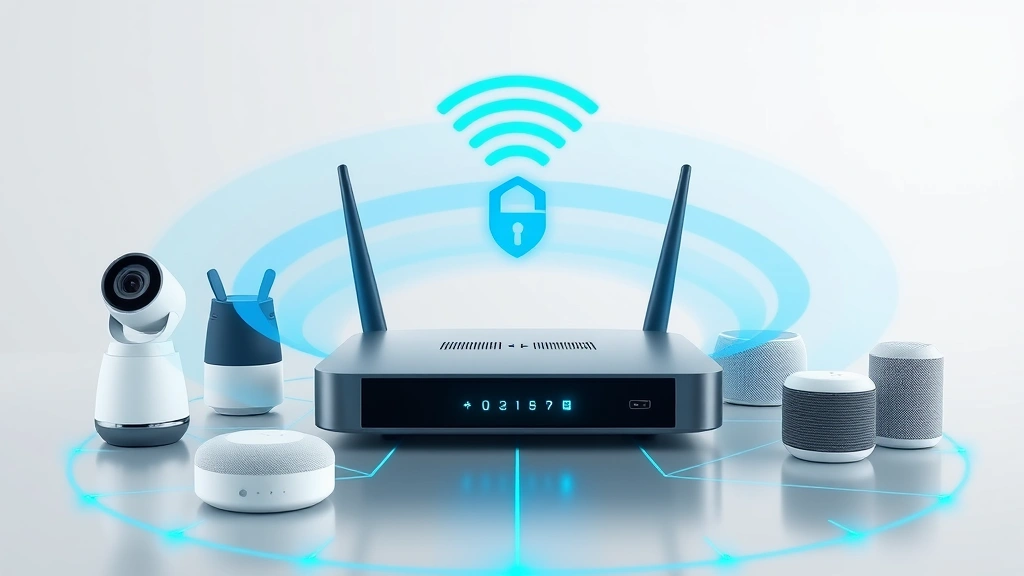
AT&T HomeTech Protection represents a comprehensive approach to securing your connected home ecosystem, but understanding its capabilities, limitations, and implementation is critical for modern homeowners. As smart home devices proliferate—from security cameras to connected thermostats—the attack surface for cybercriminals expands exponentially. AT&T’s offering attempts to bridge the gap between convenience and security, yet many users remain uncertain whether it truly delivers the protection their homes deserve.
The intersection of home automation and cybersecurity has become a battleground where manufacturers, service providers, and threat actors compete for control of your domestic network. With CISA reporting that smart home vulnerabilities have increased by over 300% in recent years, the need for robust protection mechanisms has never been more urgent. This comprehensive guide examines AT&T HomeTech Protection from multiple angles, helping you determine whether it meets your specific security needs.
What is AT&T HomeTech Protection?
AT&T HomeTech Protection is a subscription-based security service designed specifically for residential networks and connected devices. Unlike traditional cybersecurity solutions focused on computers and smartphones, this service targets the unique vulnerabilities present in smart home ecosystems. The platform operates at the network level, monitoring traffic and device behavior to identify suspicious activities before they compromise your personal data or device functionality.
The service integrates with AT&T’s fiber and broadband infrastructure, positioning itself as a first-line defense against intrusions, malware infections, and unauthorized access attempts. For homeowners who’ve invested in multiple smart devices—security systems, smart speakers, connected lighting, intelligent appliances—AT&T HomeTech Protection aims to provide centralized monitoring and threat response. However, the effectiveness of any security solution depends on understanding exactly what protection mechanisms it employs and which threats it can actually mitigate.
According to NIST guidelines for IoT security, network-level monitoring represents one of several necessary layers of defense, though it cannot serve as a complete solution on its own. AT&T’s approach acknowledges this reality by combining multiple detection methodologies, but users should understand both its strengths and inherent limitations.
Core Security Features Explained
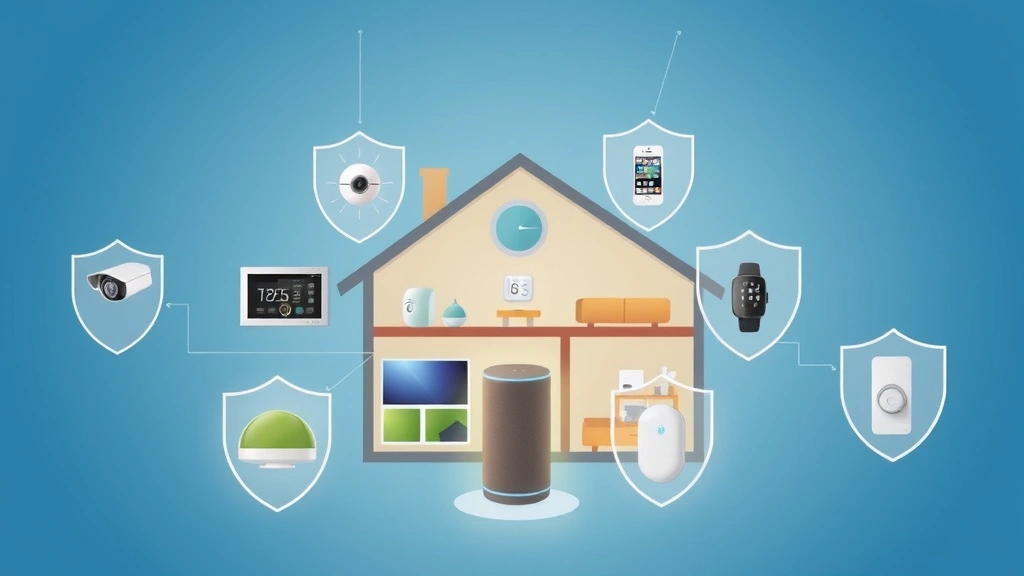
AT&T HomeTech Protection operates through several interconnected mechanisms designed to protect your home network from various attack vectors. Understanding these features helps you assess whether the service aligns with your security posture and threat model.
Network-Level Monitoring: The service continuously analyzes traffic flowing through your AT&T router, identifying patterns that suggest malicious activity. This approach allows detection of compromised devices attempting to communicate with command-and-control servers, even if the device itself appears to function normally. A smart speaker infected with malware might continue playing music while simultaneously exfiltrating data—network monitoring can detect this suspicious behavior.
Intrusion Prevention: AT&T HomeTech Protection includes intrusion detection and prevention systems (IDS/IPS) that maintain databases of known attack signatures and suspicious behavioral patterns. When your network encounters traffic matching these signatures, the system can automatically block or quarantine the connection, preventing exploitation attempts from reaching your devices.
Malware Scanning: The service includes malware detection capabilities that identify known malicious code attempting to infiltrate your network. This works best against well-documented threats and established malware families, but advanced persistent threats and zero-day exploits may evade detection.
Device Vulnerability Assessment: The platform periodically scans connected devices to identify unpatched vulnerabilities and outdated firmware versions. This proactive approach helps you understand which devices require updates to maintain security. However, the service cannot force updates on devices you don’t control directly—it can only alert you to the risks.
Threat Intelligence Integration: AT&T incorporates threat intelligence feeds from multiple sources, including security researchers and industry partnerships, to stay current with emerging threats. This allows the service to detect new attack patterns faster than individual homeowners could identify them independently.
Device Coverage and Compatibility
One critical limitation of AT&T HomeTech Protection involves the diversity of smart home devices available in the market. The service protects any device connected to your AT&T network, but the depth of protection varies based on device type, manufacturer, and communication protocols used.
Fully Supported Device Categories: Security cameras, smart doorbells, network-attached storage devices, and WiFi-enabled locks typically receive comprehensive protection since they generate consistent, predictable network traffic patterns. When these devices behave abnormally, the monitoring system detects deviations quickly.
Partial Support Scenarios: Smart speakers, connected appliances, and IoT devices using proprietary protocols may receive basic network monitoring but lack granular threat detection. These devices often encrypt their communications, preventing the service from analyzing traffic content—it can only monitor connection patterns and metadata.
Compatibility Challenges: Older smart home devices using outdated security standards or discontinued firmware may not integrate effectively with modern threat detection systems. Devices manufactured before widespread adoption of current security best practices represent ongoing vulnerability sources that network-level monitoring alone cannot fully address.
To maximize protection, ensure your connected devices support current encryption standards, maintain active manufacturer support for security updates, and prioritize devices from manufacturers who demonstrate strong security practices. The ScreenVibeDaily Blog discusses emerging technology trends that increasingly intersect with home automation security considerations.
Threat Detection Capabilities
Understanding which threats AT&T HomeTech Protection can and cannot detect is essential for realistic security expectations. The service excels at identifying certain attack categories while remaining vulnerable to others.
Botnet Detection: When cybercriminals compromise smart home devices to incorporate them into botnets for launching distributed denial-of-service attacks, network monitoring systems can detect the unusual outbound traffic patterns characteristic of botnet activity. AT&T’s service maintains databases of known command-and-control server addresses and detects when your devices attempt to communicate with them.
Data Exfiltration Prevention: If a compromised device attempts to send sensitive information—video footage, location data, personal details—to external servers, the system can identify suspicious data flows and potentially block them. This protection works best when you’ve established baseline traffic patterns for each device.
Lateral Movement Detection: When attackers gain access to one device and attempt to spread throughout your network, accessing other devices or your router’s configuration, detection systems can identify the abnormal traffic patterns associated with reconnaissance and exploitation activities.
Limitations and Blind Spots: The service struggles with sophisticated adversaries employing encryption, spoofing, and advanced obfuscation techniques. Zero-day exploits—previously unknown vulnerabilities—cannot be detected by signature-based systems since no signature exists yet. Additionally, slow data exfiltration designed to avoid triggering threshold-based alerts may go undetected.
According to Darktrace threat intelligence research, behavioral anomaly detection provides superior protection against novel threats compared to signature-based approaches alone. AT&T HomeTech Protection relies primarily on signature and pattern matching, which means emerging threats may not be immediately detected.
Privacy Considerations
Any security service operating at the network level necessarily involves analyzing traffic flowing through your home—raising legitimate privacy questions that deserve transparent discussion. AT&T HomeTech Protection requires understanding the privacy tradeoffs inherent in its operation.
Data Collection Scope: The service monitors network traffic metadata including source addresses, destination addresses, connection timing, and data volumes. In many cases, this metadata alone reveals sensitive information about your activities, device usage patterns, and even health conditions (based on communications with medical devices).
Content Analysis: While AT&T states that encrypted traffic content remains protected from inspection, the service may analyze unencrypted traffic to identify threats. This creates potential visibility into web browsing, messaging content, and other sensitive communications unless you employ additional encryption (VPN usage).
Data Retention Policies: Understanding how long AT&T retains collected network data is crucial. Extended retention periods increase privacy risks through potential data breaches, government requests, or unauthorized access. Review AT&T’s current privacy policies and data retention specifications before enabling the service.
Third-Party Data Sharing: Examine whether AT&T shares network data with third parties—whether with law enforcement, advertisers, or other business partners. Even anonymized data can be re-identified through advanced analysis techniques, potentially revealing your personal information.
To minimize privacy risks while maintaining security benefits, consider using a comprehensive security approach that includes VPN protection for sensitive traffic, segregating IoT devices onto separate networks, and regularly reviewing privacy settings across all connected devices.
Comparison with Alternatives
The smart home security market includes numerous alternatives to AT&T HomeTech Protection, each offering different tradeoffs between convenience, cost, and protection effectiveness. Evaluating these alternatives helps determine whether AT&T’s solution represents the best fit for your specific needs.
Eero Secure Plus: Amazon’s Eero mesh WiFi system includes integrated security features that compete directly with AT&T HomeTech Protection. Eero Secure Plus provides threat detection, malware blocking, and parental controls at a competitive price point. However, it requires replacing your existing router with Eero hardware and involves additional Amazon integration.
Firewalla: This independent network security appliance provides more granular control than most ISP-provided solutions, allowing advanced users to configure detailed filtering rules and threat detection parameters. Firewalla requires technical expertise to implement effectively but offers superior customization for security-conscious users.
Ubiquiti Dream Machine: Designed for prosumers and small businesses, Ubiquiti’s all-in-one security appliance provides comprehensive network protection with detailed analytics and reporting. While more expensive than consumer solutions, it delivers enterprise-grade security for homes with extensive smart device deployments.
Traditional Router Security: Many modern routers include built-in security features that partially overlap with AT&T HomeTech Protection. If you’re using AT&T’s router, some protection features may already be active. Verify which features are enabled and whether additional subscription-based services provide meaningful incremental protection.
For homeowners seeking detailed information about emerging home technology security issues, technology-focused resources often explore how entertainment and smart home systems intersect in modern residences.
Implementation Best Practices
Enabling AT&T HomeTech Protection represents only one component of a comprehensive home security strategy. Implementing these additional practices significantly enhances your overall protection posture.
Network Segmentation: Separate your IoT devices onto a dedicated guest network, isolated from computers, phones, and sensitive data storage systems. This containment strategy prevents a compromised smart speaker from accessing your medical records or financial documents. Most AT&T routers support multiple networks—configure one specifically for smart home devices.
Regular Firmware Updates: Enable automatic updates on all connected devices, or manually check for updates monthly. Firmware updates patch known vulnerabilities and represent the most effective defense against many common attacks. Outdated devices become increasingly vulnerable as security researchers discover and publicize new exploits.
Strong Authentication: Use unique, complex passwords for each device’s administrative access. Many smart home compromises occur through brute-force attacks exploiting weak default credentials. Where possible, enable multi-factor authentication on device management accounts.
Traffic Encryption: Configure your home network to use WPA3 encryption (or WPA2 as minimum) for WiFi communications. Encryption prevents attackers on your network from observing unencrypted traffic and eavesdropping on sensitive communications. All modern devices support current encryption standards.
Monitoring and Response: Regularly review security alerts and reports generated by AT&T HomeTech Protection. Understand what suspicious activities triggered alerts and whether they represent genuine threats or false positives. Develop a response plan for handling confirmed security incidents.
Manufacturer Selection: Prioritize devices from manufacturers demonstrating strong security practices, including regular updates, vulnerability disclosure programs, and transparent privacy policies. Avoid devices from manufacturers with poor security track records or discontinued support.
Physical Security: Protect your router and network access points from unauthorized physical access. An attacker with physical router access can reset configurations, extract data, or install malicious firmware regardless of network-level security measures. Place your router in a secure location and enable administrative password protection.
Frequently Asked Questions
Does AT&T HomeTech Protection protect all devices on my network?
The service monitors all devices connected to your AT&T network, but protection effectiveness varies. Devices generating predictable traffic patterns receive more comprehensive protection than devices using encryption or proprietary protocols. The service cannot protect devices from physical attacks or vulnerabilities in the devices themselves—it can only detect suspicious network behavior and potential intrusions.
Can AT&T HomeTech Protection prevent ransomware attacks?
The service can detect and potentially block some ransomware variants attempting to communicate with command-and-control servers or exfiltrate data. However, ransomware that operates entirely locally on a compromised device may not be detected until data encryption begins. Regular backups of critical data remain essential regardless of network-level protection.
What happens if the service detects a threat?
AT&T HomeTech Protection typically alerts you to detected threats and may automatically block suspicious connections. However, automated blocking can sometimes interrupt legitimate device functionality. Review alerts carefully and understand which threats require immediate action versus those that represent low-risk situations. Consider implementing manual review processes for blocking decisions rather than relying entirely on automatic responses.
Is AT&T HomeTech Protection worth the subscription cost?
The value proposition depends on your existing security measures and threat model. If you’re already implementing strong passwords, network segmentation, regular updates, and using a modern router with built-in security features, the incremental benefit may be limited. If you’re relying entirely on default security measures, the service provides meaningful protection. Calculate the annual cost against potential damage from a smart home compromise—unauthorized access to security cameras, locked doors, or connected medical devices could justify the expense.
Can I use AT&T HomeTech Protection with a non-AT&T router?
The service integrates most seamlessly with AT&T-provided equipment. If you’re using third-party routers, verify compatibility before purchasing the subscription. Some features may not function correctly with non-AT&T hardware, or the service may not be available at all depending on your network configuration.
Does enabling AT&T HomeTech Protection slow my internet connection?
Network monitoring and threat detection introduce minimal latency on modern equipment. Most users experience no noticeable speed reduction. However, if your internet connection is already congested or your router is overloaded with devices, enabling additional security processing could contribute to minor slowdowns. Test the service for a few days to assess performance impact on your specific network.
What should I do if AT&T HomeTech Protection detects a threat?
First, don’t panic—many alerts represent false positives or low-risk situations. Review the threat details carefully and identify which device triggered the alert. Isolate the affected device from your network if it represents a critical security risk. Check the device manufacturer’s security website for guidance on the specific threat. If the device is compromised, factory reset it (after backing up important data if possible), update firmware to the latest version, and reconfigure it with strong authentication credentials.
AT&T HomeTech Protection addresses real security concerns in an increasingly connected home environment, but it functions most effectively as part of a comprehensive security strategy rather than as a standalone solution. By understanding its capabilities, limitations, and proper implementation, homeowners can make informed decisions about whether this service aligns with their security needs and privacy preferences.


