Arlo Security Camera Worth It? Expert Review
When it comes to protecting your home or business, the choice of security camera system can make all the difference between peace of mind and constant worry. Arlo has emerged as one of the leading names in the wireless security camera market, offering a range of products that promise convenience, reliability, and advanced features. But is an Arlo security camera truly worth the investment, or are there better alternatives available? This comprehensive review examines the strengths, weaknesses, and real-world performance of Arlo systems to help you make an informed decision.
The security camera market has evolved dramatically over the past decade. Modern systems now offer features that were once considered luxurious: 4K resolution, night vision, intelligent motion detection, and seamless cloud integration. Arlo has positioned itself at the forefront of this evolution, combining wireless convenience with professional-grade capabilities. However, with premium pricing comes high expectations. We’ll break down whether Arlo delivers on its promises and whether the investment aligns with your security needs and budget.
Overview of Arlo Security Cameras
Arlo, a subsidiary of Netgear, has built a reputation for delivering wireless security solutions that combine ease of use with robust functionality. The company offers multiple product lines, including the Arlo Pro series, Arlo Ultra, and Arlo Essential models, each targeting different market segments and budgets. The fundamental appeal of Arlo cameras lies in their wireless design—no complicated wiring required, making installation accessible to homeowners without technical expertise.
The brand’s ecosystem approach means that multiple cameras can be managed through a single mobile application, creating a comprehensive home security network. Arlo’s cloud-based platform stores footage and provides remote viewing capabilities, allowing homeowners to monitor their properties from anywhere with an internet connection. The system’s integration with smart home platforms like Amazon Alexa and Google Home adds another layer of convenience, enabling voice-controlled security features.
Arlo’s product range spans from budget-friendly options to premium models packed with cutting-edge technology. Whether you’re securing a single entry point or monitoring an entire property with multiple cameras, Arlo claims to have a solution. This versatility has contributed to its popularity among homeowners seeking flexible security arrangements without long-term contracts or professional installation fees.
Key Features and Technology
Modern Arlo cameras incorporate several features that security professionals consider essential for effective home protection. The wireless connectivity is perhaps the most significant advantage, utilizing a proprietary mesh network or direct WiFi connection depending on the model. This eliminates the need for running cables through walls, a process that can be invasive and expensive.
Advanced motion detection technology represents another cornerstone of Arlo’s offering. The systems use intelligent algorithms to distinguish between genuine security threats and false alarms caused by moving branches, passing cars, or changing lighting conditions. This significantly reduces notification fatigue, a common problem with less sophisticated security systems. Users can customize detection zones and sensitivity levels, providing granular control over what triggers alerts.
Night vision capabilities have become standard across Arlo’s lineup. Infrared sensors enable the cameras to capture clear footage in complete darkness, a critical feature for perimeter security. Some premium models offer color night vision, which captures details using ambient light sources, providing better context for identifying potential intruders.
The two-way audio feature allows homeowners to communicate through their cameras, creating an interactive security layer. You can speak to visitors, delivery personnel, or potential intruders, adding a psychological deterrent. This functionality proves particularly useful when you’re away from home and need to provide instructions to service providers or discourage suspicious activity.
Cloud storage and video backup ensure that footage isn’t lost if a camera is damaged or stolen. Arlo’s subscription plans offer various storage tiers, with options ranging from basic free storage to comprehensive plans protecting weeks of recorded footage. Local storage options have become increasingly important as homeowners express privacy concerns about cloud-based systems.
Video Quality and Performance
Video quality directly impacts a security camera’s effectiveness. Arlo’s premium models deliver 4K resolution, providing exceptional detail for identifying faces, license plates, and other crucial identifying information. The higher resolution comes at the cost of increased bandwidth usage and storage requirements, which should factor into your decision-making process.
Mid-range Arlo cameras typically offer 2K resolution, a sweet spot that balances clarity with practicality. This resolution proves sufficient for most home security applications, capturing enough detail to identify individuals while maintaining manageable storage and bandwidth demands. The difference between 2K and 4K becomes most apparent when you need to zoom into specific areas of footage.
Frame rate performance affects how smoothly video plays and how effectively the system captures fast-moving subjects. Arlo cameras typically operate at 30 frames per second, which is adequate for security purposes but may appear slightly choppy compared to modern television standards. This is a deliberate choice to conserve bandwidth and battery life in wireless models.
Dynamic range handling—the camera’s ability to properly expose both bright and dark areas in the same frame—significantly impacts usability. Arlo’s HDR (High Dynamic Range) technology addresses this challenge, ensuring that backlighting from windows or direct sunlight doesn’t obscure important details. This feature proves invaluable for cameras positioned to monitor entries with natural light behind them.
The field of view varies across Arlo models, typically ranging from 110 to 180 degrees. A wider field of view captures more area with fewer cameras, reducing overall system costs. However, wider angles introduce some barrel distortion, particularly noticeable in premium models where this effect is minimized through advanced lens technology.
Pricing and Value Proposition
Arlo’s pricing strategy positions the brand in the premium segment of the security camera market. A single Arlo Pro 4 camera can cost between $150-200, while multi-camera bundles range from $300-600 depending on the configuration. This represents a significant investment compared to budget alternatives from brands like Wyze or Eufy, which offer functional systems at half the price.
The total cost of ownership extends beyond the initial hardware purchase. Arlo’s subscription model introduces recurring expenses that accumulate over time. Basic plans start around $3 per month for limited cloud storage, while comprehensive plans protecting extended footage history can exceed $10-15 monthly. For a three-camera system, these subscription costs add $36-180 annually—expenses that should factor into your long-term budget planning.
The value proposition hinges on whether Arlo’s superior features and ecosystem integration justify the premium pricing. For homeowners prioritizing ease of use, reliable cloud backup, and professional-grade video quality, the investment may prove worthwhile. For those primarily concerned with basic motion detection and local recording, more affordable alternatives might satisfy requirements while preserving budget.
Battery life in wireless Arlo models typically ranges from 3-6 months depending on usage patterns and environmental conditions. While this eliminates the need for external power sources in many installations, it introduces maintenance requirements—periodic battery replacement adds both cost and effort to system upkeep.
Installation and Setup
One of Arlo’s strongest selling points is the straightforward installation process. Wireless models require only mounting the camera and connecting to WiFi—no electrician needed, no complicated wiring. Most users can complete installation in under 30 minutes, making it accessible even to those without technical background.
The mobile application guides users through setup with clear step-by-step instructions. Pairing cameras with the base station (for models requiring one) typically involves scanning QR codes, a process that minimizes manual entry errors. Once connected, the system automatically configures itself, detecting optimal recording settings based on environmental conditions.
Placement strategy requires some consideration despite the ease of installation. Cameras should be positioned to monitor entry points—doors, windows, and driveways—at heights that capture faces clearly. The recommended mounting height is roughly 8-10 feet, balancing visibility range with angle optimization. Some users initially place cameras suboptimally and must relocate them after reviewing footage quality.
Integration with existing smart home systems enhances functionality. Connecting Arlo to Amazon Alexa or Google Home enables voice commands and automation routines. For example, you can create a rule that arms your Arlo system automatically when you leave home, detected through geofencing features in your smartphone.
Security and Privacy Considerations
While security cameras protect your property, they simultaneously raise important privacy considerations. Arlo’s cloud-based architecture means footage passes through external servers, introducing potential vulnerabilities that security researchers regularly examine. The company has experienced security incidents in the past, highlighting the importance of strong authentication practices.
Protecting your Arlo account requires implementing strong passwords and enabling two-factor authentication—security measures that should be non-negotiable for any cloud-connected device. The CISA (Cybersecurity and Infrastructure Security Agency) regularly publishes guidance on securing IoT devices, emphasizing these fundamental practices.
Arlo’s encryption protocols protect data in transit and at rest, but understanding the technical details requires reviewing their security documentation. The company publishes privacy policies explaining data collection and retention practices, though like many technology companies, the language can be dense and difficult for average users to parse.
Local storage options have become increasingly important as privacy-conscious homeowners seek to minimize reliance on cloud services. Some Arlo models support local backup, though this functionality may require additional hardware and technical configuration. Organizations like the Electronic Frontier Foundation advocate for local storage as a privacy-protective measure.
Consider the legal implications of camera placement, particularly regarding neighbor privacy. Cameras should monitor your own property and entries, avoiding angles that capture neighboring homes or yards. Recording audio introduces additional legal complexity varying by jurisdiction—some areas require consent from all parties before recording conversations.
Comparison with Competitors
The security camera market includes numerous competitors offering different value propositions. Ring cameras, owned by Amazon, compete directly in the wireless space with strong ecosystem integration and comparable video quality. Ring typically offers slightly lower pricing but has faced more frequent security incidents according to NIST cybersecurity guidelines.
Wyze cameras represent the budget alternative, delivering functional security at roughly one-third Arlo’s price. The tradeoff involves less sophisticated features, smaller ecosystem, and minimal customer support. For homeowners on tight budgets, Wyze provides surprising functionality, though long-term reliability may suffer.
Reolink systems emphasize local storage and privacy, appealing to users uncomfortable with cloud-dependent architectures. Reolink cameras often cost less than Arlo while offering comparable video quality, though ecosystem integration remains limited.
Logitech Circle and Nest cameras occupy similar market positions to Arlo, offering premium features and tight integration with specific platforms (Google Home for Nest). These options work well for users already invested in those ecosystems but may prove redundant for others.
Professional-grade systems from manufacturers like Axis or Hikvision exceed Arlo’s capabilities but require professional installation and come with substantially higher costs. These systems target commercial applications rather than residential markets.
Real-World User Experience
User reviews reveal that Arlo’s actual performance often aligns with marketing claims, though some limitations emerge in practice. Homeowners consistently praise the wireless convenience and intuitive mobile application. The ability to check multiple camera feeds from a single app dashboard proves genuinely useful for property monitoring.
Battery life performance varies significantly based on climate and usage patterns. Cold weather substantially reduces battery longevity, a consideration for homeowners in northern climates. High-traffic areas with frequent motion detection drain batteries faster than less-monitored locations.
WiFi connectivity occasionally frustrates users, particularly in homes with weak signal strength. Arlo’s mesh network feature (available in some models) helps but may require purchasing additional equipment. Users experiencing connectivity issues report missing recordings and delayed notifications, undermining the system’s security value.
Customer support receives mixed reviews. Arlo’s support team typically responds within 24-48 hours, adequate for non-emergency issues but potentially problematic during active security incidents. The knowledge base and community forums provide useful troubleshooting resources, though complex issues sometimes require professional assistance.
Long-term reliability appears solid based on multi-year user reports, with most units continuing to function properly 3-5 years after purchase. Some users report occasional app glitches or firmware update issues, typically resolved through standard troubleshooting procedures.
The subscription model generates some frustration among users who feel nickel-and-dimed by recurring charges. Many believe cloud storage should be included in camera pricing, particularly for premium models. The free tier’s limitations (limited cloud storage, restricted history) push most users toward paid plans.
Best Use Cases for Arlo
Arlo security cameras excel in specific scenarios where their strengths align with user needs. Homeowners seeking wireless convenience without professional installation find Arlo ideal. The systems work particularly well for renters who cannot install hardwired security infrastructure.
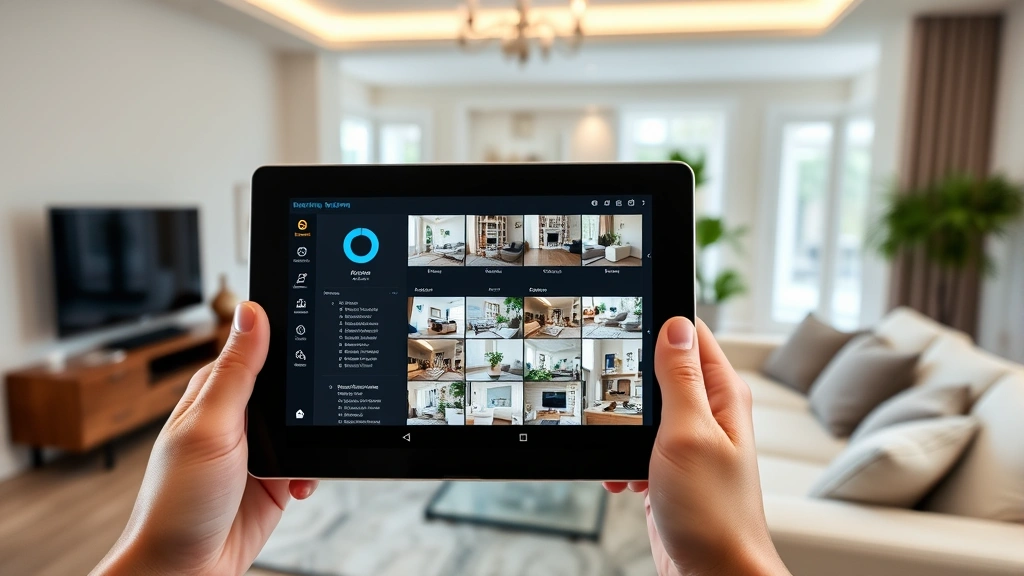
Properties with multiple entry points benefit from Arlo’s ecosystem approach. Managing 4-6 cameras through a single application proves far more practical than juggling separate apps from different manufacturers. The ability to view all feeds simultaneously on a smartphone dashboard provides genuine security value.
Users with existing Amazon or Google Home ecosystems gain additional value through voice control integration. If you already use Alexa or Google Assistant extensively, Arlo’s compatibility creates a more cohesive smart home experience.
Homeowners prioritizing video quality and willing to pay premium prices find Arlo’s 4K models deliver exceptional clarity. The advanced motion detection algorithms prove particularly valuable in high-traffic areas prone to false alarms.
Situations requiring two-way audio communication—like monitoring delivery areas or service entrances—leverage Arlo’s strengths. The ability to speak through cameras adds interactive security capabilities beyond simple recording.
Potential Drawbacks and Limitations
Understanding Arlo’s limitations helps set realistic expectations. The subscription requirement represents the most significant ongoing cost. While basic free storage exists, meaningful security protection requires paid plans—a recurring expense many users find frustrating.
Battery dependency in wireless models introduces maintenance requirements and potential gaps in coverage. Forgetting to replace batteries or experiencing unexpected battery drain can leave your home temporarily unmonitored. Wired alternatives eliminate this concern but sacrifice installation convenience.
Bandwidth consumption can strain internet connections in homes with multiple cameras streaming simultaneously. If your internet service has data caps, extensive Arlo usage might approach limits faster than anticipated.
Integration with non-Amazon/Google platforms remains limited. Users invested in Apple HomeKit or other ecosystems find Arlo compatibility disappointing. This ecosystem lock-in can become problematic if you later switch platforms.
Weather resistance, while adequate for most conditions, doesn’t match professional-grade systems. Extreme temperatures, heavy rain, or direct sun exposure can degrade performance or damage equipment faster than expected.
The learning curve for advanced features exceeds basic installation. Customizing detection zones, creating automation rules, and optimizing settings requires navigating multiple menu levels in the mobile application.
Making Your Decision
Determining whether Arlo security cameras merit investment requires honest assessment of your specific needs and budget. Start by identifying what you’re trying to protect. Are you monitoring entry points, tracking package deliveries, or surveilling a larger perimeter? Different scenarios require different camera configurations and capabilities.
Calculate total cost of ownership including hardware, subscription fees, and potential battery replacement costs. Compare this against alternatives from competitors offering similar functionality. For many homeowners, the convenience premium justifies Arlo’s higher costs. For budget-conscious buyers, alternatives may provide adequate protection at lower expense.
Consider your existing smart home ecosystem. If you’re heavily invested in Amazon or Google platforms, Arlo’s integration provides genuine value. If you’re platform-agnostic or use Apple HomeKit, other options might offer better compatibility.
Assess your technical comfort level. While Arlo excels at ease of use, more advanced features require some technical familiarity. If you prefer minimal configuration, Arlo’s guided setup process works well. If you need extensive customization, professional-grade systems might better serve your needs.
Test the system in less critical areas first. Consider purchasing a single camera to evaluate Arlo’s performance in your specific environment before committing to a full-system installation. This approach allows you to verify WiFi connectivity, battery performance, and overall satisfaction before greater investment.
FAQ
Are Arlo cameras worth the cost compared to budget alternatives?
Arlo’s premium positioning reflects genuine quality advantages including superior video clarity, advanced motion detection, and robust ecosystem integration. Budget alternatives like Wyze deliver functional security at lower cost but sacrifice some features and reliability. The answer depends on your priorities and budget constraints. For homeowners valuing convenience and professional-grade quality, Arlo’s premium pricing proves justifiable. For those prioritizing cost-effectiveness, budget options provide surprising functionality.
How long do Arlo camera batteries last?
Battery life typically ranges from 3-6 months depending on usage patterns, weather conditions, and specific model. Cold temperatures significantly reduce longevity. High-traffic areas with frequent motion detection drain batteries faster. Planning for regular battery replacement prevents coverage gaps and maintains consistent security monitoring.
Is Arlo secure against hacking?
Arlo implements encryption and security protocols consistent with industry standards, though no system proves completely immune to determined attackers. Protecting your account requires strong passwords and two-factor authentication. Regular firmware updates address discovered vulnerabilities. Users uncomfortable with cloud-based systems should consider local storage alternatives or professional-grade systems emphasizing privacy protection.
Can I use Arlo cameras without a subscription?
Yes, basic functionality works without paid subscriptions, though cloud storage becomes severely limited. The free tier provides minimal footage history and limited features. Most users find paid subscriptions necessary for practical security benefits. This recurring cost should factor into your total cost of ownership calculations.
How does Arlo compare to Ring cameras?
Both systems offer wireless convenience and ecosystem integration, though with different strengths. Arlo emphasizes video quality and motion detection sophistication, while Ring leverages Amazon’s ecosystem more extensively. Ring cameras typically cost slightly less but have experienced more documented security incidents. The choice depends on whether you prioritize Arlo’s technical features or Ring’s ecosystem integration.
What internet speed do Arlo cameras require?
Arlo recommends minimum 2 Mbps upload speed per camera for reliable cloud backup and remote viewing. Multiple cameras simultaneously streaming can consume 6-10 Mbps total. Most modern broadband connections easily satisfy these requirements, though users with older connections or rural internet service should verify their speeds before purchasing.


