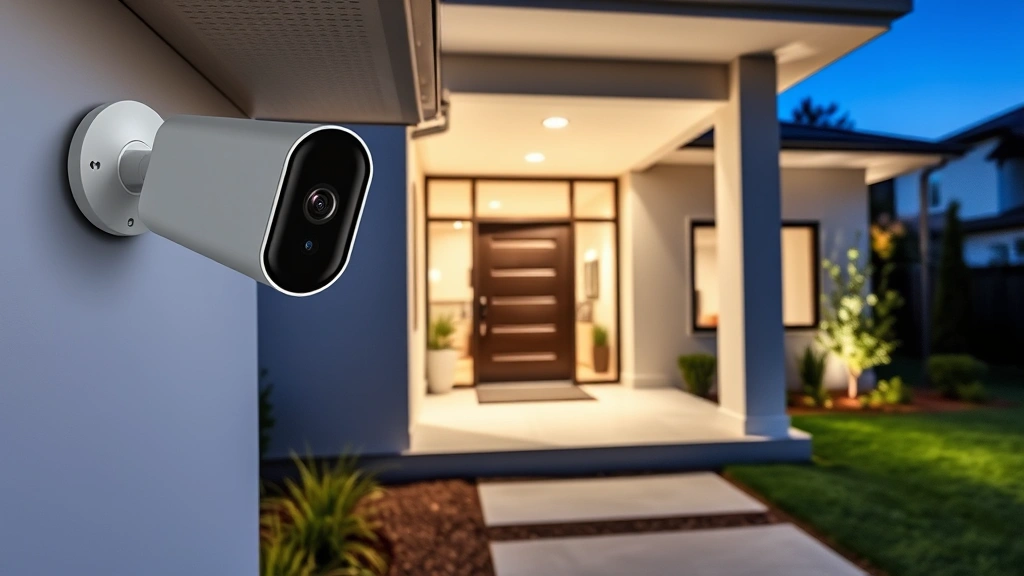
Arlo HD Camera Review: Expert Security Insights
The Arlo HD security camera system has become a cornerstone of modern home surveillance, offering users a blend of accessibility and fundamental protection capabilities. As cyber threats continue to evolve and homeowners seek reliable monitoring solutions, understanding the security implications of your chosen device becomes increasingly critical. This comprehensive review examines the Arlo HD system through the lens of cybersecurity, evaluating not just its surveillance features but also its vulnerability landscape and protective measures.
Home security cameras represent a double-edged sword in the modern threat environment. While they provide essential visibility into your property and deter potential intruders, improperly secured camera systems can become entry points for attackers seeking to infiltrate your network infrastructure. The Arlo HD camera addresses these concerns through several design choices, though users must understand both its strengths and limitations to deploy it safely.
Arlo HD Camera Overview and Core Features
The Arlo HD camera delivers 720p resolution across its standard models, providing adequate detail for most residential monitoring scenarios. The system operates through a cloud-connected architecture, allowing remote access via mobile applications and web interfaces. This connectivity offers convenience but introduces a critical consideration: your surveillance footage travels through internet pathways that require robust encryption and authentication protocols.
Key technical specifications include motion detection capabilities, night vision functionality, and two-way audio communication. The camera supports both WiFi and Ethernet connectivity options, with the latter presenting a more secure deployment methodology for users prioritizing hardened network architecture. The system integrates with popular smart home platforms, which can simplify operations but also expands your potential attack surface if not properly configured.
Arlo’s cloud storage model means your recorded footage exists on remote servers rather than solely on local storage devices. This architecture provides redundancy and accessibility benefits but necessitates careful examination of data handling practices and storage encryption standards. Understanding where your security footage resides and who can access it represents a fundamental security concern that extends beyond the camera hardware itself.
Security Architecture and Encryption Standards
The Arlo HD system implements TLS/SSL encryption for data in transit, protecting communications between your camera, mobile device, and Arlo’s cloud servers. This encryption standard represents industry-baseline protection for web and mobile applications. However, the specific implementation details matter considerably; weak cipher suites or outdated TLS versions could compromise the theoretical protection offered by encryption protocols.
Arlo employs end-to-end encryption for video streams in certain configurations, though the default cloud storage model stores footage on Arlo’s servers with encryption at rest. This distinction matters significantly: encryption in transit protects data while traveling across networks, while encryption at rest protects stored data from unauthorized access. Both remain essential for comprehensive security posture.
The company has implemented 256-bit AES encryption for stored data, which represents current cryptographic best practices. This encryption standard would require astronomical computational resources to break through brute-force attacks, placing it well beyond practical threat capabilities for typical adversaries. However, encryption strength alone doesn’t guarantee security; key management practices and access control mechanisms determine whether encryption provides meaningful protection.
Third-party security audits and CISA vulnerability disclosures provide additional assurance mechanisms. Regular review of official security advisories helps identify any discovered vulnerabilities affecting your specific camera model and firmware version. The NIST cybersecurity framework provides comprehensive guidelines for evaluating security controls across hardware and software systems.
Network Vulnerability Assessment
Connected cameras introduce potential vulnerabilities into your home network if not properly isolated and secured. An attacker who compromises your Arlo camera could potentially use it as a pivot point to access other devices on your network, from computers and smartphones to smart home systems and network-attached storage devices.
WiFi connectivity presents particular vulnerability considerations. Networks utilizing older security standards like WEP or WPA (rather than WPA2 or WPA3) remain susceptible to cryptographic attacks that could allow attackers to intercept your camera’s communications. Modern WiFi security standards provide substantially improved protection, but only when properly configured and regularly updated.
The Arlo HD system requires internet connectivity to function fully, creating dependency on your ISP’s network infrastructure and Arlo’s cloud services. Temporary outages or service disruptions could impact your surveillance capabilities. More critically, internet-connected devices create persistent network exposure; your camera remains vulnerable to attacks 24/7 if not properly secured.
Firmware vulnerabilities represent a critical concern for any connected device. Security researchers regularly discover flaws in IoT device firmware that could allow unauthorized access, video stream hijacking, or network infiltration. The Synopsys security research team has documented numerous camera vulnerabilities across manufacturers, emphasizing the importance of prompt patching and vulnerability monitoring.
Authentication and Access Control Mechanisms
Your Arlo account credentials serve as the primary access control mechanism for your surveillance system. A compromised password could grant attackers complete access to your live video feeds, recorded footage, and camera settings. Implementing strong, unique passwords represents the foundational security practice for any cloud-connected service.
Multi-factor authentication (MFA) adds an essential layer of protection against credential compromise. Even if an attacker obtains your password, they cannot access your account without also possessing your second authentication factor—typically a code generated by an authenticator application or sent via SMS. Arlo supports MFA, and enabling this feature should be considered mandatory for security-conscious users.
The system allows granular access control, permitting you to grant limited permissions to family members or trusted individuals. These role-based access controls enable scenarios where a family member can view live feeds but cannot delete recordings or modify camera settings. Properly configuring these permissions reduces risk if an authorized user’s credentials become compromised.
Session management practices affect account security significantly. Arlo implements session timeouts that automatically log you out after periods of inactivity, reducing the window during which stolen session tokens could be exploited. Review your active sessions regularly and log out from devices you no longer use to minimize attack surface.
Firmware Update and Patch Management
Regular firmware updates represent perhaps the most critical security practice for any connected camera system. Arlo releases security patches to address discovered vulnerabilities, and delaying updates leaves your system exposed to known attack vectors that malicious actors actively exploit.
The Arlo system implements automatic firmware updates by default, which reduces the risk of users running outdated, vulnerable firmware versions. However, understanding what updates address and monitoring security advisories ensures you recognize when critical patches become available. Disabling automatic updates to maintain system stability represents a dangerous trade-off that prioritizes convenience over security.
Vulnerability disclosure programs and Dark Reading’s threat intelligence reporting track newly discovered camera vulnerabilities and exploit availability. Staying informed about emerging threats affecting your specific camera model enables proactive security decisions. Subscribe to security mailing lists or follow trusted cybersecurity news sources to remain current.
The time lag between vulnerability discovery and patch deployment creates a critical window where systems remain exposed. This vulnerability window represents a real threat; sophisticated attackers monitor security advisories and develop exploits for newly disclosed flaws. Deploying patches promptly—ideally within days rather than weeks—significantly reduces exploitation risk.
Privacy Considerations and Data Protection
Your surveillance footage represents sensitive personal data that reveals patterns of daily activity, family composition, and property layout. Unauthorized access to this footage could enable physical theft, stalking, or other crimes. Understanding Arlo’s data retention policies and privacy commitments becomes essential.
Arlo’s privacy policy details how the company collects, stores, and uses data derived from your cameras. The company states it does not sell footage or metadata to third parties, though it may use aggregated, anonymized data for service improvement. Reviewing the current Arlo privacy policy ensures you understand data handling practices before deploying cameras in your home.
Cloud storage of video footage creates data localization considerations. Depending on your geographic location and Arlo’s server infrastructure, your footage may be stored in jurisdictions with different data protection regulations. Understanding where your data resides helps you evaluate whether the storage location aligns with your privacy expectations and legal requirements.
Third-party integrations with smart home platforms like Amazon Alexa or Google Home expand your system’s functionality but also introduce additional parties with potential access to camera data and metadata. Carefully review permissions granted to these integrations and disable those you don’t actively use.
Installation and Hardening Best Practices
Deploying your Arlo HD camera securely requires attention beyond simple power-on configuration. Begin by changing default passwords immediately—never rely on manufacturer defaults for any networked device. Create a strong, unique password of at least 16 characters combining uppercase and lowercase letters, numbers, and special characters.
Enable multi-factor authentication without exception. This single step blocks the vast majority of account compromise attempts, as attackers lack the second authentication factor regardless of password strength. Use an authenticator application rather than SMS-based codes when possible, as SMS messages can be intercepted through SIM swapping attacks.
Isolate your camera on a separate network segment if your home network infrastructure supports it. Many modern routers include guest network functionality that allows you to connect IoT devices without providing them access to computers, phones, or other sensitive devices. This network segmentation limits the damage if your camera becomes compromised.
Configure your home WiFi network with WPA3 encryption (or WPA2 if WPA3 isn’t available). Use a strong WiFi password distinct from your Arlo account password. Disable WPS (WiFi Protected Setup) functionality, which offers convenience but introduces cryptographic weaknesses. Disable remote access features if you don’t actively use them, as disabling services reduces your attack surface.
Review your camera’s placement carefully. Position cameras to monitor entry points and valuable assets without capturing sensitive areas like bedrooms or bathrooms. Inform visitors that surveillance is active, as this transparency supports both legal compliance and ethical considerations. Consider privacy concerns of neighbors whose properties might appear in camera feeds.
Comparative Security Analysis
Evaluating the Arlo HD camera requires context from competitive offerings. Other popular systems like Wyze, Ring, and Logitech Circle offer different security trade-offs. Ring’s integration with Amazon’s broader ecosystem provides convenience but introduces Amazon’s data handling practices into your security considerations. Wyze cameras offer budget pricing but have experienced security incidents in past years.
Local storage alternatives like Unifi Protect or Hikvision systems eliminate cloud dependency, storing footage on local hardware within your home. This architecture reduces exposure to cloud service vulnerabilities and data breach risks but requires more technical expertise to deploy and maintain. Local storage systems also limit remote access capabilities.
The security profile of any camera system depends not just on the hardware and software but on how users deploy and maintain it. A premium system with weak password and no MFA provides less security than an entry-level system with security best practices implemented rigorously. User behavior and configuration choices often determine real-world security outcomes more than manufacturer features.
When evaluating security camera systems, prioritize vendors with transparent security practices, prompt patch deployment, and clear vulnerability disclosure processes. Avoid systems from manufacturers with histories of security incidents or poor patch responsiveness. Read independent security reviews from reputable researchers rather than relying solely on marketing materials.
FAQ
Is Arlo HD camera secure for home use?
The Arlo HD camera implements industry-standard encryption and security controls, making it reasonably secure for typical home surveillance scenarios. Security depends significantly on user configuration—enabling multi-factor authentication, using strong passwords, and keeping firmware updated substantially improve security posture. No system is perfectly secure, but proper deployment practices make Arlo HD a viable option.
Can hackers access my Arlo camera remotely?
Potential vulnerabilities could theoretically allow unauthorized access, though Arlo’s security architecture and encryption standards make this difficult without credential compromise or zero-day exploits. Protecting your account credentials through strong passwords and multi-factor authentication represents your strongest defense. Keeping firmware updated ensures known vulnerabilities are patched promptly.
What encryption does Arlo HD use?
Arlo HD employs TLS/SSL encryption for data in transit and 256-bit AES encryption for data at rest. These represent current cryptographic standards that provide robust protection against interception and unauthorized access. The encryption strength alone doesn’t guarantee security, but combined with proper key management, it provides meaningful protection for your footage.
Should I use local storage instead of cloud storage?
Local storage eliminates cloud dependency and data breach risks but requires more technical expertise and limits remote access capabilities. Cloud storage like Arlo provides convenience and redundancy but introduces reliance on a third-party service. The choice depends on your technical comfort level, remote access requirements, and privacy preferences. Some users implement hybrid approaches with both local and cloud backup.
How often does Arlo release security updates?
Arlo releases security updates periodically when vulnerabilities are discovered or security improvements are identified. The company implements automatic firmware updates by default, ensuring most users receive patches without manual intervention. Monitoring security advisories or subscribing to vendor notifications helps you stay informed about available updates and their importance.
What should I do if I suspect my camera was compromised?
If you suspect unauthorized access, immediately change your Arlo account password to something strong and unique. Review your account’s active sessions and log out any devices you don’t recognize. Enable multi-factor authentication if not already active. Check your camera’s activity logs for suspicious access patterns. Consider performing a factory reset of the camera and reconfiguring it with new credentials. If you discover evidence of data breach, contact Arlo support immediately.


