Protect Appliances: Expert Cybersecurity Tips for Smart Home Safety
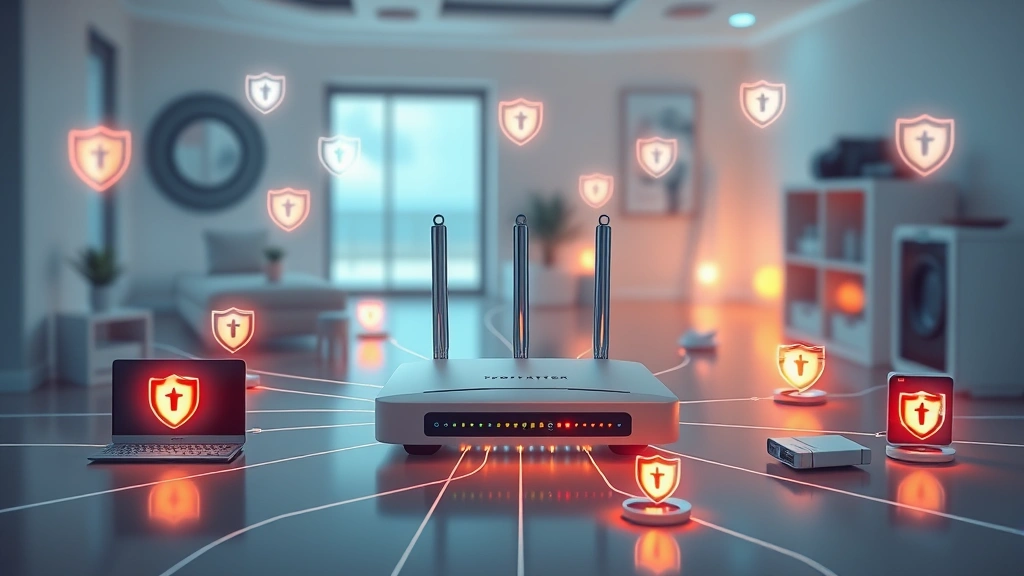
Modern appliances have transformed our homes into interconnected ecosystems of convenience and efficiency. However, this connectivity comes with significant security risks that most homeowners overlook. From smart refrigerators to connected washing machines, every device represents a potential entry point for cybercriminals seeking to exploit vulnerabilities. An effective appliance protection plan is no longer optional—it’s essential for safeguarding your personal data, financial information, and home network integrity.
The intersection of convenience and security has become increasingly complex as manufacturers rush to add internet connectivity to virtually every household device. According to recent threat intelligence reports, IoT devices in homes are compromised at alarming rates, with attackers using them as launching points for broader network attacks. Understanding how to implement comprehensive security measures across your smart appliances can significantly reduce your risk profile and protect your family from digital threats.
Understanding Smart Appliance Vulnerabilities
Smart appliances represent a fascinating paradox in modern security. They offer unprecedented convenience while simultaneously expanding your attack surface exponentially. Most manufacturers prioritize functionality over security, shipping devices with default credentials, unencrypted communications, and outdated firmware that contains known vulnerabilities.
The typical smart appliance contains multiple layers of potential weaknesses. First, there’s the physical device itself—often running stripped-down operating systems with minimal security features. Second, there’s the communication channel between your appliance and manufacturer servers, which may transmit sensitive data without proper encryption. Third, there’s the mobile application used to control these devices, frequently developed with security as an afterthought. Finally, there’s your home network itself, which can be compromised if even one connected device is breached.
Research from cybersecurity firms has documented thousands of IoT devices being compromised daily. Attackers don’t necessarily target your appliances for the data they contain—they target them as entry points to your home network. Once inside, they can pivot to access computers, phones, and financial systems with far more valuable information.
Common vulnerability patterns include hardcoded credentials that cannot be changed, lack of encryption for data in transit, insufficient authentication mechanisms, and absence of security update infrastructure. Many manufacturers have no way to push security patches to older models, leaving devices permanently vulnerable from the moment they’re manufactured.
Essential Components of an Appliance Protection Plan
A comprehensive appliance protection plan requires multiple layers of defense working in concert. This isn’t a single product or service but rather a coordinated strategy addressing technology, behavior, and awareness.
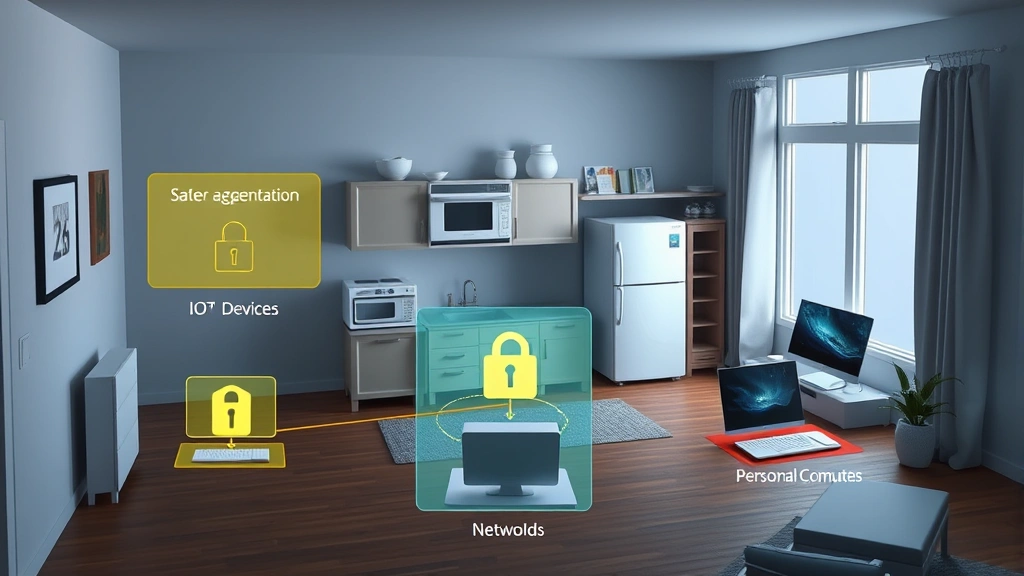
Network Segmentation forms the foundation of any appliance protection strategy. By creating a separate network for IoT devices, you prevent compromised appliances from accessing your primary computers and smartphones. This can be accomplished through a dedicated WiFi network, a virtual LAN (VLAN) on your router, or a dedicated IoT gateway device. When your smart refrigerator is compromised, network segmentation ensures attackers cannot immediately access your laptop containing financial records.
Access Control and Authentication represent the second pillar. Every smart appliance should have a unique, strong password changed immediately upon installation. Default credentials are the first thing attackers try, and many devices are compromised within hours of being connected to the internet. Implementing two-factor authentication where available adds significant protection, though most appliances don’t yet support this feature.
Encryption Protocols protect data traveling between your appliances and external services. While you cannot control manufacturer encryption standards, you can verify that devices support HTTPS connections, use modern TLS protocols, and encrypt sensitive data locally on the device. When evaluating new appliances, research their encryption capabilities before purchase.
Firmware Management ensures your devices receive security patches promptly. Before purchasing any smart appliance, verify that the manufacturer provides regular security updates and that the device can be updated easily. Some manufacturers support updates for only two to three years, leaving older devices permanently vulnerable. Check the CISA alerts regularly for vulnerabilities affecting your specific devices.
Your appliance protection plan should also include regular security audits, where you review which devices are connected, what permissions they have, and whether they’re still actively supported by manufacturers. Devices nearing end-of-life should be decommissioned before support ends.
Network Security Fundamentals
Your home network is the critical infrastructure supporting all appliance security efforts. A weak network foundation undermines every other protection measure you implement.
Router Hardening is your first priority. Change the default administrator password immediately—this is often the easiest entry point for attackers. Disable remote management features that allow access to your router from the internet. Update your router firmware regularly, as routers are frequently targeted by botnet malware like Mirai, which specifically compromises IoT devices. Enable the router’s built-in firewall and configure it to block unnecessary inbound connections.
WiFi Security requires using WPA3 encryption if your router supports it, or WPA2 if WPA3 isn’t available. Never use WEP or open networks. Create a strong WiFi password with a mix of uppercase, lowercase, numbers, and special characters. Consider disabling WPS (WiFi Protected Setup), which introduces security vulnerabilities despite its convenience.
DNS Security adds another layer of protection. DNS determines which websites and services your devices can reach. By using a security-focused DNS service like CISA’s recommended security practices or Cloudflare’s 1.1.1.1, you can block known malicious domains before your appliances even attempt to connect. This prevents compromised devices from communicating with attacker command-and-control servers.
Intrusion Detection on your home network can alert you to suspicious activity. Some advanced routers offer built-in threat detection, while others require separate devices or software. These systems monitor for unusual traffic patterns that might indicate a compromised appliance attempting to communicate with external attackers.
For those seeking deeper protection, a VPN (Virtual Private Network) can encrypt all traffic leaving your home network, adding another layer of confidentiality. However, VPNs won’t prevent local network attacks where an appliance is already compromised.
Device-Specific Protection Strategies
Different appliance categories present unique security challenges requiring tailored approaches. Understanding these distinctions helps you prioritize protection efforts effectively.
Smart Kitchen Appliances including refrigerators, ovens, and dishwashers typically collect usage data and connect to manufacturer services. These devices rarely handle sensitive financial information but can reveal household patterns and habits. Protect them by disabling cloud connectivity features you don’t need, using strong passwords, and ensuring they’re isolated on your IoT network. Visit the Screen Vibe Daily Blog for general tech security awareness resources.
Smart Home Security Systems including cameras, door locks, and alarm systems represent your most sensitive appliances. These devices provide access to your home and record sensitive visual information. Implement the strongest possible passwords, enable two-factor authentication if available, and ensure they’re on your most restricted network segment. Verify that video footage is encrypted both in transit and at rest. Review privacy policies carefully—some manufacturers retain footage longer than you might expect.
Smart Thermostats and HVAC Controls present moderate risk but should still be protected. While they don’t directly access financial data, compromised thermostats have been weaponized in botnets for distributed denial-of-service attacks. Ensure these devices have unique, strong passwords and are kept updated.
Connected Laundry Appliances increasingly include remote monitoring and control features. These devices typically don’t present high direct risk but should still follow basic security hygiene. Change default passwords and verify that the mobile app uses secure connections.
Smart Entertainment Systems including televisions and streaming devices often have outdated software and poor security practices. These devices frequently store account credentials for streaming services. Implement strong passwords, disable unnecessary features like voice assistants if you’re uncomfortable with privacy implications, and keep firmware updated.
Monitoring and Threat Detection
An effective appliance protection plan includes continuous monitoring to detect when protections fail. You cannot assume that security measures will prevent all attacks, so detection and response capabilities are essential.
Network Traffic Analysis involves monitoring what data your appliances are sending and where it’s going. This can be accomplished through router logs, which show which external servers your devices connect to. If a kitchen appliance suddenly starts communicating with unknown servers, this indicates potential compromise. Some advanced home network systems provide detailed traffic visualization.
Device Behavior Monitoring involves observing whether appliances are behaving normally. Is your refrigerator using unexpected amounts of network bandwidth? Is your thermostat attempting connections at unusual times? These behavioral anomalies can indicate compromise before attackers access sensitive data.
Security Alerts and Notifications from manufacturers and security services should be monitored actively. Subscribe to vulnerability alerts for your specific devices through manufacturer websites or services like CISA’s vulnerability database. When critical vulnerabilities are announced, prioritize patching affected devices immediately.
Incident Response Planning ensures you’re prepared if compromise occurs. Develop a response plan before an incident: Know how to factory reset each appliance, understand how to change passwords remotely, and know whom to contact if you suspect breach. Having this plan in advance prevents panic-driven mistakes during actual incidents.
Maintenance and Updates
Ongoing maintenance is where many homeowners fail, leaving their appliance protection plan vulnerable to exploitation. Security is not a one-time configuration but continuous process.
Firmware Update Schedules should be established and followed religiously. Set calendar reminders to check for updates monthly. Some manufacturers allow automatic updates, which should be enabled if available. Prioritize security updates over feature updates—a device missing new features is far safer than one missing security patches.
Password Rotation should occur at least annually, or immediately if you suspect compromise. Use a password manager to track unique, complex passwords for each appliance. This prevents the common mistake of using the same password across multiple devices, where a breach of one compromises all others.
Device Inventory Management involves maintaining a current list of all connected appliances, their manufacturers, model numbers, and purchase dates. This inventory helps you track which devices are approaching end-of-life and need replacement, and enables quick reference when vulnerabilities are announced.
Manufacturer Support Verification should be checked regularly. If a manufacturer announces they’re discontinuing support for a device model, plan its replacement. Using unsupported devices is equivalent to using expired security software—protection gradually erodes as new threats emerge.
Security Patches Priority should be based on device sensitivity. Security updates for cameras and door locks should be applied immediately. Updates for less sensitive devices like smart speakers can sometimes wait a few days, but should not be delayed indefinitely.
Consider implementing a device lifecycle management strategy where you budget for replacing appliances every five to seven years. This aligns with typical manufacturer support windows and ensures you’re never running devices that are permanently vulnerable.
FAQ
What makes smart appliances vulnerable to cyberattacks?
Smart appliances are vulnerable because they often run outdated software, use default credentials, transmit data without encryption, and are designed with convenience prioritized over security. Manufacturers frequently lack security expertise, and most appliances cannot be easily updated after purchase. Additionally, these devices connect to your home network, providing attackers with an entry point to access more sensitive systems.
How can I create an effective appliance protection plan?
An effective appliance protection plan requires multiple layers: network segmentation to isolate appliances, strong unique passwords for each device, regular firmware updates, router hardening, DNS security, and continuous monitoring of device behavior. Review NIST guidelines for comprehensive security frameworks applicable to home networks.
Should I disconnect all my smart appliances?
Complete disconnection isn’t necessary if you implement proper protections. Instead, be selective about which devices you connect and disable unnecessary features. For example, if your refrigerator has a web camera feature you’ll never use, disable it. If your thermostat can function without cloud connectivity, do that. Balance convenience with security based on your risk tolerance.
What’s the difference between network segmentation and a VPN?
Network segmentation separates your appliances from your primary devices using a different WiFi network or VLAN, preventing lateral movement if an appliance is compromised. A VPN encrypts your traffic to external services, protecting privacy but not preventing local network attacks. Both are valuable but serve different purposes—use them together for comprehensive protection.
How do I know if my appliance has been compromised?
Signs of compromise include unusually high network usage, devices restarting unexpectedly, slow performance, inability to connect to the manufacturer’s app, or strange behavior patterns. Check your router’s connected devices list for unfamiliar devices. If you suspect compromise, factory reset the appliance, change all passwords, and monitor your network closely afterward.
What should I do when manufacturer support ends?
When manufacturer support ends, security updates stop, leaving devices permanently vulnerable to newly discovered attacks. Plan to replace end-of-life appliances rather than continuing to use them. If replacement isn’t immediately possible, disconnect the device from your network and rely on manual operation only until replacement.


