
Apple Watch Cyber Monday: Secure Deals Guide
Cyber Monday represents one of the year’s most significant shopping events, with millions of consumers hunting for deals on premium devices like the Apple Watch. However, this heightened commercial activity creates a perfect storm for cybercriminals who exploit the seasonal shopping frenzy through phishing scams, counterfeit product listings, payment fraud, and data breaches. As a cyber protection specialist, I’ve observed a dramatic increase in Apple Watch-related fraud during this period, with threat actors capitalizing on consumer urgency and reduced vigilance during holiday shopping.
The convergence of massive transaction volumes, promotional emails, and competitive pricing creates an ideal environment for sophisticated cyber attacks. Fraudsters deploy fake Apple Watch deals across social media, search engine ads, and counterfeit retailer websites designed to harvest payment information and personal data. This comprehensive guide equips you with essential cybersecurity knowledge to navigate Apple Watch Cyber Monday deals safely, protecting both your financial assets and personal information from emerging threats.
Understanding the threat landscape surrounding seasonal e-commerce is crucial. Cyber Monday 2024 is projected to generate over $12 billion in online sales, making it an attractive target for criminal enterprises. Apple Watch purchases specifically represent high-value transactions that attract premium fraud schemes, including synthetic identity fraud, account takeover attacks, and supply chain compromises involving counterfeit devices.
Understanding Cyber Monday Threats
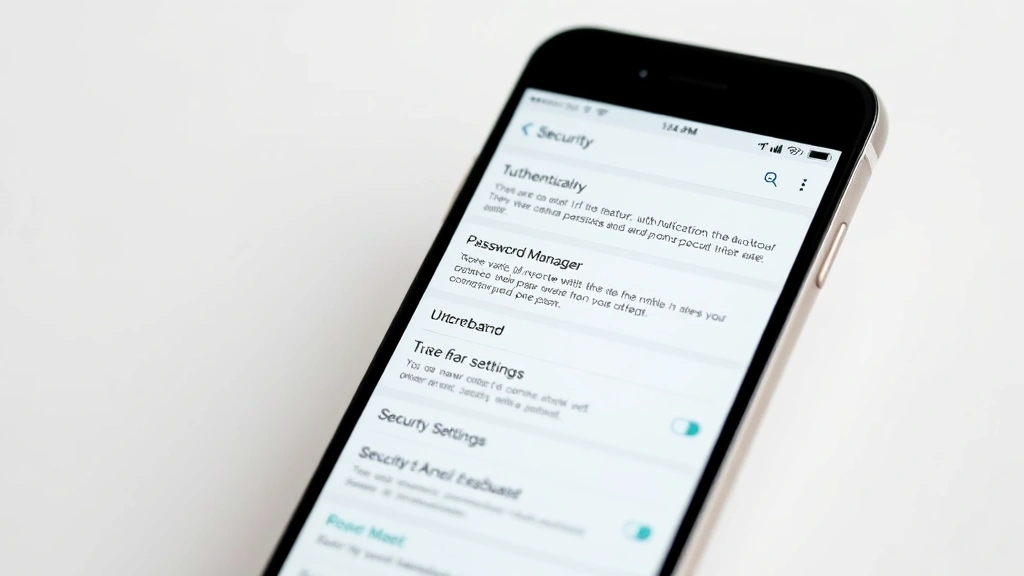
Cyber Monday threats targeting Apple Watch shoppers fall into several distinct categories that require different defensive strategies. Phishing campaigns represent the most prevalent attack vector, with cybercriminals sending convincing emails mimicking Apple, Amazon, Best Buy, and other major retailers. These emails contain malicious links directing victims to counterfeit websites that capture login credentials and payment information.
Man-in-the-middle attacks occur when criminals intercept communication between your device and legitimate retailers, particularly on public WiFi networks. During Cyber Monday, hackers deploy fake WiFi hotspots in shopping centers and cafes specifically labeled to appear legitimate, capturing unencrypted data from unsuspecting shoppers making purchases on their mobile devices.
According to the Cybersecurity and Infrastructure Security Agency (CISA), holiday shopping fraud increases by 300% during peak seasons. Account takeover attacks compromise existing retail accounts through credential stuffing, allowing attackers to modify shipping addresses and payment methods to redirect Apple Watch orders to their own locations.
Counterfeit product schemes involve fraudsters listing fake Apple Watches on legitimate marketplace platforms, complete with professional photos and fabricated reviews. These counterfeit devices contain malware, inferior components, or no functional technology at all, yet appear identical to genuine products in listings.
Supply chain attacks represent an emerging threat where criminals compromise shipping or logistics providers to intercept legitimate Apple Watch orders during delivery, replacing genuine products with counterfeits while maintaining tracking information to avoid detection.
Identifying Legitimate Apple Watch Retailers
Verifying retailer legitimacy is your first line of defense against fraud during ScreenVibe Daily Blog shopping seasons. Authorized Apple retailers include Apple.com, Apple retail stores, Amazon, Best Buy, Costco, Target, Walmart, and carrier stores like Verizon and AT&T. These establishments maintain strict security protocols, implement fraud detection systems, and offer buyer protection guarantees.
Examine website URLs carefully—legitimate Apple domains use “apple.com” exclusively, never variations like “apple-shop.com” or “applewatch-deals.com.” Cybercriminals register domain names intentionally similar to legitimate ones, betting on user inattention during rushed shopping. Verify SSL certificates by clicking the padlock icon in your browser’s address bar; legitimate retailers display valid security certificates from recognized certificate authorities.
Check for security indicators including HTTPS protocols (never HTTP for financial transactions), clear company contact information, physical addresses, and transparent return policies. Legitimate retailers prominently display customer service phone numbers, live chat support, and detailed security information. Be suspicious of retailers offering prices significantly below market rates—if an Apple Watch deal seems too good to be true, it almost certainly is.
Review retailer reputation through independent sources like the Better Business Bureau, Trustpilot, and consumer review platforms. However, recognize that fraudsters manipulate review systems through fake positive ratings and negative competitor reviews. Look for consistent patterns of verified purchase reviews rather than isolated testimonials.
Payment method selection indicates retailer legitimacy. Legitimate retailers accept major credit cards, PayPal, Apple Pay, and other established payment processors. Retailers demanding wire transfers, cryptocurrency, gift cards, or unusual payment methods are almost certainly fraudulent.
Payment Security Best Practices
Implementing robust payment security practices protects your financial assets during Apple Watch Cyber Monday shopping. Credit cards offer superior fraud protection compared to debit cards, as credit card companies limit liability for unauthorized transactions to $50 under federal law, while debit card protections are weaker and recovery is slower.
Enable purchase notifications on all credit and debit cards, receiving immediate alerts for every transaction. This allows rapid identification of fraudulent charges before criminals complete large purchases. Most financial institutions offer mobile app notifications that arrive within seconds of transaction processing.
Virtual card numbers represent an excellent security enhancement for online shopping. Services like Capital One Eno, Citi Virtual Account Numbers, and privacy-focused platforms generate unique card numbers for each transaction, preventing merchants from storing reusable payment information. If a retailer’s database is breached, attackers obtain only a single-use number tied to that specific transaction.
Create strong, unique passwords for each online retailer account, using a password manager to securely store credentials. Password managers like Bitwarden, 1Password, and LastPass generate complex passwords containing uppercase, lowercase, numeric, and special characters, making brute-force attacks computationally infeasible.
Enable two-factor authentication (2FA) on all retail accounts, requiring a second verification method beyond passwords. SMS-based 2FA provides basic protection, while authenticator apps like Google Authenticator and hardware security keys offer stronger protection against SIM swapping and phishing attacks.
Avoid shopping on public WiFi networks when entering payment information. Cybercriminals monitor unencrypted traffic on public networks, capturing credentials and financial data. If shopping remotely is necessary, use a virtual private network (VPN) from a reputable provider to encrypt all internet traffic, preventing network eavesdropping.
Recognizing Phishing and Scam Tactics
Phishing emails represent the primary attack vector for Apple Watch fraud, with sophisticated campaigns mimicking legitimate retailers with remarkable accuracy. Examine sender email addresses carefully—legitimate Apple communications come from @apple.com addresses, while scammers use lookalike domains like @apple-store.com or @support-apple.net.
Urgent language and artificial scarcity trigger emotional responses that bypass rational security decision-making. Phrases like “Your order is being held,” “Verify your account immediately,” “Limited stock available,” and “Urgent action required” pressure victims into clicking malicious links without verification. Legitimate retailers rarely use urgent language in promotional communications.
Examine email formatting and grammar. Legitimate companies employ professional copywriters and quality assurance teams, resulting in flawless communications. Phishing emails frequently contain spelling errors, grammatical mistakes, awkward phrasing, and formatting inconsistencies that indicate non-native English speakers or rushed content creation.
Suspicious links and attachments should never be clicked. Hover over links to reveal actual URLs before clicking—legitimate retailers link to their official domains, while phishing emails link to malicious websites designed to harvest credentials. Never download attachments from unsolicited emails, as they may contain malware or ransomware.
Watch for requests for sensitive information. Legitimate retailers never request passwords, credit card numbers, or Social Security numbers via email. Any communication requesting this information is definitively fraudulent, as legitimate companies never need to request information they already maintain in secure databases.
Unusual requests or account changes warrant immediate verification. If you receive notifications about password changes, shipping address modifications, or payment method updates that you didn’t authorize, contact the retailer immediately through official channels (phone numbers from their website, never numbers in suspicious emails).
According to NIST cybersecurity guidelines, employee training on phishing recognition reduces successful attacks by 70%. Apply this principle to your personal security by continuously educating yourself on evolving threat tactics.
Protecting Your Personal Data
Personal data represents as valuable as financial information to cybercriminals, enabling identity theft, synthetic fraud, and targeted attacks. Minimize personal information shared during checkout processes—provide only data absolutely required for purchase and delivery. Avoid fields requesting mother’s maiden name, date of birth, or other identity verification information unless absolutely necessary.
Monitor credit reports regularly through AnnualCreditReport.com, the only federally authorized source for free annual credit reports. Check for unauthorized accounts, inquiries, or modifications that indicate identity theft. Consider enrolling in credit monitoring services that provide continuous surveillance for suspicious activities.
Place fraud alerts with credit bureaus (Equifax, Experian, TransUnion) if you suspect compromise. Fraud alerts notify creditors to verify your identity before opening new accounts, preventing criminals from opening credit lines using your personal information. Fraud alerts are free and remain active for one year, renewable if threats persist.
Freeze your credit for comprehensive identity theft protection. Credit freezes prevent anyone, including you, from accessing your credit file without a PIN, making it impossible for criminals to open accounts in your name. This protection remains active until you voluntarily lift it.
Review data breach notifications seriously. If retailers you’ve shopped with experience breaches, review the notifications carefully and follow recommended actions. Change passwords for affected accounts immediately, monitor for fraudulent activities, and consider enrolling in identity theft protection services if the breach exposed sensitive personal information.
Be cautious with public WiFi and Bluetooth when shopping. Hackers deploy rogue access points with names mimicking legitimate networks (“Starbucks_Free_WiFi”), capturing all unencrypted data transmitted across these networks. Disable automatic WiFi and Bluetooth connections, manually selecting networks only when necessary and using VPN protection.
Verifying Product Authenticity
Counterfeit Apple Watches flood online marketplaces during Cyber Monday, with fraudsters using professional product photos and fabricated reviews to deceive shoppers. Verify authenticity before purchasing by examining seller ratings, return policies, and customer feedback patterns. Legitimate sellers maintain consistent positive ratings across multiple platforms with verified purchase reviews.
Inspect packaging upon delivery. Genuine Apple Watch boxes feature precise printing, appropriate weight, and professional construction. Counterfeit packaging often contains spelling errors, inconsistent fonts, inferior materials, and misaligned graphics. Apple includes detailed documentation, charging cables, and warranty cards—counterfeits frequently omit these items or include poorly reproduced versions.
Activate and test the device immediately. Genuine Apple Watches activate through iCloud accounts and pair seamlessly with iPhones. Counterfeits often fail activation, display unusual interface glitches, or contain malware pre-installed on the device. Test all features including heart rate monitoring, GPS functionality, and cellular connectivity if applicable.
Check serial numbers and device identifiers through Apple’s official support website. Every genuine Apple Watch contains a unique serial number that Apple’s database recognizes. Input your device’s serial number to verify authenticity, check warranty status, and confirm original purchase information.
Examine build quality and materials. Genuine Apple Watches feature premium materials including aluminum, stainless steel, or titanium with precise manufacturing tolerances. Counterfeits use inferior materials that feel cheap, contain visible manufacturing defects, and show signs of poor quality control.
Post-Purchase Security Measures
Security doesn’t conclude after purchase completion—post-purchase monitoring prevents fraudsters from compromising your account or device after delivery. Set up Apple Watch security features immediately including Wrist Detection, which locks the watch when removed from your wrist, and Passcode protection requiring authentication for payments and sensitive functions.
Enable Find My Apple Watch through iCloud, allowing you to locate the device if lost or stolen, remotely erase data, or display a custom message. This feature integrates with your iPhone and iCloud account, providing comprehensive device tracking and recovery options.
Monitor your financial accounts for fraudulent activity following purchase. Review credit card statements weekly, checking for unauthorized charges. Many fraud cases go undetected for months because victims don’t regularly review statements. Set up transaction alerts through your financial institution to receive notifications for all purchases, allowing immediate identification of suspicious activity.
Update Apple Watch software immediately after setup. Security patches address vulnerabilities that could allow malware installation or data compromise. Enable automatic updates to ensure your device receives the latest security patches without manual intervention.
Register your Apple Watch with Apple’s support system, creating a service history and warranty documentation. This registration proves ownership if disputes arise and enables Apple to contact you about security issues or product recalls affecting your specific device.
Review app permissions and data sharing settings. Apple Watch apps request access to health data, location, and personal information. Disable unnecessary permissions and review which apps have access to sensitive data. Remove apps you no longer use, reducing potential attack surfaces.
Maintain separate strong passwords for your Apple ID and iCloud account. These credentials grant access to all your Apple devices and stored data. Use a password manager to generate and store complex, unique passwords that would require centuries of computational effort to crack through brute-force attacks.
FAQ
Is it safe to buy Apple Watches during Cyber Monday?
Yes, Cyber Monday shopping is safe when you follow proper security practices. Shop exclusively through authorized retailers, use credit cards with fraud protection, enable two-factor authentication, and avoid public WiFi networks. The key is implementing security measures rather than avoiding the shopping event entirely.
How can I identify counterfeit Apple Watches?
Counterfeit detection involves examining packaging quality, testing device functionality, verifying serial numbers through Apple’s website, and assessing build quality. Genuine Apple Watches feature premium materials, precise manufacturing, and flawless activation processes. Purchase only from authorized retailers with buyer protection guarantees.
What should I do if I suspect I’ve been scammed?
Contact your financial institution immediately to report fraudulent charges. File a dispute with your credit card company and request a chargeback. Report the scam to the Federal Trade Commission through ReportFraud.ftc.gov. Monitor your credit report for identity theft indicators and consider placing a fraud alert with credit bureaus.
Are virtual card numbers worth using for Cyber Monday shopping?
Absolutely. Virtual card numbers provide an additional security layer by generating unique numbers for each transaction. This prevents merchants from storing reusable payment information that could be compromised in data breaches. Major credit card companies offer this service free to cardholders.
What is the safest payment method for online shopping?
Credit cards offer superior fraud protection compared to debit cards, with liability limited to $50 for unauthorized transactions. Enable purchase notifications and two-factor authentication. Virtual card numbers provide additional protection. Avoid wire transfers, cryptocurrency, gift cards, and bank transfers, as these methods offer no fraud protection.
Should I use VPNs while shopping on my mobile device?
Yes, VPNs encrypt all internet traffic, preventing network eavesdropping on public WiFi. Use a reputable VPN provider from established cybersecurity companies. However, recognize that VPNs don’t eliminate phishing risks or malware threats—they specifically protect against network-level interception attacks.
How often should I monitor my credit for identity theft?
Review credit reports quarterly through AnnualCreditReport.com. Monitor credit card statements weekly for unauthorized charges. Enable continuous credit monitoring through services like Credit Karma or your financial institution. Immediately address any suspicious activity to prevent identity theft from expanding.
What makes a retailer website legitimate?
Legitimate retailers display HTTPS encryption, valid SSL certificates, clear contact information, transparent return policies, and professional customer service. Verify retailer legitimacy through the Better Business Bureau and consistent positive reviews across multiple platforms. Avoid retailers demanding unusual payment methods or offering suspiciously low prices.


