
Protect Your Nissan: Antwerpen’s Top Security Tips
Vehicle security has become increasingly critical in Antwerpen, where automotive theft and digital car hacking represent growing threats to Nissan owners. As vehicles become more connected through advanced infotainment systems, telematics, and mobile applications, the attack surface for cybercriminals expands significantly. Nissan vehicles, equipped with sophisticated technology platforms, require comprehensive security strategies that address both physical and digital vulnerabilities.
Antwerpen residents face unique security challenges due to the city’s status as a major port and urban center. This guide provides actionable security recommendations specifically tailored for Nissan owners in the region, combining traditional vehicle protection methods with modern cybersecurity practices. Whether you drive a Nissan Qashqai, Juke, or Leaf, understanding these security measures will help safeguard your investment and personal data.
The intersection of automotive technology and cybersecurity demands attention from every vehicle owner. This comprehensive resource explores the multifaceted approach necessary to protect your Nissan from theft, unauthorized access, and data breaches in Antwerpen’s dynamic urban environment.
Understanding Digital Threats to Modern Nissan Vehicles
Modern Nissan vehicles represent complex computer systems with multiple interconnected networks. The vehicle’s central processing units communicate through Controller Area Networks (CAN), enabling various systems to exchange critical operational data. However, this connectivity creates vulnerabilities that malicious actors can exploit. CISA’s automotive security initiatives highlight that vehicle hacking can result in unauthorized access to steering, braking, and acceleration systems—posing serious safety risks.
Key digital threats facing Nissan owners include:
- Remote keyless system exploitation: Attackers use relay attacks to capture and amplify wireless signals from key fobs, enabling vehicle entry without physical keys
- Mobile application vulnerabilities: Nissan Connect apps may contain security flaws allowing unauthorized access to vehicle location, climate control, and locking mechanisms
- OBD-II port attacks: Diagnostic ports can be accessed through physical connection to reprogram vehicle systems or extract sensitive data
- Infotainment system compromise: Connected entertainment systems may serve as entry points for broader vehicle network infiltration
- GPS spoofing: Attackers can transmit false location signals, misleading navigation systems and fleet management applications
- Bluetooth vulnerabilities: Poorly secured wireless connections enable eavesdropping on vehicle communications and unauthorized pairing
Understanding these threats is essential for developing an appropriate security posture. Recent security research has documented vulnerabilities in multiple Nissan model years, emphasizing the importance of proactive protection strategies rather than reactive responses to incidents.
Physical Security Measures for Your Nissan
While digital security receives increasing attention, traditional physical security remains foundational to vehicle protection. Nissan owners in Antwerpen should implement layered physical security measures that deter opportunistic thieves and complicate targeted attacks.
Steering wheel and pedal locks provide visible deterrence against theft. Devices like the Club or similar steering wheel immobilizers make vehicles significantly less attractive to thieves who prefer quick, easy targets. These mechanical locks cost relatively little but substantially increase the time and effort required to steal a vehicle.
GPS tracking devices offer recovery capabilities if theft occurs despite preventive measures. Hardwired GPS trackers integrated into vehicle electrical systems provide continuous location monitoring through dedicated smartphone applications. Unlike portable trackers, hardwired systems remain active even when vehicles are parked and powered off, enabling rapid recovery if theft occurs.
Dash cameras with continuous recording document incidents and deter criminal activity. High-quality dash cameras equipped with night vision capabilities capture vehicle interactions during parking, potentially identifying thieves or accident participants. Many insurers offer premium reductions for vehicles with documented dash camera systems.
Secure parking practices substantially reduce theft risk. Park in well-lit, populated areas whenever possible. Avoid leaving vehicles in isolated locations for extended periods. In Antwerpen’s urban environment, utilize secured parking facilities with surveillance systems and controlled access rather than street parking when feasible.
Window and door protection prevents forced entry. Security film applied to windows makes glass harder to break, giving potential intruders additional time to detect and abandon their efforts. Door edge guards protect paint while reinforcing door frame integrity against prying attempts.

Securing Your Nissan Connect Mobile Application
Nissan Connect represents the primary digital interface between owners and vehicles, enabling remote locking, climate control, and location tracking. This convenience comes with significant security responsibilities that users must understand and address proactively.
Account credential management forms the foundation of mobile application security. Use strong, unique passwords containing uppercase and lowercase letters, numbers, and special characters. Avoid reusing passwords across multiple services—compromised credentials from entertainment sites or social media platforms could provide attackers with Nissan Connect access. Consider employing password managers like Bitwarden or 1Password to generate and securely store complex credentials.
Multi-factor authentication (MFA) provides critical additional security. Enable all available MFA options within Nissan Connect settings, requiring additional verification beyond passwords. Authenticator applications like Google Authenticator or Microsoft Authenticator offer stronger security than SMS-based codes, which are vulnerable to SIM swapping attacks where criminals convince mobile carriers to transfer your phone number to devices they control.
Session management prevents unauthorized access from compromised devices. Regularly review active sessions within your Nissan Connect account settings, terminating any unrecognized connections. Logout from the application after use, particularly on shared or public devices. Enable automatic session timeout features to close connections after periods of inactivity.
Application updates address security vulnerabilities as developers discover them. Configure your smartphone to automatically update the Nissan Connect application whenever new versions become available. Security patches frequently address discovered vulnerabilities before attackers can exploit them at scale.
Privacy setting configuration limits data collection and sharing. Review all privacy settings within the Nissan Connect application, disabling optional telemetry and location tracking features you don’t actively use. Restrict third-party application access to your vehicle data whenever possible.
Protecting Your Vehicle’s Infotainment System
The Nissan infotainment system serves as the primary user interface for entertainment, navigation, and vehicle control. This complex system integrates with the vehicle’s main network, creating potential pathways for attackers to access critical systems. NIST’s cybersecurity framework principles apply directly to vehicle infotainment security, emphasizing identification, protection, detection, response, and recovery.
Bluetooth pairing security requires careful attention. Only pair your smartphone with your vehicle when you’re physically present and can confirm the connection. Disable Bluetooth when your vehicle is parked unattended to prevent unauthorized pairing attempts. Regularly review paired devices in your infotainment system settings, removing unknown or unused devices that could represent security risks.
USB connection protocols should be understood before connecting external devices. When connecting smartphones or USB drives to your Nissan’s infotainment system, select “media only” modes rather than allowing full file system access whenever possible. Avoid connecting devices of unknown origin or those that have been exposed to potentially compromised networks.
Wireless connectivity restrictions limit attack surfaces. Disable WiFi and hotspot features on your infotainment system unless you actively need them. When WiFi is enabled, connect only to trusted networks you control. Avoid connecting to public WiFi networks in parking areas, as attackers can establish rogue access points mimicking legitimate services.
System software updates address vulnerabilities in infotainment platforms. Schedule regular updates through your Nissan dealer or over-the-air update systems when available. These updates often patch security vulnerabilities discovered by security researchers or reported through responsible disclosure programs.
Vehicle Network Security and Firmware Updates
Your Nissan’s internal network comprises multiple electronic control units communicating through standardized protocols. Maintaining this network’s security requires understanding firmware update procedures and recognizing signs of potential compromise.
Firmware update procedures should follow manufacturer guidelines precisely. Visit authorized Nissan dealerships in Antwerpen for official firmware updates rather than attempting unofficial modifications. Dealerships possess diagnostic equipment to verify updates completed successfully and to identify any system issues. Nissan’s European technical resources provide official guidance on update procedures and security patches.
OBD-II port protection prevents unauthorized diagnostic access. The OBD-II diagnostic port, typically located beneath the steering wheel, provides direct access to vehicle networks. Protect this port by installing a locking OBD-II cover available from automotive security suppliers. Never allow unknown technicians access to this port, and verify the credentials of any service facility before authorizing diagnostic procedures.
Aftermarket component installation introduces security risks if not performed carefully. Aftermarket infotainment systems, GPS units, and dash cameras often connect to vehicle networks. Use only components from reputable manufacturers with established security practices. Ensure installation is performed by certified technicians who understand vehicle network security implications.
Network anomaly detection involves monitoring your vehicle for unusual behavior. Pay attention to warning lights, unexpected system shutdowns, or features malfunctioning without apparent cause. These symptoms might indicate network compromise requiring immediate professional evaluation. Contact your Nissan dealership if you observe any unusual vehicle behavior.
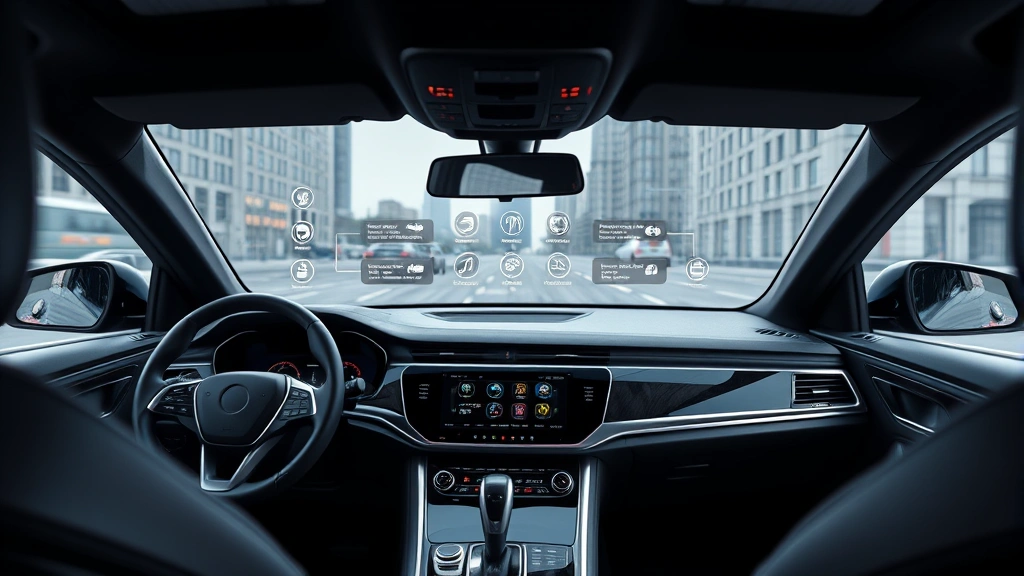
Antwerpen-Specific Security Considerations
Antwerpen’s unique characteristics as Belgium’s second-largest city and a major international port create specific security challenges for vehicle owners. Understanding the local threat landscape enables more targeted protective measures.
Port area vehicle theft patterns affect security strategies in Antwerpen’s harbor districts. The concentration of shipping containers and international cargo attracts organized theft rings targeting vehicles with valuable components or high resale value. Nissan vehicles, particularly newer models with advanced technology components, represent attractive targets. Avoid parking in port-adjacent areas for extended periods, and utilize secured facilities when possible.
Urban parking security varies significantly across Antwerpen’s neighborhoods. Central districts like Meir and the Fashion District offer better-lit, more populated parking environments. Peripheral areas and industrial zones present elevated theft risks. When choosing parking locations, prioritize well-established commercial parking facilities over street parking, particularly during evening hours.
Local law enforcement coordination can enhance your security posture. Antwerpen’s police services work actively against vehicle theft and organized crime. Report any suspicious activity around your vehicle, including attempted break-ins or unusual individuals photographing vehicles. Local police can provide specific guidance on high-risk areas and theft prevention strategies tailored to your neighborhood.
Insurance requirements and coverage vary based on security measures implemented. Many insurance providers operating in Belgium offer premium reductions for vehicles equipped with GPS trackers, immobilizers, and other security devices. Contact your insurance provider to understand available discounts and ensure your coverage includes theft protection and comprehensive damage coverage for your Nissan.
Best Practices for Daily Vehicle Security
Consistent daily practices create a security culture that protects your Nissan from both opportunistic and sophisticated threats. These habits, when maintained consistently, significantly reduce your vulnerability to various attack vectors.
Lock verification rituals prevent accidental vehicle access. After exiting your Nissan, manually verify that doors are locked by attempting to open them. Don’t rely solely on automatic locking systems that may malfunction. Test your locks regularly to confirm they’re functioning properly. This simple habit prevents unauthorized access through overlooked unlocked doors.
Key fob security protects against relay attacks. Keep your key fob with you at all times rather than leaving it in accessible locations near your vehicle. Relay attackers position themselves outside your home, capturing and amplifying your key fob signal to unlock nearby vehicles. Storing fobs in Faraday pouches—specialized bags that block wireless signals—provides additional protection when you’re home and don’t need immediate vehicle access.
Valuables removal eliminates theft motivations. Never leave laptops, smartphones, tablets, or other valuable items visible in your Nissan. Store these items in your trunk or take them with you when exiting the vehicle. Thieves often target vehicles specifically to access visible electronics, so minimizing visible valuables significantly reduces theft likelihood.
Credential hygiene protects against account compromise. Don’t share your Nissan Connect passwords with family members, friends, or service technicians. If sharing vehicle access is necessary, use the dedicated guest account features available in many Nissan systems rather than providing your primary credentials. Change your Nissan Connect password periodically—at minimum annually, or immediately if you suspect compromise.
Regular security audits identify vulnerabilities before they’re exploited. Monthly, review your Nissan Connect account settings, checking for unexpected changes. Verify that your registered phone number and email address are current and under your control. Confirm that no unauthorized devices are paired with your vehicle’s Bluetooth system. These regular checks catch compromises early when remediation is straightforward.
Responding to Security Incidents
Despite implementing comprehensive security measures, incidents may occur. Knowing how to respond effectively minimizes damage and aids recovery efforts.
Suspected vehicle theft response requires immediate action. Contact Antwerpen’s police services immediately at 112 or the local police station, providing your vehicle’s license plate, VIN, and detailed description. If your vehicle has a GPS tracker, provide this information to police to facilitate recovery. Contact your insurance company promptly to report the theft and begin the claims process. Provide police with your insurance information and claim number.
Unauthorized account access demands rapid credential changes. If you suspect your Nissan Connect account has been compromised, immediately change your password from a secure device (not your vehicle). Review your account activity logs for any unrecognized commands or location access. Contact Nissan customer support to report the suspected breach and request additional security measures. Change the passwords of any other accounts using similar credentials.
Vehicle system anomalies warrant professional evaluation. If your Nissan exhibits unusual behavior—warning lights, unexpected system shutdowns, or features malfunctioning—schedule an immediate appointment with an authorized Nissan dealership. Describe all symptoms in detail to technicians. Do not attempt to diagnose or repair suspected security issues yourself, as improper intervention could worsen problems or destroy evidence of compromise.
Data breach notification may occur if Nissan identifies security vulnerabilities affecting multiple vehicles. If you receive communication about a security incident affecting your vehicle, follow all provided instructions carefully. These notifications typically include guidance on remediation steps, whether through dealership visits or over-the-air updates. Respond promptly to avoid prolonged vulnerability periods.
Documentation and reporting supports recovery and investigation. If you experience vehicle theft or suspected security compromise, document everything: date, time, location, description of incident, any witnesses, police report number, and insurance claim information. Photograph any physical damage to your vehicle. Preserve this documentation for insurance purposes and potential legal proceedings.
FAQ
What is a relay attack and how does it affect my Nissan?
Relay attacks involve criminals using signal amplification equipment to capture and extend your key fob’s wireless signal, enabling vehicle entry without your physical key. Two attackers position themselves—one near your home to capture the signal, one near your vehicle to transmit the amplified signal. This technique defeats many modern keyless entry systems. Protection includes storing key fobs in Faraday pouches, disabling keyless entry features you don’t need, or requesting your Nissan dealer install additional security features available for your model year.
How often should I update my Nissan’s firmware?
Firmware updates should be installed whenever your Nissan dealer notifies you of available updates, or when you notice security bulletins affecting your vehicle model. Major security updates should be installed within weeks of release. Routine updates can be scheduled during regular maintenance appointments. Over-the-air update systems, when available, provide automatic installation of critical security patches. Enable automatic updates whenever possible to ensure timely security patch deployment.
Is it safe to use public WiFi for my Nissan Connect app?
Public WiFi networks present significant security risks for sensitive applications like Nissan Connect. Attackers can monitor unencrypted communications on public networks, potentially intercepting your login credentials or vehicle commands. Use only secured WiFi networks you control or trusted cellular data connections when accessing Nissan Connect. If you must use public WiFi, connect through a VPN service like ProtonVPN or ExpressVPN to encrypt your connection and protect your data.
What should I do if I suspect my Nissan has been hacked?
Contact your Nissan dealership immediately to schedule a security diagnostic. Describe all unusual symptoms you’ve observed. Do not attempt repairs yourself. Meanwhile, change your Nissan Connect password from a secure device and review your account activity logs for unrecognized access. Contact Nissan customer support to report the suspected compromise. If you believe your personal data may be exposed, monitor your credit reports through services like Equifax or Experian for suspicious activity.
Are aftermarket GPS trackers reliable for vehicle recovery?
Quality hardwired GPS trackers from reputable manufacturers offer excellent reliability for vehicle recovery. Choose trackers with real-time location tracking, geofencing alerts, and battery backup capabilities. Professional installation ensures proper integration with your vehicle’s electrical system. Popular options include Tracki, AirTag, and Tile systems. Ensure your tracker’s subscription service is current and that you can access tracking information through dedicated applications. Test your tracker regularly to confirm it’s functioning properly.
What insurance discounts are available for Nissan security features?
Insurance providers typically offer premium reductions of 5-15% for vehicles equipped with approved security devices including GPS trackers, steering wheel locks, and immobilizers. Contact your insurance provider with details of any security measures you’ve implemented. They’ll advise which devices qualify for discounts and what documentation is required to verify installation. Some insurers require professional installation certification, while others accept customer-installed devices with photographic proof.


