
How to Secure Your Device? Cyber Expert Advice
In an increasingly connected world, device security has become paramount. Cyberattacks are evolving rapidly, targeting personal computers, smartphones, and tablets with sophisticated malware, ransomware, and phishing schemes. Whether you’re streaming your favorite entertainment or managing sensitive personal information, understanding how to protect your device is no longer optional—it’s essential.
This comprehensive guide provides expert-backed strategies to fortify your digital devices against modern threats. From fundamental security practices to advanced protection measures, you’ll learn actionable steps that security professionals recommend for comprehensive device protection.
Understanding Modern Device Threats
Before implementing security measures, it’s crucial to understand the threats targeting your devices. Cybercriminals employ diverse attack vectors designed to compromise your personal information, financial data, and digital identity. According to CISA (Cybersecurity and Infrastructure Security Agency), the threat landscape continues to evolve with increasingly sophisticated techniques.
Common threats include:
- Malware: Malicious software designed to infiltrate systems and steal data or disrupt operations
- Ransomware: Encryption-based attacks that lock your files until payment is made
- Phishing: Deceptive emails or messages tricking users into revealing sensitive information
- Spyware: Software that monitors your activities without consent
- Keyloggers: Tools that record your keyboard input to capture passwords and sensitive data
- Zero-day exploits: Attacks targeting previously unknown vulnerabilities
Understanding these threats helps you appreciate why each security layer matters. When you’re not browsing security topics, you might enjoy reading movie reviews online, but even entertainment sites can harbor malicious ads or compromised content.
Essential Password and Authentication Security
Your password is the first line of defense protecting your digital accounts and devices. Weak passwords remain one of the most exploited vulnerabilities in cybersecurity. Security experts universally recommend creating strong, unique passwords for every account you maintain.
Creating Strong Passwords:
- Use at least 16 characters combining uppercase, lowercase, numbers, and symbols
- Avoid dictionary words, personal information, or sequential patterns
- Never reuse passwords across multiple accounts
- Consider passphrase approaches using random word combinations
Multi-Factor Authentication (MFA):
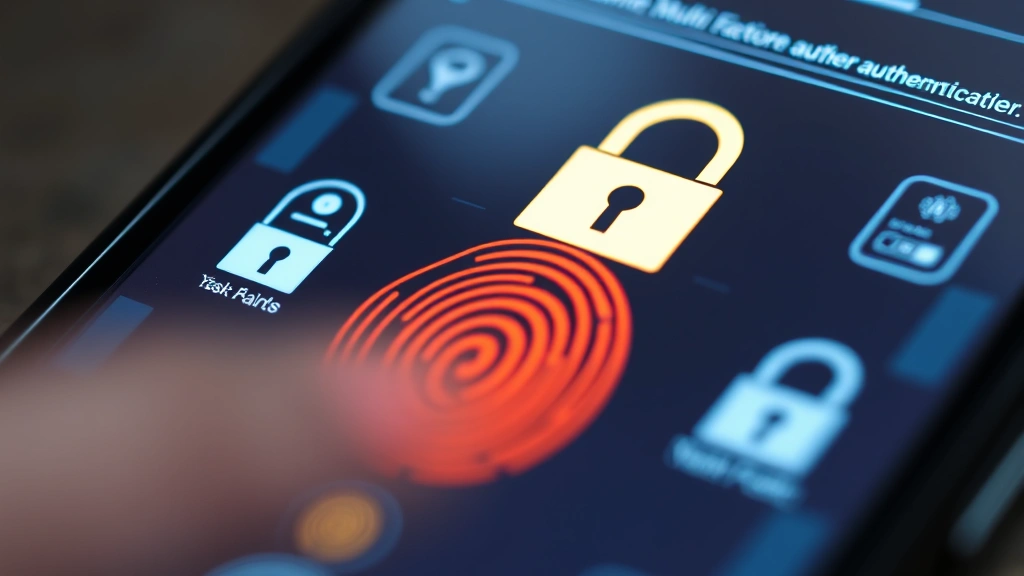
Multi-factor authentication significantly enhances security by requiring multiple verification methods. Rather than relying solely on passwords, MFA implements additional layers:
- Something you know (password or PIN)
- Something you have (phone, security key, or authenticator app)
- Something you are (biometric data like fingerprints or facial recognition)
Enable MFA on all critical accounts including email, banking, cloud storage, and social media. Authenticator apps like Google Authenticator or Authy provide time-based codes that are more secure than SMS-based verification.
Password Manager Implementation:
Password managers securely store and generate complex passwords, eliminating the need to memorize multiple credentials. They encrypt your password database and automatically fill login forms, reducing the risk of credential theft through phishing or keylogging attacks.
Operating System and Software Updates
Software vulnerabilities provide entry points for cyberattacks. Developers continuously release security patches addressing discovered weaknesses, making timely updates absolutely critical. Delaying updates leaves your system exposed to known exploits that attackers actively target.
Update Priorities:
- Operating System: Windows, macOS, and Linux regularly release security patches. Enable automatic updates to ensure you receive protection immediately
- Web Browsers: Firefox, Chrome, Safari, and Edge receive frequent security updates. Outdated browsers expose you to web-based attacks
- Third-Party Applications: Software like Adobe Reader, Java, media players, and productivity tools often contain vulnerabilities
- Firmware: Router and device firmware updates patch security holes in network infrastructure
Update Best Practices:
Schedule updates during convenient times and restart your device promptly after installation. Some updates require restarts to take effect fully. Additionally, consider removing software you no longer use—less software means fewer potential vulnerabilities to manage.
Antivirus and Malware Protection
Antivirus software provides essential protection against known malware threats. Modern antivirus solutions use multiple detection methods including signature-based detection, heuristic analysis, and behavioral monitoring.
Selecting Antivirus Software:
Choose reputable antivirus solutions from established security vendors. Windows Defender provides adequate baseline protection for Windows users, though third-party alternatives like Bitdefender, Norton, or Kaspersky offer enhanced features. Mac and Linux users should also implement antivirus protection despite lower malware prevalence on these platforms.
Antivirus Configuration:
- Enable real-time scanning to monitor file access and downloads
- Schedule regular full system scans during off-peak hours
- Maintain updated virus definitions by enabling automatic definition updates
- Enable behavioral monitoring to detect suspicious activities
- Configure quarantine settings to isolate potentially infected files
Additional Malware Protection:
Anti-malware tools like Malwarebytes provide supplementary protection against malware that traditional antivirus might miss. Running periodic scans with anti-malware software identifies and removes threats that slip through primary defenses.
Network Security Best Practices
Your network connection represents a critical attack surface. Unsecured networks expose your data to interception by cybercriminals monitoring traffic. Implementing network security measures protects your communications and prevents unauthorized access.
Wi-Fi Security:
When connecting to Wi-Fi networks, prioritize security configurations:
- Home Networks: Change default router credentials, enable WPA3 encryption (or WPA2 if WPA3 unavailable), and use strong passwords
- Public Networks: Avoid accessing sensitive information on public Wi-Fi; use a Virtual Private Network (VPN) if necessary
- Network Visibility: Disable SSID broadcasting and enable MAC filtering on home networks
Virtual Private Networks (VPN):
VPNs encrypt your internet traffic and mask your IP address, protecting your data from interception on public networks. When traveling or using public Wi-Fi, a reputable VPN service adds significant security. Choose VPN providers with strong privacy policies and transparent logging practices.
Firewall Configuration:
Firewalls monitor incoming and outgoing network traffic, blocking unauthorized connections. Enable your operating system’s built-in firewall and configure it to block suspicious traffic while allowing legitimate applications. Third-party firewalls provide additional control for advanced users.
Data Backup and Recovery
Ransomware and hardware failures can result in permanent data loss. Regular backups ensure you can recover your files even if your device is compromised or damaged. Following the NIST cybersecurity guidelines, security professionals recommend the 3-2-1 backup strategy: maintain three copies of your data, store them on two different media types, and keep one copy offsite.
Backup Implementation:
- Cloud Backup: Services like OneDrive, Google Drive, or iCloud provide automatic backup with encryption
- External Hard Drives: Regular backups to external drives stored securely provide offline protection against ransomware
- Network Attached Storage (NAS): NAS devices offer centralized backup for multiple devices
- Backup Frequency: Critical data requires daily backups; less critical data weekly or monthly
Backup Security:
Encrypt backups and store them separately from your primary device. Ransomware that compromises your computer shouldn’t affect offline backups. Test restoration procedures periodically to ensure backups are functional and accessible when needed.
Mobile Device Security
Smartphones and tablets require security attention equal to computers. Mobile devices store sensitive personal and financial information while connecting to various networks throughout the day.
Mobile Operating System Security:
- iOS: Enable automatic updates, use Face ID or Touch ID, and review app permissions regularly
- Android: Ensure your device receives security updates, enable Google Play Protect, and only install apps from official app stores
Mobile App Security:
Download applications exclusively from official app stores (Apple App Store or Google Play Store). These platforms implement security screening, though malicious apps occasionally slip through. Review app permissions before installation—apps shouldn’t request unnecessary access to your location, contacts, or camera. Regularly review installed apps and remove unused applications.
Mobile Network Security:
Avoid storing sensitive information on your device. When accessing banking or email, use official applications rather than mobile browsers. Enable device encryption to protect data if your phone is lost or stolen. Consider using a mobile antivirus app for additional protection, particularly if you frequently visit unfamiliar websites or download files.
Advanced Protection Strategies
Beyond fundamental security measures, advanced users can implement additional protections addressing sophisticated threats.
Endpoint Detection and Response (EDR):
EDR solutions monitor endpoint activities, detecting and responding to suspicious behavior in real-time. These tools provide visibility into system processes and network connections, enabling rapid threat response. Solutions like Microsoft Defender for Endpoint offer enterprise-grade protection for advanced users.
Disk Encryption:
Full disk encryption protects your data if your device is physically stolen. Windows BitLocker, macOS FileVault, and Linux LUKS provide transparent encryption requiring a password at startup. This prevents unauthorized access to your files even if someone gains physical access to your device.
Security Audits and Assessments:
Periodically assess your security posture by reviewing installed software, checking for unnecessary services, and validating that all security tools function properly. Consider running vulnerability scans to identify potential weaknesses. Resources like Tenable’s vulnerability research provide insights into emerging threats.
Behavioral Security Practices:
- Never click links in unsolicited emails or messages
- Verify sender addresses before responding to requests for sensitive information
- Avoid downloading attachments from untrusted sources
- Be cautious with USB drives and external devices from unknown origins
- Maintain awareness of social engineering tactics
Security Training and Awareness:
The human element remains critical in cybersecurity. Phishing emails trick users into compromising security by clicking malicious links or revealing credentials. Regular security training helps you recognize social engineering attempts. When reviewing content on various websites, maintain skepticism about unusual requests or suspicious links, even on entertainment sites.
Visit SANS Institute for comprehensive security awareness training and certifications. Their resources help users understand evolving threats and appropriate responses.
FAQ
What’s the most important device security measure?
Strong, unique passwords combined with multi-factor authentication provide the most significant security improvement. These fundamentals prevent unauthorized account access even if other security measures fail.
How often should I update my software?
Install security updates immediately upon release. Operating system updates should be applied within days; critical security patches require immediate action. Enable automatic updates to ensure timely protection.
Is free antivirus software adequate?
Free antivirus solutions like Windows Defender provide baseline protection. However, paid solutions often include additional features like behavior monitoring and advanced threat detection. Choose based on your security needs and risk tolerance.
Should I use VPN on all networks?
VPN is essential on public Wi-Fi networks. On your home network with proper security configuration, VPN is less critical but adds privacy protection. Consider always-on VPN if you prioritize privacy.
How do I know if my device is compromised?
Warning signs include unusual slowness, unexpected pop-ups, unfamiliar applications, or suspicious network activity. Run antivirus and anti-malware scans if you suspect compromise. Consider professional assessment if problems persist.
What should I do if I suspect a phishing attack?
Don’t click links or download attachments. Report the message to your email provider and delete it. Change your password if you’ve already provided credentials. Enable additional monitoring on affected accounts.
Can I watch family movies safely online?
Yes, when using legitimate streaming services with HTTPS connections. Verify website legitimacy before accessing content. Use official applications rather than browser-based access when available. Maintain updated antivirus protection regardless of content type.
What’s the difference between antivirus and anti-malware?
Antivirus traditionally targeted viruses specifically, while anti-malware addresses broader malware categories including trojans, worms, and ransomware. Modern antivirus solutions detect all malware types, making the distinction less meaningful.


