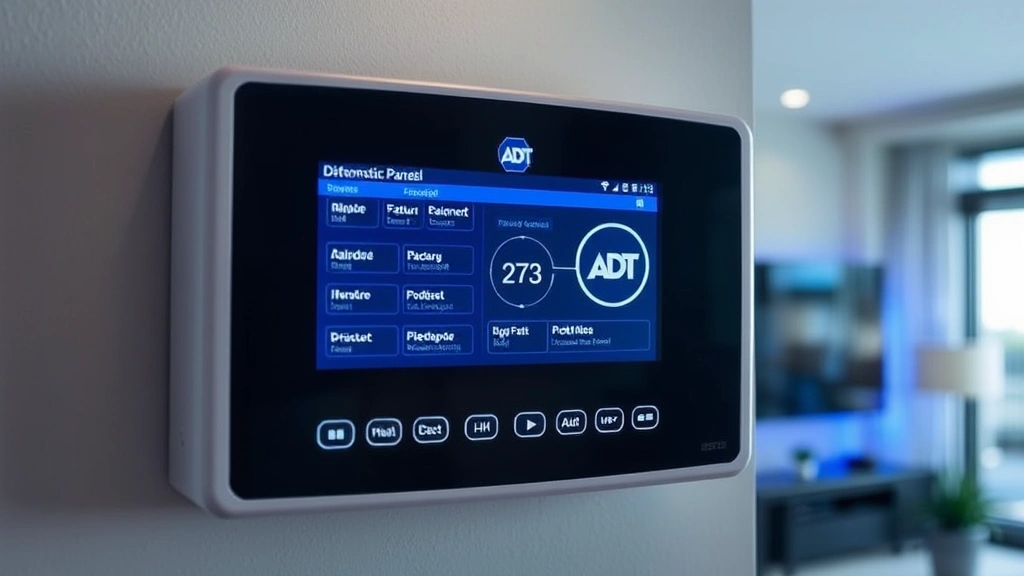
What Does ‘FC’ Mean on ADT Panel? Expert Insights Into Security System Codes
When you glance at your ADT security panel and spot the letters ‘FC’ displayed on the screen, it’s natural to wonder what this cryptic code means. Understanding security system indicators is essential for homeowners and business operators who rely on ADT systems for protection. The ‘FC’ code on your ADT panel stands for “Failure to Communicate,” a critical alert that deserves immediate attention and proper troubleshooting.
This diagnostic code indicates that your security system is having difficulty establishing proper communication with ADT’s central monitoring station. Rather than signaling an immediate security breach, FC is a system health indicator that tells you something is interfering with the communication pathway between your panel and ADT’s servers. Recognizing this code early and understanding what it means can prevent service gaps and ensure your system remains fully operational for protecting your property.
In this comprehensive guide, we’ll explore what the FC code means, why it appears on your ADT panel, how to troubleshoot it, and when you should contact professional support. By the end, you’ll have expert insights into managing this common security system alert and maintaining optimal system performance.
Understanding FC Code on ADT Panels
The FC code represents one of the most important diagnostic messages your ADT security panel can display. Unlike error codes that indicate physical malfunctions or sensor failures, FC specifically addresses the communication infrastructure between your local panel and ADT’s central monitoring facility. This distinction matters significantly because it determines both the urgency and the troubleshooting approach you’ll need to take.
When your panel displays FC, it means the system has attempted to establish contact with ADT’s monitoring center and failed to do so successfully. This could happen during routine daily communication checks or when your system attempts to report an actual alarm event. The presence of an FC code doesn’t necessarily mean your alarm won’t work—it means ADT’s monitoring station may not receive alerts if a genuine security incident occurs. This creates a critical gap in your home or business security protection.
ADT panels use bidirectional communication to maintain constant contact with monitoring centers. This two-way communication allows the central station to send signals to your panel and receive status updates from your system. When FC appears, this bidirectional link has been interrupted, preventing the normal information exchange that keeps your security service active and responsive.
Understanding the technical nature of this code helps you approach troubleshooting methodically rather than panicking. The code itself is actually a helpful diagnostic tool that alerts you to problems before they become critical security vulnerabilities. Many property owners don’t realize their system has communication issues until they test it or experience a genuine alarm event that goes unreported—making the FC code invaluable for early detection.
Why Does FC Appear on Your Security Panel
Several underlying causes can trigger the FC code on your ADT panel. Identifying the specific reason your system displays this alert is the first step toward resolution. The most common culprits fall into categories related to connectivity, equipment, and service configuration.
Internet and Network Issues represent the leading cause of FC codes on modern ADT systems. If your panel communicates through broadband internet, any disruption in your connection will prevent successful communication with monitoring centers. This includes problems with your internet service provider, router malfunctions, network outages, or configuration errors. Your panel might lose internet connectivity even while other devices in your home maintain normal network access.
Phone Line Problems affect older ADT systems that rely on traditional landline connections for monitoring communication. Disconnected phone lines, damaged wiring, or service interruptions from your telephone provider can all cause FC codes. Some panels attempt phone communication as a backup method, so issues here can prevent fallback communication attempts.
Modem and Equipment Failures occur when the devices connecting your panel to communication networks malfunction or become outdated. An aging modem might fail to maintain stable connections, or a faulty network interface card in your panel could prevent proper data transmission. Equipment compatibility issues can also arise after system updates or when newer communication protocols are introduced.
Account and Service Configuration Problems sometimes cause FC alerts. If your ADT account isn’t properly configured for the communication method your panel uses, the monitoring station won’t recognize connection attempts. Recent changes to your service plan, account updates, or billing issues can occasionally trigger configuration mismatches that result in communication failures.
Signal Interference and Environmental Factors can disrupt wireless communication methods used by some ADT systems. Physical obstructions, electromagnetic interference from nearby appliances, or architectural features in your building might weaken signals enough to prevent reliable communication establishment.
Communication Methods and FC Alerts
ADT security systems employ multiple communication pathways to maintain contact with monitoring stations, and the cause of your FC code often relates to which method your specific system uses. Understanding your panel’s communication configuration helps target troubleshooting efforts effectively.
Broadband Internet Communication has become the standard for modern ADT systems. These panels connect through your home or business network to transmit signals to monitoring centers. This method offers faster communication and lower costs than traditional phone lines, but it depends entirely on your internet service quality and reliability. When broadband communication fails, FC codes appear because the panel cannot reach the monitoring station’s servers.
Cellular Backup Communication provides redundancy when internet fails. Some ADT panels include cellular modules that switch to mobile networks if broadband becomes unavailable. However, if both internet and cellular backup fail, or if the cellular module malfunctions, FC codes will display. Cellular backups require active service plans and adequate signal strength in your location.
Traditional Landline Communication remains available on many ADT systems, particularly older installations. These panels send signals through your phone line connection. While generally reliable, landline methods have become less common as broadband adoption increases. Phone line issues, service disconnections, or incompatible equipment can trigger FC codes on these systems.
Hybrid Communication Systems combine multiple methods to ensure redundancy. When your panel attempts communication through its primary method and fails, it should automatically switch to backup pathways. If all available communication methods fail, the panel displays FC. Testing which communication methods are available on your system helps determine why all pathways have become unavailable.
Each communication method has specific troubleshooting steps, and knowing which ones your panel uses is essential for effective problem resolution. Your ADT documentation or account information should specify your system’s communication configuration.
Troubleshooting FC Errors Step by Step
Resolving FC codes requires systematic troubleshooting to identify which communication pathway has failed. Follow these expert-recommended steps to diagnose and fix the problem.
Step One: Verify System Status and Recent Changes
Begin by checking if anything has changed recently with your internet service, phone line, or system configuration. Review whether you’ve experienced recent power outages, network changes, service provider updates, or ADT account modifications. Document these changes as they often correlate directly with FC code appearance. Check if other devices in your home have internet access—if your entire network is down, that’s your primary issue.
Step Two: Restart Your ADT Panel
Power cycle your security panel by unplugging it from its electrical outlet for 30 seconds, then plugging it back in. Allow the system to fully boot and reinitialize. This simple step resolves many temporary communication glitches caused by software issues or temporary network problems. Watch the panel’s display during startup to see if the FC code clears.
Step Three: Check Internet and Network Connectivity
If your panel uses broadband communication, verify your internet connection is active and stable. Restart your modem and router by powering them off, waiting 30 seconds, and powering them back on. Check that your WiFi network is broadcasting correctly if your panel connects wirelessly. Test internet speed and stability using other devices to confirm your network is functioning properly. A weak or intermittent connection often causes communication failures.
Step Four: Verify Phone Line Status
If your system uses phone line communication, check that your landline is functioning by picking up a telephone handset and listening for a dial tone. Verify the phone line is properly connected to both your wall jack and your ADT panel. Look for any visible damage to phone line wiring. If you don’t have a dial tone, contact your phone service provider to report the issue.
Step Five: Inspect Panel and Equipment Connections
Examine your ADT panel, modem, and related equipment for loose cables or damaged connections. Ensure all network cables are firmly seated in both the panel and your modem or router. Check that your modem shows active internet connection lights. Look for any signs of physical damage, water exposure, or overheating on equipment. Secure any loose connections you find.
Step Six: Check Account Status and Service Configuration
Log into your ADT account online or contact ADT customer service to verify your account is active and properly configured. Confirm that your monitoring service is current and your communication method settings match your actual system setup. Ask ADT to verify that your account is properly linked to your panel’s identification number. Service configuration errors sometimes require ADT to make corrections on their end.
Step Seven: Test Communication Manually
Many ADT panels include a manual communication test feature accessible through the system menu. Consult your panel’s manual to access this test function and initiate a test signal to ADT’s monitoring station. The panel will display results indicating whether communication succeeded or failed, providing specific diagnostic information about what’s preventing connection.
When to Contact ADT Support
While many FC codes can be resolved through basic troubleshooting, certain situations require professional ADT support intervention. Knowing when to call for help prevents prolonged security gaps and ensures proper system restoration.
Contact ADT immediately if you’ve completed all troubleshooting steps and the FC code persists. ADT technicians have access to account-level diagnostics and can identify issues that aren’t apparent from your location. They can test communication pathways from their monitoring center, verify account configuration, and determine if equipment replacement is necessary.
Call ADT right away if your system displays FC and you cannot establish communication through any method—internet, phone line, or cellular backup. This indicates a complete communication failure requiring urgent professional attention. Until resolved, your system cannot reliably report alarms to monitoring centers.
Seek ADT support if you’ve recently made account changes, service modifications, or equipment upgrades and FC codes appeared afterward. These situations often involve configuration issues that ADT needs to correct in their systems. Similarly, if you’ve changed internet service providers or phone companies and FC codes followed, ADT needs to update your account settings for your new service parameters.
Request a technician visit if your panel’s equipment appears damaged, your modem shows signs of failure, or your network infrastructure has clearly failed. ADT technicians can inspect equipment, perform repairs, and replace faulty components that you cannot fix independently.
Contact CISA (Cybersecurity and Infrastructure Security Agency) guidance on security system reliability if you’re concerned about your system’s overall security posture. While CISA doesn’t provide consumer support for specific panels, their resources help understand security system best practices.
Preventing Future FC Codes
Once you’ve resolved an FC code issue, implementing preventive measures reduces the likelihood of future communication problems. Proactive maintenance keeps your security system operating reliably.
Maintain Network Infrastructure
Invest in quality network equipment and keep it well-maintained. Use a reliable modem and router suitable for always-on applications like security monitoring. Position these devices in central locations with good ventilation to prevent overheating. Replace aging equipment before it fails—most modems and routers have 3-5 year lifespans. Keep your network firmware updated with the latest security patches and performance improvements.
Ensure Adequate Internet Service
Maintain a stable, reliable internet connection with sufficient bandwidth for security monitoring. Avoid budget internet plans that may have reliability issues. If you experience frequent internet outages, contact your service provider about reliability concerns. Consider upgrading to a higher-tier service plan if your current connection is marginal. Ensure your internet service agreement remains active and current.
Schedule Regular System Testing
Perform monthly communication tests using your panel’s built-in test function. These tests verify that communication pathways are working correctly before problems become critical. Document test results and contact ADT if any tests fail. Regular testing catches developing issues early when they’re easiest to resolve.
Keep Your ADT Account Current
Maintain active monitoring service and keep your account information updated. Ensure your contact information, service address, and communication method preferences are correct in ADT’s systems. Pay bills promptly to prevent service interruptions. Notify ADT immediately of any service changes you make so they can update account settings accordingly.
Protect System Equipment
Keep your ADT panel, modem, and related equipment protected from physical damage, power surges, and environmental hazards. Use surge protectors for all equipment. Maintain appropriate temperature and humidity conditions. Protect cables from damage and avoid running them through high-traffic areas where they might be pinched or severed. Keep equipment away from water sources and moisture-prone areas.
Stay Informed About System Updates
ADT periodically releases firmware updates and system improvements. Stay informed about available updates and apply them when ADT recommends them. Updates often include communication protocol improvements, security enhancements, and compatibility fixes that can prevent FC codes. Check your account periodically for update notifications.
Consider Backup Communication Methods
If your system supports it, enable cellular backup communication in addition to your primary internet connection. This redundancy ensures your system can still reach monitoring centers even if your internet fails. Cellular backup typically requires an additional service fee but provides valuable protection against single-point-of-failure scenarios.
Following these preventive measures significantly reduces FC code occurrences and maintains consistent, reliable security monitoring for your property.
FAQ
What does FC stand for on an ADT panel?
FC stands for “Failure to Communicate.” This code indicates your ADT security panel cannot establish proper communication with ADT’s central monitoring station, preventing alarm signals from being transmitted reliably.
Is FC code dangerous for my security?
FC codes themselves don’t indicate an active security threat, but they do create a critical gap in your monitoring protection. If a genuine alarm occurs while FC is displayed, ADT’s monitoring station may not receive the alert, leaving your property unprotected. This makes FC codes important to resolve promptly.
Can I ignore an FC code on my ADT panel?
No, FC codes should never be ignored. They indicate a communication problem that prevents your monitoring service from functioning properly. Ignoring them leaves your property vulnerable to unmonitored alarms. Troubleshoot and resolve FC codes immediately.
How long does it take to fix an FC code?
Simple FC code resolutions like restarting your panel or modem might take just a few minutes. More complex issues requiring equipment replacement or account corrections might take 24-48 hours. Call ADT for urgent issues requiring faster resolution.
Will ADT charge me to fix an FC code?
ADT typically doesn’t charge for troubleshooting communication codes if your monitoring service is active. However, if equipment replacement is necessary or if the issue results from service modifications you requested, charges may apply. Ask ADT about any potential costs before authorizing service work.
Can weather affect the FC code?
Yes, severe weather can impact internet and phone service reliability, causing FC codes. If weather events coincide with FC code appearance, wait for service restoration. If FC codes persist after weather passes, proceed with troubleshooting to identify underlying issues.
Does FC code mean my alarm won’t work?
Your alarm will still trigger locally and may sound at your property, but ADT’s monitoring station won’t receive the alert signal. This means emergency responders won’t be automatically dispatched, significantly reducing your security protection. Resolve FC codes to restore full monitoring functionality.
What’s the difference between FC and other ADT error codes?
FC specifically addresses communication failures between your panel and monitoring stations. Other codes indicate different problems—sensor failures, battery issues, or equipment malfunctions. Each code requires different troubleshooting approaches based on what system component it affects.


